
Description

Your Professional Image, Perfected.
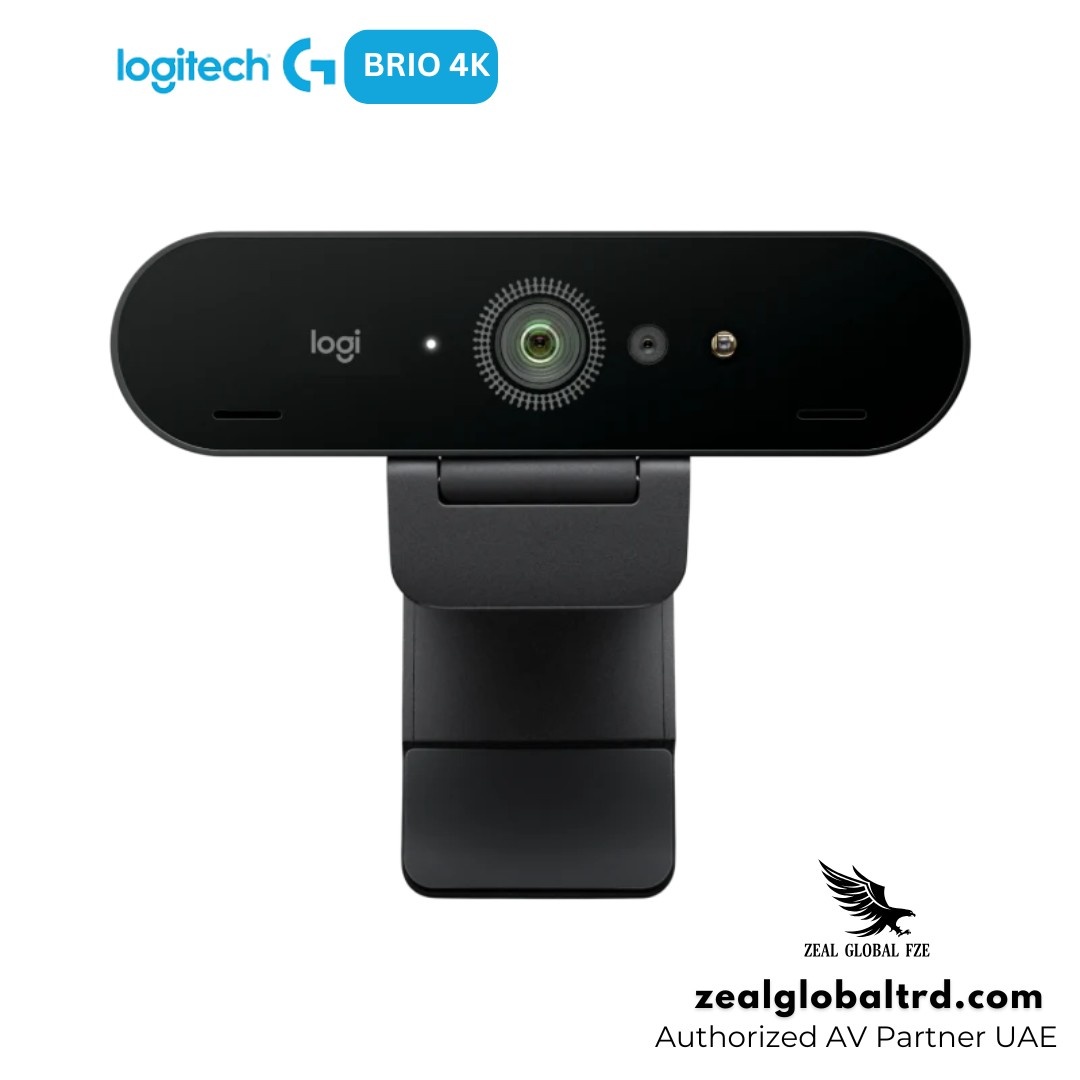
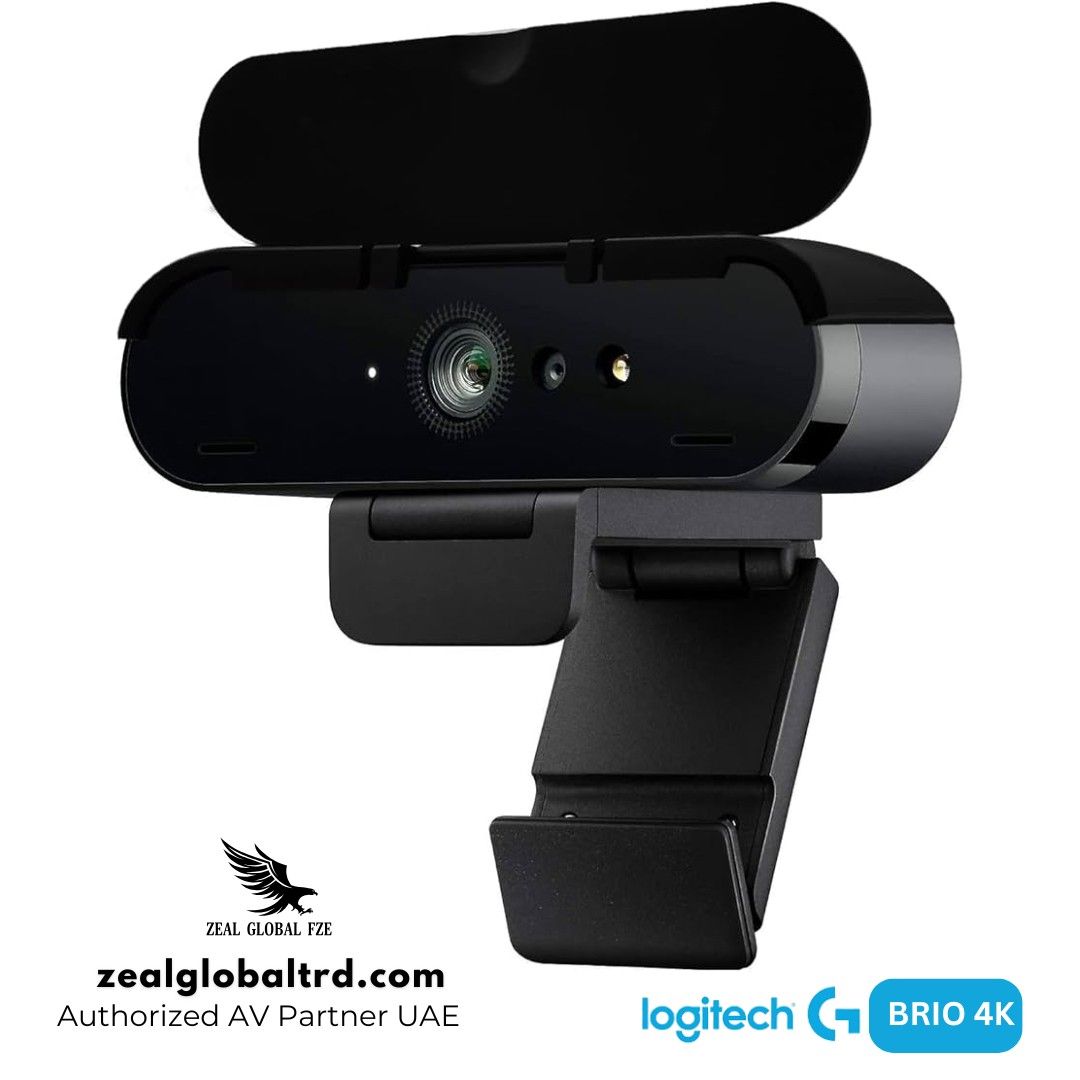
Logitech Brio 4K Ultra HD Webcam is widely regarded as the gold standard in enterprise-grade webcams. The Brio brings 4K resolution, intelligent light correction, and biometric security to your desktop. It’s the camera that makes you look like the professional you are, no matter where you’re working from.
Key Features
- ✔ Ultra HD 4K video with HDR for sharp and balanced visuals
- ✔ RightLight™ 3 technology for better performance in any lighting
- ✔ Adjustable field of view (65°, 78°, 90°)
- ✔ Autofocus and 5x digital zoom for precise framing
- ✔ Windows Hello facial recognition for secure login
From pixelated to professional – upgrade your video presence.
The Logitech Brio 4K is a premium webcam designed for professionals who demand exceptional image quality. It features a 13MP image sensor capable of capturing Ultra HD 4K video at 30 fps, making it one of the few webcams on the market that can deliver true 4K resolution. For scenarios where smooth motion matters more than pixel count, it also supports 1080p at 60 fps and 720p at 90 fps, ideal for product demos or any situation with rapid movement. Thanks to its adjustable 65°, 78°, and 90° field of view, the Brio functions as an excellent conference camera that works well in small spaces, allowing you to frame tightly without showing distracting background clutter.
Let’s be honest, first impressions in today’s work culture often happen through a camera. Whether you’re attending client meetings, leading presentations, or joining daily team calls, poor video quality can affect how you’re perceived. Grainy visuals, bad lighting, and awkward framing look unprofessional and reduce engagement.
The Logitech Brio 4K Ultra HD Webcam solves this by delivering sharp, high-quality video, intelligent lighting adjustment, and flexible framing options. It’s designed for professionals who want to look clear, confident, and present in any environment.
What’s in the Box
• Logitech Brio 4K Webcam
• Detachable USB-C cable
• Mounting clip
• Privacy shutter
• User documentation
Why Choose Brio 4K Over Other Webcams?
Most webcams try to fix one problem, either resolution or lighting.
The Brio solves multiple problems at once:
• Clarity
• Lighting
• Framing
• Security
That’s what makes it a complete professional webcam, not just a basic upgrade.
Product Overview
4K Ultra HD Video with HDR
Not all webcams deliver true clarity. The Brio offers 4K Ultra HD resolution with HDR, which means sharper visuals and better contrast.
Even when platforms scale down to 1080p, it adjusts automatically to lighting conditions, so your face remains clear even when the background is bright or uneven.
RightLight™ 3 for Any Lighting Condition
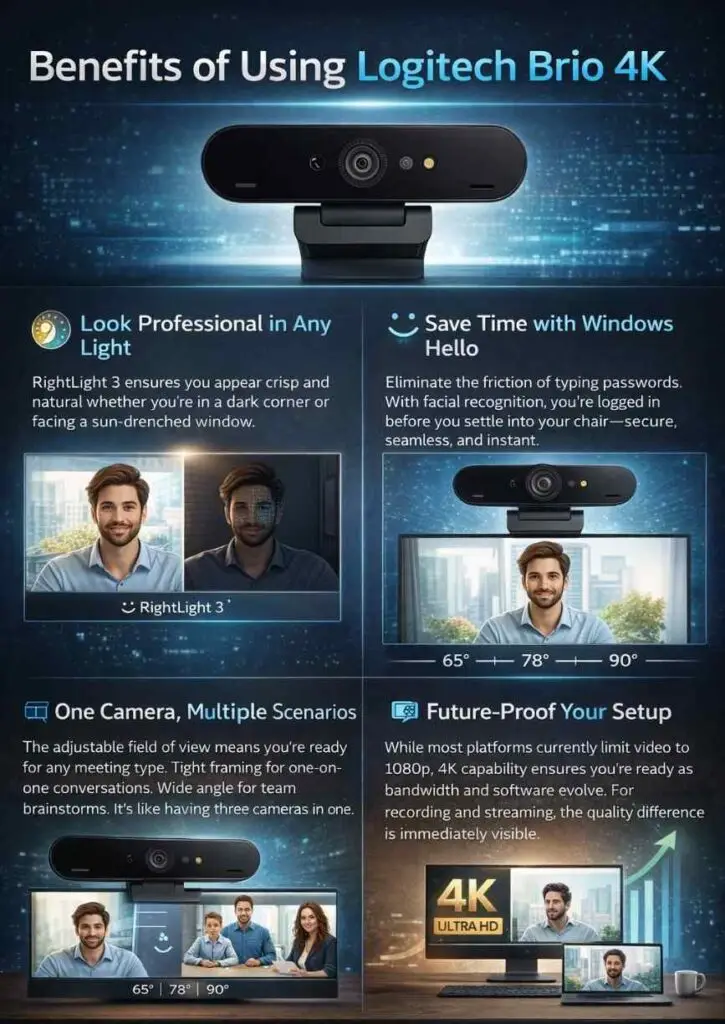
Lighting can be unpredictable, windows behind you, dim rooms, mixed lighting. The Brio handles this with RightLight 3 and HDR, balancing brightness and contrast so your face stays visible and natural.
Advanced light correction ensures you look your best in any environment.
Adjustable Field of View for Better Framing
Not every setup is the same. The Brio lets you choose between 65°, 78°, or 90° field of view.
- 65° – Tight, head-and-shoulders framing perfect for focused one-on-one calls
- 78° – A natural, balanced view for most professional meetings
- 90° – Wide-angle ideal for group calls or showing a whiteboard
You control how much of your background shows.
Windows Hello Facial Recognition
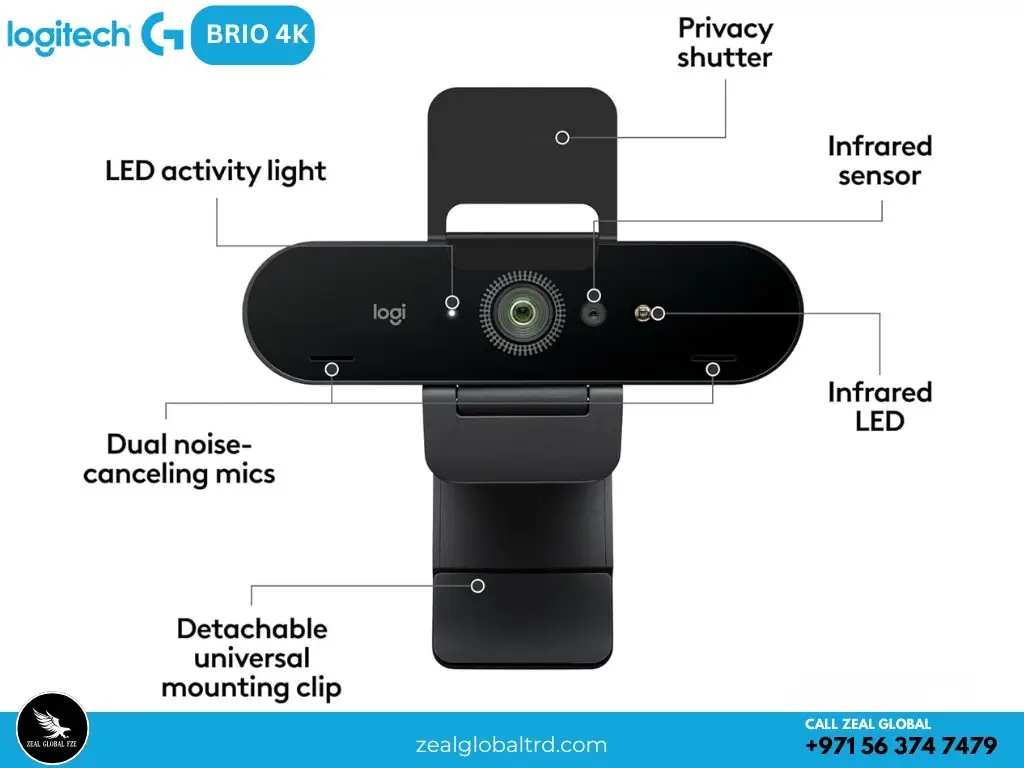
Integrated infrared sensors enable secure, password-free login to Windows 10 and 11. It’s fast, reliable, and adds an enterprise-grade security layer to your daily workflow.
Dual Omnidirectional Microphones with Noise Cancellation
Built-in dual mics deliver clear audio while suppressing background noise. They’re perfect for spontaneous calls, though a dedicated headset is recommended for high-stakes presentations.
Autofocus and 5x Digital Zoom
The webcam keeps you in focus even when you move slightly. With autofocus and up to 5x digital zoom, it ensures your image stays sharp and centered.
This is especially useful for presentations or dynamic work setups. Zoom in on documents, products, or fine details without losing clarity. The high-resolution sensor maintains detail even when you’re magnifying a specific area.
Flexible Connectivity & Mounting
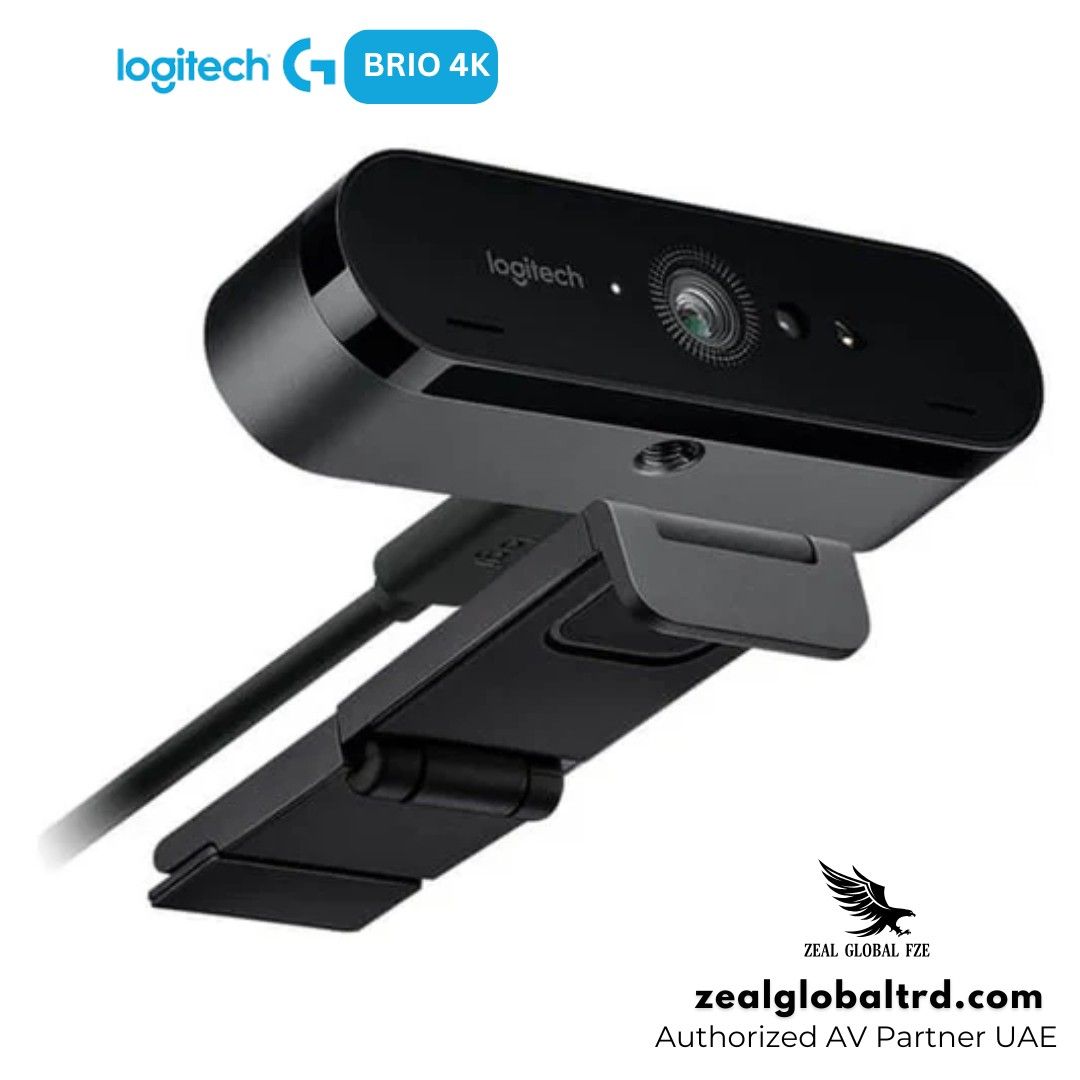
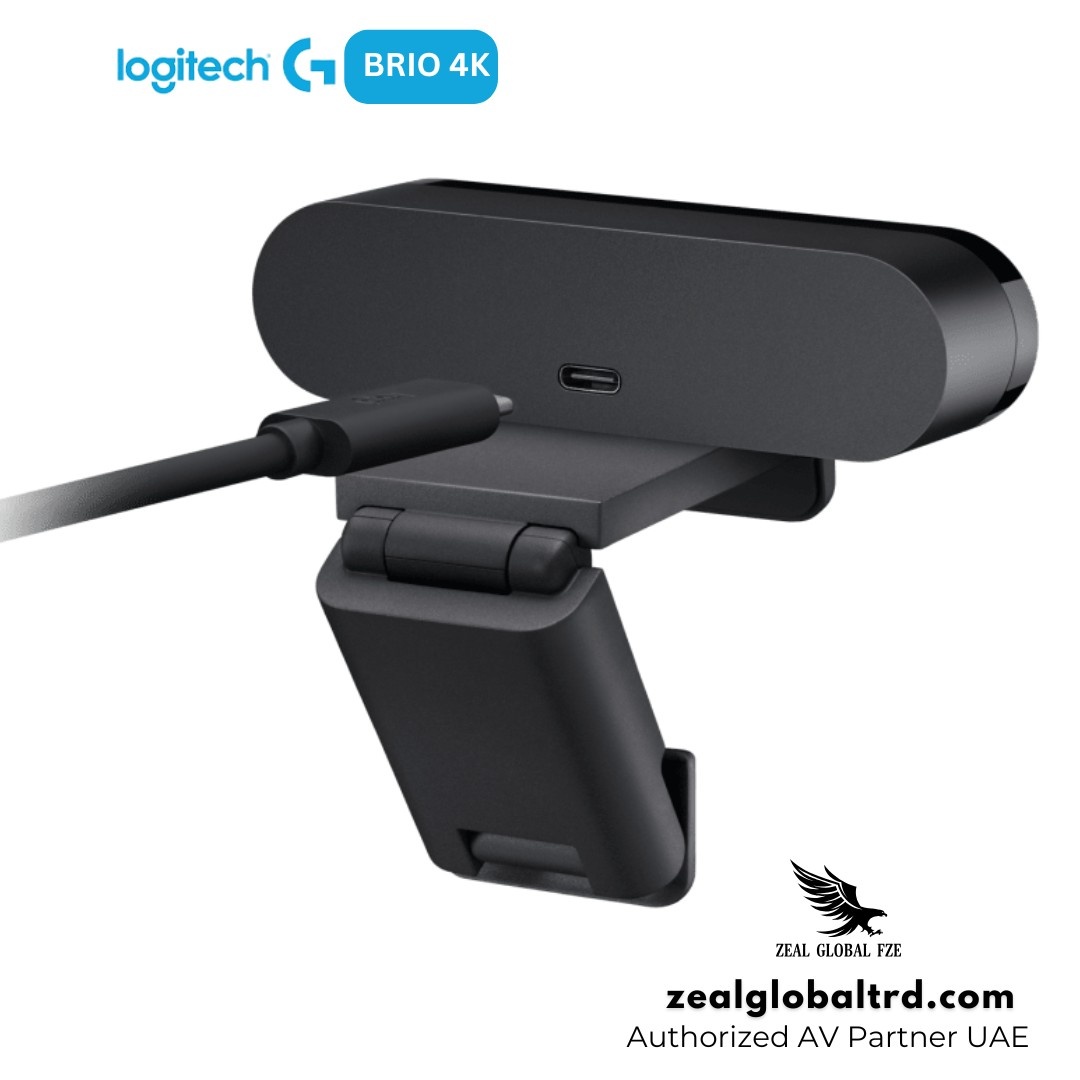
The Brio connects via USB-C and includes a USB-A adapter, giving you plug-and-play simplicity.
The detachable clip fits laptops, monitors, and desktops, and a built-in tripod thread offers permanent installation options.
Physical Privacy Shutter
A flip-down privacy shade covers the lens when not in use, giving you complete control over when the camera is active.
Works Seamlessly with Your Tools
The webcam is compatible with major platforms like:
- Microsoft Teams
- Zoom
- Google Meet
It connects easily via USB and works across Windows and macOS systems, making it a reliable choice for everyday professional use.
| General Information | |
| Category | Video conference cameras |
| Description | Logitech BRIO 4K Ultra HD webcam – Web camera – color – 4096 x 2160 – audio – USB |
| Manufacturer | Logitech |
| UNSPSC | 45121506 |
| Main Specifications | |
| Depth | 2.7 cm |
| Height | 2.7 cm |
| Width | 10.2 cm |
| Weight | 63 g |
| Brand | Logitech |
| Product Color | Black |
| Packaged Quantity | 1 |
| Warranty | 3-year warranty |
| OS Required |
Apple MacOS X 10.10 Google Chrome OS 29 Microsoft Windows 7 / 8.1 / 10 |
| Camera | |
| Digital Zoom | 5x |
| Features | Passive infrared sensor, High Dynamic Range (HDR), 4K ULTRA HD engine, RightLight 3 technology, Infrared Facial Recognition |
| Max Video Resolution | 4096 x 2160 |
| Video Capture |
4096 x 2160 @ 30 fps 1920 x 1080 @ 60 fps 1280 x 720 @ 90 fps |
| Video Modes | 720p, 1080p, 4K |
| General | |
| Audio Support | Yes: built-in dual stereo microphones |
| Mount Type | Tripod mount |
| Connectivity | Wired |
| Device Type | Webcam |
| Interfaces | |
| Computer Interface | USB |
| Lens | |
| Focus Adjustment | Automatic |
| Miscellaneous | |
| Cables Included | 1 x USB cable – 1.5 m |
| Standards | Plug and Play |
| Included Accessories | Removable clip, privacy shutter, carrying pouch |
| Works With Chromebook | Yes |
| Software / System Requirements | |
| OS Required |
Apple MacOS X 10.10 Microsoft Windows 7 / 8.1 / 10 Google Chrome OS 29 |
| Feature | Logitech Brio 4K (Original) | Logitech MX Brio (2024) |
| Sensor | 13MP | 8.5MP with 70% larger pixels |
| Max Resolution | 4K at 30 fps | 4K at 30 fps |
| Low-Light Performance | RightLight 3 with HDR | RightLight 4 with improved sensitivity |
| Microphone | Dual omni mics with noise cancellation | Dual beamforming mics with improved clarity |
| Field of View | 65°, 78°, 90° | 65°, 78°, 90° (motorized zoom available) |
| Design | Glossy front, gunmetal body | Sleek, flat aluminum design |
| Best For | Enterprise deployment, Windows Hello security, proven reliability | Content creators, streamers, users wanting the latest sensor tech |
4K Ultra HD Video with HDR
Not all webcams deliver true clarity. The Brio offers 4K Ultra HD resolution with HDR, which means sharper visuals and better contrast.
Even when platforms scale down to 1080p, it adjusts automatically to lighting conditions, so your face remains clear even when the background is bright or uneven.
RightLight™ 3 for Any Lighting Condition
Lighting can be unpredictable, windows behind you, dim rooms, mixed lighting. The Brio handles this with RightLight 3 and HDR, balancing brightness and contrast so your face stays visible and natural.
Advanced light correction ensures you look your best in any environment.
Adjustable Field of View for Better Framing
Not every setup is the same. The Brio lets you choose between 65°, 78°, or 90° field of view.
- 65° – Tight, head-and-shoulders framing perfect for focused one-on-one calls
- 78° – A natural, balanced view for most professional meetings
- 90° – Wide-angle ideal for group calls or showing a whiteboard
You control how much of your background shows.
Windows Hello Facial Recognition
Integrated infrared sensors enable secure, password-free login to Windows 10 and 11. It’s fast, reliable, and adds an enterprise-grade security layer to your daily workflow.
Dual Omnidirectional Microphones with Noise Cancellation
Built-in dual mics deliver clear audio while suppressing background noise. They’re perfect for spontaneous calls, though a dedicated headset is recommended for high-stakes presentations.
Autofocus and 5x Digital Zoom
The webcam keeps you in focus even when you move slightly. With autofocus and up to 5x digital zoom, it ensures your image stays sharp and centered.
This is especially useful for presentations or dynamic work setups. Zoom in on documents, products, or fine details without losing clarity. The high-resolution sensor maintains detail even when you’re magnifying a specific area.
Flexible Connectivity & Mounting
The Brio connects via USB-C and includes a USB-A adapter, giving you plug-and-play simplicity.
The detachable clip fits laptops, monitors, and desktops, and a built-in tripod thread offers permanent installation options.
Physical Privacy Shutter
A flip-down privacy shade covers the lens when not in use, giving you complete control over when the camera is active.
Works Seamlessly with Your Tools
The webcam is compatible with major platforms like:
- Microsoft Teams
- Zoom
- Google Meet
It connects easily via USB and works across Windows and macOS systems, making it a reliable choice for everyday professional use.
| General Information | |
| Category | Video conference cameras |
| Description | Logitech BRIO 4K Ultra HD webcam – Web camera – color – 4096 x 2160 – audio – USB |
| Manufacturer | Logitech |
| UNSPSC | 45121506 |
| Main Specifications | |
| Depth | 2.7 cm |
| Height | 2.7 cm |
| Width | 10.2 cm |
| Weight | 63 g |
| Brand | Logitech |
| Product Color | Black |
| Packaged Quantity | 1 |
| Warranty | 3-year warranty |
| OS Required |
Apple MacOS X 10.10 Google Chrome OS 29 Microsoft Windows 7 / 8.1 / 10 |
| Camera | |
| Digital Zoom | 5x |
| Features | Passive infrared sensor, High Dynamic Range (HDR), 4K ULTRA HD engine, RightLight 3 technology, Infrared Facial Recognition |
| Max Video Resolution | 4096 x 2160 |
| Video Capture |
4096 x 2160 @ 30 fps 1920 x 1080 @ 60 fps 1280 x 720 @ 90 fps |
| Video Modes | 720p, 1080p, 4K |
| General | |
| Audio Support | Yes: built-in dual stereo microphones |
| Mount Type | Tripod mount |
| Connectivity | Wired |
| Device Type | Webcam |
| Interfaces | |
| Computer Interface | USB |
| Lens | |
| Focus Adjustment | Automatic |
| Miscellaneous | |
| Cables Included | 1 x USB cable – 1.5 m |
| Standards | Plug and Play |
| Included Accessories | Removable clip, privacy shutter, carrying pouch |
| Works With Chromebook | Yes |
| Software / System Requirements | |
| OS Required |
Apple MacOS X 10.10 Microsoft Windows 7 / 8.1 / 10 Google Chrome OS 29 |
Logitech offers two premium webcams under the Brio name. Here’s how they compare:
| Feature | Logitech Brio 4K (Original) | Logitech MX Brio (2024) |
| Sensor | 13MP | 8.5MP with 70% larger pixels |
| Max Resolution | 4K at 30 fps | 4K at 30 fps |
| Low-Light Performance | RightLight 3 with HDR | RightLight 4 with improved sensitivity |
| Microphone | Dual omni mics with noise cancellation | Dual beamforming mics with improved clarity |
| Field of View | 65°, 78°, 90° | 65°, 78°, 90° (motorized zoom available) |
| Design | Glossy front, gunmetal body | Sleek, flat aluminum design |
| Best For | Enterprise deployment, Windows Hello security, proven reliability | Content creators, streamers, users wanting the latest sensor tech |
Pros & Cons
Pros
• True 4K clarity, noticeably sharper than standard webcams
• Excellent lighting adjustment with HDR
• Flexible framing options
• Windows Hello adds real convenience
• Works across all major platforms
Cons
• Premium price compared to basic webcams
• 4K not fully utilized in all meeting apps
• Needs decent lighting for best results
• Built-in mic is good, but not studio-grade
Best For
Streamers & Content Creators
Business Professionals
Remote Workers
Demonstrators
Why Choose the Logitech Brio 4K?
Your video presence doesn’t match your professional reputation. Grainy images, inconsistent lighting, and awkward framing make you look less polished than you are. Adding to the frustration, password logins eat up precious minutes each day, and managing multiple peripherals clutters your workspace.
The solution is here. The Logitech Brio 4K consolidates everything into one elegant device. Among premium video conference cameras, it stands out by delivering professional-grade video quality that ensures you look sharp on every call. RightLight 3 eliminates lighting anxiety. Windows Hello shaves seconds off every login, time that adds up across days and weeks. And with a single USB connection, your desk stays clean, and your focus stays on your work.
The Result: You project confidence, save time, and never think about your webcam again. It simply works.
The webcam market is crowded, but the Brio 4K stands apart for three reasons:
It’s the Most Certified Webcam in Its Class: Certified for Microsoft Teams, Zoom, Google Meet, Skype for Business, and Cisco WebEx, the Brio is designed to work seamlessly with the platforms your organization actually uses.
Windows Hello Built-In, Not an Add-On: While competitors offer separate infrared models or require additional hardware, the Brio integrates facial recognition into a single, sleek device.
Proven Track Record: Since its launch, the Brio has been deployed in thousands of enterprises worldwide. It’s not a consumer product adapted for business, it was engineered for professional use from the ground up.
Who Is This Not For?
The Logitech Brio 4K is a premium product with a price to match. It may not be the right fit if:
- You’re a casual user making occasional video calls with family or friends, a quality 1080p webcam will serve you well at a fraction of the cost
- You need 4K at 60 fps for gaming or fast-action streaming, the Brio is capped at 30 fps in 4K mode
- You work in extremely dark environments without any lighting, while RightLight 3 helps, no webcam performs miracles in complete darkness
- You’re on a tight budget – there are capable 1080p options available for under $100
- You already own a high-end 1080p webcam – the upgrade to 4K is most noticeable in recording and streaming, not necessarily in standard conferencing.
Why Buy from Zeal Global?
The Logitech Brio 4K Ultra HD Webcam remains the benchmark against which all other professional webcams are measured. For executives, hybrid workers, content creators, and IT managers, it’s an investment that pays dividends in professionalism, productivity, and peace of mind.
At Zeal Global, we’re your trusted partner for premium AV solutions and a leading Logitech supplier in the UAE. We offer genuine Logitech products with full warranty and expert support to help you choose the right setup for your needs.
Need a quote for your team or organization?