10 Simple Tips to Set Up the Perfect Hybrid Meeting Room
Remember when meeting rooms were just a whiteboard and that one dying projector everyone blamed? With hybrid meeting room now a standard, the way teams connect and collaborate has transformed into a smarter, more dynamic experience.
Hybrid collaboration just got a whole lot smarter. With modern AV tools like AI-powered cameras, wireless sharing, and simple USB-C connectivity, teams can connect from anywhere without dealing with complicated setups.
These smart meeting-room solutions remove the usual tech headaches and make every meeting feel smoother and more natural, whether people are in the office or joining remotely.
What is a Hybrid Meeting Room?
A hybrid meeting room is a space where some participants are physically present, while others join remotely through video conferencing platforms like Zoom, Microsoft Teams, or Google Meet.
These rooms are equipped with advancedAV technology, such as video conferencing systems, microphones, and smart displays. This ensures both in-room and remote participants can collaborate equally and feel part of the same discussion.
As businesses move from full-time office models to hybrid work, creating such flexible, tech-enabled rooms is now essential. In fact, every meeting room should be designed to easily convert into a hybrid meeting space for better flexibility and inclusivity.
What's Needed for a Good Hybrid Meeting?
✔
Visibility
Everyone should be seen clearly,
both in person and online
✔
Participation
All attendees should be able to engage, speak, and contribute easily
✔
Stability
The connection, sound, and visuals must be reliable, no glitches
✔
Ease of Use
Simple interfaces, one-touch join, and minimal cables are big factors
How to Design the Perfect Meeting Room with the Best Hybrid Meeting Equipment
Let’s see the 10 practical tips that will help you set up the perfect hybrid meeting space that is flexible and ready for the future.
1. Choose the Right Video Conferencing Platform
Your hybrid meeting experience starts with choosing the right platform. Whether you use Microsoft Teams Rooms, Zoom Rooms, or a flexible BYOD setup, the goal is simple: make joining a meeting quick and effortless.
When your meeting software is already installed, configured, and paired with your room devices, people can simply walk in and start meetings without hassle.
The easier it is to join a call, the smoother your meetings will be.
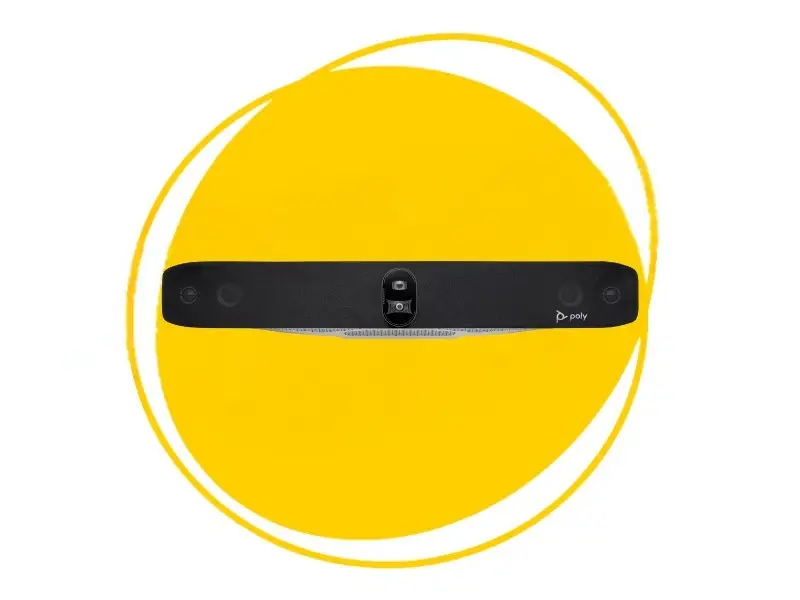
For businesses seeking a powerful, all-in-one solution, thePoly Studio X30is a standout choice. This device is certified to run Microsoft Teams and Zoom natively, requiring no PC or laptop, which makes it exceptionally reliable and simple to use. The Poly Studio X30 is one of the best portable meeting camera for client visits.
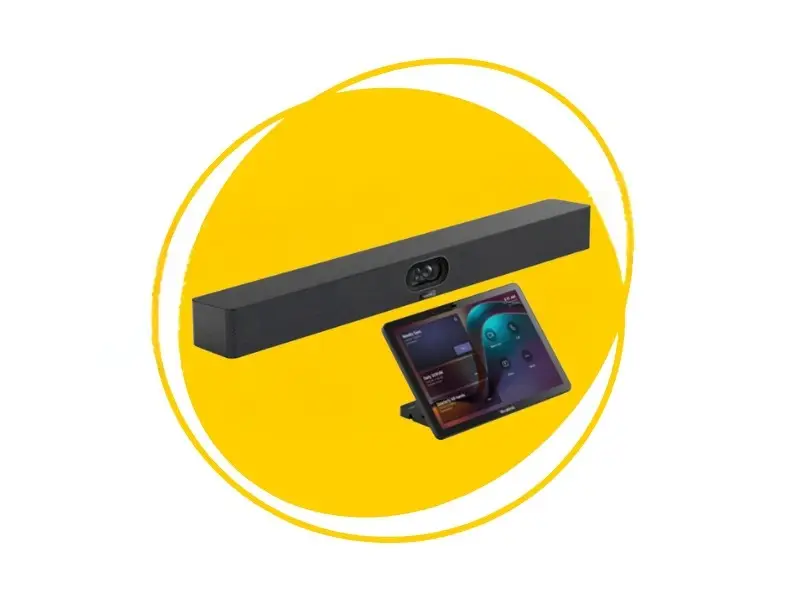
Yealink A40 MeetingBar is powered by Android 13 and supports all top conferencing platforms.
If your focus is on easy content sharing, Barco ClickShareis an excellent complementary tool. This is BYOD compatible, letting users present wirelessly from any laptop or device without installing drivers or plugging in cables.
Key Benefits:
⚡Easy setup and configuration
⚡Seamless device pairing
⚡One-touch join capability
Recommended Products
Yealink MeetingBar Series (Fully Certified)
Yealink MeetingBar A40
✔ Perfect for medium to large conference rooms ✔ Runs on Android 13 for smooth, native room experience ✔ Works perfectly with Yealink touch consoles (CTP25)
Yealink A30 MeetingBar ✔ Perfect for medium rooms ✔ Dual-camera AI system
Clear visuals are essential for any hybrid meeting. A large, high-resolution display helps everyone in the room follow shared content, presentations, and remote participants without straining their eyes.
Dual displays can make meetings even smoother. One screen is dedicated to video feeds, and the other to slides, documents, or live collaboration.
On the other hand, relying on a small or low-quality screen can create real problems:
People can’t see expressions clearly.
Content looks pixelated.
Presenters often end up repeating themselves.
This slows meetings down and weakens engagement, especially in hybrid environments.
Key Benefits:
⚡Clear expression visibility
⚡Reduced eye strain
⚡Sharp content display
⚡Professional appearance
Recommended Products
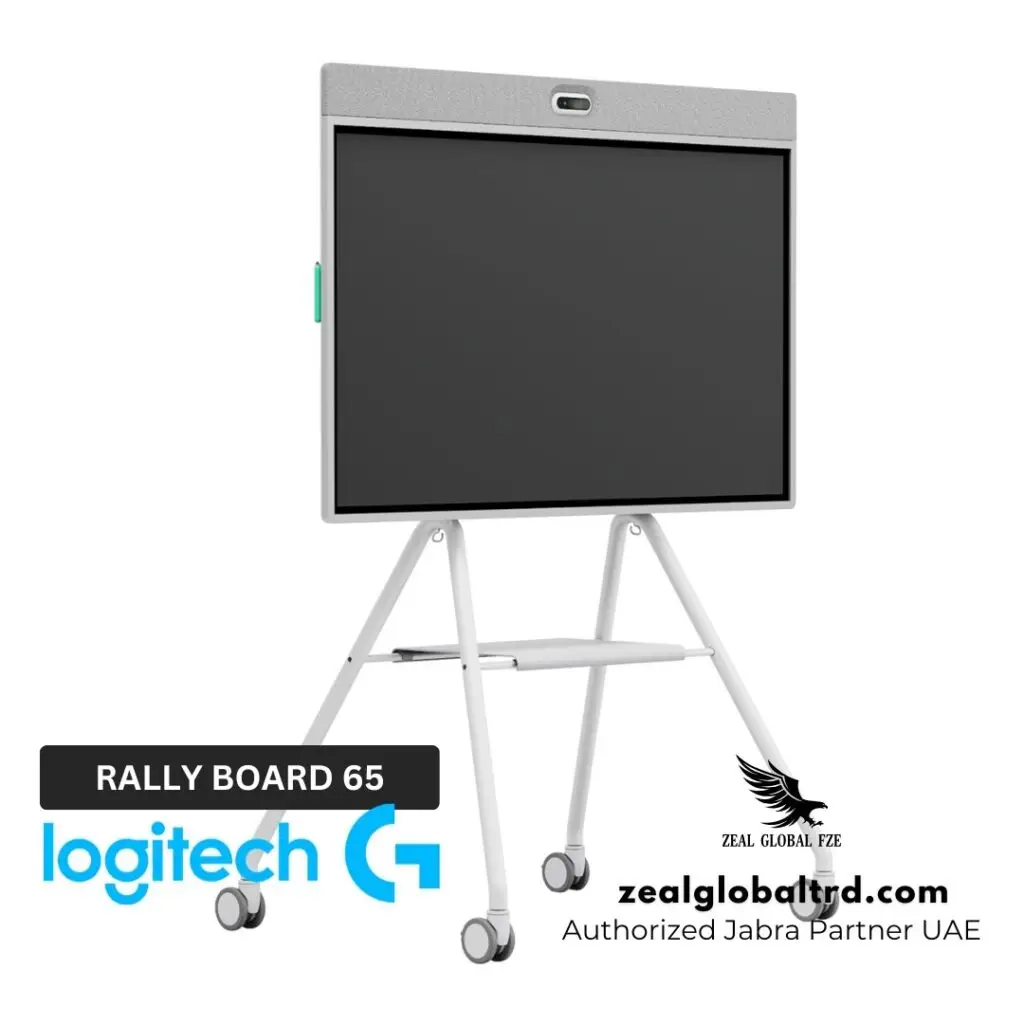
For teams that want a modern, interactive experience, the Logitech Rally Board 65 is a great option. It’s built specifically for hybrid work with a 65-inch 4K touch display, integrated AI-driven audio and video, and seamless collaboration tools, all in one clean solution. Learn More
If you’re exploring broader display upgrades, Zeal Global also offers professional AV display solutions and interactive collaboration panels that can elevate visibility across all types of meeting rooms.
3. Use a Smart Camera or Video Bar
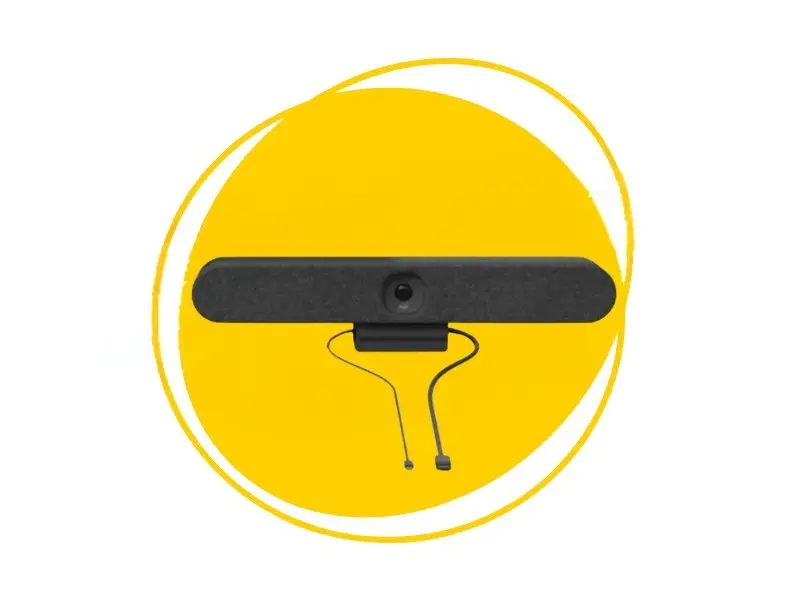
A reliable camera is at the heart of every effective hybrid meeting. Traditional laptop webcams or older USB cameras often fall short. They struggle with wide angles, produce grainy video, and can’t adjust to changing lighting or multiple speakers.
This leads to poor visibility, distracted participants, and remote attendees who miss important cues during the conversation.
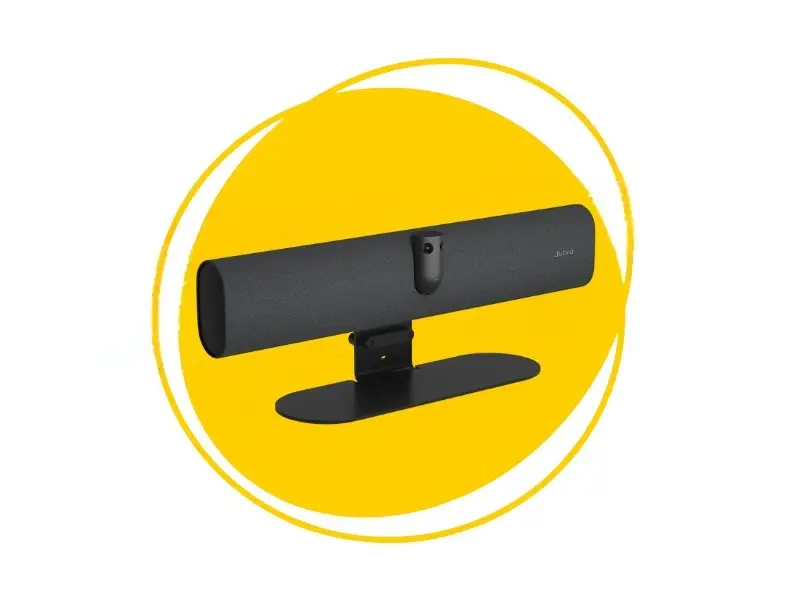
Instantly improves meeting clarity with AI-based auto-framing, dynamic lighting adjustment, and ultra-wide 4K coverage. With everyone clearly visible, team members stay more alert, engaged, and confident. Learn More
Yealink Meeting Bar A40
All-in-one camera bar that integrates directly with leading platforms. The AI-powered speaker tracking, 48 MP clarity, and built-in noise suppression are perfect for creating a polished, professional hybrid meeting experience without extra equipment. Learn More
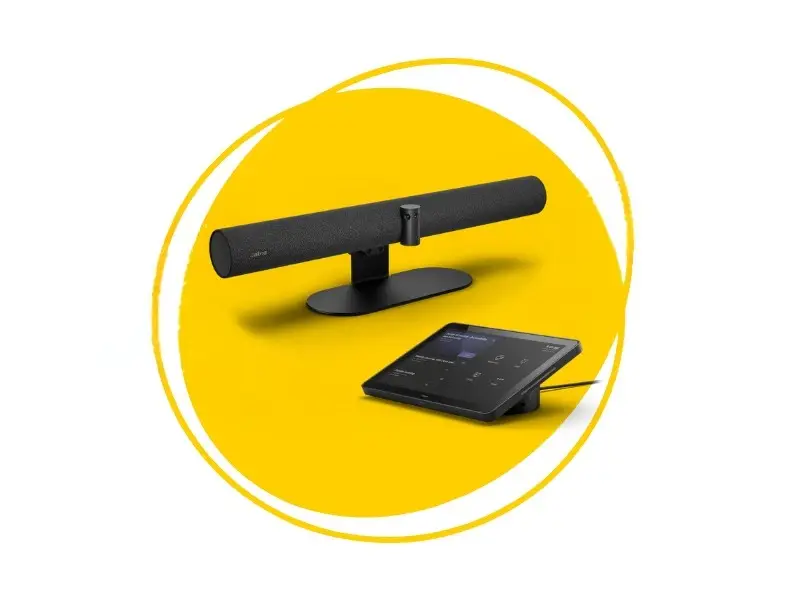
Jabra Panacast 50 VBS
For larger rooms or more immersive collaboration, the Jabra PanaCast 50 offers multi-stream video, panoramic framing, and advanced audio pickup. Learn More
Audio is usually the first thing people complain about in a meeting, and the last thing they forgive when it goes wrong.
Even with a premium camera setup, a meeting can quickly fall apart if voices sound muffled, distant, or drowned in background noise. In shared meeting rooms, it’s essential to use ceiling microphones, table mics, and high-quality speakers that can capture and project every voice clearly.
Poor-quality room speakers often create echoes or uneven volume, making remote participants strain to follow the conversation.
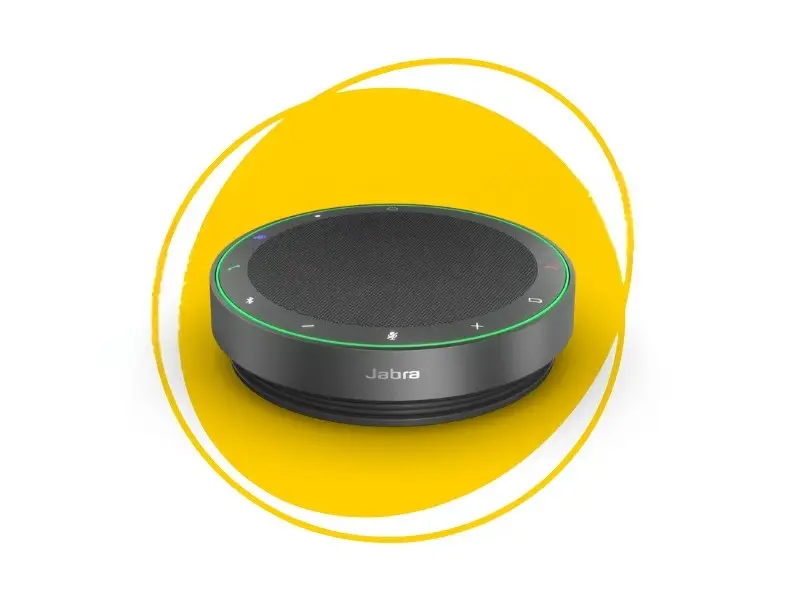
Upgrading to professional solutions like Jabra speakerphones and smart audio-enabled video bars ensures consistent clarity across the entire room. These modern audio systems come with built-in noise cancellation, echo reduction, and voice optimization. They’re perfect for small to mid-sized hybrid meeting spaces where open audio is required.
But audio isn’t only about meeting rooms. Many employees spend hours in one-on-one calls, focus sessions, and online presentations, which is where comfortable, high-quality Jabra headphones become essential.
Using old or uncomfortable headsets for long periods can cause ear fatigue, unclear voice pickup, and constant adjustments.
Noise cancellation becomes even more important in open offices. This is where the Jabra Evolve series shines. With powerful ANC, all-day comfort, and crystal-clear microphone pickup, these headphones help individuals stay sharp, focused, and confident throughout long workdays.
Key Benefits:
⚡Crystal-clear voice transmission
⚡Echo reduction
⚡Built-in noise cancellation
⚡Voice optimization
Recommended Products
Jabra Speakerphones
AI-enabled Noise Cancellation. Link 2 Jabra Speak devices. Auto switch between calls and music mode. USB-C/ A cable. 32-hour battery backup. Learn More
Jabra Evolve Series
Powerful ANC with all-day comfort for individual calls. Lightweight. 270 Adjustable Boom Arm. LED call status indicator. Learn More
Yealink UH 48
All day wearing comfort, Hybrid ANC, Four microphone noise cancellation, unifies communications, plug and play. Learn More
Hybrid meetings are about creating, planning, and solving problems together. That’s why smart collaboration tools are becoming essential in modern meeting rooms.
Instead of relying on traditional whiteboards that remote participants can’t see, digital whiteboards and interactive displays allow everyone to contribute in real time, no matter where they are.
Interactive displays like the Logitech Rally Board 65″ make brainstorming incredibly natural. Teams can sketch ideas, present documents, annotate slides, or capture notes directly on the screen, while remote participants view updates instantly.
This eliminates the usual “Can someone take a picture of the whiteboard?” problem and ensures nothing gets lost or miscommunicated.
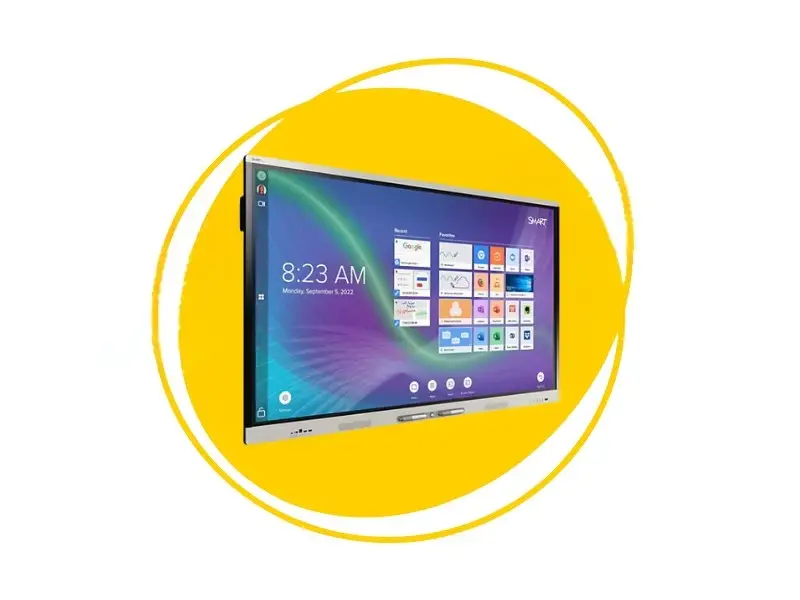
For training rooms, classrooms, and learning environments, our Smart Interactive Display for Classrooms offers even more advanced collaboration features. It supports multi-touch input and real-time annotation. This is perfect for teacher-student interactions or cross-team workshops.
Without these modern tools, hybrid collaboration often becomes one-sided. Smart displays fix that by putting everyone on the same page.
Key Benefits:
⚡Real-time collaboration
⚡Instant annotation
⚡Multi-touch input support
⚡Remote participant inclusion
Recommended Products
Logitech Rally Board 65
65″ 4K Touch screen All-in-one collaboration solution. AI-powered audio and video. Camera with auto framing and dual full range speakers. Learn More
Smart Interactive Displays
SMART Board® RX and MX series interactive displays. Up to 40 touch points with write ink technology.
EDLA certified with Google integration. Learn More
6. Ensure Strong Connectivity
A great hybrid meeting setup can fall apart the moment your connection stutters. Freezing video, delayed audio, and lag during screen sharing instantly break the rhythm of the conversation. That’s why your meeting room needs reliable, high-speed connectivity at its core.
A combination of wired Ethernet for stability and Wi-Fi for flexibility keeps your video calls smooth, even during peak office hours.
Strong connectivity also matters when sharing content. Tools like wireless presentation systems, such as Barco ClickShare, let teams present instantly from any device, no adapters, no cables, no waiting. And for setups that prefer a physical connection, HDMI inputs ensure glitch-free screen sharing with zero latency.
A good network backbone is important for smooth conferencing. Use routers and switches that can handle high-definition video and data traffic.Implement strong passwords, encryption, and guest Wi-Fi options to keep your system secure.
If possible, enable QoS (Quality of Service) settings to prioritize video conferencing traffic over regular browsing.
Key Benefits:
⚡High-definition video support
⚡QoS prioritization
⚡Encrypted transmission
⚡Guest network security
8. Design for Flexibility
A truly effective hybrid meeting room should adapt to whatever the day brings, whether it’s a quick catch-up, a client pitch, or a full brainstorming workshop. Flexibility is what keeps your space useful, comfortable, and future-proof.
That starts with supporting BYOD (Bring Your Own Device) setups so anyone can walk in, open their laptop or tablet, and connect instantly without complicated steps or extra dongles.
Room layouts also play a huge role. Modular tables, cable cubbies, movable chairs, and mobile displays let you shift the room’s purpose in minutes. From collaboration mode to presentation mode to training mode. This level of adaptability is helpful for smaller teams that need to maximize every square foot.
Hybrid teams benefit even more when your equipment is easy to reposition or reconfigure as needed.
Key Benefits:
⚡BYOD support
⚡Quick reconfiguration
⚡Modular furniture
⚡Multiple meeting modes
9. Focus on Acoustics and Lighting
Good acoustics and lighting can completely transform the quality of a hybrid meeting. Even the best camera and microphone struggle if the room is full of echoes or faces are hidden in shadows.
Start by creating soft, even lighting that avoids harsh glare on the display. Natural light is always a bonus, but it needs to be controlled. Blinds or diffusers help prevent overexposure or washed-out video during bright hours.
Adding acoustic panels, curtains, carpets, or even fabric wall art can significantly reduce echo and improve speech clarity. These simple additions make the room feel warmer, quieter, and far more comfortable to meet in.
By balancing light and sound, you make it easier for both in-room and remote attendees to stay focused.
Key Benefits:
⚡Reduced echo
⚡Professional appearance
⚡Even lighting
⚡Improved focus
10. Simplify Cable Management & Embrace USB-C
A clutter-free meeting room instantly feels more professional and stress-free. Messy wires can make even the most advanced hybrid setup look outdated.
So organizing your cables is worth the effort. Simple additions like cable trays, floor boxes, clips, and under-table channels.
Cable cubbies help keep workspaces clean by hiding power outlets, cables, and connectors inside the table, so nothing is left hanging or exposed. They provide easy access to charging, HDMI, USB, and network ports without creating clutter on the tabletop. With cable cubbies, the workspace stays organized.
Wherever possible, move toward USB-C connectivity. One cable can carry video, audio, data, and even power. This will reduce the need for multiple adapters.
It also makes the room easier for guests to use, just plug in and go.
Still, it’s smart to maintain support for HDMI, USB-A, or legacy ports, especially if your team or visitors use older laptops.
Good cable management helps your hybrid space feel polished and future-ready.
Key Benefits:
⚡Professional appearance
⚡Reduced clutter
⚡Easy connectivity
⚡Future-ready setup
Turn Every Meeting Room into a Smart Collaboration Hub
Hybrid work has completely rewritten the rulebook on team decision-making. But the truth is, many meeting rooms haven’t kept up. We’ve all joined meetings with glitchy audio and poor lighting.
By applying the tips in this guide, you create a meeting room that’s built for modern teamwork.
And when you’re ready to turn those ideas into a real, high-performing space, Zeal Global is here to make it happen. We provide end-to-end AV solutions in Dubai, helping businesses build smarter rooms with the latest video conferencing systems, audio solutions, wireless sharing, and interactive displays. No frustration. No complications. Just smooth professional hybrid meetings.
Looking to upgrade your meeting rooms with professional audio and video solutions?