
Description
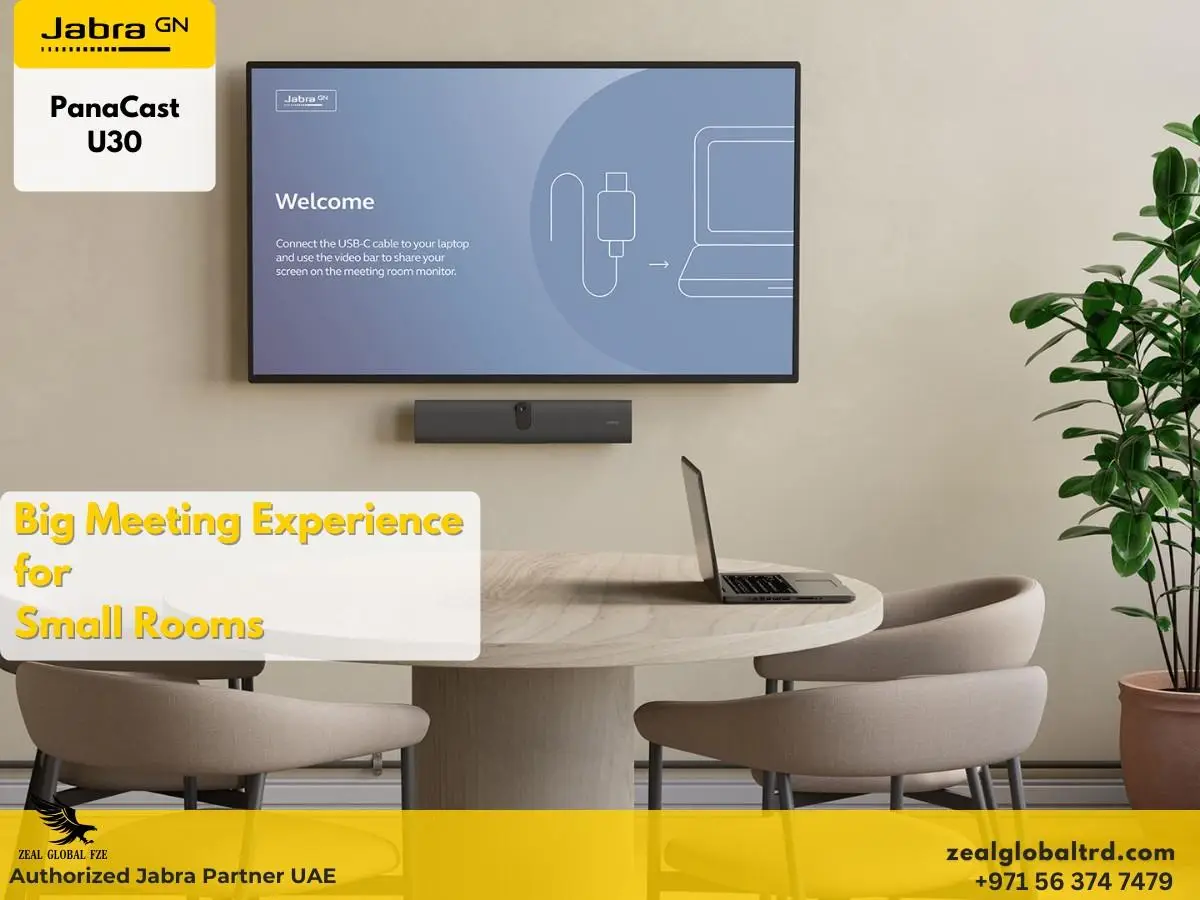
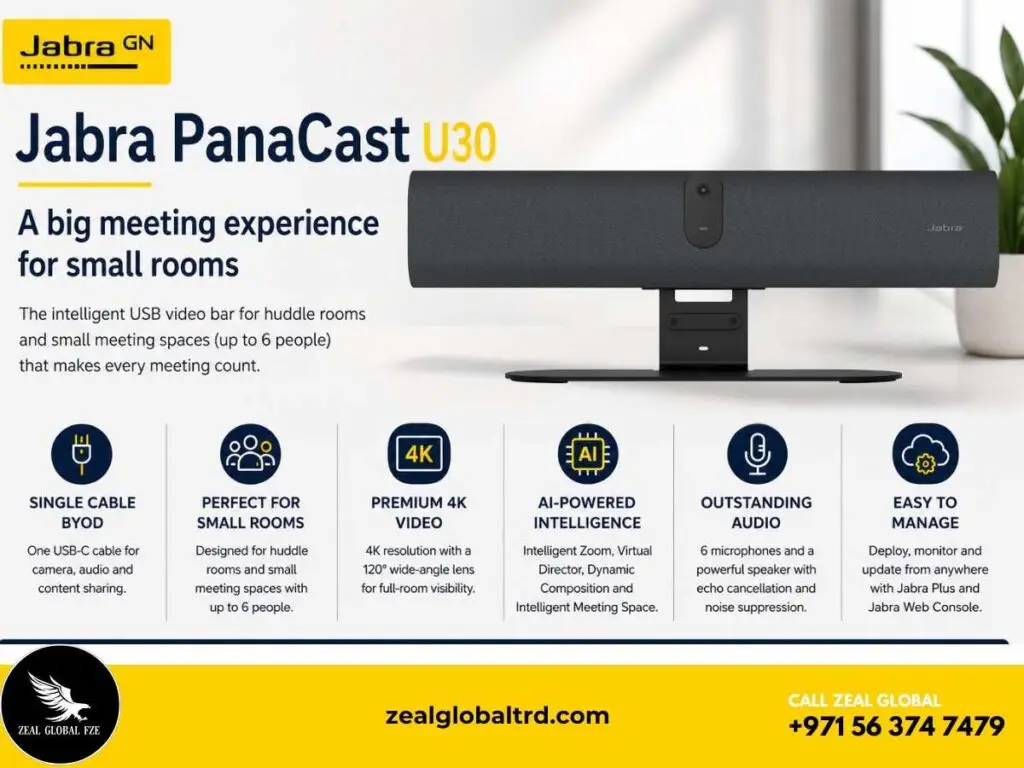
Walk In. Plug In. Meet Brilliantly.
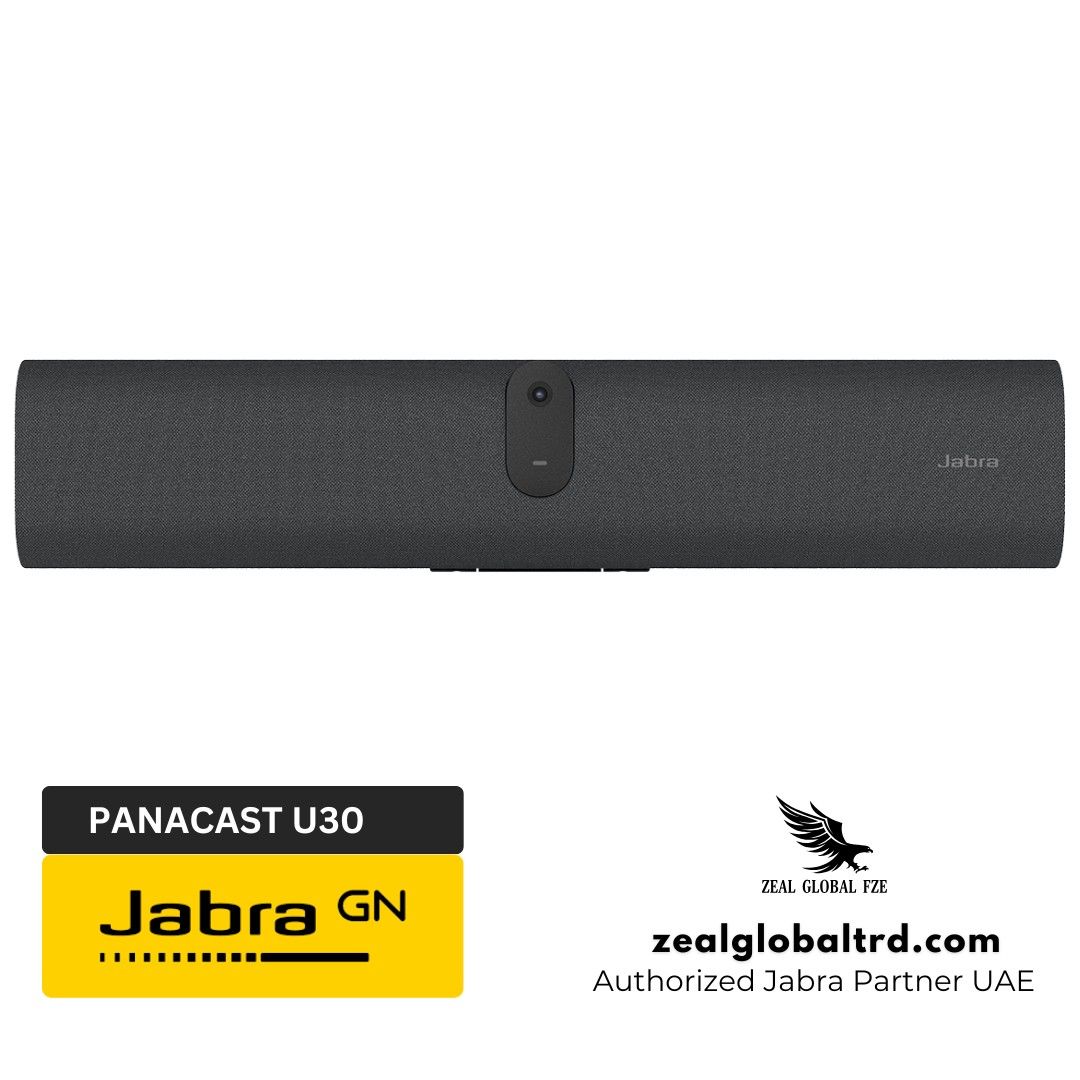
Looking for a simple yet professional video conferencing solution for your huddle room or small meeting space? The Jabra PanaCast U30 is purpose-built to eliminate the complexity often associated with meeting room technology.
Key Features
- ✔ 4K camera with 120° horizontal field of view
- ✔ 6-microphone array with echo cancellation and noise suppression
- ✔ Powerful built-in speaker with full-duplex audio
- ✔ AI video: Intelligent Zoom, Virtual Director, Dynamic Composition
- ✔ Single USB-C cable BYOD connectivity
- ✔ Onboarding wallpaper with on-screen user guidance
- ✔ Privacy cover included
One Cable. One Device. Every Small Room, Meeting-Ready.
Here’s something most office managers already know but rarely say out loud: the best conversations happen in the smallest rooms. Quick syncs, one-on-ones, sprint reviews, client check-ins, these all happen in 4- to 6-person huddle spaces. Yet most of these rooms still have nothing more than a wall-mounted screen and a tangle of adapters.
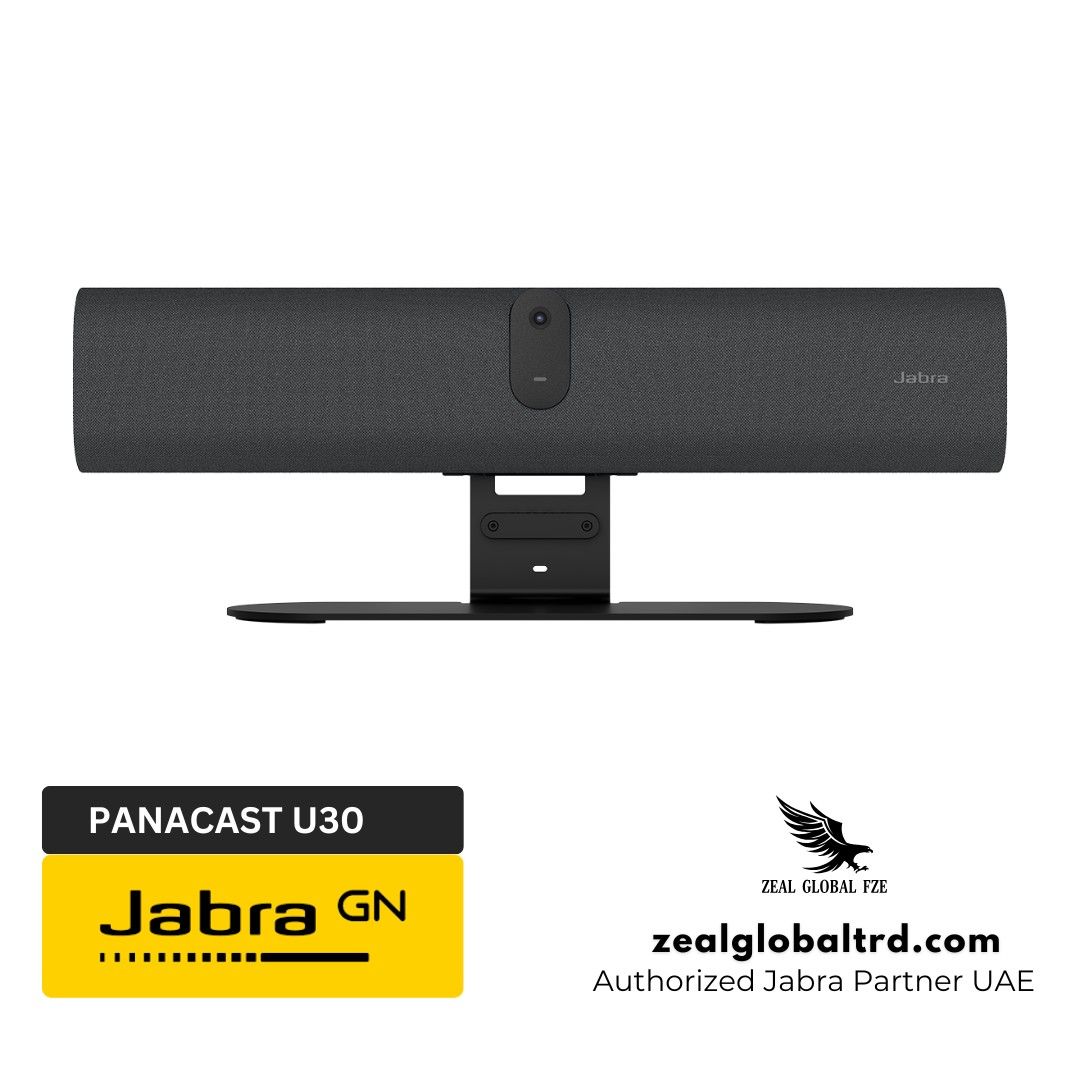
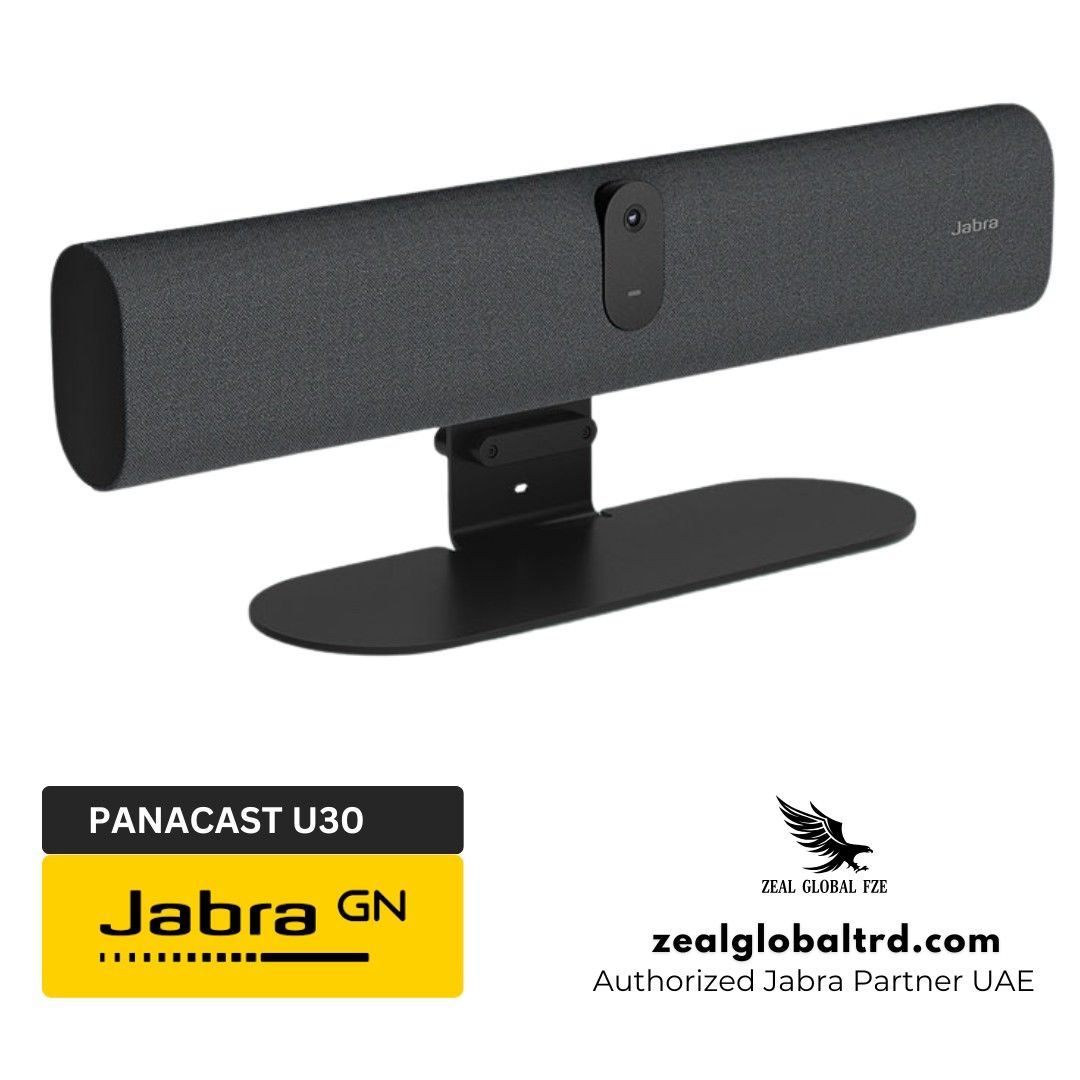
The Jabra PanaCast U30 is built to fix exactly that. It’s an all-in-one USB video bar, camera, microphones, and speaker in a single compact device, designed specifically as a video conference camera for small rooms and huddle spaces. Walk in with your laptop, plug in one USB-C cable, and your meeting starts. No room controller. No app to install. No IT ticket required.
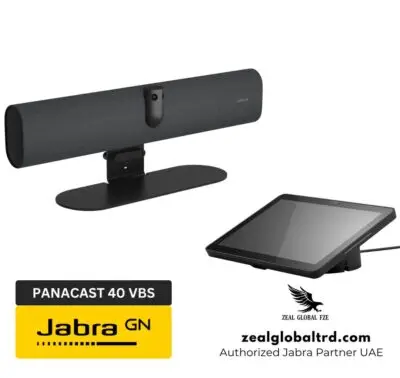
Announced by Jabra in May 2026, the PanaCast U30 joins the Jabra PanaCast family alongside the PanaCast 40 VBS and PanaCast 50 VBS. But unlike those models, the U30 is purpose-built for BYOD (Bring Your Own Device) environments where the meeting runs from your laptop, not a dedicated room computer. That makes it faster to deploy, simpler to manage, and significantly more affordable, which matters when you have 20 or 50 small rooms that all need equipping.
What’s in the Box?
- Jabra PanaCast U30 video bar
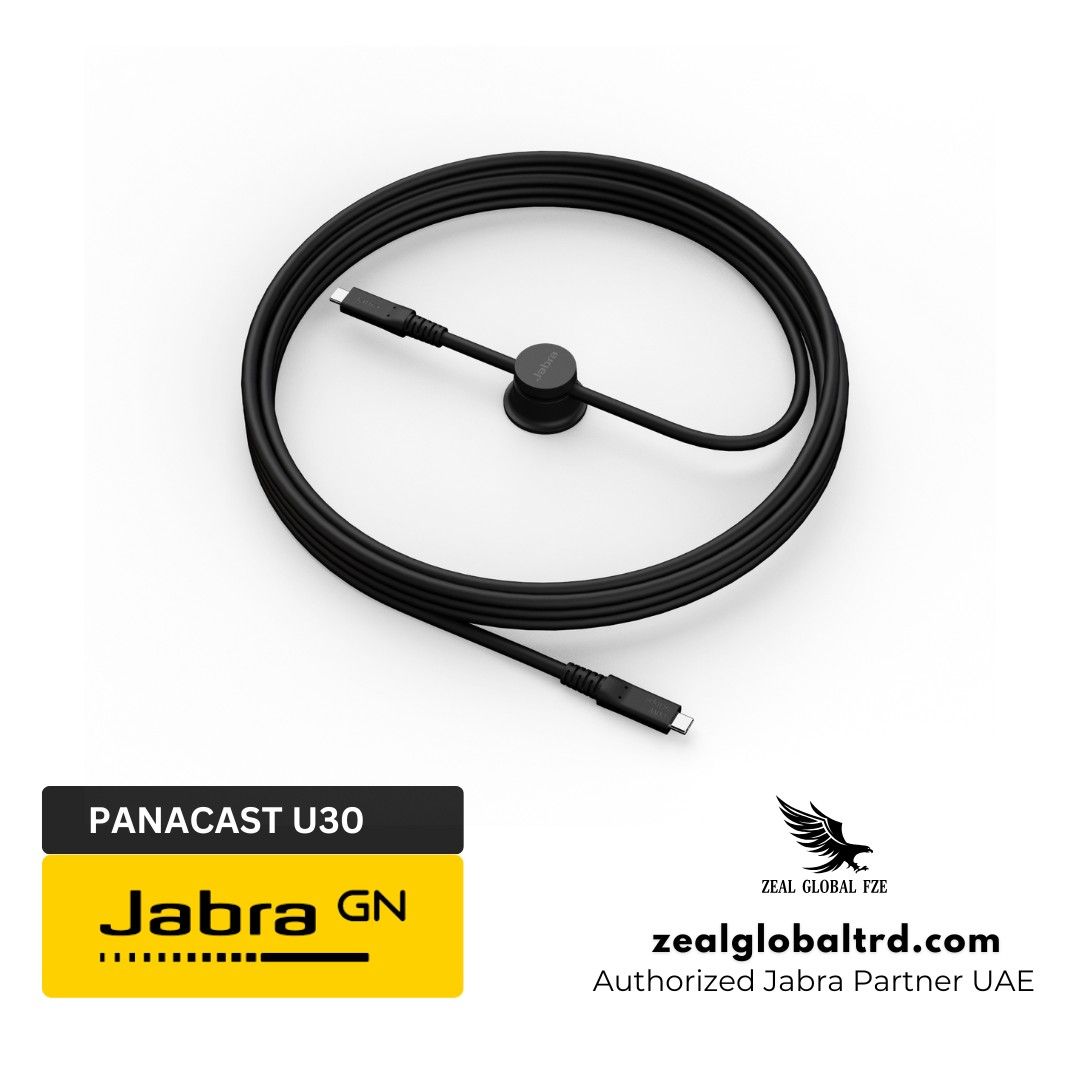
- USB-C to USB-C 3.2 Gen 1 cable (1.8m / 5.9ft)
- AC power adapter (2m / 6.56ft)
- AC power cable (1m / 3.28ft) – regional variant
- Camera privacy cover
- Wall mount bracket (integrated / adjustable)
- Cable compartment cover with embedded T10 torx screw
Optional Accessories
- Jabra Table Stand
- VESA Mount Solutions
- Active USB-C Extension Cable
- HDMI Cables (1.83m)
- Ethernet Cable (4.57m / 15ft)
- Camera tilt lock
These are sold separately.
Room Size Recommendations
Not every conference room camera is designed for the same environment. The Jabra PanaCast U30 is purpose-built for smaller collaboration spaces where simplicity and performance matter most.
Recommended for:
- Huddle rooms with 2-6 participants.
- Small meeting rooms.
- Hybrid collaboration spaces.
- Client meeting rooms.
- BYOD conference spaces.
- Executive offices requiring professional video conferencing.
Not Recommended for
- Large boardrooms.
- Training centers with large audiences.
- Auditoriums.
- Multi-camera conference environments.
If you’re specifically searching for a video conference camera for small room environments, the PanaCast U30 was designed for exactly this use case.
Clear Meetings Without the Technical Headaches
Whether you’re hosting client presentations, internal team discussions, or hybrid collaboration sessions, the Jabra PanaCast U30 delivers a seamless experience with a single USB-C connection. No complicated room controllers. No lengthy setup processes. Just professional-quality video and audio whenever you need it.
Small meeting rooms often suffer from poor camera coverage, complicated connectivity, and inconsistent audio quality. Team members struggle to fit into the frame, remote participants miss important discussions, and valuable meeting time is wasted troubleshooting technology.
What makes the jabra panacast u30 truly different is its intelligence. Before you even connect your laptop, the room display shows an onboarding wallpaper with clear, step‑by‑step instructions. No more black screens. No more confusion. The camera uses AI‑powered features like Intelligent Zoom, Virtual Director, and Dynamic Composition to automatically frame participants and follow the conversation. Meanwhile, the six‑microphone array and full‑duplex speaker ensure that every voice is heard clearly, whether in the room or joining remotely.
All of this is packed into a bar that is just over half a meter wide (approx. 50 cm / 20 inches) and weighs around 1.5 kg, making it easy to mount on a wall, attach via VESA, or place on a table stand. IT teams can manage the entire deployment remotely using Jabra Plus, from firmware updates to device health monitoring.
For organizations looking to equip multiple small meeting rooms with consistent, high‑quality video collaboration, the Jabra PanaCast U30 is the most straightforward and professional video conference camera for small room applications available today.
Product Overview
📹 4K Wide-Angle Camera That Sees the Whole Room
Small rooms are tricky for cameras. Standard webcams with 70–90° fields of view miss people sitting at the edges. The PanaCast U30 uses a 120° horizontal field of view (132° diagonal) to capture the entire space, even when participants are sitting close to the device or off to the sides.
The single 4K camera delivers sharp, detailed video with up to 3x lossless digital zoom at 720p and up to 6x digital zoom. Image quality settings, brightness, contrast, saturation, sharpness, and white balance can all be adjusted through the Web Console or Jabra Plus Management. There’s also a “Max Wide” image view setting that expands the field of view by approximately 8° horizontally and vertically for rooms where you need every extra degree of coverage.
🤖 AI Video Framing That Follows the Conversation
This is where the PanaCast U30 separates itself from basic conference room cameras. It includes four AI-powered camera modes:
- Intelligent Zoom: Automatically frames all visible people in the room in one view. This is the default mode and works well for most small meetings.
- Virtual Director: Dynamically switches to and focuses on the person who is speaking—like having a camera operator in the room.
- Dynamic Composition (Single-stream): Displays a tiled view of up to four active speakers alongside a full room view. The tiles update dynamically as speakers change.
- Dynamic Composition (Multi-stream): Enables up to four separate video streams plus a room view. Supports Microsoft IntelliFrame and People Recognition when deployed with Microsoft Teams Rooms.
For remote participants, these modes make a huge difference. Instead of staring at a static wide shot where everyone looks tiny, they see properly framed faces and can follow the conversation naturally. It’s the kind of experience that makes hybrid meetings feel less like an afterthought.
🎙️ 6-Microphone Array with Room-Filling Speaker
Audio matters more than video in meetings. If remote participants can’t hear the room clearly, the meeting breaks down regardless of how good the camera is.
The PanaCast U30 packs six microphones (frequency range: 100Hz–16kHz) that pick up voices from across the table with precision. Built-in echo cancellation and noise suppression keep the audio clean, and there’s an Extreme Noise Suppression mode for rooms with persistent background noise like HVAC systems or nearby construction.
The built-in speaker (80Hz–20kHz) delivers room-filling, full-duplex sound. Full-duplex means both sides can talk simultaneously without the audio cutting out, essential for natural, flowing conversations. For accessibility, there’s also a 3.5mm AUX-OUT port for connecting assistive listening devices.
🔌 True BYOD: One Cable, Zero Friction
The entire BYOD experience is designed around a single USB-C cable. Walk in, plug your laptop into the USB-C port, and the PanaCast U30 becomes your camera, mic, and speaker. Launch Teams, Zoom, Webex, Google Meet, whatever your organization uses, and you’re in the meeting.
Before anyone even connects, the room display shows built-in onboarding wallpaper with clear visual instructions on how to connect. This eliminates the “black screen panic” that happens in rooms where nobody knows which cable goes where. Jabra is also rolling out the ability to upload custom wallpapers through Jabra Plus, so organizations can brand their meeting rooms or display company announcements.
If your laptop doesn’t support DisplayPort Alt Mode over USB-C, there’s a fallback: connect an HDMI cable from your laptop to the HDMI IN port on the U30 for content sharing, alongside the USB-C cable for audio/video. The device accommodates both single-cable and multi-cable setups.
🏢 Intelligent Meeting Space for Glass-Walled Rooms
This feature deserves its own callout because it solves a very specific and very common problem in modern offices. Many huddle rooms in the UAE have glass walls. Without boundaries, the camera’s AI framing will pick up people walking past the room, creating distracting zoom-ins on passersby.
Intelligent Meeting Space lets you set a customized boundary in the camera’s field of view. Only people within that boundary are treated as meeting participants. Everyone else is ignored by the AI framing. For offices in Dubai’s Business Bay, DIFC, or Abu Dhabi’s coworking hubs where glass walls are standard, this feature is essential.
🛠️ Quick Installation with Flexible Mounting
Jabra designed the PanaCast U30 for fast deployment across multiple rooms. The wall mount is included in the box, with integrated cable routing and an adjustable hinge to angle the camera correctly. On-device guidance icons help installers position cables without guesswork.
For rooms where wall mounting isn’t practical, optional accessories include a table stand and a VESA mount adapter. A camera tilt lock is also available for fixed installations where you want to prevent users from adjusting the angle.
The device weighs 1.51 kg and measures 529 x 108 x 65mm- compact enough to sit below any standard meeting room display without visual clutter.
☁️ Remote Management via Jabra Plus
IT teams can monitor, configure, and update the PanaCast U30 remotely through Jabra Plus Management. This includes firmware updates (pushed remotely or via .msi files for offline environments), camera mode configuration, image quality adjustments, and device health monitoring.
For on-device management, the Web Console provides local access via the device’s IP address. And Jabra Direct supports local firmware updates when a laptop is connected directly to the video bar.
Security features include authenticated admin access, password strength enforcement, secure boot with OS verified boot, vendor lock, and the ability to set a security code to prevent unauthorized factory resets. For government offices and financial institutions in the UAE where security compliance is non-negotiable, these controls matter.
| Product SKU | 8800-232 |
| Device Type | All-in-one USB video bar (BYOD) |
| Room Size | Up to 6 people |
| Operating System | Android 13 |
| Camera Resolution | 4K |
| Field of View | Horizontal: 120° | Vertical: 61° | Diagonal: 132° |
| Zoom | Up to 3x lossless (720p) | Up to 6x digital (720p) |
| AI Video Modes | Intelligent Zoom, Virtual Director, Dynamic Composition (single + multi-stream), Panoramic View |
| Intelligent Meeting Space | Yes |
| Microphones | 6 (frequency: 100Hz–16kHz, sensitivity: -37dBFS) |
| Speaker | 1 (frequency: 80Hz–20kHz) |
| Audio Features | Full-duplex, echo cancellation, noise suppression, Extreme Noise Suppression mode |
| AUX Output | 3.5mm jack for assistive listening devices |
| Connectivity | USB-C 3.2 Gen 1, HDMI IN (content sharing), HDMI OUT (room display), USB-A, Ethernet (RJ45), Wi-Fi 802.11a/b/g/n/ac, Bluetooth 5.2 |
| Content Sharing | HDMI input + USB-C (DisplayPort Alt Mode) |
| Certifications | Microsoft Teams Rooms, Microsoft Intelligent Camera, Zoom Rooms, ADA (pending as of May 2026) |
| Privacy Cover | Included |
| LED Indicators | Power, streaming (green), muted (red), firmware update (pink flash) |
| Onboarding Wallpaper | Yes (customizable via Jabra Plus) |
| Management | Jabra Plus (remote), Web Console (local network), Jabra Direct (local USB) |
| Security | Secure boot, OS verified boot, vendor lock, password enforcement, factory reset security code |
| Dimensions (W×H×D) | 529 × 108 × 65 mm / 20.83 × 4.25 × 2.56 in |
| Weight | 1.51 kg / 3.32 lbs |
| Mounting | Wall mount (included), VESA mount (optional), table stand (optional) |
| Operating Temperature | 5°C to 35°C / 41°F to 95°F |
| Operating Voltage | 100–240V |
| Warranty | 2 years (extendable via Jabra Warranty+ up to 3 additional years) |
| Box Contents | PanaCast U30, USB-C cable (1.8m), AC power supply, regional power cable, privacy cover, wall mount |
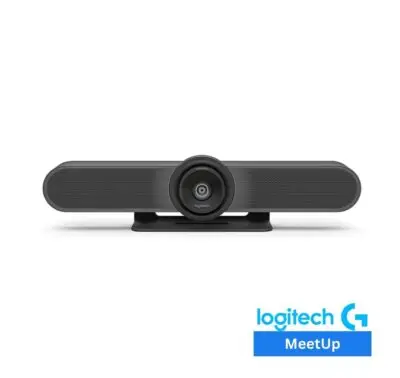
Choosing the right video conference camera for a small room means weighing video quality, audio performance, AI features, and deployment simplicity. The PanaCast U30 competes directly with two established all-in-one video bars, the Logitech MeetUp 2 and the Yealink UVC40 E2. Here’s how they stack up.
| Feature | Jabra PanaCast U30 | Logitech MeetUp 2 | Yealink UVC40 E2 |
|---|---|---|---|
| Device Type | All-in-one USB video bar | All-in-one USB video bar | All-in-one USB video bar |
| Room Size | Up to 6 people | Small rooms / huddle | Small / huddle rooms |
| Camera Resolution | 4K | 4K | 4K (Sony CMOS) |
| Horizontal FOV | 120° | 113° | 120° |
| Diagonal FOV | 132° | 120° | Not specified |
| Digital Zoom | Up to 3x lossless (720p), 6x total | 4x HD | 5x digital |
| Microphones | 6 MEMS | 6 MEMS (beamforming) | 8 MEMS (beamforming) |
| Mic Pickup Range | Across table (small room) | Up to 7m | Room-level |
| Built-in Speaker | Yes (80Hz–20kHz) | Yes (55mm full-range) | Yes (5W high fidelity) |
| Full-Duplex Audio | Yes | Yes | Yes |
| Noise Suppression | Yes + Extreme mode | RightSound 2 AI audio | Noise Proof + echo cancel |
| AI Video Modes | Intelligent Zoom, Virtual Director, Dynamic Composition (single + multi-stream), Panoramic View | RightSight 2: Group View, Speaker View, Grid View, Zone Mode | Auto Framing, Speaker Tracking, Sound Localization |
| Intelligent Meeting Space / Zone | Yes | Zone Mode | No |
| BYOD (USB-C) | Yes (single cable, DP Alt Mode) | Yes (USB-C 2.0 or Active Cable) | Yes (USB plug-and-play) |
| HDMI Input (Content Sharing) | Yes | No | No |
| HDMI Output (Room Display) | Yes | No | No |
| Onboarding Wallpaper | Yes (customizable) | No | No |
| Ethernet Port | Yes (RJ45) | Yes | Yes |
| Wi-Fi | Yes (802.11 a/b/g/n/ac) | Yes | Yes (built-in) |
| Bluetooth | 5.2 | No | No |
| Privacy Cover | Included (manual) | Manual shutter | Electric lens cap (auto) |
| Expansion Microphones | No | Optional (Logitech) | Yes (VCM35/VCM36-W) |
| Operating System | Android 13 | CollabOS | N/A (USB device) |
| Remote Management | Jabra Plus + Web Console | Logitech Sync | Yealink Device Mgmt Platform |
| Mounting (in box) | Wall mount | Multi-mount | Wall mount + TV mount |
| Table Stand | Optional | Optional | Optional |
| Dimensions (W×H×D) | 529 × 108 × 65 mm | 469 × 73 × 73 mm | 517 × 73 × 73 mm |
| Weight | 1.51 kg | 1.8 kg | ~1.2 kg |
| Warranty | 2 years (extendable) | 2 years (extendable) | 2 years |
| Teams/Zoom Certified | Pending (May 2026) | Yes (Teams, Zoom) | Compatible (USB) |
Bottom line: If your rooms have wall-mounted displays and you want a complete “walk in and go” BYOD experience with native room display output and content sharing, the PanaCast U30 is the stronger fit. If you need certified Teams/Zoom compatibility today and don’t need HDMI connectivity, the MeetUp 2 is excellent.
If you need maximum microphone coverage and room for audio expansion, the UVC40 E2’s 8-mic array and expansion mic support are compelling. If you want smarter AI framing, HDMI room display output, content sharing, and onboarding guidance, the PanaCast U30 is the more complete room solution.
📹 4K Wide-Angle Camera That Sees the Whole Room
Small rooms are tricky for cameras. Standard webcams with 70–90° fields of view miss people sitting at the edges. The PanaCast U30 uses a 120° horizontal field of view (132° diagonal) to capture the entire space, even when participants are sitting close to the device or off to the sides.
The single 4K camera delivers sharp, detailed video with up to 3x lossless digital zoom at 720p and up to 6x digital zoom. Image quality settings, brightness, contrast, saturation, sharpness, and white balance can all be adjusted through the Web Console or Jabra Plus Management. There’s also a “Max Wide” image view setting that expands the field of view by approximately 8° horizontally and vertically for rooms where you need every extra degree of coverage.
🤖 AI Video Framing That Follows the Conversation
This is where the PanaCast U30 separates itself from basic conference room cameras. It includes four AI-powered camera modes:
- Intelligent Zoom: Automatically frames all visible people in the room in one view. This is the default mode and works well for most small meetings.
- Virtual Director: Dynamically switches to and focuses on the person who is speaking—like having a camera operator in the room.
- Dynamic Composition (Single-stream): Displays a tiled view of up to four active speakers alongside a full room view. The tiles update dynamically as speakers change.
- Dynamic Composition (Multi-stream): Enables up to four separate video streams plus a room view. Supports Microsoft IntelliFrame and People Recognition when deployed with Microsoft Teams Rooms.
For remote participants, these modes make a huge difference. Instead of staring at a static wide shot where everyone looks tiny, they see properly framed faces and can follow the conversation naturally. It’s the kind of experience that makes hybrid meetings feel less like an afterthought.
🎙️ 6-Microphone Array with Room-Filling Speaker
Audio matters more than video in meetings. If remote participants can’t hear the room clearly, the meeting breaks down regardless of how good the camera is.
The PanaCast U30 packs six microphones (frequency range: 100Hz–16kHz) that pick up voices from across the table with precision. Built-in echo cancellation and noise suppression keep the audio clean, and there’s an Extreme Noise Suppression mode for rooms with persistent background noise like HVAC systems or nearby construction.
The built-in speaker (80Hz–20kHz) delivers room-filling, full-duplex sound. Full-duplex means both sides can talk simultaneously without the audio cutting out, essential for natural, flowing conversations. For accessibility, there’s also a 3.5mm AUX-OUT port for connecting assistive listening devices.
🔌 True BYOD: One Cable, Zero Friction
The entire BYOD experience is designed around a single USB-C cable. Walk in, plug your laptop into the USB-C port, and the PanaCast U30 becomes your camera, mic, and speaker. Launch Teams, Zoom, Webex, Google Meet, whatever your organization uses, and you’re in the meeting.
Before anyone even connects, the room display shows built-in onboarding wallpaper with clear visual instructions on how to connect. This eliminates the “black screen panic” that happens in rooms where nobody knows which cable goes where. Jabra is also rolling out the ability to upload custom wallpapers through Jabra Plus, so organizations can brand their meeting rooms or display company announcements.
If your laptop doesn’t support DisplayPort Alt Mode over USB-C, there’s a fallback: connect an HDMI cable from your laptop to the HDMI IN port on the U30 for content sharing, alongside the USB-C cable for audio/video. The device accommodates both single-cable and multi-cable setups.
🏢 Intelligent Meeting Space for Glass-Walled Rooms
This feature deserves its own callout because it solves a very specific and very common problem in modern offices. Many huddle rooms in the UAE have glass walls. Without boundaries, the camera’s AI framing will pick up people walking past the room, creating distracting zoom-ins on passersby.
Intelligent Meeting Space lets you set a customized boundary in the camera’s field of view. Only people within that boundary are treated as meeting participants. Everyone else is ignored by the AI framing. For offices in Dubai’s Business Bay, DIFC, or Abu Dhabi’s coworking hubs where glass walls are standard, this feature is essential.
🛠️ Quick Installation with Flexible Mounting
Jabra designed the PanaCast U30 for fast deployment across multiple rooms. The wall mount is included in the box, with integrated cable routing and an adjustable hinge to angle the camera correctly. On-device guidance icons help installers position cables without guesswork.
For rooms where wall mounting isn’t practical, optional accessories include a table stand and a VESA mount adapter. A camera tilt lock is also available for fixed installations where you want to prevent users from adjusting the angle.
The device weighs 1.51 kg and measures 529 x 108 x 65mm- compact enough to sit below any standard meeting room display without visual clutter.
☁️ Remote Management via Jabra Plus
IT teams can monitor, configure, and update the PanaCast U30 remotely through Jabra Plus Management. This includes firmware updates (pushed remotely or via .msi files for offline environments), camera mode configuration, image quality adjustments, and device health monitoring.
For on-device management, the Web Console provides local access via the device’s IP address. And Jabra Direct supports local firmware updates when a laptop is connected directly to the video bar.
Security features include authenticated admin access, password strength enforcement, secure boot with OS verified boot, vendor lock, and the ability to set a security code to prevent unauthorized factory resets. For government offices and financial institutions in the UAE where security compliance is non-negotiable, these controls matter.
| Product SKU | 8800-232 |
| Device Type | All-in-one USB video bar (BYOD) |
| Room Size | Up to 6 people |
| Operating System | Android 13 |
| Camera Resolution | 4K |
| Field of View | Horizontal: 120° | Vertical: 61° | Diagonal: 132° |
| Zoom | Up to 3x lossless (720p) | Up to 6x digital (720p) |
| AI Video Modes | Intelligent Zoom, Virtual Director, Dynamic Composition (single + multi-stream), Panoramic View |
| Intelligent Meeting Space | Yes |
| Microphones | 6 (frequency: 100Hz–16kHz, sensitivity: -37dBFS) |
| Speaker | 1 (frequency: 80Hz–20kHz) |
| Audio Features | Full-duplex, echo cancellation, noise suppression, Extreme Noise Suppression mode |
| AUX Output | 3.5mm jack for assistive listening devices |
| Connectivity | USB-C 3.2 Gen 1, HDMI IN (content sharing), HDMI OUT (room display), USB-A, Ethernet (RJ45), Wi-Fi 802.11a/b/g/n/ac, Bluetooth 5.2 |
| Content Sharing | HDMI input + USB-C (DisplayPort Alt Mode) |
| Certifications | Microsoft Teams Rooms, Microsoft Intelligent Camera, Zoom Rooms, ADA (pending as of May 2026) |
| Privacy Cover | Included |
| LED Indicators | Power, streaming (green), muted (red), firmware update (pink flash) |
| Onboarding Wallpaper | Yes (customizable via Jabra Plus) |
| Management | Jabra Plus (remote), Web Console (local network), Jabra Direct (local USB) |
| Security | Secure boot, OS verified boot, vendor lock, password enforcement, factory reset security code |
| Dimensions (W×H×D) | 529 × 108 × 65 mm / 20.83 × 4.25 × 2.56 in |
| Weight | 1.51 kg / 3.32 lbs |
| Mounting | Wall mount (included), VESA mount (optional), table stand (optional) |
| Operating Temperature | 5°C to 35°C / 41°F to 95°F |
| Operating Voltage | 100–240V |
| Warranty | 2 years (extendable via Jabra Warranty+ up to 3 additional years) |
| Box Contents | PanaCast U30, USB-C cable (1.8m), AC power supply, regional power cable, privacy cover, wall mount |
Choosing the right video conference camera for a small room means weighing video quality, audio performance, AI features, and deployment simplicity. The PanaCast U30 competes directly with two established all-in-one video bars, the Logitech MeetUp 2 and the Yealink UVC40 E2. Here’s how they stack up.
| Feature | Jabra PanaCast U30 | Logitech MeetUp 2 | Yealink UVC40 E2 |
|---|---|---|---|
| Device Type | All-in-one USB video bar | All-in-one USB video bar | All-in-one USB video bar |
| Room Size | Up to 6 people | Small rooms / huddle | Small / huddle rooms |
| Camera Resolution | 4K | 4K | 4K (Sony CMOS) |
| Horizontal FOV | 120° | 113° | 120° |
| Diagonal FOV | 132° | 120° | Not specified |
| Digital Zoom | Up to 3x lossless (720p), 6x total | 4x HD | 5x digital |
| Microphones | 6 MEMS | 6 MEMS (beamforming) | 8 MEMS (beamforming) |
| Mic Pickup Range | Across table (small room) | Up to 7m | Room-level |
| Built-in Speaker | Yes (80Hz–20kHz) | Yes (55mm full-range) | Yes (5W high fidelity) |
| Full-Duplex Audio | Yes | Yes | Yes |
| Noise Suppression | Yes + Extreme mode | RightSound 2 AI audio | Noise Proof + echo cancel |
| AI Video Modes | Intelligent Zoom, Virtual Director, Dynamic Composition (single + multi-stream), Panoramic View | RightSight 2: Group View, Speaker View, Grid View, Zone Mode | Auto Framing, Speaker Tracking, Sound Localization |
| Intelligent Meeting Space / Zone | Yes | Zone Mode | No |
| BYOD (USB-C) | Yes (single cable, DP Alt Mode) | Yes (USB-C 2.0 or Active Cable) | Yes (USB plug-and-play) |
| HDMI Input (Content Sharing) | Yes | No | No |
| HDMI Output (Room Display) | Yes | No | No |
| Onboarding Wallpaper | Yes (customizable) | No | No |
| Ethernet Port | Yes (RJ45) | Yes | Yes |
| Wi-Fi | Yes (802.11 a/b/g/n/ac) | Yes | Yes (built-in) |
| Bluetooth | 5.2 | No | No |
| Privacy Cover | Included (manual) | Manual shutter | Electric lens cap (auto) |
| Expansion Microphones | No | Optional (Logitech) | Yes (VCM35/VCM36-W) |
| Operating System | Android 13 | CollabOS | N/A (USB device) |
| Remote Management | Jabra Plus + Web Console | Logitech Sync | Yealink Device Mgmt Platform |
| Mounting (in box) | Wall mount | Multi-mount | Wall mount + TV mount |
| Table Stand | Optional | Optional | Optional |
| Dimensions (W×H×D) | 529 × 108 × 65 mm | 469 × 73 × 73 mm | 517 × 73 × 73 mm |
| Weight | 1.51 kg | 1.8 kg | ~1.2 kg |
| Warranty | 2 years (extendable) | 2 years (extendable) | 2 years |
| Teams/Zoom Certified | Pending (May 2026) | Yes (Teams, Zoom) | Compatible (USB) |
Bottom line: If your rooms have wall-mounted displays and you want a complete “walk in and go” BYOD experience with native room display output and content sharing, the PanaCast U30 is the stronger fit. If you need certified Teams/Zoom compatibility today and don’t need HDMI connectivity, the MeetUp 2 is excellent.
If you need maximum microphone coverage and room for audio expansion, the UVC40 E2’s 8-mic array and expansion mic support are compelling. If you want smarter AI framing, HDMI room display output, content sharing, and onboarding guidance, the PanaCast U30 is the more complete room solution.
Pros & Cons
Pros
- True plug-and-play BYOD experience.
- Onboarding wallpaper
- Wide 120° field of view.
- Compact all-in-one design.
- AI-powered camera intelligence.
- MDEP‑based security
Cons
- Built for small rooms only.
- Requires a connected laptop for BYOD operation.
- Active USB‑C cable for longer runs sold separately.
- Not a native Teams Rooms appliance.
Best For
Small meeting room
Upto 6 people
Coworking space
Shared offices
Hybrid Teams
Small business
Solo entrepreneurs
Why Choose the Jabra PanaCast U30 Over Alternatives?
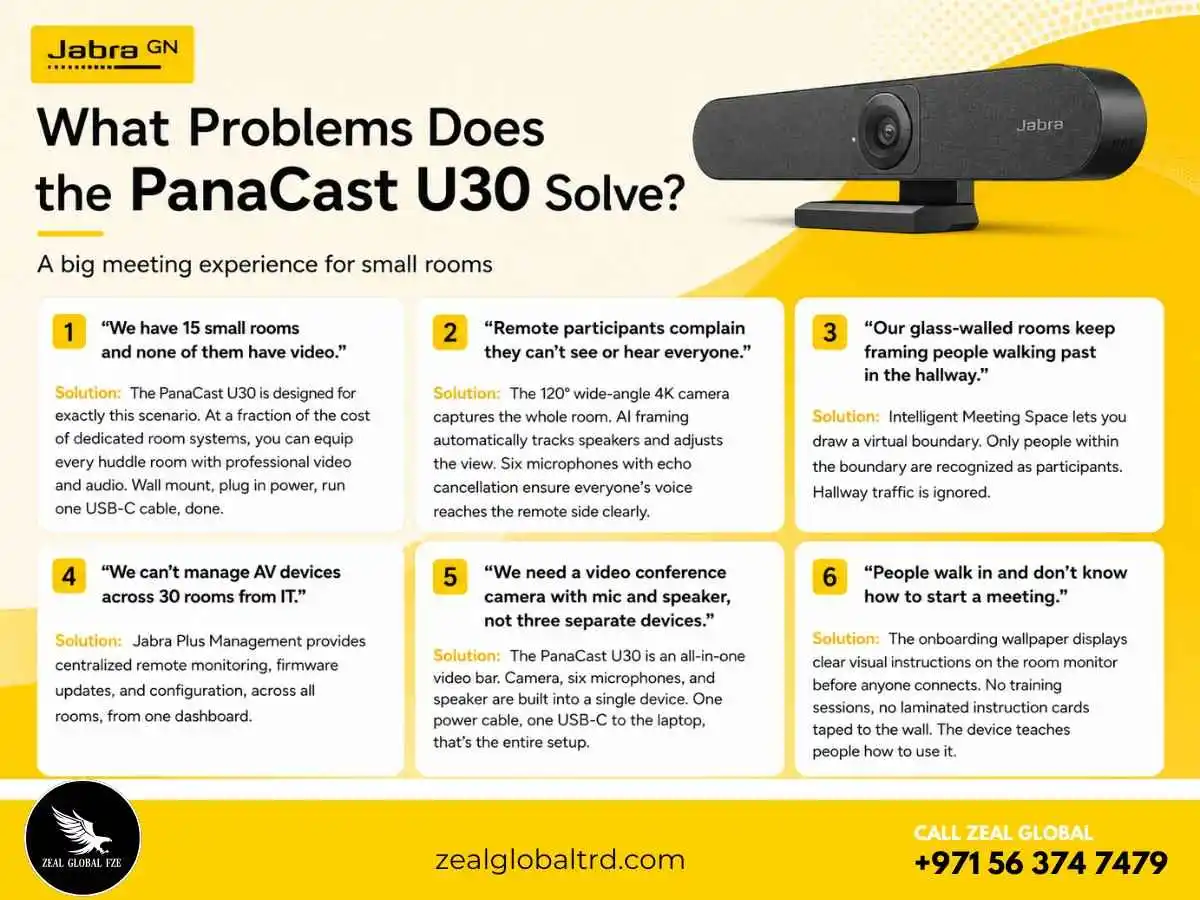
It’s a real room device, not a webcam on steroids. Consumer webcams and personal video bars work fine for one person at a desk. But put three or four people around a huddle table and they fall apart, narrow field of view, weak microphones, no speaker. The PanaCast U30 is engineered for the room, not the individual.
The AI framing is genuinely useful. Intelligent Zoom, Virtual Director, and Dynamic Composition aren’t marketing buzzwords here. They solve the real problem of remote participants staring at a wide shot where everyone looks like ants. The system frames people properly, follows the conversation, and makes hybrid meetings feel more inclusive.
BYOD done right. A lot of BYOD setups are just rooms with a screen and a cable, and the first 5 minutes of every meeting are spent figuring out what goes where. The PanaCast U30’s onboarding wallpaper, single-cable connectivity, and platform-agnostic design mean meetings actually start on time.
Enterprise manageability at huddle-room scale. Jabra Plus gives IT teams the remote visibility and control they need. Firmware updates, device health, and configuration are all managed centrally. For organizations deploying 10, 30, or 100 of these across offices in the UAE and the Middle East, operational control is critical.
Who Is This NOT For?
- Medium and large meeting rooms (7+ people). The PanaCast U30 is optimized for up to 6. For larger spaces, look at the Jabra PanaCast 50 VBS or Yealink MeetingBar A40/A50.
- Organizations that need a dedicated room system (always-on, no laptop required). The PanaCast U30 is BYOD. It requires a connected laptop. For native Teams Rooms or Zoom Rooms, consider the Jabra PanaCast 40 VBS.
- Users who need Bluetooth connectivity for mobile calls. The U30 has Bluetooth 5.2 but is designed as a room device, not a portable speaker.
- Environments that require PTZ cameras with extreme zoom (10x+). The U30 offers up to 6x digital zoom, which is sufficient for small rooms but not for auditoriums or lecture halls.
Small meeting rooms and huddle spaces are the most frequently used collaboration areas, where deals are discussed, teams align, and ideas are born. Yet they are the least likely to have professional video equipment. Traditional solutions are too expensive, too complex to install, or require dedicated room computers that small teams don’t need. As a result, hybrid meetings in these spaces suffer from poor camera angles, bad audio, and frustrating setup delays.
The Jabra PanaCast U30 delivers professional video and audio in a compact, easy‑to‑deploy package that costs a fraction of traditional room systems. It eliminates setup friction through onboarding guidance and single‑cable connectivity. It ensures every participant is seen and heard through AI framing and six‑microphone audio. And it scales across an organization through remote management.
More small rooms become productive meeting spaces. Hybrid teams collaborate effectively. IT spends less time on support. And meetings start on time, every time.
For organizations looking to standardize their small meeting rooms with a consistent, high‑quality video solution, the Jabra PanaCast U30 is the clear choice.
Why Buy from Zeal Global?
Zeal Global is an authorized Jabra supplier in the UAE, which means every PanaCast U30 comes factory-sealed with a full manufacturer’s warranty.
Want a site survey to determine mounting positions and cable runs? Looking to deploy 25 units across your Dubai headquarters with centralized management? That’s where our AV consultation team steps in.
We’ve equipped meeting rooms for corporate offices, government organizations, educational institutions, and co-working spaces across Dubai, Abu Dhabi, Sharjah, and the wider Middle East.
Ready to make your small rooms meeting-ready?