
Description
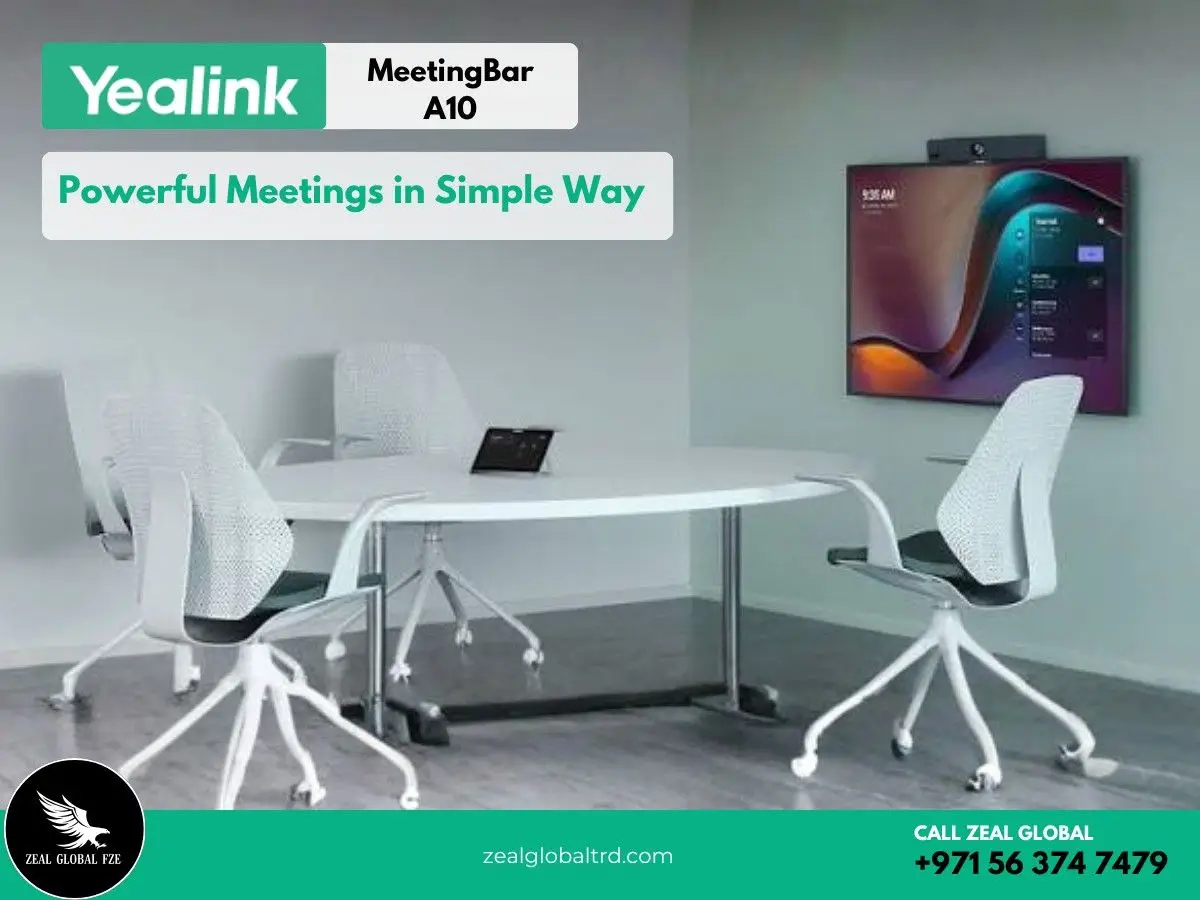
Smarter Meetings Start with Less Hardware.
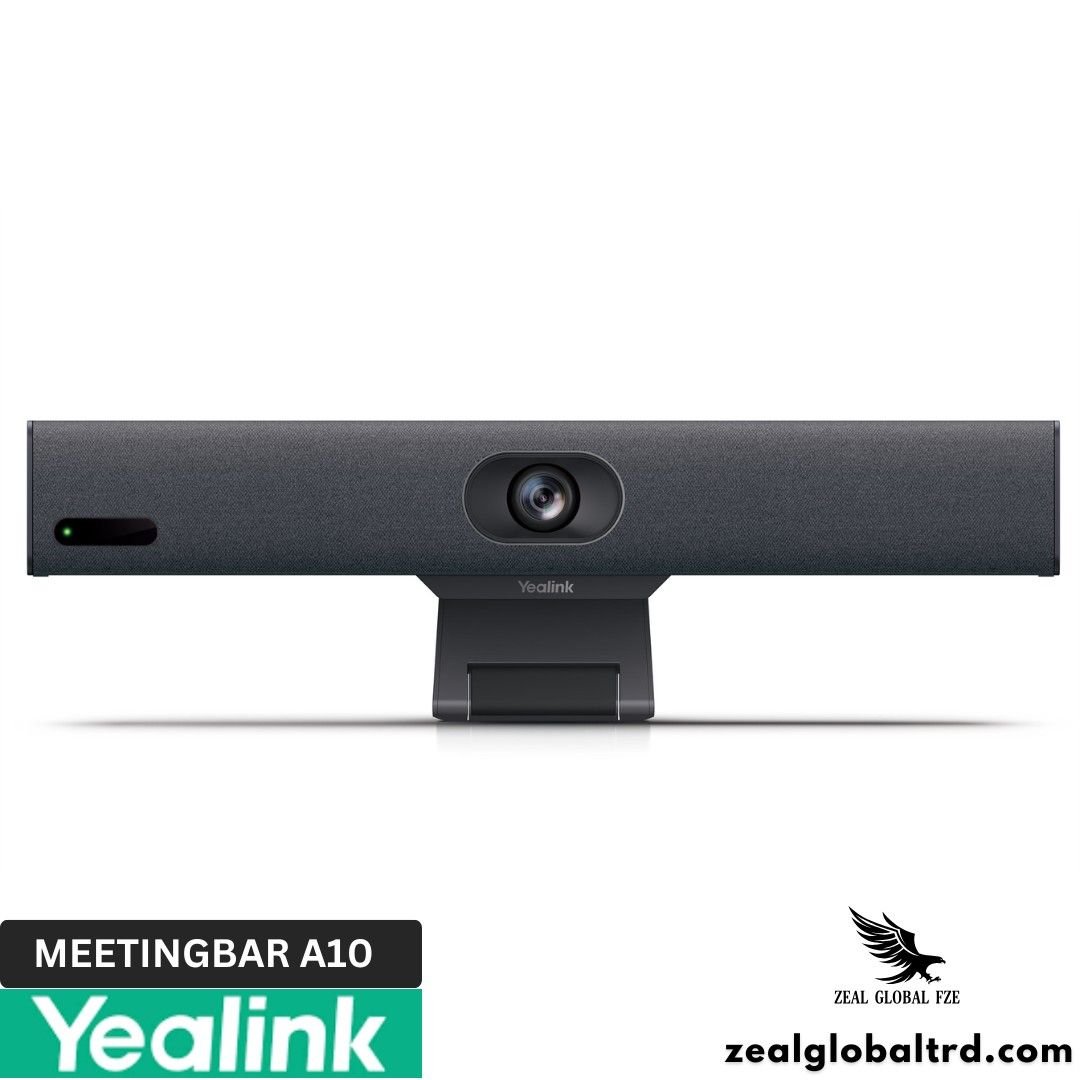
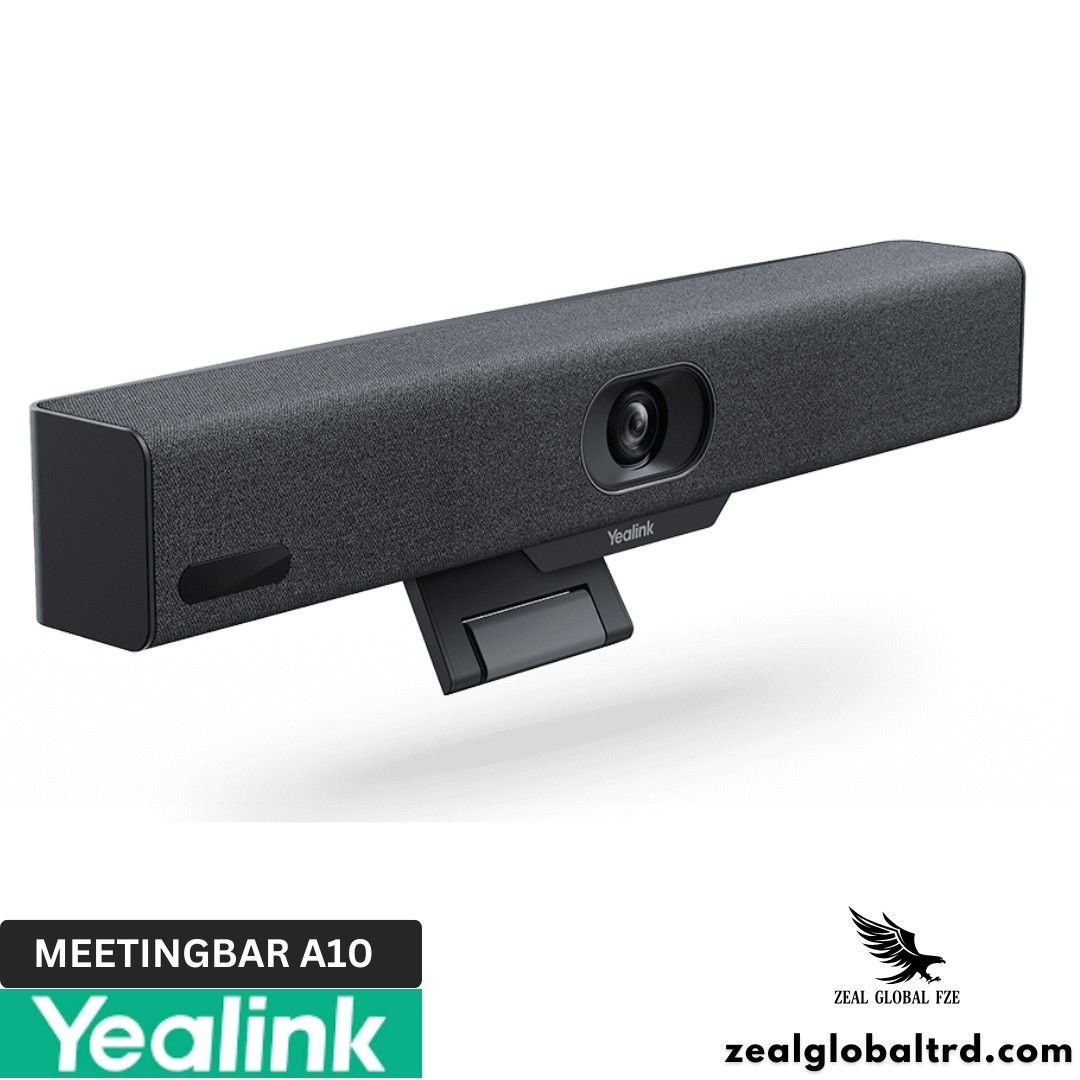
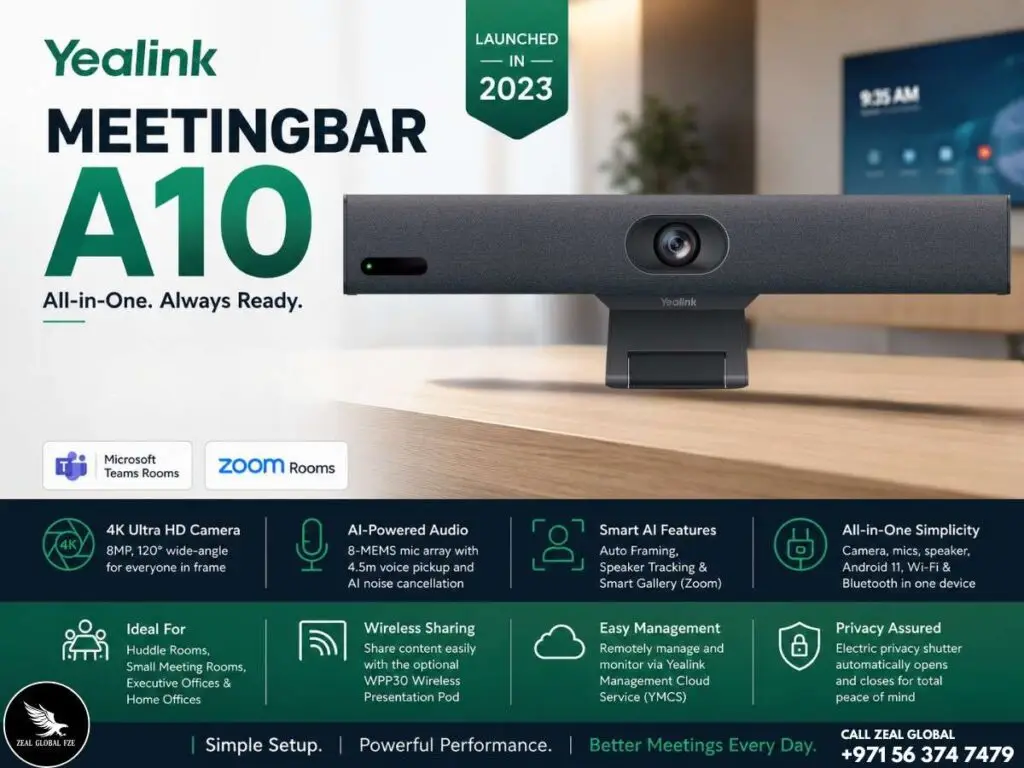
Launched in 2023, the Yealink MeetingBar A10 is an all-in-one Android video collaboration bar built specifically for home offices, huddle rooms, and small meeting rooms.
Key Features
- ✔ 4K camera with 120° diagonal / 105° horizontal field of view
- ✔ 8-MEMS beamforming microphone array (4.5m pickup range)
- ✔ 5W high-fidelity built-in speaker with full-duplex audio
- ✔ Built-in Android 11 computing unit, no external PC needed
- ✔ Native Microsoft Teams Rooms and Zoom Rooms certified
- ✔ AI features: Auto Framing, Speaker Tracking, Smart Gallery (Zoom)
- ✔ Electric privacy shutter (auto open/close)
Tiny Bar. Full Meeting Room. Zero Complexity.
Most meeting room technology is built for boardrooms. Big cameras, big speakers, big price tags. But the rooms where most actual work gets done? Those 2-to-4-person huddle spaces, the home office with the awkward webcam angle, the phone booth where you jump into client calls between meetings, those rooms usually get nothing.
The Yealink MeetingBar A10 changes that. It’s an all-in-one video collaboration bar that packs a 4K camera, eight beamforming microphones, a speaker, and a full computing unit into a device barely larger than a hardcover book. No separate PC. No tangled cables. No IT ticket to get it running. Plug in power, connect the HDMI cable to a screen, and you have a fully functional Microsoft Teams Room or Zoom Room ready to go.
At just 380mm wide, the Yealink A10 is the most compact certified meeting room system in Yealink’s lineup. It sits at the entry point for organizations that want to bring professional video conferencing for small rooms to every corner of their office, without the budget or complexity of larger systems. And for remote workers and executives working from home, it replaces the laptop webcam with something that actually makes you look and sound professional.
What’s Included in the Package?
- Yealink MeetingBar A10 endpoint
- 3m Ethernet cable
- 8m HDMI cable
- Mounting bracket and accessories (TV clamp included)
- Power adapter (AC 100-240V input)
- Quick Start Guide
Compatible Accessories
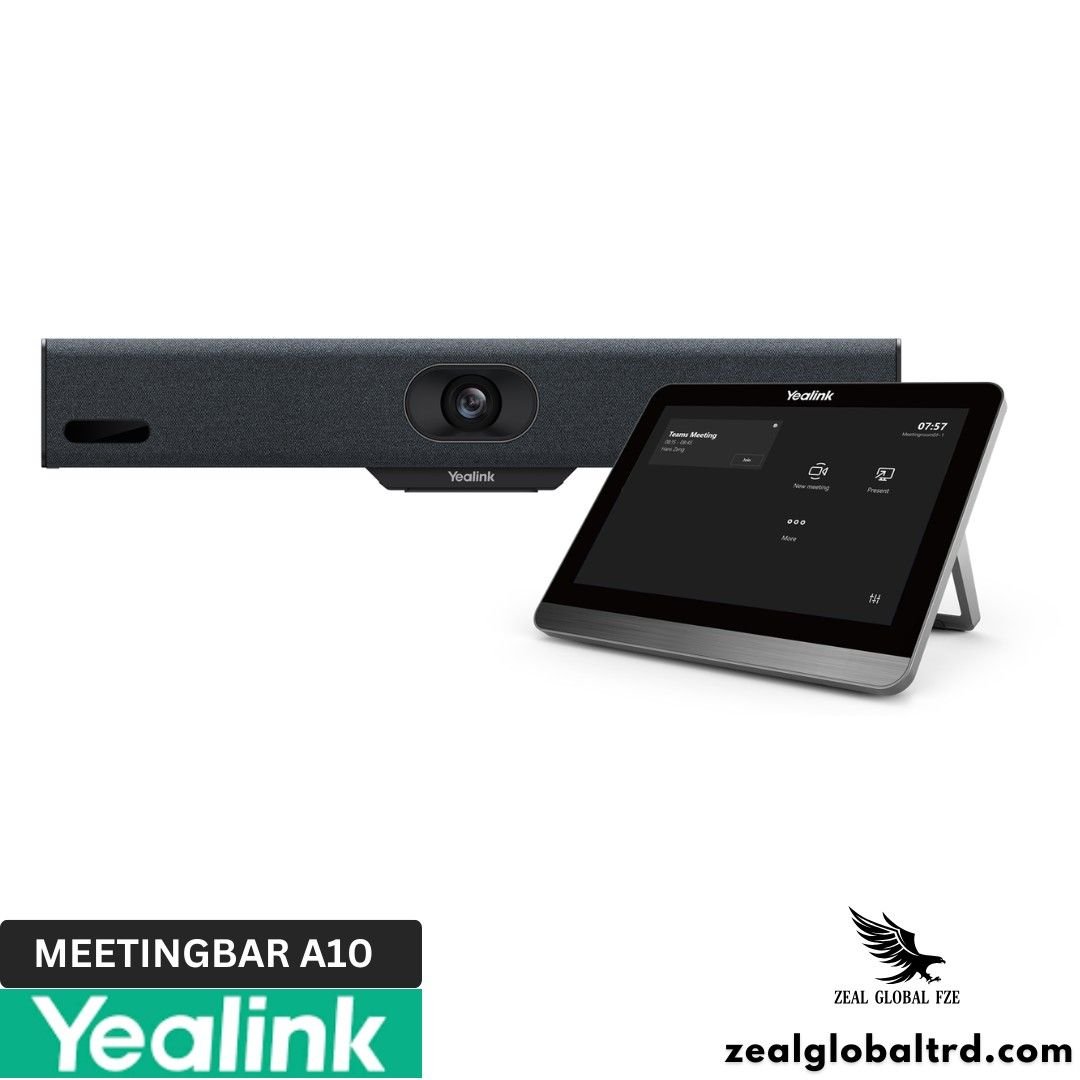
- Yealink CTP18 Touch Console -18″ touchscreen for one-tap meeting join, camera control, and calendar view. The recommended way to operate the A10 in professional settings.
- Yealink VCR11 Remote Control – Simpler, handheld IR remote for basic meeting controls. Lower cost alternative to the CTP18.
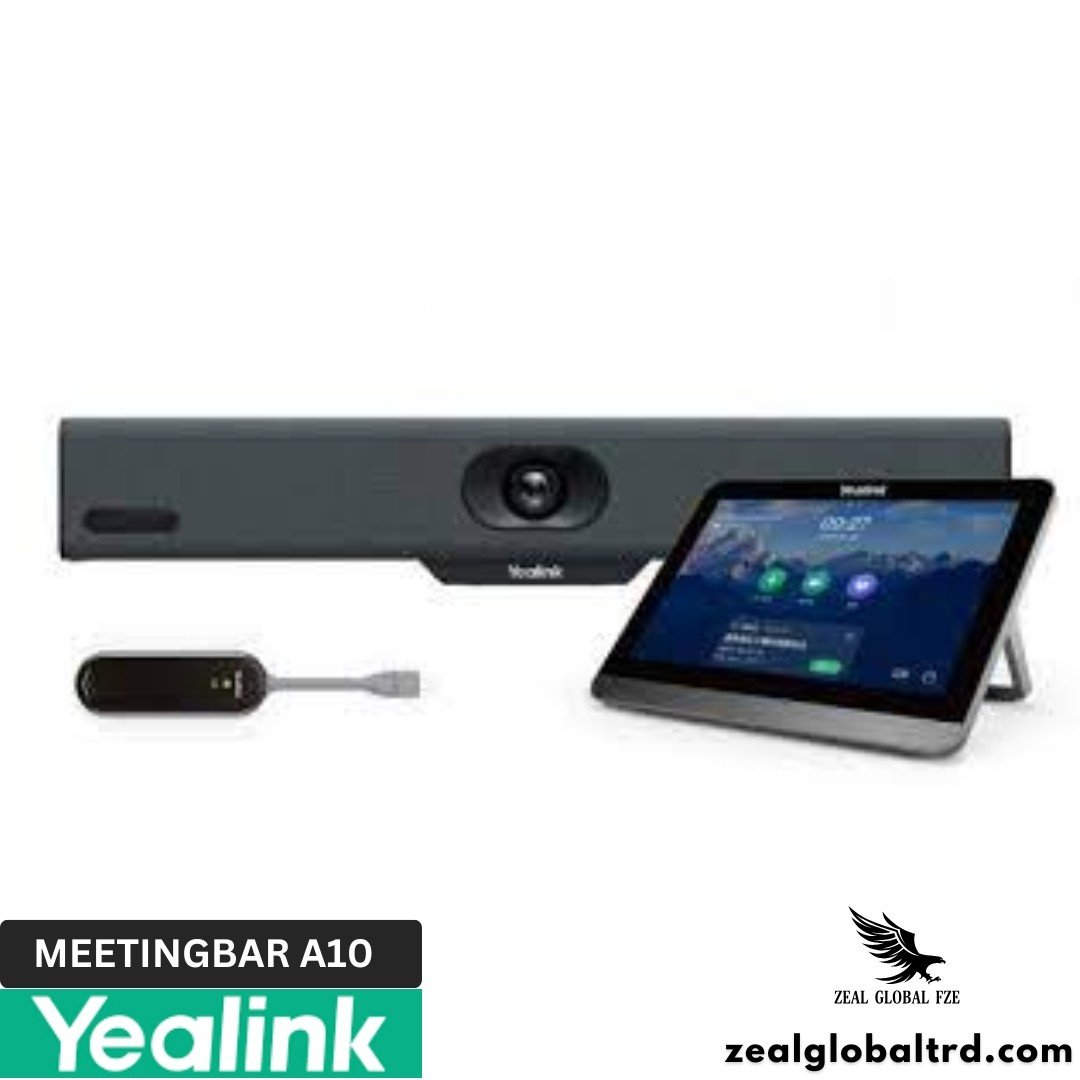
- Yealink WPP30 Wireless Presentation Pod – Plug-and-share wireless dongle for cable-free content sharing from any laptop.
- Yealink VCH51 Adapter – HDMI/USB-C sharing adapter for wired content sharing and BYOD mode.
Recommended Room Size
The Yealink MeetingBar A10 is designed and optimized for:
- Focus rooms: 1 person – Perfect for private calls and interviews
- Huddle rooms: 2-4 people – The A10’s sweet spot
- Home offices: 1-2 people – Replaces laptop webcam with professional AV
- Hot-desking stations: 1 person – USB-C Device Mode for any-platform use
For rooms with 5-8 people, consider the Yealink MeetingBar A40. For rooms with 8-16+ people, the Yealink MeetingBar A50 or Yealink MVC multi-camera systems are better suited.
Product Overview
Product Overview
📹 4K Camera with AI That Follows the Conversation
4K Ultra HD Camera with Intelligent Framing
The A10 captures crisp 4K Ultra HD video at 30fps with a wide 120° diagonal (105° horizontal) field of view, ensuring everyone around a small meeting table remains visible. Whether it’s a huddle room or executive office, every participant stays comfortably within the frame.
AI Auto Framing & Speaker Tracking
Built-in AI continuously adjusts the camera based on the number of participants and their seating positions. Speaker Tracking automatically focuses on the active speaker, while Smart Gallery on Zoom creates individual video tiles so remote participants enjoy a more engaging meeting experience.
4× Electronic PTZ
The integrated 4× electronic pan, tilt and zoom (e-PTZ) allows manual camera adjustments through the CTP18 touch console or remote control whenever customized framing is required for presentations or whiteboard sessions.
🎤 8-MEMS Microphone Array with AI Noise Proof
Beamforming Microphone Array
Eight MEMS microphones provide up to 4.5 meters of voice pickup, making the A10 ideal for huddle rooms and small meeting spaces. Beamforming technology accurately captures voices while reducing surrounding distractions.
AI Noise Suppression
Yealink’s AI-powered Noise Proof technology filters common office noises such as keyboards, air conditioning, mouse clicks and nearby conversations. Echo cancellation and dereverberation further improve clarity for natural conversations.
High-Fidelity Speaker
The integrated 5W speaker delivers room-filling audio with full-duplex communication, allowing participants on both sides of the meeting to speak naturally without interruptions.
🖥️ Built-in Android Computing
No External PC Required
Unlike standard USB conference cameras, the MeetingBar A10 includes a built-in Android 11 computing platform. It runs Microsoft Teams Rooms and Zoom Rooms natively, eliminating the need for an external laptop or mini PC.
One-Touch Meeting Experience
Users simply walk into the room, tap the scheduled meeting on the optional CTP18 touch panel, and join instantly. There are no software updates, logins or complicated setup procedures before every meeting.
Device Mode (BYOD)
The A10 also supports Device Mode, allowing it to function as a premium USB camera, microphone and speaker when connected to a laptop via USB-C. This provides Teams Rooms, Zoom Rooms and BYOD flexibility within one solution.
🖥️ Content Sharing & Wireless Presentation
USB-C Content Sharing
Connect a laptop directly through USB-C to share presentations, spreadsheets or applications during meetings without additional adapters or complicated configuration.
Wireless Presentation with WPP30
For cable-free collaboration, the optional Yealink WPP30 Wireless Presentation Pod enables instant screen sharing with a single button press. No applications, drivers or network configuration are required.
Built-in Whiteboard
The integrated whiteboard allows meeting participants to brainstorm, sketch ideas and collaborate visually, making it ideal for workshops, planning sessions and design reviews.
🔒 Automatic Privacy Protection
Electric Privacy Shutter
The built-in electric privacy shutter automatically opens when a meeting starts and closes once it ends. This provides visual assurance that the camera is inactive whenever meetings are not in progress, helping organizations meet privacy and security requirements.
🛠️ Compact & Flexible Installation
Simple Room Deployment
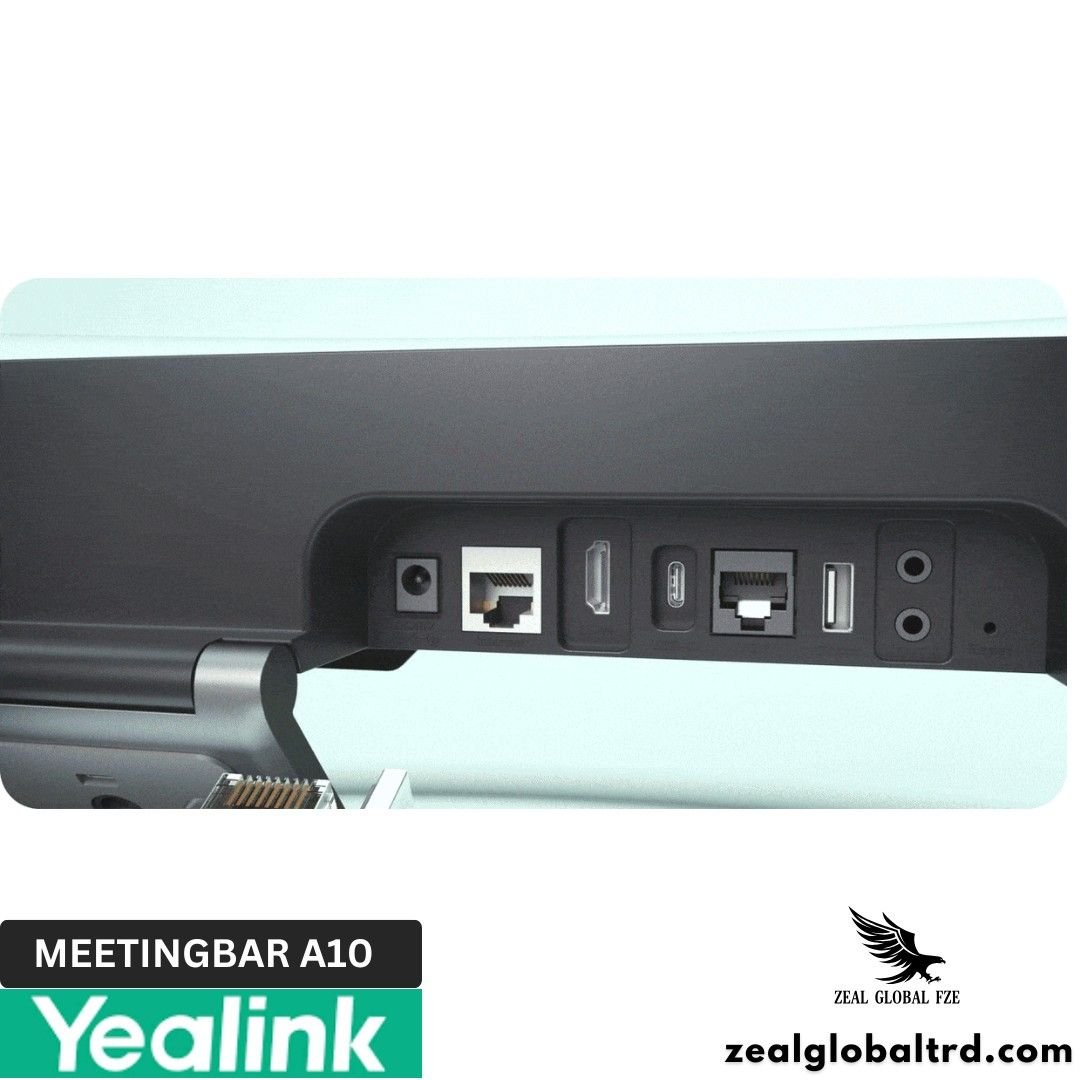
Measuring just 380 × 68 × 82 mm, the A10 installs quickly using either the included TV mount or optional wall mount. Most rooms only require power and HDMI connections to become meeting-ready.
Flexible Connectivity
Built-in dual-band Wi-Fi supports wireless deployment, while Gigabit Ethernet is available for organizations that prefer wired network infrastructure.
Multiple Control Options
The optional CTP18 touch console provides intuitive meeting controls and camera adjustments, while the VCR11 remote offers a cost-effective alternative for everyday room management.
☁️ Enterprise Device Management
Centralized IT Administration
Organizations can remotely monitor, configure and update the MeetingBar A10 through Yealink Device Management Platform (YDMP), Yealink Management Cloud Service (YMCS), Microsoft Teams Admin Center, Zoom Device Management and the Yealink HTTPS Web Portal.
Built for Large Deployments
Whether managing 10 meeting rooms or hundreds across multiple offices, administrators can deploy firmware updates, monitor device health and troubleshoot remotely using the management platform they already use.
Technical Specifications
| Parameter | Description |
|---|---|
| Camera |
|
| Audio |
|
| Operating System | Android 13 |
| Ports |
|
| Power & Physical Features |
|
| Weight |
|
| Package Contents |
|
| Device Management |
|
The A10 competes with other all-in-one small room video bars that include native computing. Here’s how it compares to the two most common alternatives.
| Feature | Yealink MeetingBar A10 | Neat Bar (Gen 2) | Poly Studio X30 |
|---|---|---|---|
| Device Type | All-in-one (compute built-in) | All-in-one (compute built-in) | All-in-one (compute built-in) |
| Room Size | Huddle / Home Office (1–4) | Huddle / Small (up to 8) | Huddle / Small (up to 6) |
| Camera Resolution | 4K (8MP) | 4K (20MP) | 4K (20MP) |
| Horizontal FOV | 105° | 120° | 120° |
| Digital Zoom | 4× e-PTZ | 5× Digital | 3× Digital |
| Microphones | 8 MEMS (4.5m pickup) | 8 MEMS (5m pickup) | 6 Beamforming (3.6m pickup) |
| Speaker | 5W | Built-in Full-range Speaker | Built-in Dual Speaker |
| AI Video | Auto Framing, Speaker Tracking, Smart Gallery (Zoom) | Auto Framing, Speaker Tracking | Group Framing, Speaker Tracking |
| Platform Support | Microsoft Teams Rooms + Zoom Rooms + Device Mode | Microsoft Teams Rooms + Zoom Rooms | Microsoft Teams Rooms + Zoom Rooms + 3rd-party (SIP) |
| Privacy Cover | Electric Shutter (Automatic) | N/A | N/A |
| Wi-Fi | Dual-band (2.4/5 GHz) | Wi-Fi 5 | Yes |
| Bluetooth | Bluetooth 4.2 | Bluetooth 4.2 | Bluetooth 4.0 |
| Content Sharing | USB-C + Optional WPP30 Wireless | Native Wireless (Neat Center) | HDMI + Poly Wireless Content App |
| Touch Console | CTP18 (Optional) | Neat Pad (Optional) | Poly TC8 (Optional) |
| Wireless Sharing | WPP30 Pod (Optional) | Native Wireless | Poly Content App |
| Dimensions | 380 × 68 × 82 mm | 550 × 60 × 70 mm | 610 × 63 × 60 mm |
| Remote Management | YDMP, YMCS, Microsoft Teams Admin Center, Zoom Device Management | Neat Pulse | Poly Lens |
| Price Point | $$ (Entry-level) | $$$ (Premium) | $$$ (Mid-Premium) |
Product Overview
📹 4K Camera with AI That Follows the Conversation
4K Ultra HD Camera with Intelligent Framing
The A10 captures crisp 4K Ultra HD video at 30fps with a wide 120° diagonal (105° horizontal) field of view, ensuring everyone around a small meeting table remains visible. Whether it’s a huddle room or executive office, every participant stays comfortably within the frame.
AI Auto Framing & Speaker Tracking
Built-in AI continuously adjusts the camera based on the number of participants and their seating positions. Speaker Tracking automatically focuses on the active speaker, while Smart Gallery on Zoom creates individual video tiles so remote participants enjoy a more engaging meeting experience.
4× Electronic PTZ
The integrated 4× electronic pan, tilt and zoom (e-PTZ) allows manual camera adjustments through the CTP18 touch console or remote control whenever customized framing is required for presentations or whiteboard sessions.
🎤 8-MEMS Microphone Array with AI Noise Proof
Beamforming Microphone Array
Eight MEMS microphones provide up to 4.5 meters of voice pickup, making the A10 ideal for huddle rooms and small meeting spaces. Beamforming technology accurately captures voices while reducing surrounding distractions.
AI Noise Suppression
Yealink’s AI-powered Noise Proof technology filters common office noises such as keyboards, air conditioning, mouse clicks and nearby conversations. Echo cancellation and dereverberation further improve clarity for natural conversations.
High-Fidelity Speaker
The integrated 5W speaker delivers room-filling audio with full-duplex communication, allowing participants on both sides of the meeting to speak naturally without interruptions.
🖥️ Built-in Android Computing
No External PC Required
Unlike standard USB conference cameras, the MeetingBar A10 includes a built-in Android 11 computing platform. It runs Microsoft Teams Rooms and Zoom Rooms natively, eliminating the need for an external laptop or mini PC.
One-Touch Meeting Experience
Users simply walk into the room, tap the scheduled meeting on the optional CTP18 touch panel, and join instantly. There are no software updates, logins or complicated setup procedures before every meeting.
Device Mode (BYOD)
The A10 also supports Device Mode, allowing it to function as a premium USB camera, microphone and speaker when connected to a laptop via USB-C. This provides Teams Rooms, Zoom Rooms and BYOD flexibility within one solution.
🖥️ Content Sharing & Wireless Presentation
USB-C Content Sharing
Connect a laptop directly through USB-C to share presentations, spreadsheets or applications during meetings without additional adapters or complicated configuration.
Wireless Presentation with WPP30
For cable-free collaboration, the optional Yealink WPP30 Wireless Presentation Pod enables instant screen sharing with a single button press. No applications, drivers or network configuration are required.
Built-in Whiteboard
The integrated whiteboard allows meeting participants to brainstorm, sketch ideas and collaborate visually, making it ideal for workshops, planning sessions and design reviews.
🔒 Automatic Privacy Protection
Electric Privacy Shutter
The built-in electric privacy shutter automatically opens when a meeting starts and closes once it ends. This provides visual assurance that the camera is inactive whenever meetings are not in progress, helping organizations meet privacy and security requirements.
🛠️ Compact & Flexible Installation
Simple Room Deployment
Measuring just 380 × 68 × 82 mm, the A10 installs quickly using either the included TV mount or optional wall mount. Most rooms only require power and HDMI connections to become meeting-ready.
Flexible Connectivity
Built-in dual-band Wi-Fi supports wireless deployment, while Gigabit Ethernet is available for organizations that prefer wired network infrastructure.
Multiple Control Options
The optional CTP18 touch console provides intuitive meeting controls and camera adjustments, while the VCR11 remote offers a cost-effective alternative for everyday room management.
☁️ Enterprise Device Management
Centralized IT Administration
Organizations can remotely monitor, configure and update the MeetingBar A10 through Yealink Device Management Platform (YDMP), Yealink Management Cloud Service (YMCS), Microsoft Teams Admin Center, Zoom Device Management and the Yealink HTTPS Web Portal.
Built for Large Deployments
Whether managing 10 meeting rooms or hundreds across multiple offices, administrators can deploy firmware updates, monitor device health and troubleshoot remotely using the management platform they already use.
Technical Specifications
| Parameter | Description |
|---|---|
| Camera |
|
| Audio |
|
| Operating System | Android 13 |
| Ports |
|
| Power & Physical Features |
|
| Weight |
|
| Package Contents |
|
| Device Management |
|
The A10 competes with other all-in-one small room video bars that include native computing. Here’s how it compares to the two most common alternatives
| Feature | Yealink MeetingBar A10 | Neat Bar (Gen 2) | Poly Studio X30 |
| Device Type | All-in-one (compute built-in) | All-in-one (compute built-in) | All-in-one (compute built-in) |
| Room Size | Huddle / Home Office (1–4) | Huddle / Small (up to 8) | Huddle / Small (up to 6) |
| Camera Resolution | 4K (8MP) | 4K (20MP) | 4K (20MP) |
| Horizontal FOV | 105° | 120° | 120° |
| Digital Zoom | 4x e-PTZ | 5x digital | 3x digital |
| Microphones | 8 MEMS (4.5m pickup) | 8 (5m pickup) | 6 beamforming (3.6m pickup) |
| Speaker | 5W | Built-in full-range | Built-in (dual) |
| AI Video | Auto Framing, Speaker Tracking, Smart Gallery (Zoom) | Auto Framing, Speaker Tracking | Group Framing, Speaker Tracking |
| Platform Support | Teams Rooms + Zoom Rooms + Device Mode | Teams Rooms + Zoom Rooms | Teams Rooms + Zoom Rooms + 3rd party (SIP) |
| Privacy Cover | Electric shutter (auto) | N/A | N/A |
| Wi-Fi | Dual-band (2.4/5 GHz) | Yes (Wi-Fi 5) | Yes |
| Bluetooth | 4.2 | 4.2 | 4.0 |
| Content Sharing | USB-C + WPP30 wireless | Wireless (Neat Center) | HDMI + Poly wireless |
| Touch Console | CTP18 (optional) | Neat Pad (optional) | Poly TC8 (optional) |
| Wireless Sharing | WPP30 pod (optional) | Native wireless | Poly Content App |
| Dimensions | 380 x 68 x 82mm | 550 x 60 x 70mm | 610 x 63 x 60mm |
| Remote Management | YDMP, YMCS, Teams Admin, Zoom DM | Neat Pulse | Poly Lens |
| Price Point | $$ (Entry-level) | $$$ (Premium) | $$$ (Mid-Premium) |
A10 vs Neat Bar: The Neat Bar is a beautifully designed device with a slightly larger room capacity (up to 8 people). If room size flexibility matters and budget allows, the Neat Bar is a strong premium option. But the A10 counters with a lower price point, the versatile Device Mode for BYOD use, an electric privacy shutter. For organizations deploying at scale where cost-per-room matters, the A10’s value proposition is compelling.
A10 vs Poly Studio X30: The Poly X30 has two meaningful advantages: a wider 120° horizontal FOV and built-in SIP support for direct dialing without Teams or Zoom. However, the A10 matches it on AI framing capabilities, includes an electric privacy shutter, has more microphones (8 vs 6), a longer mic pickup range (4.5m vs 3.6m), and comes in at a more accessible price point.
For organizations running Teams or Zoom as their primary platform, the X30’s SIP advantage becomes less relevant, and the A10’s price-to-performance ratio wins.
Pros & Cons
Pros
- True all-in-one device, no external PC needed.
- The most compact certified meeting room bar in its class.
- WPP30 wireless sharing pod eliminates content sharing cables.
- Sub-14W power consumption, extremely energy-efficient.
- Comprehensive remote management options across Yealink, Teams, and Zoom platforms.
Cons
- No HDMI input for external content sharing.
- CTP18 touch console sold separately, adds to the total cost.
- Wireless presentation requires optional accessories like the WPP30.
- Bluetooth 4.2 (not 5.0+), functional but not the latest version.
- Smart Gallery feature is Zoom-only, not available on Teams.
Best For
• Huddle rooms and phone booths (2-4 people) that need professional video conferencing without a dedicated PC.
• Home offices and executive remote setups where a laptop webcam no longer cuts it.
• Focus rooms and privacy rooms used for client calls, interviews, and confidential discussions.
• Hot-desking and flexible office environments where the A10’s Device Mode lets any employee plug in via USB-C.
• Organizations on Microsoft Teams or Zoom looking for a certified room system at the smallest room size.
• IT managers deploying meeting room solutions across many small spaces at scale.
• SMEs and startups in the UAE that want enterprise-quality video conferencing without enterprise-level budgets.
• Coworking spaces and serviced offices in Dubai that need simple, professional meeting rooms for members.
Small meeting room
2-4 people
Focus rooms &
Home Office
Interview Rooms
Microsoft Teams or Zoom
Why Choose the Yealink MeetingBar A10?
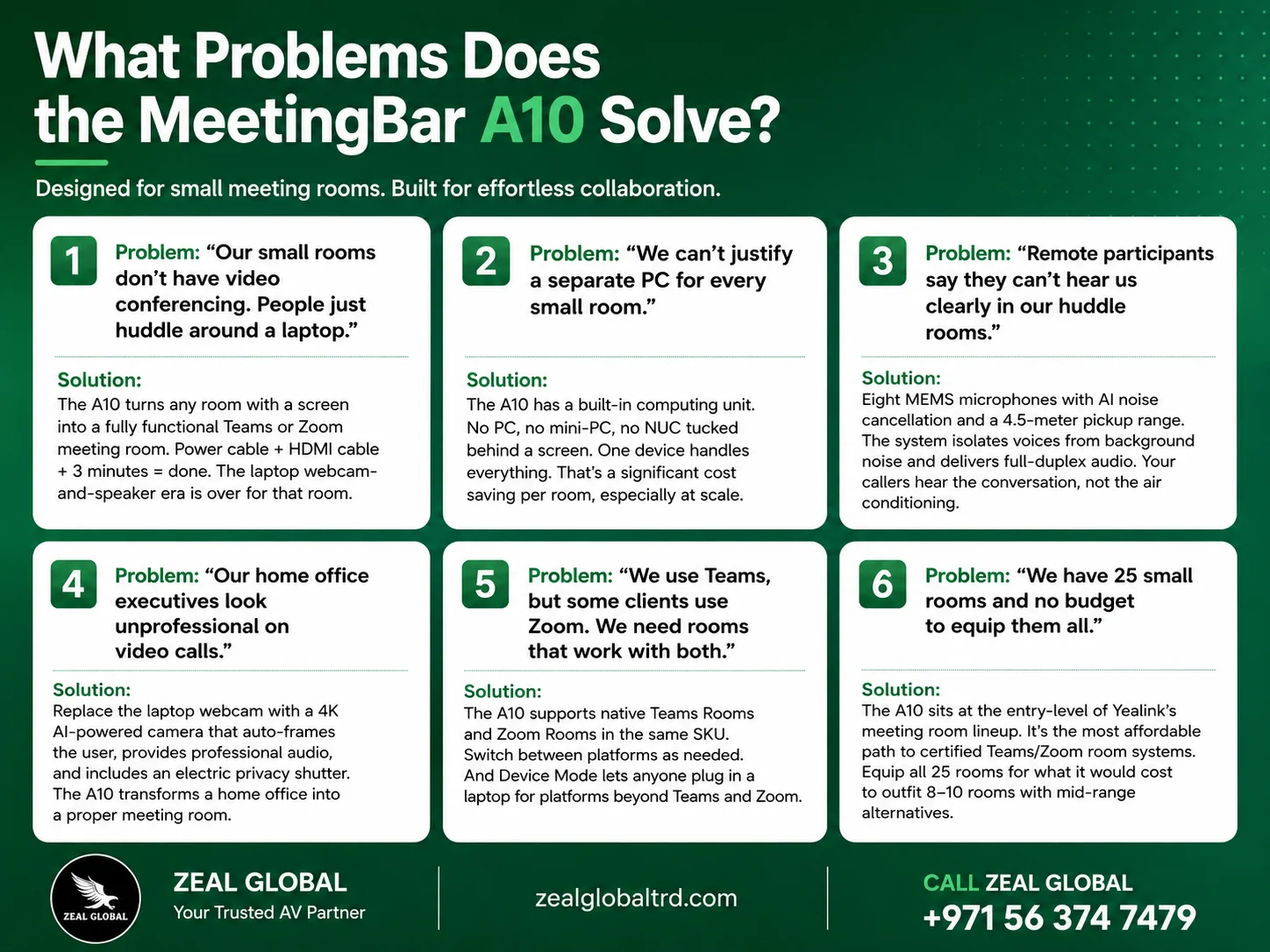
Cost-per-room that makes deployment at scale realistic. The A10 is the most affordable native Teams/Zoom room system in the market. That means every huddle room, phone booth, and small meeting space in your office can get professional video conferencing, not just the boardroom and two conference rooms.
True All-in-One . No mini-PC to buy, no Windows license, no separate power supply, no additional management overhead. One device. One power cable. One HDMI cable. That’s the entire room system. IT loves this.
Platform flexibility that doesn’t lock you in. Teams Rooms, Zoom Rooms, or Device Mode, all in one SKU. As your organization’s platform strategy evolves, the hardware stays the same. That’s a future-proof investment.
Professional-grade audio and video that punches above its price. Eight microphones, 4K AI camera, noise cancellation, full-duplex audio. These are capabilities you’d expect in devices costing twice as much. In a small room, the A10 delivers an experience that’s indistinguishable from premium alternatives.
Who Is This NOT For?
The MeetingBar A10 is an excellent choice, but it isn’t the right solution for every room.
It may not be suitable for the below:
- Medium and large meeting rooms (5+ people seated around a table). The A10’s 105° horizontal FOV and 4.5m mic range are optimized for smaller spaces. For medium rooms, consider the Yealink MeetingBar A40. For large rooms, the Yealink MeetingBar A50.
- Organizations that need a BYOD-only room without native platform integration. The A10 has Device Mode for BYOD, but it’s primarily a native room system. For dedicated BYOD setups, consider the Jabra PanaCast U30 or Yealink UVC40 E2.
- Rooms that need external speaker systems for higher volume. The 5W speaker is designed for small-room fill, not amplified environments.
- Users who require SIP-based direct dialing without Teams or Zoom. The A10 doesn’t support standalone SIP. For SIP needs, look at the Poly Studio X30.
For these environments, the Yealink MeetingBar A20, A30, or A40 may be a better fit.
Why Is the Yealink MeetingBar A10 Best for Small Meeting Rooms?
There is a common misconception that every meeting room needs an expensive and large video conferencing system. But in an organisation, everyday quick discussions, interviews, client updates and project updates take place in small rooms and sometimes in a focus room.
That’s exactly what the Yealink MeetingBar A10 is built for.
Because everything is integrated into one compact device, businesses can transform a small room into a professional collaboration space without installing multiple AV components.
If you’re searching for a video conferencing for small room solution that is easy to deploy, simple to manage, and delivers enterprise-grade collaboration, the MeetingBar A10 is one of the strongest options available.
Why Buy from Zeal Global?
Small rooms deserve the same professional meeting experience as your largest boardrooms.
Zeal Global is an authorized Yealink distributor in Dubai and the wider UAE. Every MeetingBar A10 we supply is factory-sealed, fully warranted, and backed by our AV consultation team.
We have designed and deployed meeting room solutions for corporate offices, government organizations, educational institutions, and co-working spaces across Dubai, Abu Dhabi, Sharjah, and the wider Middle East.
Ready to equip your small rooms?