
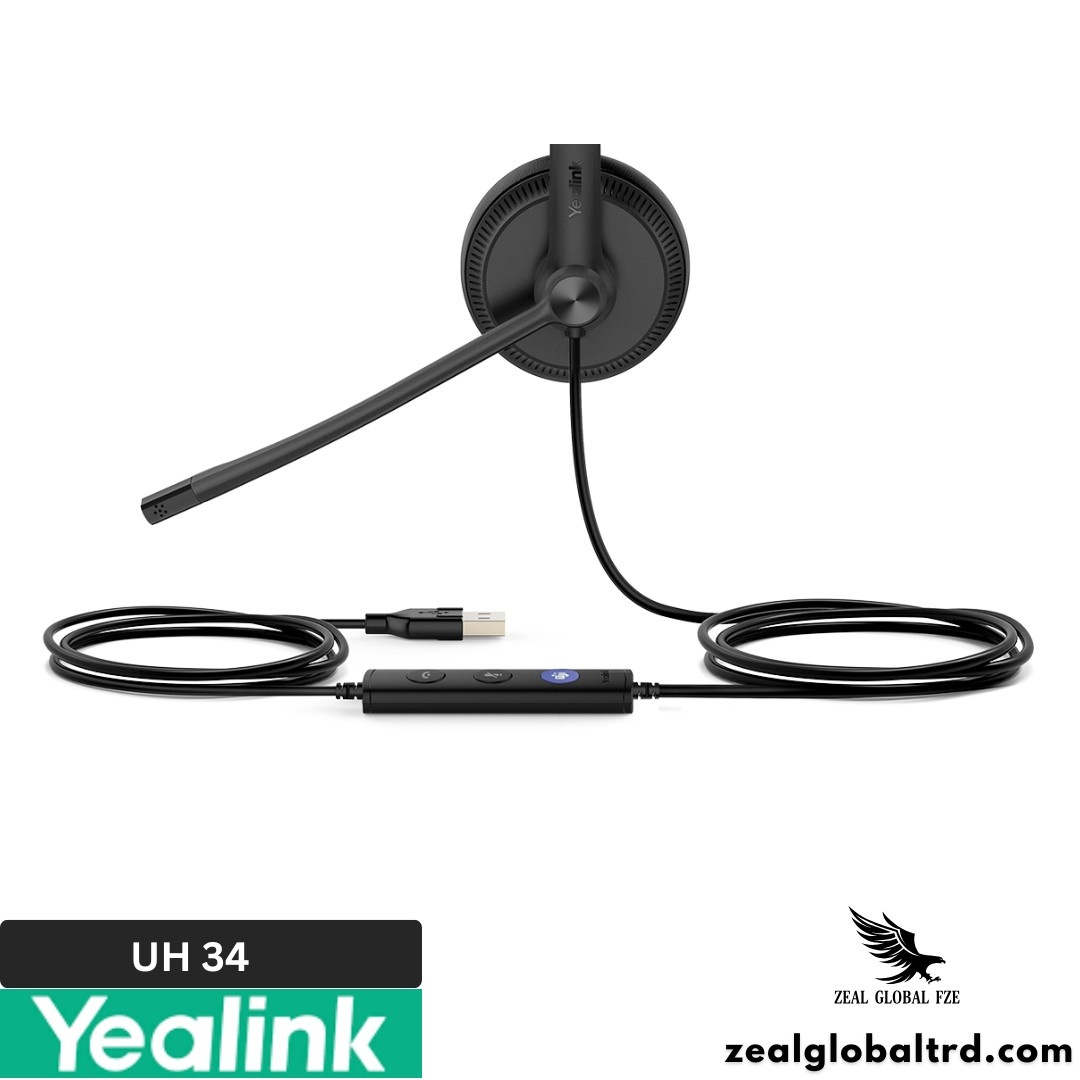
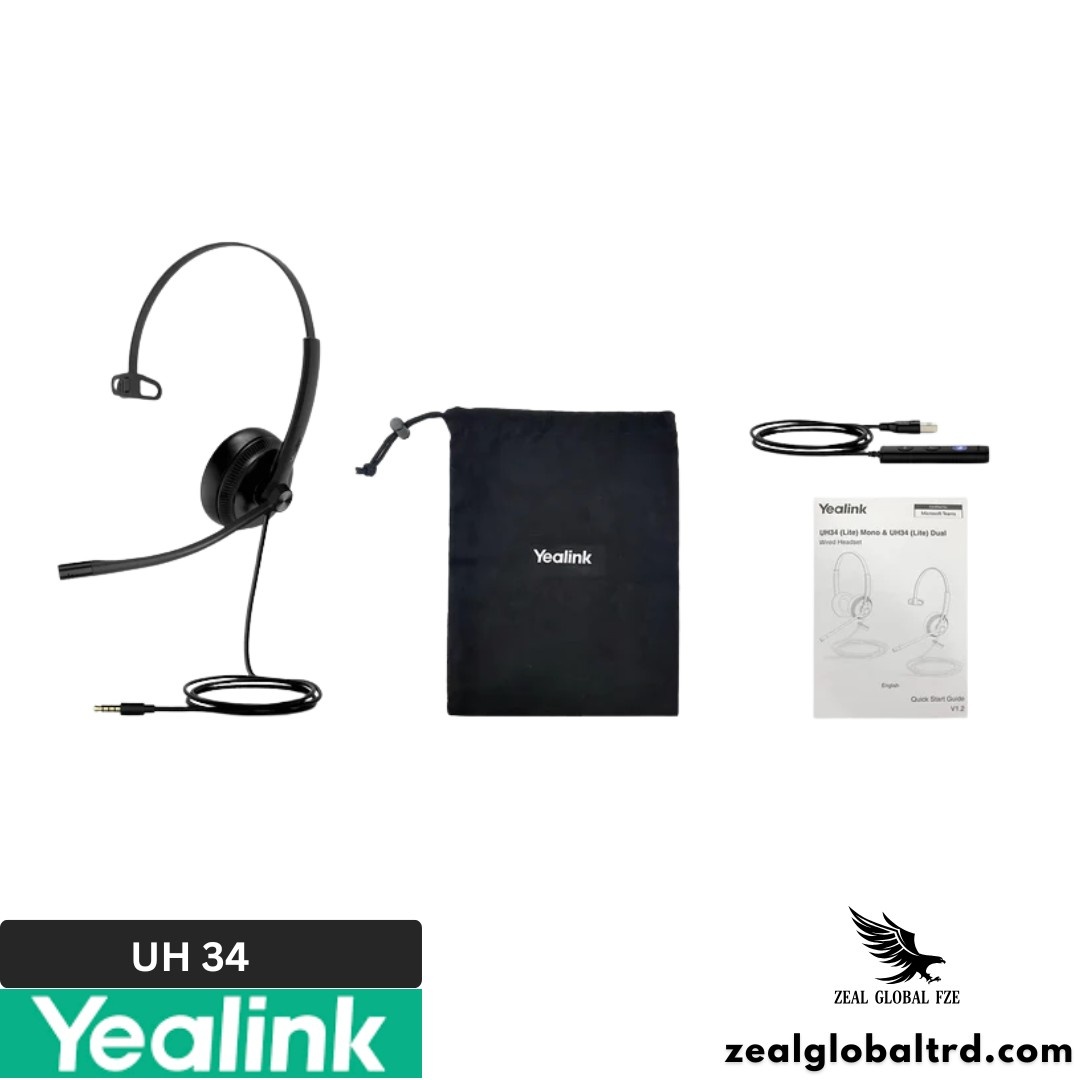
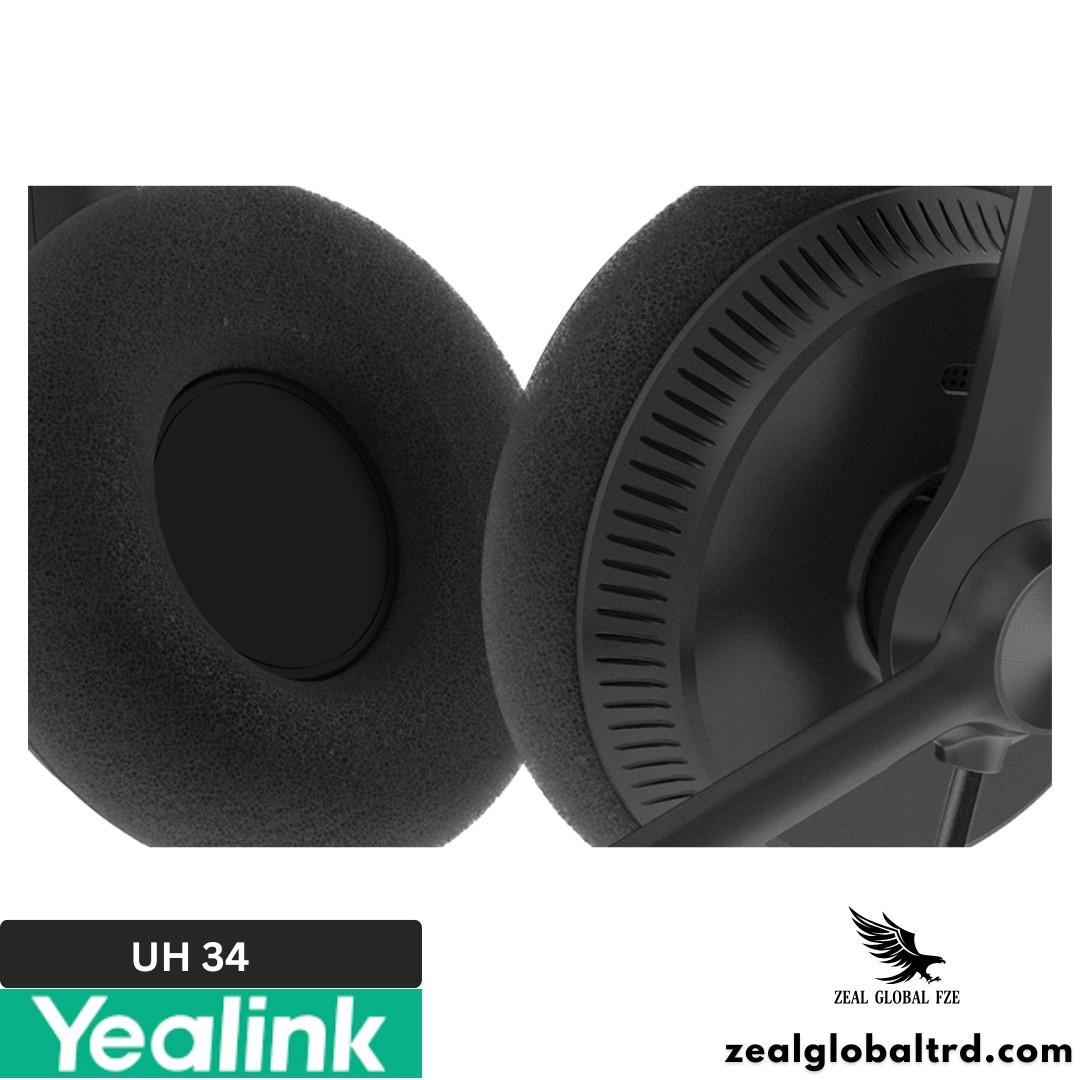
Description
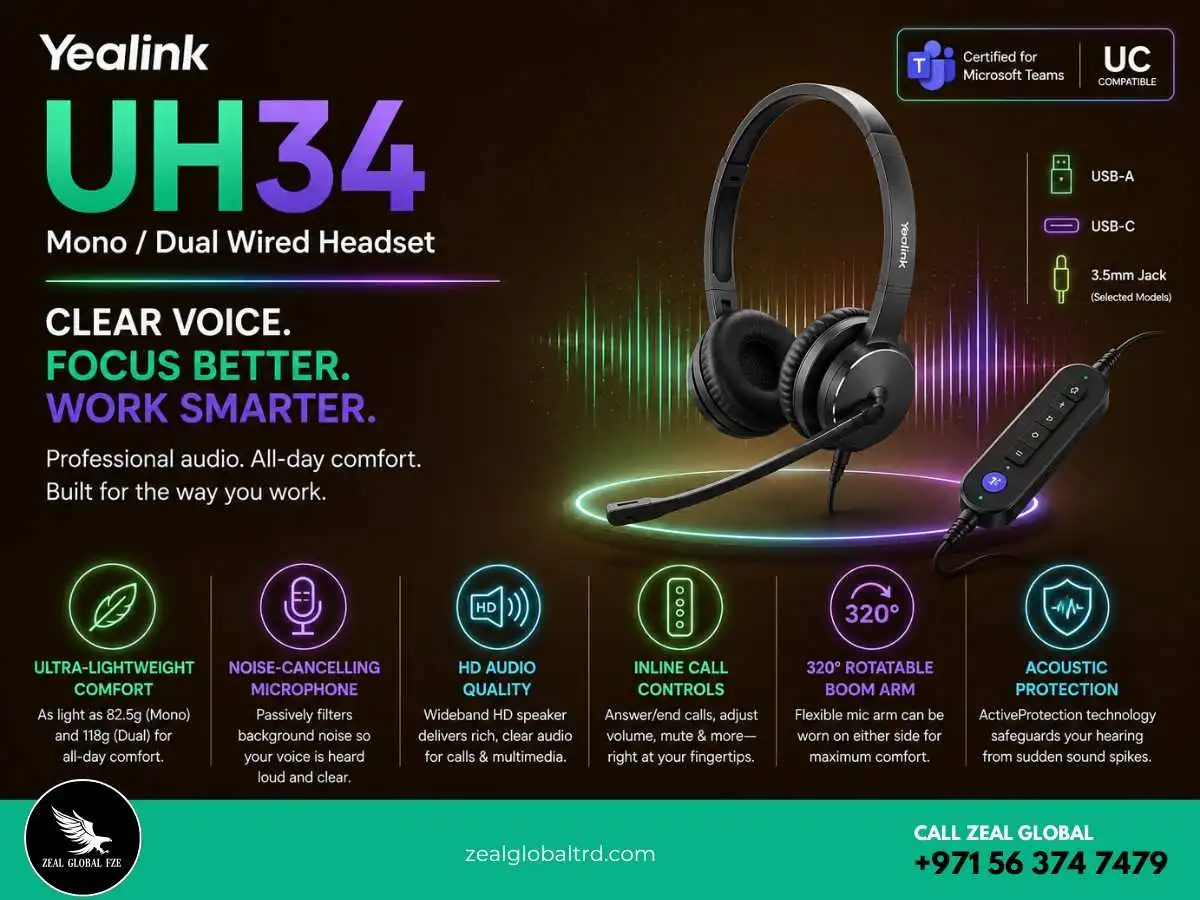
Plug In. Get to Work. Nothing Else Needed.
Not every professional needs Bluetooth, ANC, or a headset that costs as much as a monitor. Some teams just need something that works the moment you plug it in, clear audio, a decent mic, and comfort that survives an 8-hour shift. That’s exactly where the Yealink UH34 fits.
Released in 2021, the Yealink UH34 is a professional wired USB headset designed for daily office use, call centers, and remote work.
Key Features
- ✔ Noise-cancelling uni-directional ECM microphone
- ✔ 320° bendable boom arm, wear it on either side
- ✔ Ultra-lightweight: from 84g (Lite Mono) to 118g (Dual)
- ✔ USB plug-and-play, no drivers, no setup
- ✔ ActiveProtection against acoustic injury
- ✔ In-line controller with LED indicator
The Wired Headset That Doesn’t Get in the Way
This wired headset comes in two build versions, UH34 (with leatherette ear cushions) and UH34 Lite (with foam ear cushions), and each is available in Mono (single-ear) and Dual (both ears) styles. Add the choice between Microsoft Teams certified and UC (Unified Communications) variants, and you have one product line that covers practically every wired headset need in an organization.
At just 84 grams for the lightest model, these Yealink wired headphones are 10–30% lighter than competitors like the Jabra Evolve 20 or Poly Blackwire 3210 (according to Yealink Lab testing). For call center agents, customer support teams, and professionals who wear a headset all day, that weight difference matters more than any spec sheet can convey.
If you are searching for a reliable noise cancelling headset for work, Microsoft Teams calls, Zoom meetings, or enterprise communication, the Yealink UH34 series is designed to solve everyday communication challenges with clarity and comfort.
What’s in the Box
- Yealink UH34 or UH34 Lite Headset (Mono or Dual)
- USB Control Unit with integrated cable
- Quick Start Guide
- Optional for some SKUs: USB‑C or 3.5 mm adapter cables
Understanding the UH34 Variations
This product line has more options than most wired headsets, so let’s break it down clearly.
UH34 vs UH34 Lite
UH34: Premium build with soft leatherette ear cushions. Slightly better passive noise isolation. Also available with optional USB-C and 3.5mm jack connections for more flexible setups.
UH34 Lite: Same audio performance, same mic, same controller, but with breathable foam ear cushions. A touch lighter (84g mono vs 88g). Great for warm office environments where breathability matters.
Mono vs Dual
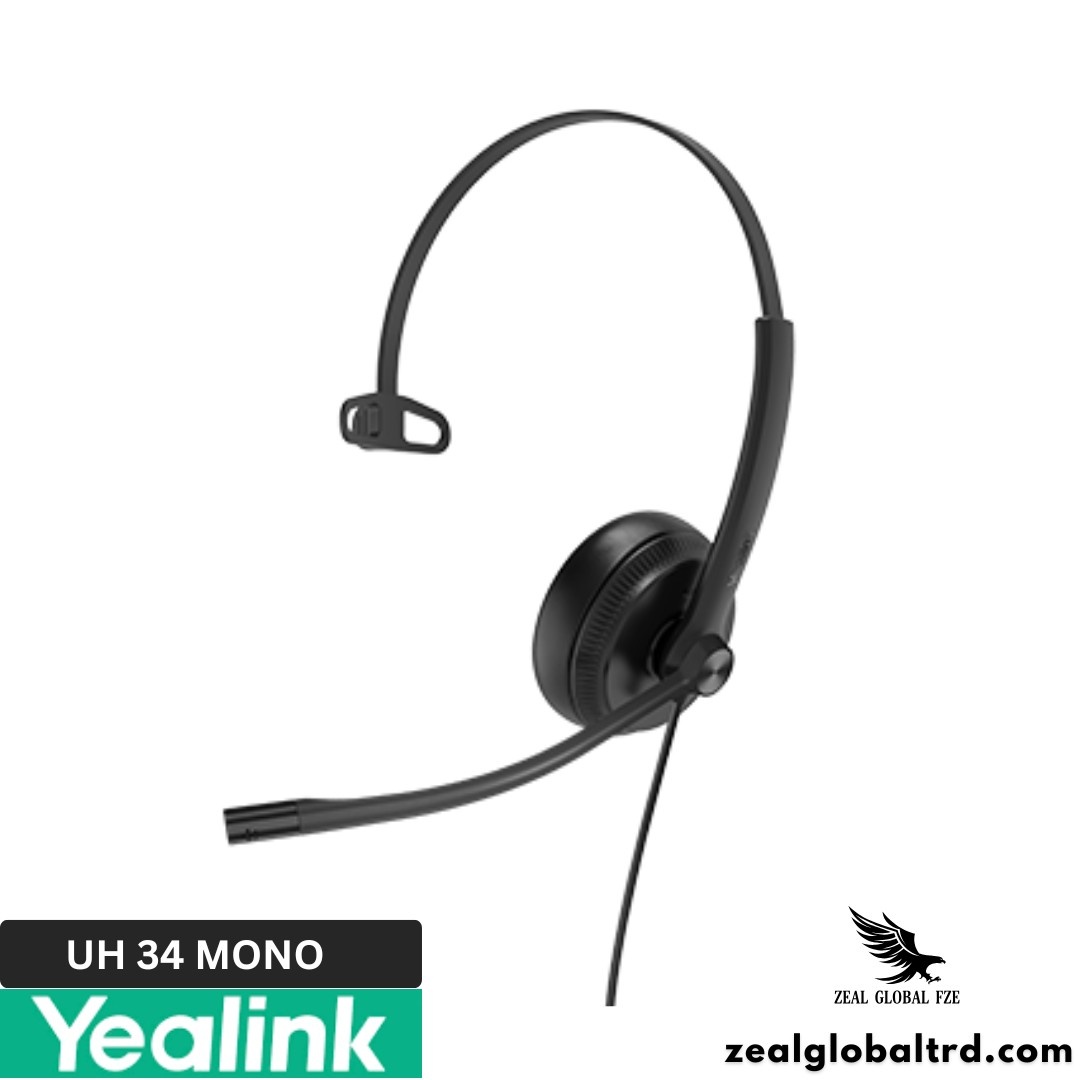
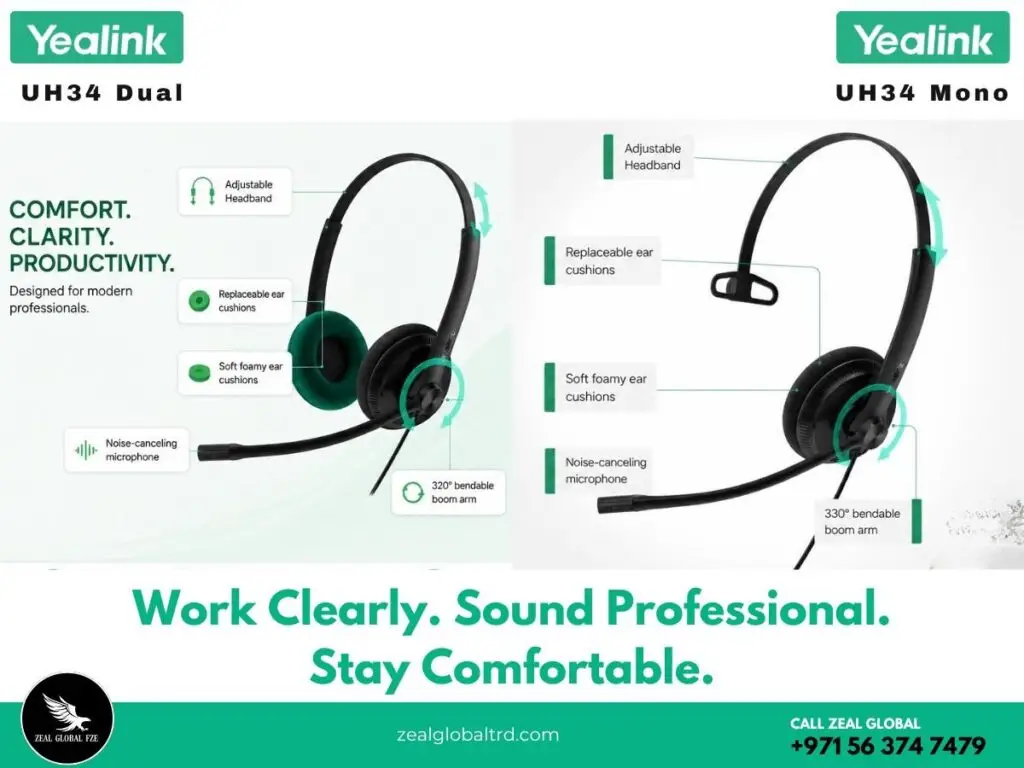
Yealink UH34 Mono: Covers one ear. Ideal for reception desks, customer support roles, and open offices where you need to stay aware of your physical surroundings. The other side has an adjustable T-pad for a balanced fit.
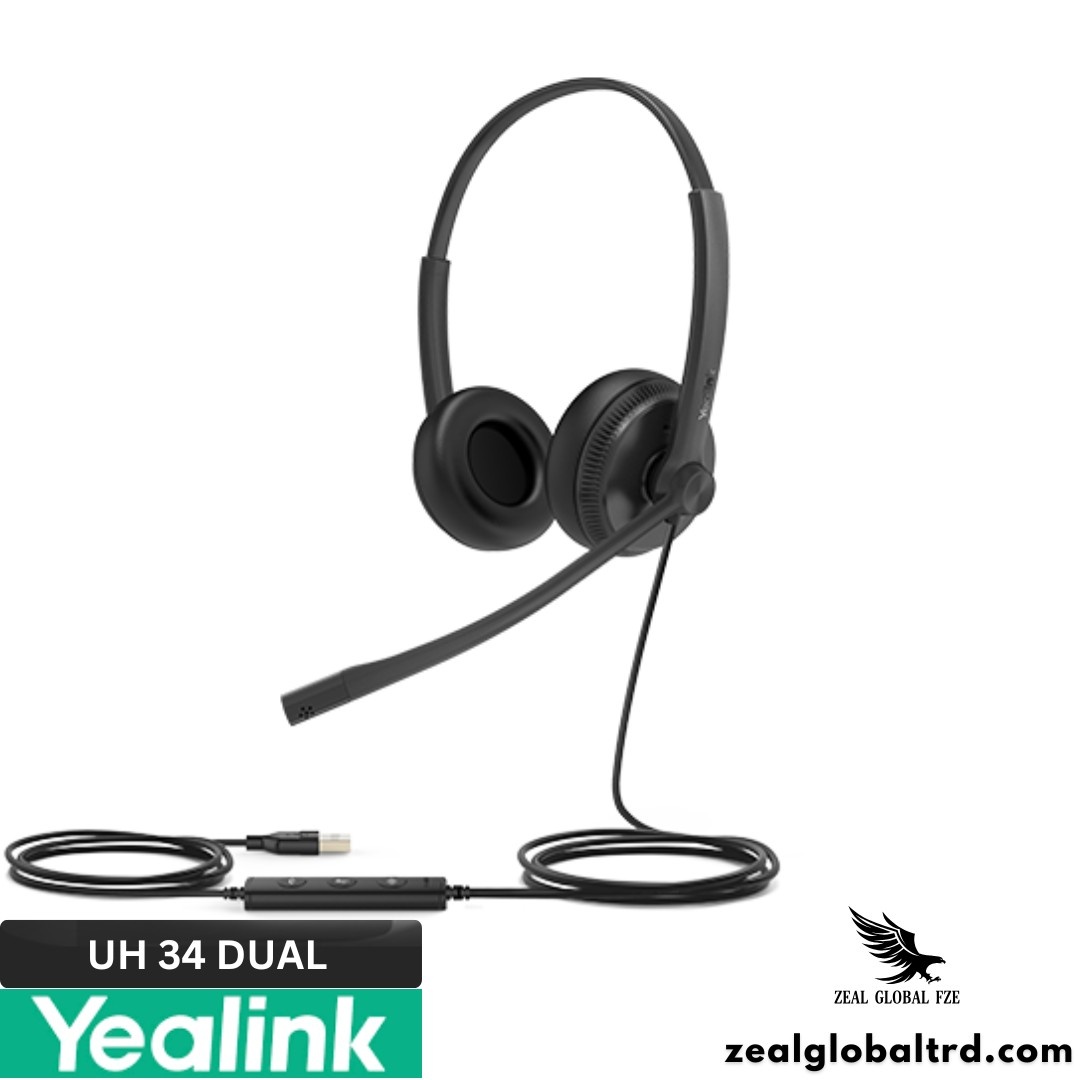
Yealink UH34 Dual: Covers both ears for stereo sound and better background noise blocking. Better suited for focused work, video conferences, and noisy environments where you need immersion.
Teams vs UC
Microsoft Teams variant: Includes a dedicated Teams button on the in-line controller. One press launches Teams, answers calls, or joins meetings. LED notifications sync with Teams status. Best for organizations running Microsoft 365.
UC variant: Broad compatibility with Zoom, Google Meet, Webex, Cisco, RingCentral, 3CX, and other major UC platforms. Standard call answer/end controls instead of the dedicated Teams button.
Connectivity Options (UH34 Only)
- USB-A: Standard plug-and-play for most PCs, Macs, and Yealink IP desk phones.
- USB-C (SE models): For modern laptops and USB-C desk phones.
- 5mm Jack: Plug directly into a smartphone, tablet, or PC auxiliary port.
The UH34 Lite models are USB-A only.
Product Overview
🎙️ Noise-Cancelling Mic That Keeps Your Voice Clean
The UH34 uses a uni-directional ECM (Electret Condenser Microphone) that captures your voice while passively rejecting background noise from other directions. It’s not active noise cancellation in the headphone-listening sense, it’s mic-side noise cancellation. The kind that matters for call quality.
The 320° bendable boom arm is sturdy enough to hold its position but flexible enough to adjust without snapping. Swing it to the left, swing it to the right—it stays where you put it. And because it bends rather than extends, there’s no mechanical click-into-place mechanism that wears out over time.
For call centers in Dubai and across the UAE, where agents are seated in close proximity and ambient noise is constant, this mic does a reliable job of isolating voice. Your callers hear you, not the person at the next desk.
🔊 Wideband HD Audio with Independent Cavity Design
The 28mm speakers deliver wideband HD audio with a frequency response of 20Hz to 20kHz. The independent acoustic cavity design ensures clean sound separation, so voices sound natural and detailed, not compressed or hollow.
For calls, this means you hear every word clearly. For music between meetings, the sound quality holds up surprisingly well for a business headset in this price bracket. The high signal-to-noise ratio keeps the audio floor clean, which is especially noticeable during quiet portions of a call when cheaper headsets introduce noticeable hiss.
☁️ 84 Grams. All-Day Comfort. Not a Marketing Claim.
Let’s talk numbers:
- UH34 Mono: 88g
- UH34 Dual: 118g
- UH34 Lite Mono: 84g
- UH34 Lite Dual: 110g
For comparison, the Jabra Evolve 20 Stereo weighs around 171g. The Poly Blackwire 3220 comes in at approximately 148g. The UH34 Dual at 118g is noticeably lighter, and when you’re wearing something on your head for 8 hours, that gap feels significant by hour five.
Both cushion types, leatherette (UH34) and foam (UH34 Lite), are easily replaceable. Over months of daily use, ear cushions flatten and deteriorate. Being able to swap them out for a few dollars instead of replacing the entire headset is a real cost advantage, especially at enterprise scale.
🔌 Plug-and-Play with Zero IT Friction
No drivers. No software installation. No pairing dance. Plug the USB cable into your PC, Mac, or compatible Yealink IP phone, and the headset is immediately recognized and ready to use.
The in-line controller gives you physical buttons for answer/end, reject/hold, volume up/down, mute, and redial, all with a built-in LED indicator that shows call status. For the Teams variant, the dedicated Teams button provides one-press access to the app.
This matters in deployment scenarios. If your IT team is rolling out 50 or 200 headsets across an office, the last thing they want is per-device configuration. The UH34 eliminates that. Plug in, hand it over, move on.
🛡️ ActiveProtection: Hearing Safety Built In
Sudden audio spikes, a feedback loop, and an unexpected screech on a call can cause real hearing discomfort or even injury over time. The UH34 includes ActiveProtection technology that automatically limits sudden volume peaks to safe levels. It also meets EN50332 peak block protection and Australian G616 hearing safety standards.
For organizations deploying headsets in call centers, particularly in the UAE, where labor regulations around occupational health are taken seriously, this compliance isn’t optional. It’s expected.
⚙️ Enterprise Management Tools
IT administrators can manage the UH34 fleet through:
- Yealink USB Connect (PC software): Check device info, update firmware, adjust audio settings.
- Yealink Device Management Platform: Push firmware updates and monitor headset status across the organization at scale.
For large deployments, these tools save hours of per-device maintenance time.
| Wearing Style | Mono (single-ear) or Dual (both ears) |
| Variants | UH34 (leatherette cushions) / UH34 Lite (foam cushions) |
| Certification | Microsoft Teams certified & UC variants |
| Connectivity | USB-A (all models) | USB-C, 3.5mm jack (UH34 only, select SKUs) |
| Microphone Type | Uni-Directional ECM (Electret Condenser) |
| Mic Frequency Response | 100 Hz – 10 kHz |
| Mic Sensitivity | -40 dB re. 1 V/Pa |
| Mic Boom | 320° bendable, wear on either side |
| Speaker Size | 28mm |
| Speaker Sensitivity | 92.5 ± 3 dB SPL @ 1 kHz |
| Speaker Frequency Response | 20 Hz – 20 kHz |
| Speaker Impedance | 32Ω @ 1.0 kHz |
| Speaker Input Power | Max 30 mW |
| Audio Bandwidth | Wideband (up to 15 kHz stereo) |
| Hearing Protection | ActiveProtection (EN50332), Australian G616, Daily Noise Exposure Protection |
| In-line Controller | Answer/End, Reject/Hold, Volume +/-, Mute, Redial, LED indicator |
| Cable Length | Headset to controller: 1.2m | Controller to USB: 0.9m |
| Weight | UH34 Mono: 88g | UH34 Dual: 118g | Lite Mono: 84g | Lite Dual: 110g |
| Color | Black |
| OS Compatibility | Windows 8/8.1/10/11, macOS, Linux |
| IP Phone Compatibility | Yealink T41S/T42S/T46S/T48S/T42U/T43U/T46U/T48U/T53/T53W/T54W/T57W/T58A/VP59 |
| Management Software | Yealink USB Connect (PC), Yealink Device Management Platform |
| Package Contents | Headset + Quick Start Guide |
| Warranty | Per Yealink regional warranty policy |
| Feature | Yealink UH34 Dual | Jabra Evolve 20 | Poly Blackwire 3220 | Logitech H390 |
|---|---|---|---|---|
| Weight (Dual) | 118g | ~171g | ~148g | ~197g |
| Speaker Size | 28mm | 28mm | 28mm | 30mm |
| Mic Type | Uni-directional ECM | Uni-directional ECM | Noise-cancelling | Noise-cancelling |
| Boom Rotation | 320° bendable | 300° | 270° | Flip-to-mute |
| Teams Certified | Yes (Teams variant) | Yes (SE variant) | No | No |
| In-line Controls | Full (LED + Teams btn) | Basic | Basic | Basic (inline) |
| USB-C Option | Yes (UH34 SE) | No | Yes | No |
| 3.5mm Jack Option | Yes (UH34) | No | No | No |
| IP Phone Compatible | Yes (Yealink phones) | No | No | No |
| Hearing Protection | ActiveProtection | PeakStop | SoundGuard | Basic |
| Replaceable Cushions | Yes (leatherette & foam) | No | No | No |
| Price Bracket | $ (Budget) | $ (Budget) | $ (Budget) | $ (Budget) |
🎙️ Noise-Cancelling Mic That Keeps Your Voice Clean
The UH34 uses a uni-directional ECM (Electret Condenser Microphone) that captures your voice while passively rejecting background noise from other directions. It’s not active noise cancellation in the headphone-listening sense, it’s mic-side noise cancellation. The kind that matters for call quality.
The 320° bendable boom arm is sturdy enough to hold its position but flexible enough to adjust without snapping. Swing it to the left, swing it to the right, it stays where you put it. And because it bends rather than extends, there’s no mechanical click-into-place mechanism that wears out over time.
For call centers in Dubai and across the UAE, where agents are seated in close proximity and ambient noise is constant, this mic does a reliable job of isolating voice. Your callers hear you, not the person at the next desk.
🔊 Wideband HD Audio with Independent Cavity Design
The 28mm speakers deliver wideband HD audio with a frequency response of 20Hz to 20kHz. The independent acoustic cavity design ensures clean sound separation, so voices sound natural and detailed, not compressed or hollow.
For calls, this means you hear every word clearly. For music between meetings, the sound quality holds up surprisingly well for a business headset in this price bracket. The high signal-to-noise ratio keeps the audio floor clean, which is especially noticeable during quiet portions of a call when cheaper headsets introduce noticeable hiss.
☁️ 84 Grams. All-Day Comfort. Not a Marketing Claim.
Let’s talk numbers:
- UH34 Mono: 88g
- UH34 Dual: 118g
- UH34 Lite Mono: 84g
- UH34 Lite Dual: 110g
For comparison, the Jabra Evolve 20 Stereo weighs around 171g. The Poly Blackwire 3220 comes in at approximately 148g. The UH34 Dual at 118g is noticeably lighter, and when you’re wearing something on your head for 8 hours, that gap feels significant by hour five.
Both cushion types, leatherette (UH34) and foam (UH34 Lite), are easily replaceable. Over months of daily use, ear cushions flatten and deteriorate. Being able to swap them out for a few dollars instead of replacing the entire headset is a real cost advantage, especially at enterprise scale.
🔌 Plug-and-Play with Zero IT Friction
No drivers. No software installation. No pairing dance. Plug the USB cable into your PC, Mac, or compatible Yealink IP phone, and the headset is immediately recognized and ready to use.
The in-line controller gives you physical buttons for answer/end, reject/hold, volume up/down, mute, and redial, all with a built-in LED indicator that shows call status. For the Teams variant, the dedicated Teams button provides one-press access to the app.
This matters in deployment scenarios. If your IT team is rolling out 50 or 200 headsets across an office, the last thing they want is per-device configuration. The UH34 eliminates that. Plug in, hand it over, move on.
🛡️ ActiveProtection: Hearing Safety Built In
Sudden audio spikes, a feedback loop, and an unexpected screech on a call can cause real hearing discomfort or even injury over time. The UH34 includes ActiveProtection technology that automatically limits sudden volume peaks to safe levels. It also meets EN50332 peak block protection and Australian G616 hearing safety standards.
For organizations deploying headsets in call centers, particularly in the UAE, where labor regulations around occupational health are taken seriously, this compliance isn’t optional. It’s expected.
⚙️ Enterprise Management Tools
IT administrators can manage the UH34 fleet through:
- Yealink USB Connect (PC software): Check device info, update firmware, adjust audio settings.
- Yealink Device Management Platform: Push firmware updates and monitor headset status across the organization at scale.
For large deployments, these tools save hours of per-device maintenance time.
| Wearing Style | Mono (single-ear) or Dual (both ears) |
| Variants | UH34 (leatherette cushions) / UH34 Lite (foam cushions) |
| Certification | Microsoft Teams certified & UC variants |
| Connectivity | USB-A (all models) | USB-C, 3.5mm jack (UH34 only, select SKUs) |
| Microphone Type | Uni-Directional ECM (Electret Condenser) |
| Mic Frequency Response | 100 Hz – 10 kHz |
| Mic Sensitivity | -40 dB re. 1 V/Pa |
| Mic Boom | 320° bendable, wear on either side |
| Speaker Size | 28mm |
| Speaker Sensitivity | 92.5 ± 3 dB SPL @ 1 kHz |
| Speaker Frequency Response | 20 Hz – 20 kHz |
| Speaker Impedance | 32Ω @ 1.0 kHz |
| Speaker Input Power | Max 30 mW |
| Audio Bandwidth | Wideband (up to 15 kHz stereo) |
| Hearing Protection | ActiveProtection (EN50332), Australian G616, Daily Noise Exposure Protection |
| In-line Controller | Answer/End, Reject/Hold, Volume +/-, Mute, Redial, LED indicator |
| Cable Length | Headset to controller: 1.2m | Controller to USB: 0.9m |
| Weight | UH34 Mono: 88g | UH34 Dual: 118g | Lite Mono: 84g | Lite Dual: 110g |
| Color | Black |
| OS Compatibility | Windows 8/8.1/10/11, macOS, Linux |
| IP Phone Compatibility | Yealink T41S/T42S/T46S/T48S/T42U/T43U/T46U/T48U/T53/T53W/T54W/T57W/T58A/VP59 |
| Management Software | Yealink USB Connect (PC), Yealink Device Management Platform |
| Package Contents | Headset + Quick Start Guide |
| Warranty | Per Yealink regional warranty policy |
The wired headset market at this price range is crowded. Here’s an honest look at how the Yealink UH34 stacks up.
| Feature | Yealink UH34 Dual | Jabra Evolve 20 | Poly Blackwire 3220 | Logitech H390 |
|---|---|---|---|---|
| Weight (Dual) | 118g | ~171g | ~148g | ~197g |
| Speaker Size | 28mm | 28mm | 28mm | 30mm |
| Mic Type | Uni-directional ECM | Uni-directional ECM | Noise-cancelling | Noise-cancelling |
| Boom Rotation | 320° bendable | 300° | 270° | Flip-to-mute |
| Teams Certified | Yes (Teams variant) | Yes (SE variant) | No | No |
| In-line Controls | Full (LED + Teams btn) | Basic | Basic | Basic (inline) |
| USB-C Option | Yes (UH34 SE) | No | Yes | No |
| 3.5mm Jack Option | Yes (UH34) | No | No | No |
| IP Phone Compatible | Yes (Yealink phones) | No | No | No |
| Hearing Protection | ActiveProtection | PeakStop | SoundGuard | Basic |
| Replaceable Cushions | Yes (leatherette & foam) | No | No | No |
| Price Bracket | $ (Budget) | $ (Budget) | $ (Budget) | $ (Budget) |
Pros & Cons
Pros
- Extremely lightweight and comfortable
- Reliable passive noise cancellation
- Available in Mono and Dual models
- Microsoft Teams-certified options available
- Plug-and-play simplicity
- Replaceable ear cushions.
- Extremely competitive price point for enterprise bulk purchases
Cons
- No active noise cancellation for the listener, passive isolation only.
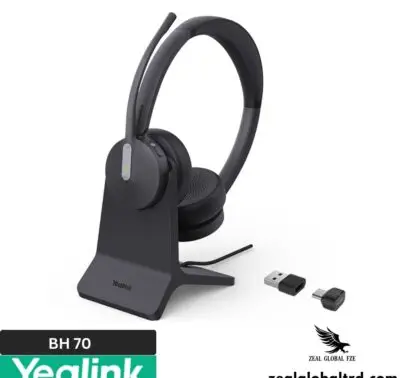
- Wired only, no Bluetooth or wireless connectivity. For wireless, see the Yealink BH70.
- No inline volume wheel, buttons only on the controller.
- Available in black only.
- The UH34 Lite is USB-A only, no USB-C or 3.5mm option.
Best For
Call Center Agents
Customer Support Teams
Reception
Front Desk Staff
Hybrid & Remote Workers
Virtual Classroom
Online Training Programs
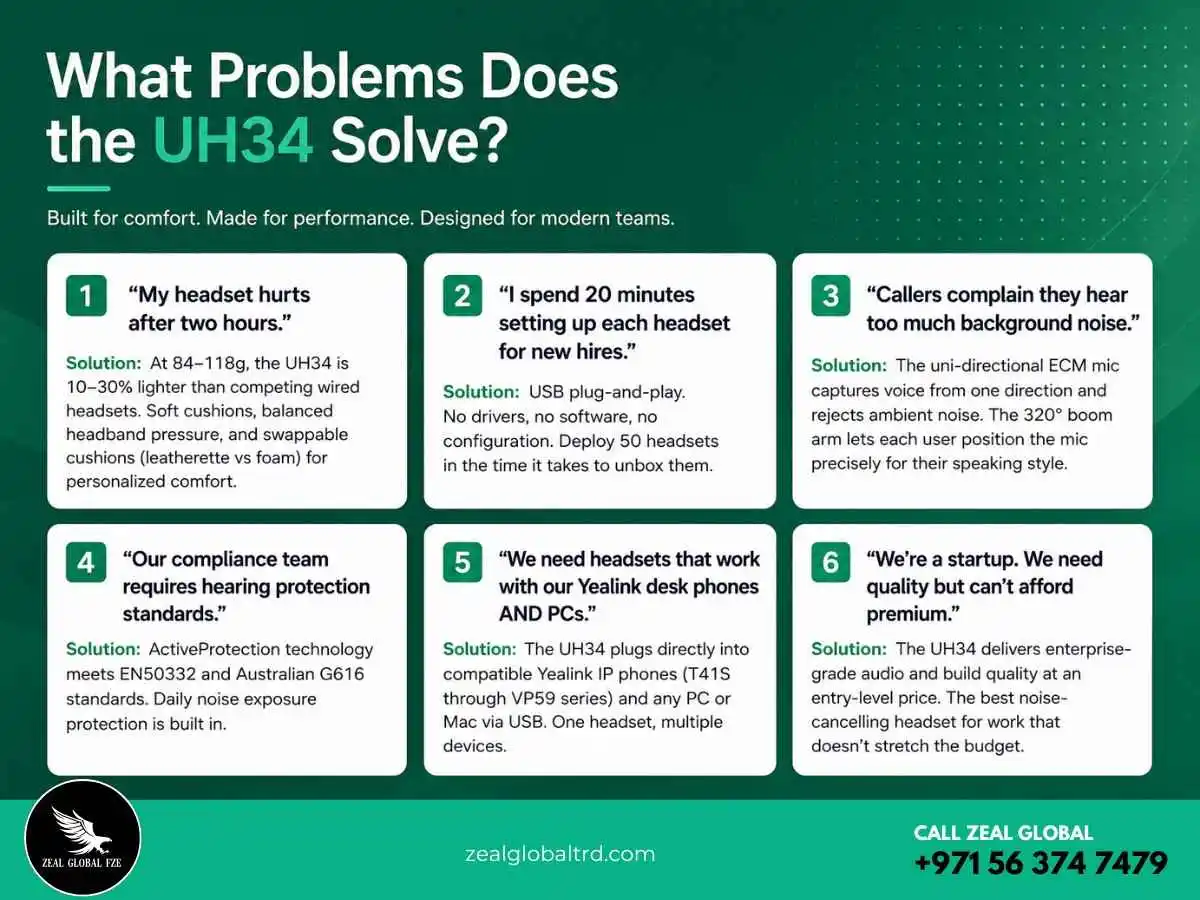
Why Choose Yealink UH34 Over Competitors?
Three words: weight, versatility, and cost.
The UH34 is the lightest professional wired headset in its class. That sounds like a small detail until you’re four hours into a support shift and your ears aren’t sore. It’s the kind of advantage that shows up in employee satisfaction surveys, not spec sheets. Also, this is best suited for Government offices and financial services teams that require wired connectivity for security compliance.
Versatility matters when you’re buying for an organization, not just yourself. The UH34 lineup covers Mono and Dual wearing styles, Teams and UC platform certifications, three connectivity options (USB-A, USB-C, 3.5mm jack), and two cushion materials. That means your procurement team can standardize on a single product family across departments, receptionists get Mono, developers get Dual Teams, and field staff get 3.5mm, without managing five different headset brands. Lets not forget about how this one of the best option
Let’s not forget one of the biggest advantages of the Yealink UH34 for home office professionals. No matter where you’re working from, you won’t sound like you’re working from home. Its noise-cancelling microphone helps maintain a professional presence on every call, ensuring your clients and colleagues hear your voice, not the distractions around you. This makes it an excellent choice for anyone looking for a noise-cancelling headset with a mic for working from home.
And the cost. These aren’t budget headsets that feel budget. They’re professional-grade headsets priced at an entry level. For businesses in the UAE deploying 20, 100, or 500 units, the per-seat savings compared to Jabra or Poly add up to real budget you can redirect elsewhere.
Who Is This NOT For?
Transparency builds trust, so let’s be direct about who should look elsewhere.
- If you need wireless freedom, walking around the office during calls, or working from the couch, the UH34 is wired only. Consider the Yealink BH70 (Bluetooth) or Yealink WH68 (DECT) instead.
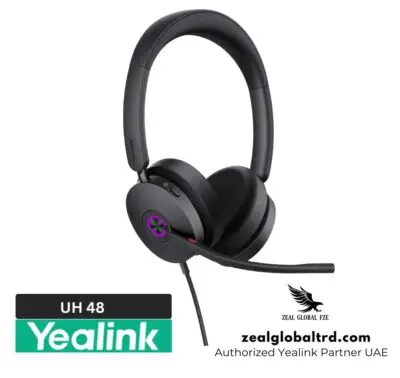
- If you require active noise cancellation for your own listening, blocking out loud office noise entirely, the UH34 offers passive isolation only. Look at the Yealink UH48 for wired ANC or the Yealink BH76 for wireless ANC.
- If you want over-ear (around-ear) coverage, the UH34 is on-ear. For full ear coverage, check Jabra’s Evolve2 75 or Yealink’s BH76.
- If you need a headset for music production or audiophile listening, this is a business communication headset, excellent for calls, adequate for casual music, not designed for critical listening.
The Yealink UH34 and UH34 Lite represent an exceptional balance of comfort, audio quality, and professional features. Whether you choose the leatherette‑cushioned UH34 or the foam‑cushioned UH34 Lite, you are investing in a headset that prioritizes your hearing safety and daily comfort. With ultra‑lightweight construction, noise‑canceling microphone, intuitive in‑line controls, and easy management for IT teams, the UH34 series is a smart, reliable choice for call centers, offices, and hybrid workplaces.
Why Buy from Zeal Global?
Zeal Global, is an authorized Yealink supplier in the UAE. Every UH34 you receive is genuine, factory-sealed, with full manufacturer support. But what makes working with us different is what happens after the order.
Explore the full range of corporate AV solutions for your workplace in the UAE.
Need help choosing between Yealink UH34 and UH34 Lite? We’ll walk you through it.
📞 Contact us today for a consultation or to request a demo.