
Description
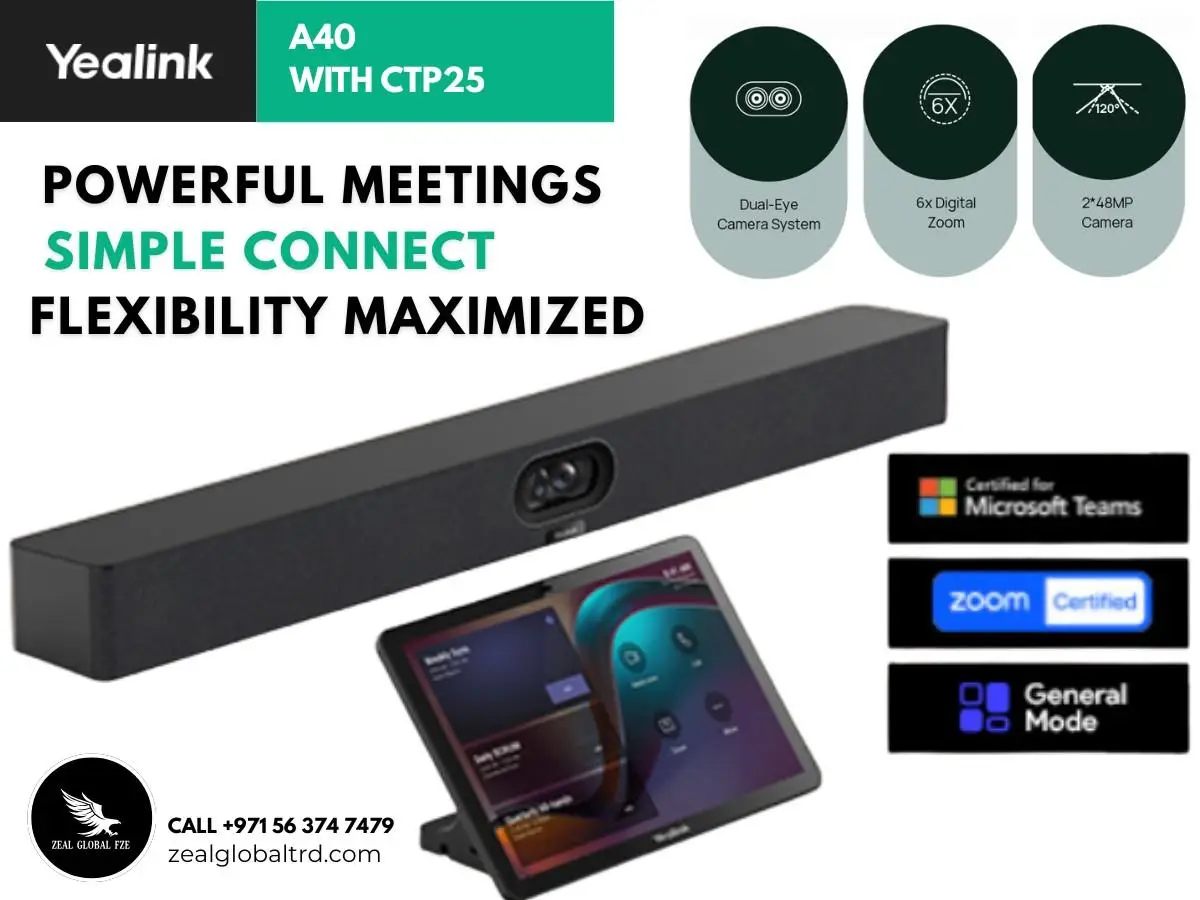
AI-Enhanced 4K Vision
Officially launched on September 2024, the Yealink MeetingBar A40 redefines what a smart meeting experience feels like. Designed for Microsoft Teams Rooms, it’s an AI-powered 4K camera bar that combines crystal-clear audio, intelligent video framing, and audio/video fence technology for distraction-free meetings.
Key Features
- ✔ Dual 4K cameras with AI auto-framing and speaker tracking
- ✔ 8-MEMS beamforming microphone array with Yealink AI noise suppression
- ✔ Native Microsoft Teams Rooms and Zoom Rooms support
- ✔ True BYOD over USB-C
- ✔ Smart Gallery framing
- ✔ Single-cable PoE+ installation
One Bar. Every Platform. Every Meeting Room.
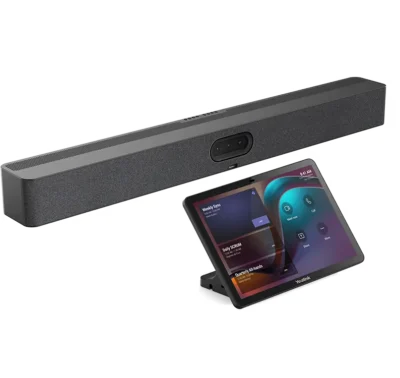
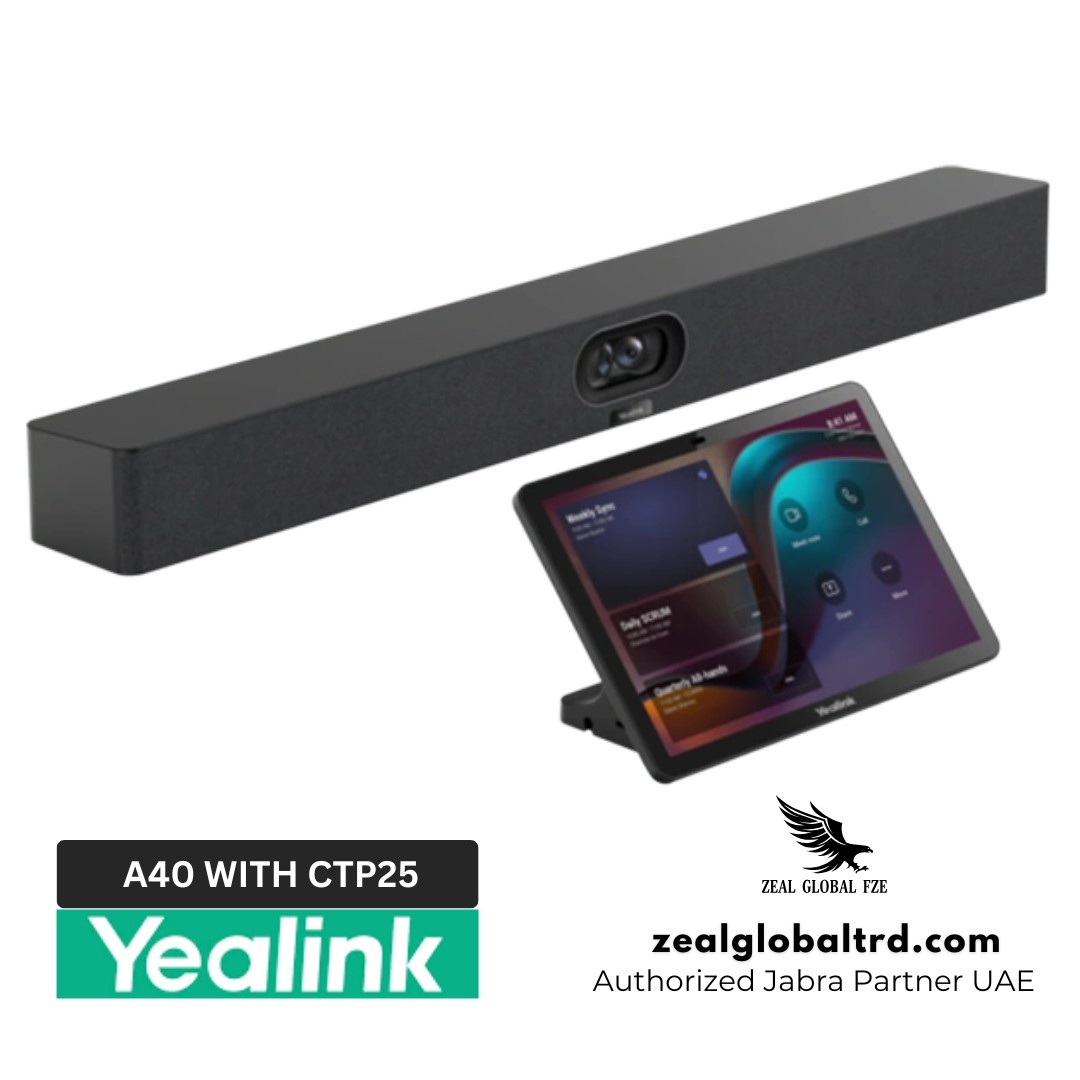
In modern hybrid workplaces, teams need collaboration tools that are intelligent, effortless, and reliable. The Yealink A40 Video Bar is designed precisely for that, an all-in-one audio-video solution with CTP25 Touch Console built for small to medium meeting rooms of up to 13 participants.
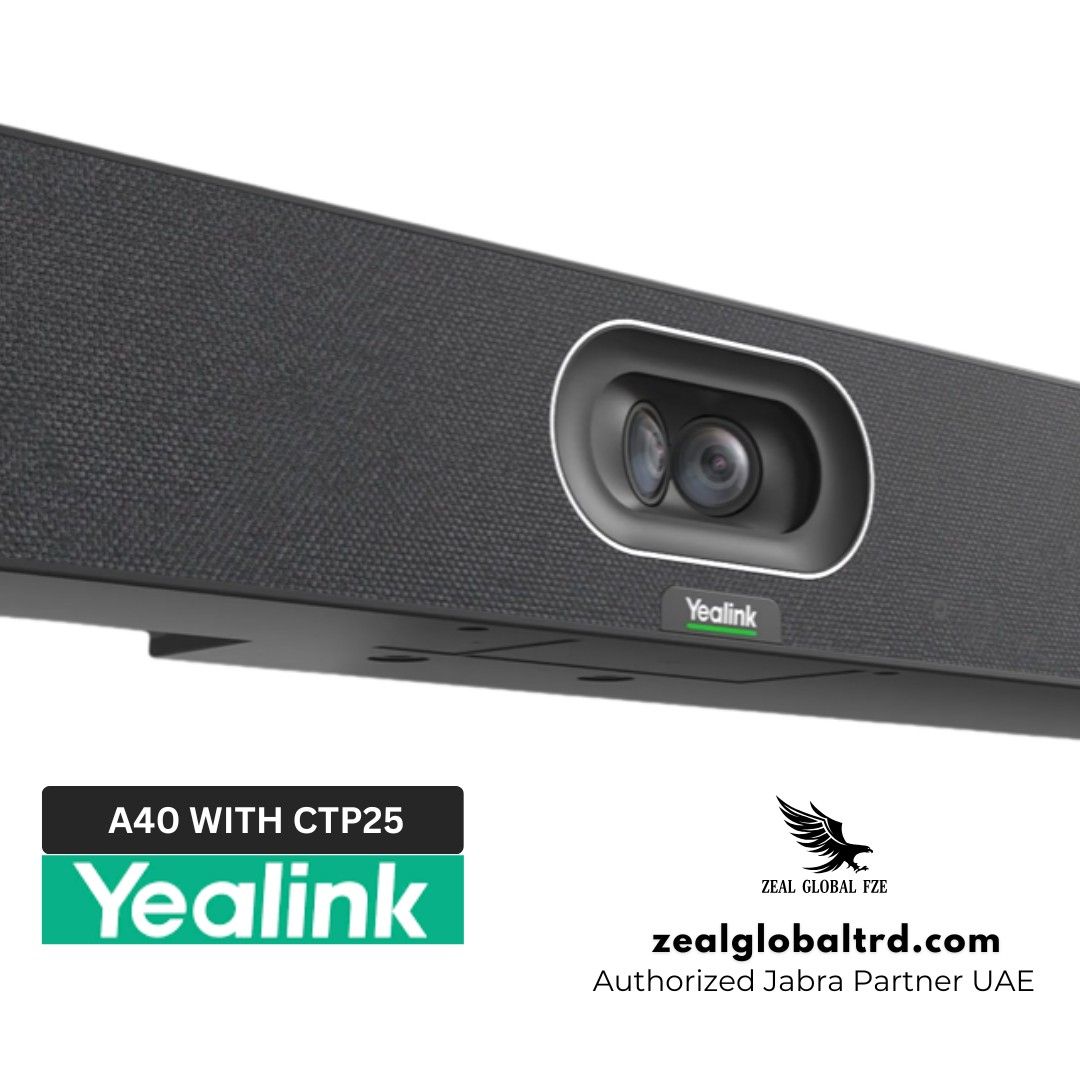
With dual 48 MP lenses, 8 MEMS microphones, and two stereo speakers, the A40 delivers lifelike visuals and crystal-clear sound. Powered by Android 13, it supports Microsoft Teams Rooms, Zoom Rooms, and a flexible General Mode for SIP/H.323 calls, BYOD use, and 4K content sharing.
Recommended Room Size and Capacity
The Yealink MeetingBar A40 is designed for medium meeting rooms seating 6 to 12 people, typically up to about 7 metres of room depth. That covers most standard boardrooms, mid-sized team meeting rooms, and training rooms in UAE offices.
For smaller huddle rooms of 2 to 4 people, the Yealink MeetingBar A20 or a USB conference camera like the Logitech MeetUp is usually more cost-effective. For large boardrooms, training rooms, or rooms deeper than 7 metres, step up to the Yealink MeetingBar A50 or look at a modular setup with a separate camera and ceiling mics.
Not sure which one your room needs? Book a free meeting room consultation and we’ll size it for you.
Yealink MeetingBar A40 Package Contents
Here’s what ships in the standard A40 package:
- Yealink MeetingBar A40 the all-in-one video bar with dual cameras, 8-mic array, and built-in speakers.
- VCR20 Remote Control for quick in-room control of calls, volume, and camera settings.
- Wall and display mounting kit bracket and screws for mounting above or below a display.
- Power adapter included for non-PoE installations (the A40 also runs over PoE+ Ethernet).
- HDMI and USB-C cables for content sharing and BYOD connections.
- Quick start guide and documentation.
Bundle variants change what’s included:
- A40-010 – standalone bar only (add your own touch panel).
- A40-020 – A40 bar + CTP18 touch console.
- A40-025 – A40 bar + MTouch Plus controller.
Compatible Accessories for the Yealink MeetingBar A40
The A40 works as a complete meeting room on its own, but the right accessories extend what it can do touch control, wireless sharing, and audio coverage for larger rooms. Here are the Yealink accessories certified to pair with it.
Yealink CTP25 Touch Console
The CTP25 is an 8-inch touch controller designed for the A40 and other newer Yealink meeting bars. It sits on the meeting table and gives users a clean way to start calls, share content, and switch between Teams Rooms, Zoom Rooms, and BYOD modes.
Yealink CTP18 Touch Console
The CTP18 is the larger 10.1-inch touch console for the A40, ideal for boardrooms and longer tables where visibility matters. It runs the same core controls as the CTP25, just on a bigger display.
Yealink MTouch Plus
The MTouch Plus combines touch control with wireless content sharing and BYOD switching in a single device. It’s a good fit if you’d rather not run a separate touch panel and presentation pod.
Yealink WPP30 Wireless Presentation Pod
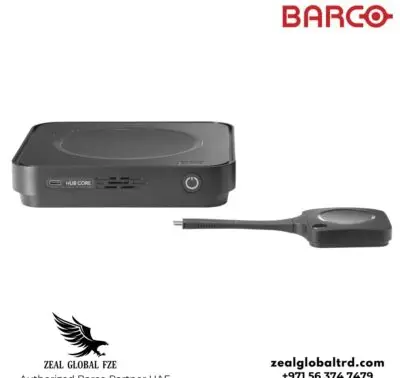
The WPP30 is a USB dongle that lets anyone share their laptop screen wirelessly to the A40 plug it in, press the button, and content goes up on the room display. Ideal for guest sharing and BYOD-heavy meeting rooms.
Yealink VCM Expansion Microphones
For deeper or L-shaped rooms where the A40’s onboard mics can’t quite cover the far end of the table, Yealink VCM wired or wireless mics extend the pickup range. They daisy-chain to the bar without changing the room layout.
Pros & Cons
Pros
- Cuts hardware and licensing complexity
- One bar replaces a separate camera, soundbar, mini-PC, and switcher across the room estate.
- Future-proof against platform changes.
- Lower total cost of ownership over a 3–5 year refresh cycle
Cons
- Overkill for small huddle rooms of 2–4 people
- Tied to the Yealink ecosystem for the cleanest experience
- Switching between native Teams Rooms and Zoom Rooms modes isn’t seamless on the fly
Best For
Medium meeting rooms
Microsoft Teams Rooms
BYOD Deployments
Zoom Rooms
Product Overview
🎥 Video Features
📷 Dual 48 MP Cameras with AI IntelliFocus
The A40’s dual-lens system pairs a wide-angle camera with a telephoto lens to deliver crystal-clear 4K video. Its IntelliFocus AI intelligently switches between lenses to highlight active speakers while maintaining full-room context. Ideal for hybrid teams that value clarity and engagement.
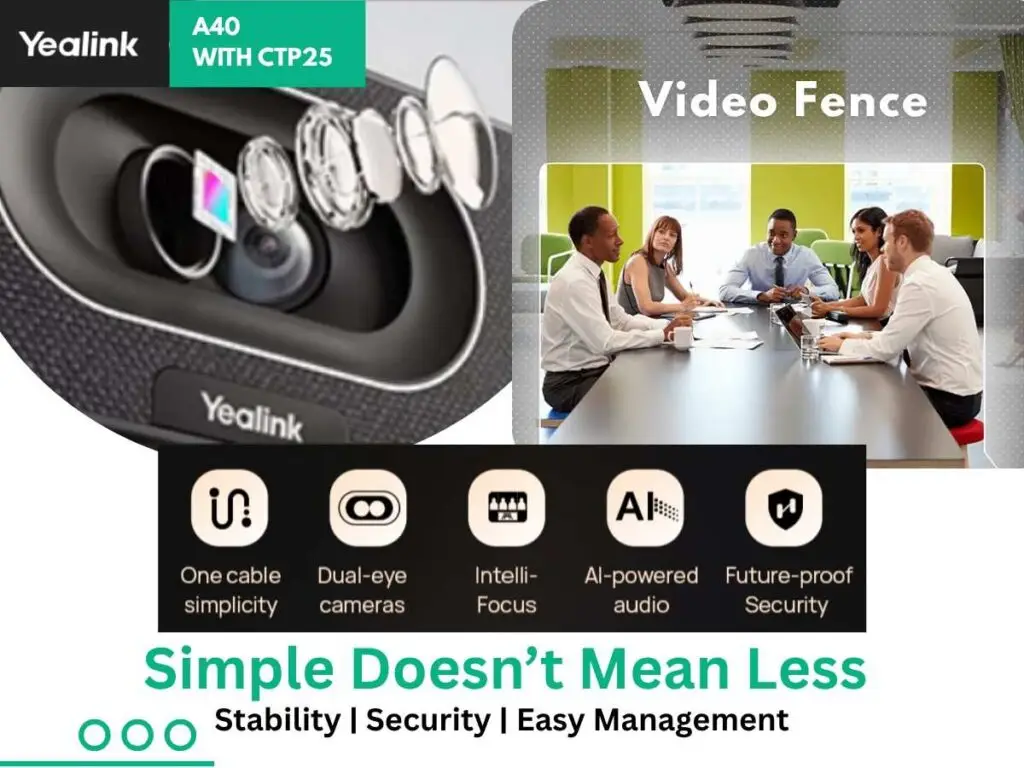
🛡️ Video Fence & Audio Fence Technology
Create a defined meeting zone so that the camera and microphones only focus on participants within the room. This smart video and Audio fence feature filters out hallway movement and background chatter, keeping your discussions distraction-free and private.
🎯 Auto Framing & Speaker Tracking
The A40’s AI-driven engine automatically frames all participants and tracks active speakers in real time. It ensures smooth transitions and a natural, cinematic experience—so remote attendees feel connected to every moment of the conversation.
🌟 4K Ultra-HD Resolution with Auto Exposure
Experience lifelike visuals with true 4K resolution and adaptive brightness. Even in uneven lighting environments, participants appear well-lit and natural, ensuring professional-looking video in every call.
🔊 Audio Features
🎙️ 8 MEMS Beamforming Microphones
An advanced 8-microphone beamforming array captures voices clearly up to 6 meters away. It intelligently suppresses echoes and room reverberation, delivering crisp audio that enhances communication in small to medium spaces.
🔈 Dual Stereo Speakers with Full-Duplex Audio
Enjoy seamless two-way communication with Yealink’s integrated dual stereo speakers. The full-duplex audio system allows participants to speak and listen simultaneously, ensuring smooth, natural conversations without interruptions or dropouts.
🎧 AI-Enhanced Noise Cancellation & Reverberation Suppression
Using AI-powered algorithms, the A40 continuously filters background noise like typing, HVAC hum, or outside chatter while preserving vocal clarity. It automatically adapts to changing acoustic environments for consistently clear sound.
🎤 Expandable Audio Support
Extend your meeting coverage with up to two Yealink VCM34 or VCM38 expansion microphones. This scalable design provides greater flexibility and audio precision for larger conference rooms or custom layouts.
🤖 AI-Powered Collaboration
🧠 IntelliFocus On-Device AI
The built-in AI engine dynamically provides close-ups of active speakers while keeping everyone in frame. It creates an engaging, broadcast-style experience that mirrors real-life interaction.
👥 Auto Framing and Smart Gallery
Automatically detects and frames all meeting participants, presenting individual video streams for remote viewers. This feature enhances visibility and interaction on Microsoft Teams and other supported platforms.
🚶 Human Detection & Video Fence
Smart sensing technology recognizes human presence and ignores irrelevant movement outside your set meeting zone. Perfect for open offices or glass-walled rooms where privacy and focus matter.
🔇 AI-Based Noise Suppression
Machine learning algorithms analyze and reduce background disturbances in real time. The result is a balanced, uninterrupted audio experience that keeps conversations sharp and professional.
🖥️ CTP25 Touch Console
The CTP25 Touch Console complements the Yealink A40 experience with one-touch meeting control and 10.1-inch IPS display that keeps visuals crisp and interactions effortless. It supports 4K content sharing, BYOD connectivity, and PD charging through a single cable. Running on Android 10 and optimized for Microsoft Device Ecosystem Platform (MDEP), it provides smooth integration and enterprise-grade stability.
⚙️ Easy Installation
🚀 Designed for Quick Deployment
Set up your meeting room in minutes. The A40 is engineered for simple installation and can be ready for use in under five minutes. Its streamlined setup reduces downtime and eliminates complex configuration steps.
🔌 One-Cable Solution
A single Cat5e cable connects the A40 bar and CTP25 touch console, delivering both power and network connectivity. Single USB-C cable from touch console to PC that allows 4K sharing, BYOD and PD charging.
This one-cable design keeps your workspace clean and professional with minimal wiring.
🔑 Simple Login Process
Access your system faster with a secure, one-time login through the touch console. Once authenticated, users can start meetings instantly without repeated sign-ins or manual configurations.
🛠️ Flexible Mounting
The CTP25 can rotate up to 180° and supports both desk and wall mounting options. Connect directly or via IP depending on your room layout, ensuring a neat and adaptable setup for any meeting environment.
⚡ Plug-and-Play Setup
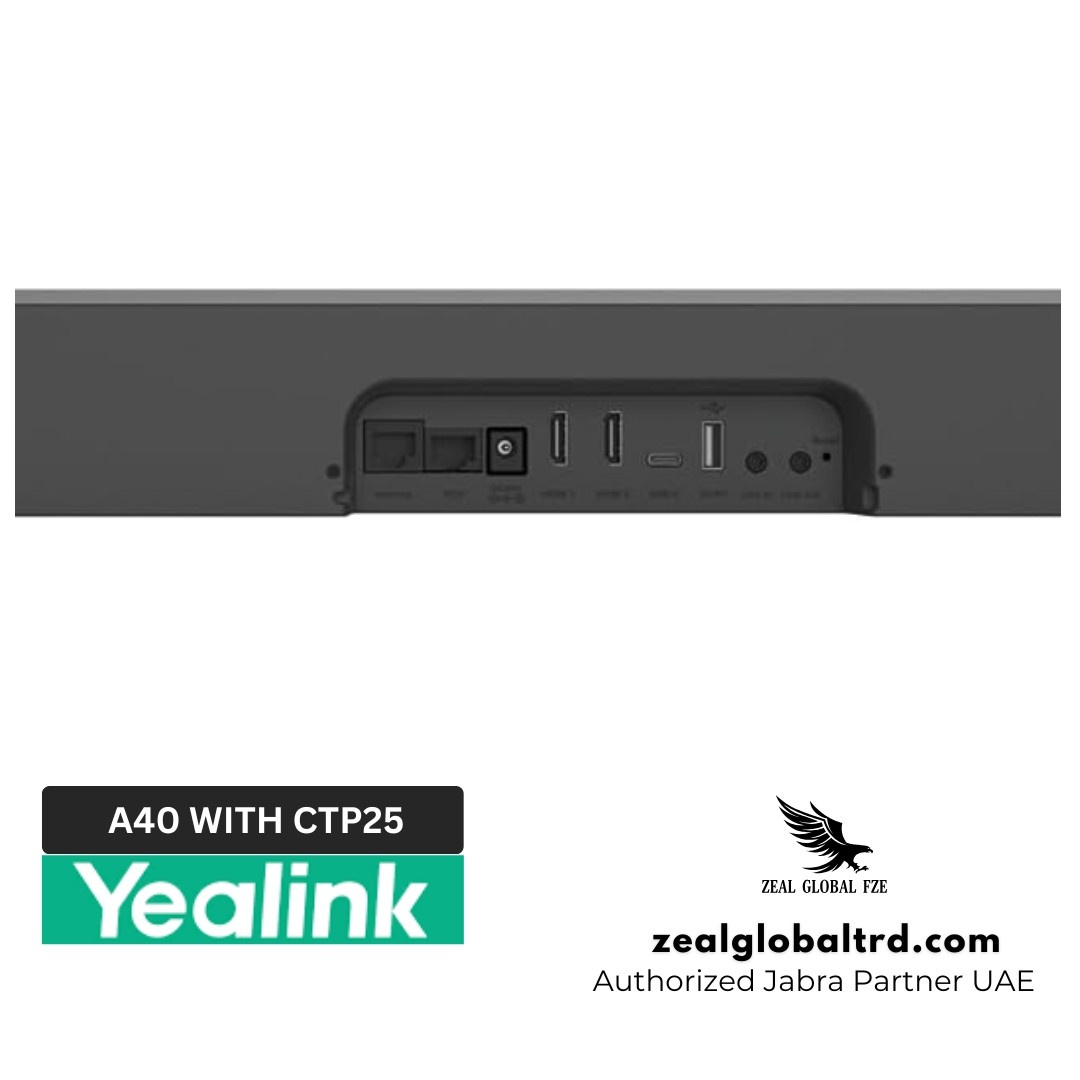
Built with user convenience in mind, the A40 offers HDMI, USB-C, and network ports for instant connectivity. Integrate easily with your existing displays and conferencing systems, no technical expertise required.
🔒 Software & Security
📱 Powered by Android 13
The A40 runs on the latest Android 13 platform, delivering enhanced performance, stronger data protection, and long-term upgradability. It ensures smooth operation, secure app integration, and consistent user experience across updates.
🌐 Multiple Operating Modes
Enjoy flexibility with native support for Microsoft Teams Rooms and Zoom Rooms. The A40 also offers a General Mode supporting SIP, H.323, BYOD, content sharing, and digital signage — ideal for diverse enterprise environments.
☁️ Secure Device Management
Manage, monitor, and update devices remotely using the Yealink Management Cloud Service (YMCS). This centralized control platform simplifies IT administration while ensuring every device stays secure and up to date.
🖥️ 4K Content Sharing
Easily share crisp 4K presentations or screens with zero latency using a single USB-C connection to your PC. The same cable supports power delivery (PD charging), keeping your devices powered throughout the meeting.
| Operating System |
|
| Camera |
|
| Speaker |
|
| Microphone |
|
| Resolution |
|
| Content Sharing |
|
| Video Codec | H.264 High Profile, H.264 SVC, H.264 |
| Environmental Factors |
|
| Dimensions (W × D × H) |
|
| Warranty |
|
➜ Bose Videobar VB1
Delivers excellent Bose-quality sound, but its narrower field of view and basic AI framing make it less adaptable for larger team discussions. The A40’s dual 48 MP AI system offers more versatility and clarity for hybrid collaboration.
➜ Logitech Rally Bar
Feature-rich and scalable, but setup and integration require more components and time. The Yealink A40 simplifies deployment with a single-bar design and native Microsoft Teams and Zoom Rooms support.
➜ Owl Labs Owl Bar
Innovative 360° camera concept, yet less precise in speaker tracking and audio fence performance. The Yealink A40 delivers a more focused, boardroom-grade experience ideal for professional environments.
Product Overview
🎥 Video Features
📷 Dual 48 MP Cameras with AI IntelliFocus
The A40’s dual-lens system pairs a wide-angle camera with a telephoto lens to deliver crystal-clear 4K video. Its IntelliFocus AI intelligently switches between lenses to highlight active speakers while maintaining full-room context. Ideal for hybrid teams that value clarity and engagement.
🛡️ Video Fence & Audio Fence Technology
Create a defined meeting zone so that the camera and microphones only focus on participants within the room. This smart video and Audio fence feature filters out hallway movement and background chatter, keeping your discussions distraction-free and private.
🎯 Auto Framing & Speaker Tracking
The A40’s AI-driven engine automatically frames all participants and tracks active speakers in real time. It ensures smooth transitions and a natural, cinematic experience—so remote attendees feel connected to every moment of the conversation.
🌟 4K Ultra-HD Resolution with Auto Exposure
Experience lifelike visuals with true 4K resolution and adaptive brightness. Even in uneven lighting environments, participants appear well-lit and natural, ensuring professional-looking video in every call.
🔊 Audio Features
🎙️ 8 MEMS Beamforming Microphones
An advanced 8-microphone beamforming array captures voices clearly up to 6 meters away. It intelligently suppresses echoes and room reverberation, delivering crisp audio that enhances communication in small to medium spaces.
🔈 Dual Stereo Speakers with Full-Duplex Audio
Enjoy seamless two-way communication with Yealink’s integrated dual stereo speakers. The full-duplex audio system allows participants to speak and listen simultaneously, ensuring smooth, natural conversations without interruptions or dropouts.
🎧 AI-Enhanced Noise Cancellation & Reverberation Suppression
Using AI-powered algorithms, the A40 continuously filters background noise like typing, HVAC hum, or outside chatter while preserving vocal clarity. It automatically adapts to changing acoustic environments for consistently clear sound.
🎤 Expandable Audio Support
Extend your meeting coverage with up to two Yealink VCM34 or VCM38 expansion microphones. This scalable design provides greater flexibility and audio precision for larger conference rooms or custom layouts.
🤖 AI-Powered Collaboration
🧠 IntelliFocus On-Device AI
The built-in AI engine dynamically provides close-ups of active speakers while keeping everyone in frame. It creates an engaging, broadcast-style experience that mirrors real-life interaction.
👥 Auto Framing and Smart Gallery
Automatically detects and frames all meeting participants, presenting individual video streams for remote viewers. This feature enhances visibility and interaction on Microsoft Teams and other supported platforms.
🚶 Human Detection & Video Fence
Smart sensing technology recognizes human presence and ignores irrelevant movement outside your set meeting zone. Perfect for open offices or glass-walled rooms where privacy and focus matter.
🔇 AI-Based Noise Suppression
Machine learning algorithms analyze and reduce background disturbances in real time. The result is a balanced, uninterrupted audio experience that keeps conversations sharp and professional.
🖥️ CTP25 Touch Console
The CTP25 Touch Console complements the Yealink A40 experience with one-touch meeting control and 10.1-inch IPS display that keeps visuals crisp and interactions effortless. It supports 4K content sharing, BYOD connectivity, and PD charging through a single cable. Running on Android 10 and optimized for Microsoft Device Ecosystem Platform (MDEP), it provides smooth integration and enterprise-grade stability.
⚙️ Easy Installation
🚀 Designed for Quick Deployment
Set up your meeting room in minutes. The A40 is engineered for simple installation and can be ready for use in under five minutes. Its streamlined setup reduces downtime and eliminates complex configuration steps.
🔌 One-Cable Solution
A single Cat5e cable connects the A40 bar and CTP25 touch console, delivering both power and network connectivity. Single USB-C cable from touch console to PC that allows 4K sharing, BYOD and PD charging.
This one-cable design keeps your workspace clean and professional with minimal wiring.
🔑 Simple Login Process
Access your system faster with a secure, one-time login through the touch console. Once authenticated, users can start meetings instantly without repeated sign-ins or manual configurations.
🛠️ Flexible Mounting
The CTP25 can rotate up to 180° and supports both desk and wall mounting options. Connect directly or via IP depending on your room layout, ensuring a neat and adaptable setup for any meeting environment.
⚡ Plug-and-Play Setup
Built with user convenience in mind, the A40 offers HDMI, USB-C, and network ports for instant connectivity. Integrate easily with your existing displays and conferencing systems, no technical expertise required.
🔒 Software & Security
📱 Powered by Android 13
The A40 runs on the latest Android 13 platform, delivering enhanced performance, stronger data protection, and long-term upgradability. It ensures smooth operation, secure app integration, and consistent user experience across updates.
🌐 Multiple Operating Modes
Enjoy flexibility with native support for Microsoft Teams Rooms and Zoom Rooms. The A40 also offers a General Mode supporting SIP, H.323, BYOD, content sharing, and digital signage — ideal for diverse enterprise environments.
☁️ Secure Device Management
Manage, monitor, and update devices remotely using the Yealink Management Cloud Service (YMCS). This centralized control platform simplifies IT administration while ensuring every device stays secure and up to date.
🖥️ 4K Content Sharing
Easily share crisp 4K presentations or screens with zero latency using a single USB-C connection to your PC. The same cable supports power delivery (PD charging), keeping your devices powered throughout the meeting.
| Operating System |
|
| Camera |
|
| Speaker |
|
| Microphone |
|
| Resolution |
|
| Content Sharing |
|
| Video Codec | H.264 High Profile, H.264 SVC, H.264 |
| Environmental Factors |
|
| Dimensions (W × D × H) |
|
| Warranty |
|
➜ Bose Videobar VB1
Delivers excellent Bose-quality sound, but its narrower field of view and basic AI framing make it less adaptable for larger team discussions. The A40’s dual 48 MP AI system offers more versatility and clarity for hybrid collaboration.
➜ Logitech Rally Bar
Feature-rich and scalable, but setup and integration require more components and time. The Yealink A40 simplifies deployment with a single-bar design and native Microsoft Teams and Zoom Rooms support.
➜ Owl Labs Owl Bar
Innovative 360° camera concept, yet less precise in speaker tracking and audio fence performance. The Yealink A40 delivers a more focused, boardroom-grade experience ideal for professional environments.
Yealink MeetingBar A40 Kit Comparison
| Feature | Yealink MeetingBar A40-010 | Yealink MeetingBar A40-031 |
|---|---|---|
| Meeting Room Type | Small to Medium Rooms | Small to Medium Rooms |
| Included Kit | MeetingBar A40 + VCR11 Remote Control | MeetingBar A40 + CTP25 Touch Console |
| Primary Control Interface | IR Remote (Basic Control) | CTP25 Touch Console (Advanced Touch Control) |
| Supported Platforms | Microsoft Teams Rooms | Microsoft Teams Rooms & Zoom Rooms |
| Connectivity Between Bar and Console | Standard Network or Wireless Connection | One-Cable Solution (Cat5e Power + Network) |
| Ideal Use Case | Simple meeting room setup with remote operation | Interactive, touch-enabled meeting experience with direct content sharing |
| Launch Type | Standard A40 kit | Enhanced collaboration kit with upgraded control interface |
Why Choose the Yealink MeetingBar A40
Most meeting room hardware forces a trade-off: you either commit to a single platform (a Teams-only bar, a Zoom-only system) or you wire together a camera, separate mics, a mini-PC, and a switcher to stay flexible. Which then becomes IT’s problem to maintain. The MeetingBar A40 sidesteps that choice.
One bar runs Teams Rooms natively, switches to Zoom Rooms natively, and drops into BYOD over USB-C for everything else, with the compute built into the bar itself. For a UAE office standardising 10 or 20 meeting rooms, that means one SKU to procure, one device to support, and no mini-PC under each table.
The real problem it solves is the hybrid meeting , gapthe awkward dynamic where remote participants see a wide, blurry shot of a conference table and can’t tell who’s talking. The dual-camera setup with AI framing and Smart Gallery puts each person in their own tile, so remote attendees actually feel part of the conversation instead of watching it from the back of the room. That’s the thing employees complain about, and it’s the thing leadership notices when meetings keep running long because the hybrid half couldn’t follow along.
Why Buy from Zeal Global
Buying a meeting room solution isn’t just about the box, it’s about who installs it, who supports it when something goes wrong, and whether the device keeps working two years in. Zeal Global is an authorised Yealink distributor in the UAE, and we handle the A40 end-to-end: from sizing and supply to installation, configuration, and post-sale support.
That means genuine Yealink stock from UAE warehouses with full warranty, a free consultation to confirm the A40 fits your room before you spend, and on-site installation across Dubai, Abu Dhabi, Sharjah, and the wider UAE. You also get one point of contact for ongoing support, firmware updates, and add-on accessories.
Book A Demo
Frequently Asked Questions
Can the Yealink A40 work without a PC?
How does the A40 handle echo and background noise?
Is Yealink A40 compatible with Teams and Zoom?
The additional accessories, like the Yealink CTP28 touch panel and the WP300 wireless presentation pod, make the meeting more realistic.
Does the Yealink MeetingBar A40 support SIP and H.323?
What’s included in the Yealink A40 box?
The CTP25 touch panel for the Yealink MeetingBar A40-031 model and VCR11 remote control for Yealink MeetingBar A40-010
Can the yealink A40 integrate with existing displays or projectors?
This allows you to connect one or two external screens for video conferencing and content sharing. Apart from this, there are other integration features too.