

AirPods vs. Professional Headsets: Which Is Better for Business Calls
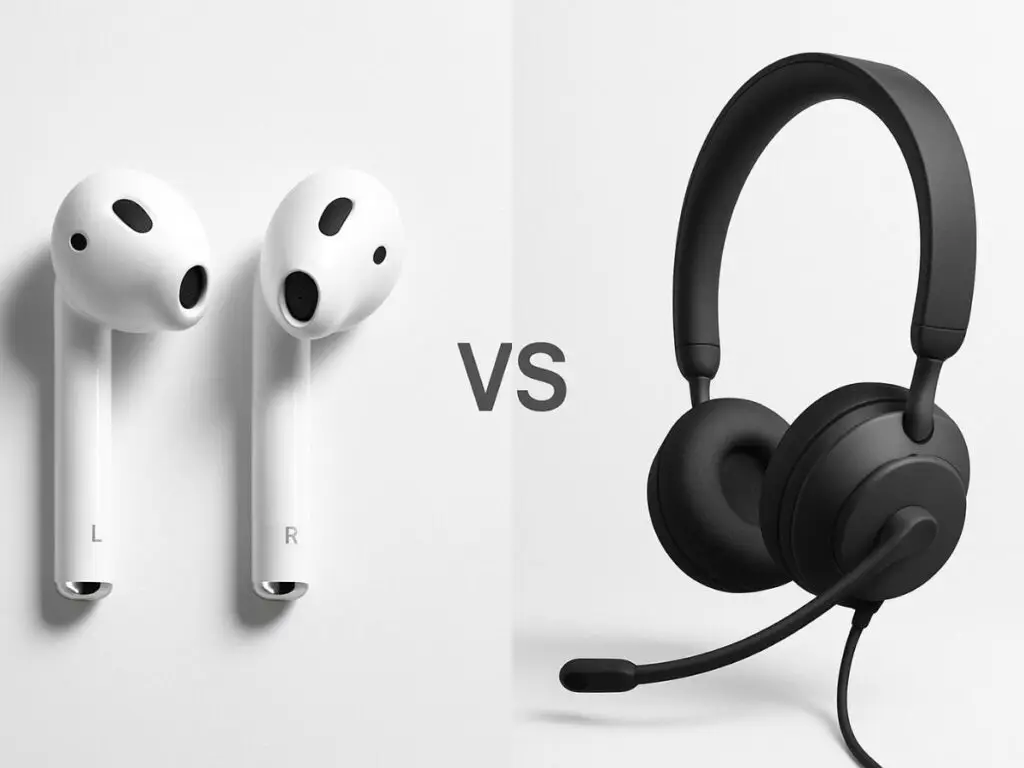
Work calls have quietly taken over our day. One meeting turns into five, quick check-ins stretch into long discussions, and suddenly, most of your time is spent on Zoom or Teams. Yet one small choice still doesn’t get enough thought, whether you’re using AirPods or a professional headset to hear clearly and sound your best during those calls.
Most people reach for AirPods because they’re familiar and convenient, while others opt for professional headsets, thinking they’re only for serious office setups.
On the surface, both seem to work. But when meetings run long, background noise creeps in, and clear communication matters, the difference becomes hard to ignore.
Let’s break it down, clearly and honestly.
Why Audio Quality Is Important For Work Calls
How you sound plays a big role in how you’re perceived during calls. When your voice cuts out, background noise creeps in, or you keep repeating yourself, meetings become tiring not just for others, but for you too.
Over time, poor audio can affect:
- Your confidence during presentations
- How professional do you come across to clients
- Team productivity during long meetings
A casual call with a friend? AirPods are fine.
A client presentation, interview, or team meeting?
This is exactly where the AirPods vs professional headset for office use debate becomes relevant.
What Are AirPods Designed For?
AirPods are designed for mobility and everyday listening, not for professional communication.
They’re made for:
- Listening to music
- Taking personal calls
- Commuting
- Casual, on-the-go usage
They’re lightweight, portable, and integrate beautifully with Apple devices. For quick conversations, they do the job well.
But work calls place very different demands on audio equipment.
Using AirPods for Work Calls: The Reality
Many professionals use AirPods for Microsoft Teams calls or Zoom, especially when working from home. While they work, they come with a few noticeable limitations when used daily.
1. Microphone Performance Isn’t Business-Grade
AirPods use small built-in microphones placed along the stem and near the ear. Because these
microphones sit far from your mouth, they pick up not just your voice but also surrounding sounds.
This means background noises like:
- Keyboard typing
- Ceiling fans
- Traffic noise
- Nearby conversations
can easily reach the other side of the call. While AirPods do use software processing, they can’t
isolate your voice as effectively as a professional headset microphone placed close to your mouth.
2. Battery Anxiety Is Real
AirPods typically last around 4 to 6 hours per charge. That sounds reasonable, until you have
back-to-back meetings, long training sessions, or client calls that run over time.
Suddenly, you’re checking battery levels mid-call or scrambling for the charging case.
Professional headsets, on the other hand, are designed to last an entire workday without interruption.
3. Bluetooth Stability Isn’t Always Reliable
AirPods rely on standard Bluetooth connectivity, which can sometimes lead to:
- Audio lag
- Random disconnections
- Microphone switching between devices
This becomes especially noticeable when paired with laptops during video calls. For casual use,
it’s manageable, but in professional meetings, it can be frustrating.
4. Limited Call Controls
Managing calls with AirPods often means relying on on-screen controls or touch gestures that aren’t always accurate. There’s also no dedicated physical mute button, which is a major drawback during important meetings.
AirPods are great for convenience, but they’re not designed to make you sound consistently polished throughout a full workday.
When AirPods Are Actually Enough for Work Calls
AirPods can work well for certain situations, which is why many people ask, are AirPods good for work calls when working from home? If you’re taking an occasional internal meeting, a quick one-to-one call, or working from a private room with minimal background noise, AirPods usually get the job done.
They’re also useful when convenience matters more than perfection — for example, when you’re switching between calls on your phone and laptop or moving around while talking. In these situations, AirPods offer flexibility and ease without needing a full headset setup.
However, as calls become longer, more frequent, or more important, their limitations start to show.
What Are Professional Headsets Designed For?
Professional headsets are created with one goal: clear, reliable communication.
They’re commonly used by:
- Remote employees
- Call center agents
- Sales teams
- Managers and consultants
- Executives and trainers
Their design focuses on clarity, comfort, and consistency.
Wired & Wireless Professional Headsets
Professional headsets come in both wired and wireless options, each suited to different work styles.
Wired headsets are valued for their plug-and-play reliability, zero battery concerns, and consistent audio quality. Wireless headsets offer freedom of movement, cleaner desks, and the ability to move around during calls.
Why Professional Headsets Perform Better for Work
Professional headsets are built specifically for long hours of communication, not casual listening.
This is why many professionals start looking for the best noise cancelling headphones for work once meetings become frequent and background noise starts affecting call quality.
The difference becomes clear the moment you use one for a full workday.
1. Noise-Canceling Microphones
Professional headsets use directional or AI-based noise-canceling microphones that focus only on your voice. Background sounds are actively filtered out.
So even if:
- Someone is talking nearby
- You’re working from a shared space
- There’s mild office noise
Your voice stays clear, natural, and easy to understand every time.
Mic Placement
Professional headsets use boom microphones positioned close to the mouth, which makes a big difference in call quality. Being closer to your voice allows the mic to capture speech clearly while ignoring most surrounding noise.
This placement also enables advanced noise-canceling technology to work more effectively. Instead of trying to clean up sound afterward, the headset focuses on your voice from the start.
Best Choice
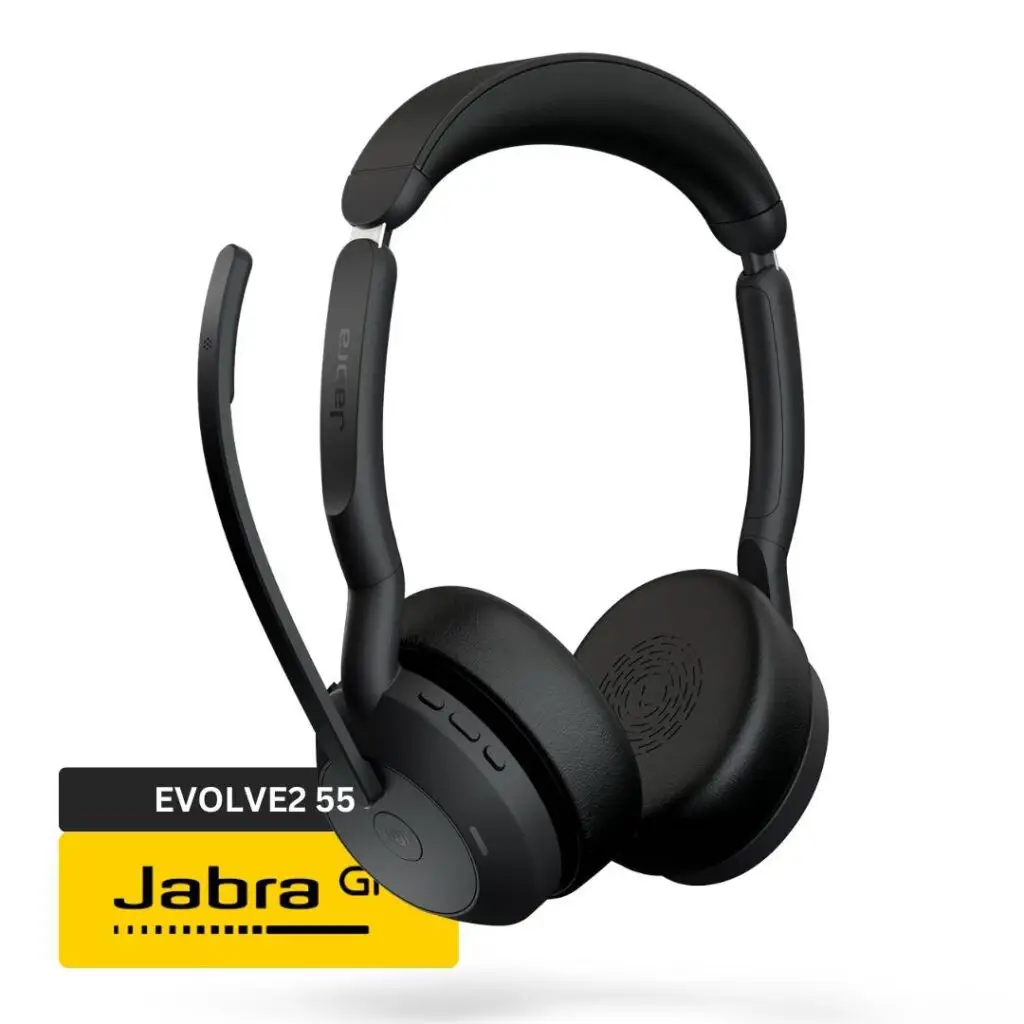
- Active noise-cancelling microphones with advanced ANC and voice clarity.
- Ideal for blocking background noise during Zoom, Teams, and hybrid meetings.
- Delivers clear, professional audio that keeps your voice front and center
2. Comfort for Back to Back Calls
Professional headsets are designed for extended use throughout the workday. Comfort-focused features typically include:
- Cushioned ear cups
- Adjustable headbands
- Lightweight frames
Unlike earbuds that sit inside the ear canal, headsets distribute pressure more evenly across the head and ears. This makes them significantly more comfortable for long meetings and back-to-back calls.
Best Choice
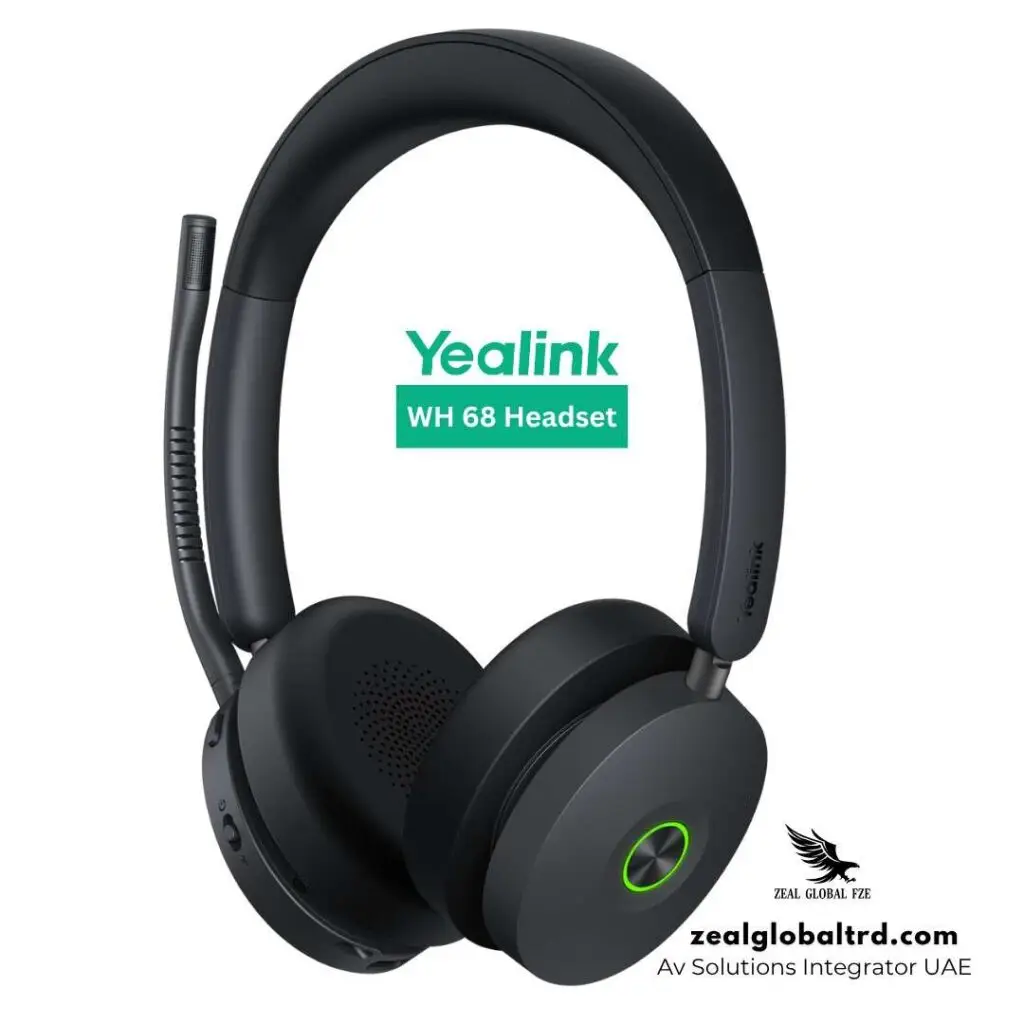
- Ergonomic design with memory foam ear cushions and pressure-balanced comfort.
- Comfortable for extended wear during long working sessions.
- Wireless DECT + Bluetooth ensures flexibility and mobility.
3. All-Day Battery Life
Most professional wireless headsets are built to last through long workdays without interruption.
Typical battery performance includes:
- 30–40 hours of talk time
- Some models offering even longer usage
This means you can work for days without charging and avoid battery anxiety in the middle of important meetings or client calls.
Best Choice
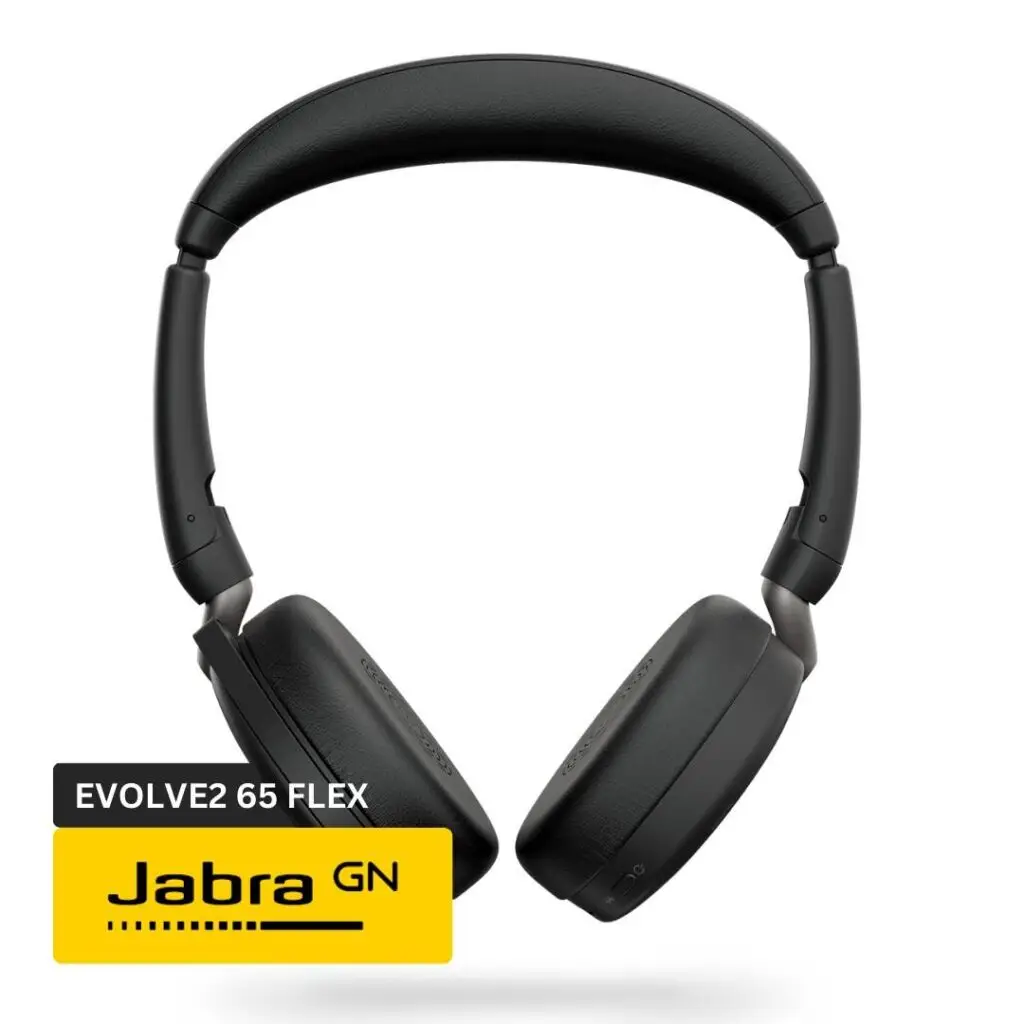
Jabra Evolve2 65 Flex Wireless
- Up to 37 hours of talk time/music time, depending on settings and variants.
- Fast charging takes just 15 minutes and gives 8 hours of usage
4. Physical Call Controls & Busy Light
Professional headsets feature dedicated physical buttons for mute/unmute, volume control, and answering or ending calls. This makes call management quick, reliable, and intuitive without relying on on-screen controls.
They also include a busy LED indicator that lights up red during calls, clearly signaling to people around you that you’re in a meeting and shouldn’t be disturbed.
This small but powerful feature helps reduce interruptions and keeps conversations professional and focused.
Best Choice
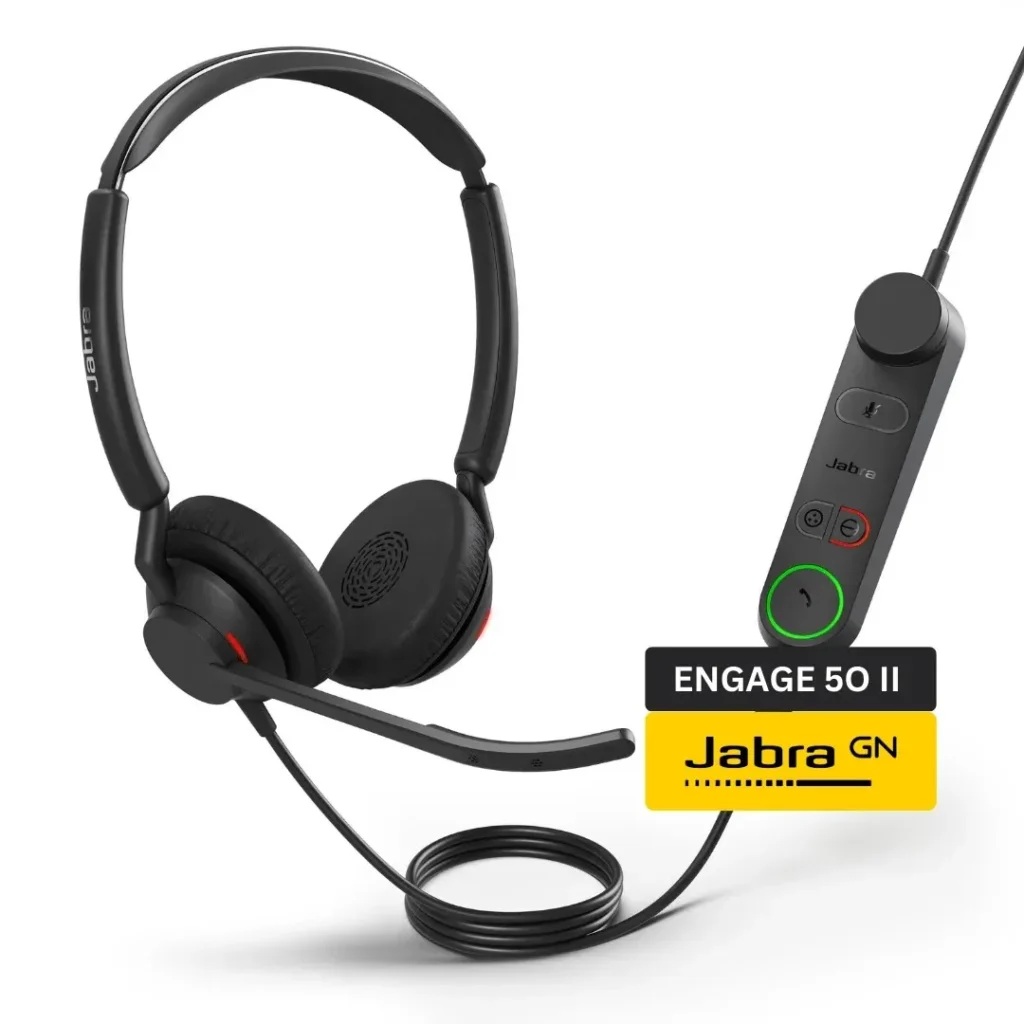
Jabra Engage 50 II
- Built-in physical call controls and SmartRinger features.
- Easy mute, volume, and call handling without touching your computer screen.
- Helps you stay in control during meetings and transitions.
5. Optimized for Zoom, Teams, and UC Platforms
Many professional headsets are officially certified for platforms like Zoom, Microsoft Teams, and Google Meet. This native support ensures seamless compatibility across modern unified communication environments.
This results in:
- Stable connections
- Better audio processing
- Fewer software conflicts
A platform-ready unified communications headset results in smoother meetings, improved call quality, and fewer technical interruptions throughout the workday.
Best Choice
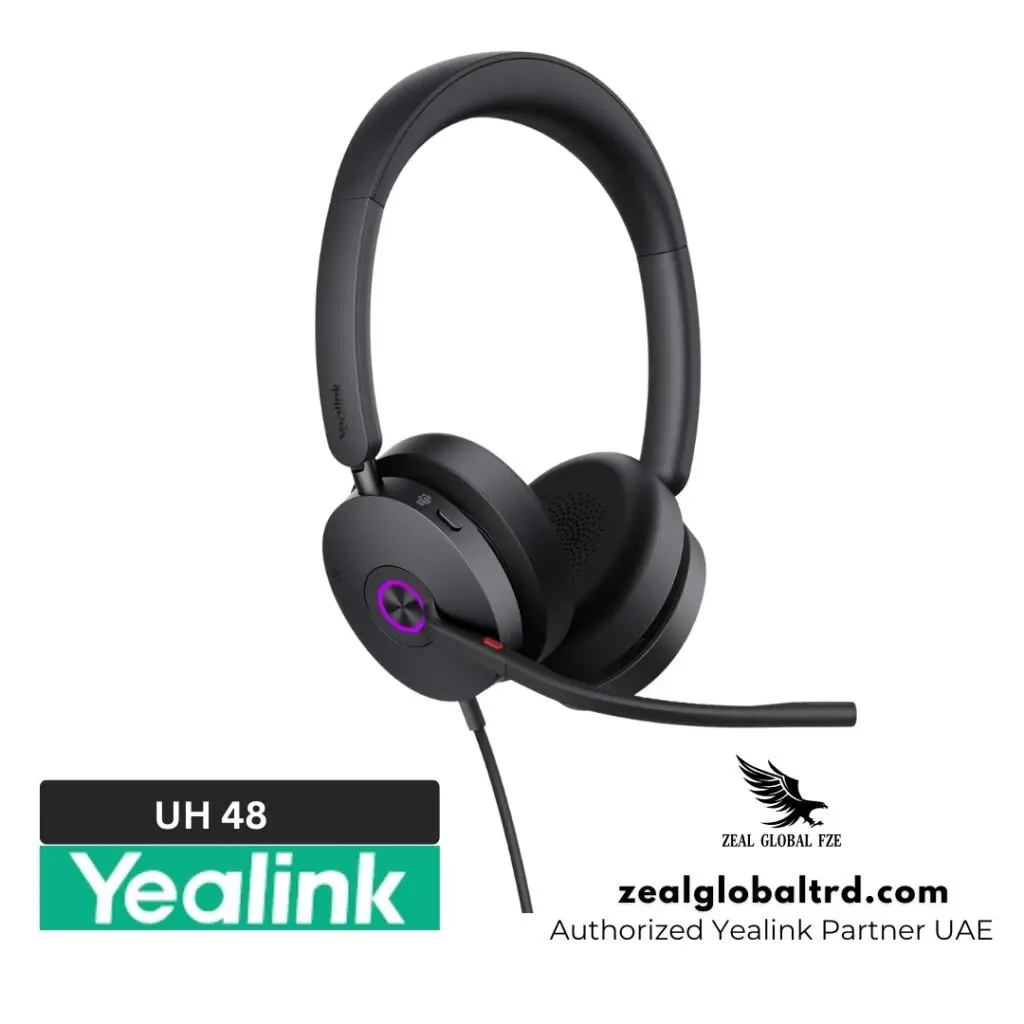
Yealink UH48 USB Wired ANC Headset
- Certified for Microsoft Teams and compatible with Zoom and 100+ UC platforms.
- Hybrid Active Noise Cancellation and four-mic Acoustic Shield ensure clear voice capture.
- Plug-and-play wired simplicity works with nearly any laptop or workspace setup.
Summary of Top Picks
| Feature Category | Top Recommended Headset | Why It’s Great |
|---|---|---|
| Noise-Canceling Microphones | Jabra Evolve2 55 | Clear professional calls, ANC mic |
| Comfort for Long Hours | Yealink WH68 ANC DECT | Ergonomic, all-day wear |
| All-Day Battery Life | Jabra Evolve2 55 | Extended talk time |
| Physical Call Controls | Jabra Engage 50 II | Easy, intuitive buttons |
| Optimized for UC Platforms | Yealink UH48 USB ANC | Teams/Zoom certified, plug-and-play |
Call Quality Comparison: AirPods vs Professional Headsets
This is where the difference becomes impossible to ignore.
While both options can handle calls, the experience they deliver in real working conditions is not the same.
AirPods
- Voice sounds natural, but background noise creeps in, especially in open offices, cafes, or shared home spaces
- Audio quality varies depending on the environment
- Long meetings lead to more interruptions and repeat requests
Professional Headsets
- Voice stays clear and consistent, even in busy environments
- Background noise is actively reduced
- Meetings feel smoother, more focused, and interruption-free
Privacy and Focus: An Often-Ignored Factor
When using AirPods or laptop speakers, privacy can quickly become an issue. People sitting nearby may unintentionally hear sensitive or confidential conversations, especially in open offices or shared workspaces. At the same time, external noise easily breaks your concentration, making it harder to stay engaged during meetings.
Professional headsets are designed to create a more controlled and private audio environment. They help you stay focused on the conversation while reducing outside distractions and background interruptions.
- Conversations remain private, even in busy or shared spaces
- External noise is reduced, allowing better concentration
- Less mental strain during long or back-to-back meetings
This level of privacy and focus often goes unnoticed until you experience how much smoother and more productive meetings can feel with the right audio setup.
Cost vs Value: Thinking Long-Term
AirPods are often seen as a cheaper, easier option because many people already own them.
But over time:
- Battery degradation
- Limited repairability
- Less suitable for long workdays
These can reduce their value for professional use.
Professional headsets, on the other hand, are built for durability, full workday usage, and consistent performance. Thus making them a better long-term investment for work
Quick Comparison: AirPods Vs Headsets
| Feature | AirPods | Professional Headsets |
|---|---|---|
| Mic Quality | Good in quiet environments | Consistently clear, even in noisy spaces |
| Noise Handling | Relies heavily on software processing | Uses boom mics + dedicated noise cancellation |
| Comfort for Long Calls | Suitable for short sessions | Designed for all-day wear |
| Call Controls | Limited touch-based controls | Dedicated buttons for mute, volume, and calls |
| Meeting Reliability | Can fluctuate based on environment | Stable and predictable call performance |
| Best Use Case | Occasional work calls | Daily meetings, client calls, and team collaboration |
Which One Should You Choose?
Choose AirPods If:
- You take only occasional work calls.
- You work in a quiet, private space.
- Convenience matters more than professional audio
Choose Headsets If:
- Calls are a daily part of your job
- You attend meetings, presentations, or client calls
- You work from home, shared offices, or open spaces
- You want consistent, polished audio
Quick Takeaway
- If Casual calls, then AirPods are fine
- If Work calls, then Professional headsets make a real difference
Final Verdict: AirPods or Professional Headsets?
AirPods are excellent for everyday life. Professional headsets are built for serious work communication. If meetings, calls, and collaboration are central to your role, a professional headset isn’t just an accessory. It’s a productivity tool.
When calls become frequent or environments get noisy, the difference is easy to feel. Clearer voice pickup, fewer interruptions, and all-day comfort make professional headsets far more reliable for serious work. Once you experience that consistency, it’s hard to go back.
If you’re searching for the best professional headset for Zoom and Teams, explore Zeal Global’s full range of certified models from Yealink, Poly, and Jabra.
Businesses evaluating professional audio solutions can consult Zeal Global, one of the most trusted AV companies in the UAE, to ensure their meeting rooms and workspaces are equipped with the right communication headsets.
📞 Talk to a headset expert on WhatsApp to get personalized recommendations or book a demo.