
Description
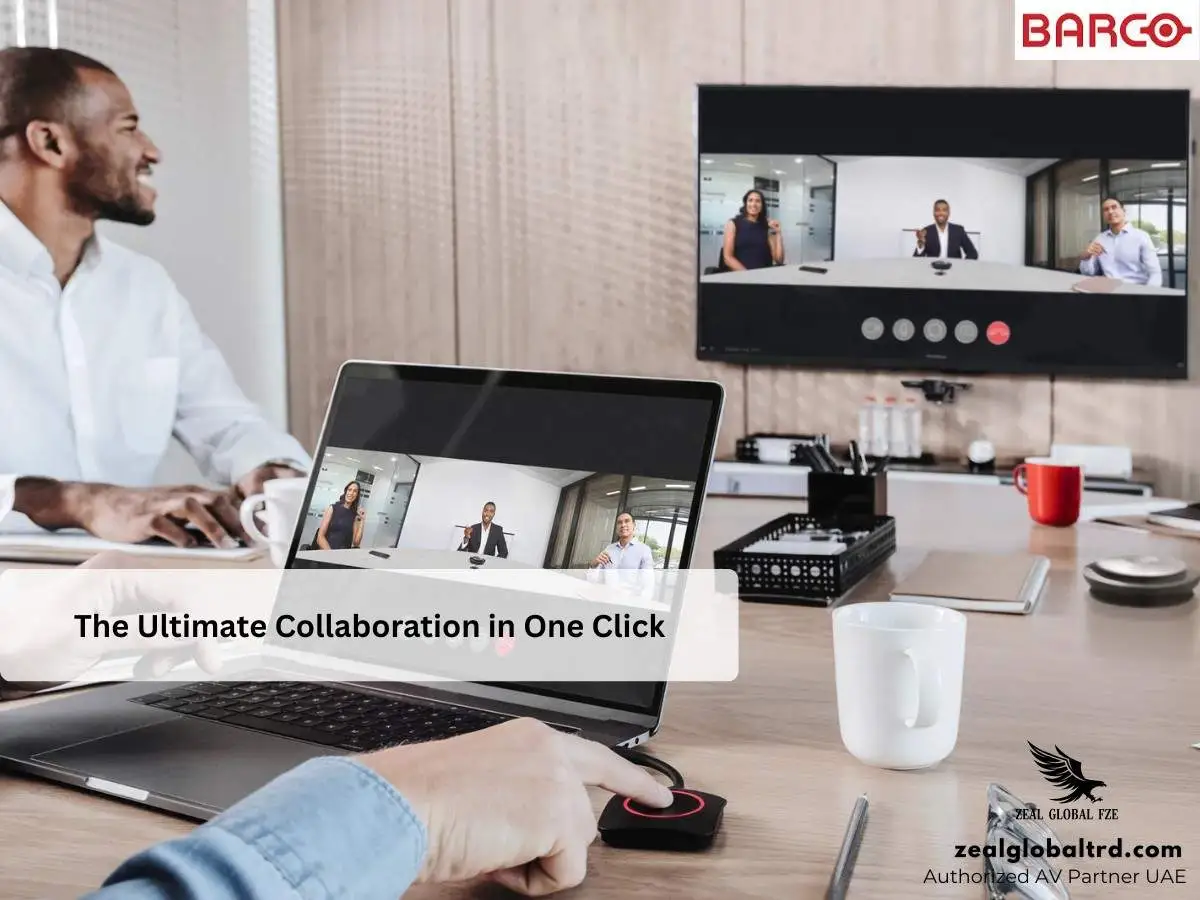
Meetings That Start on Time. Sharing That Just Works.
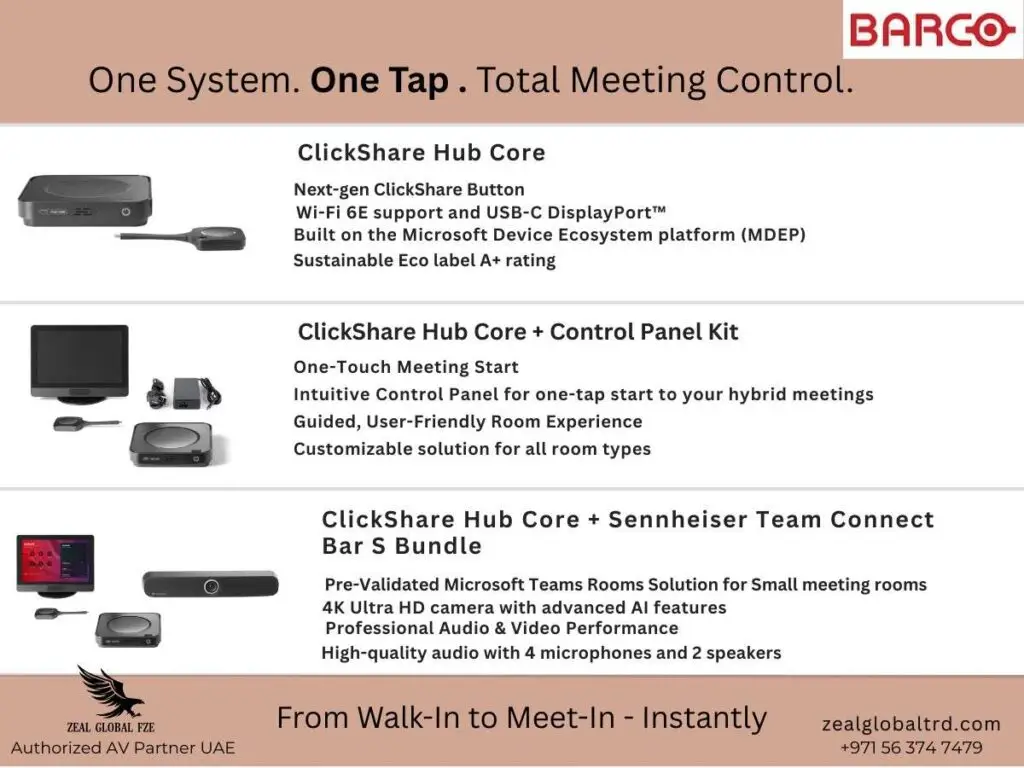
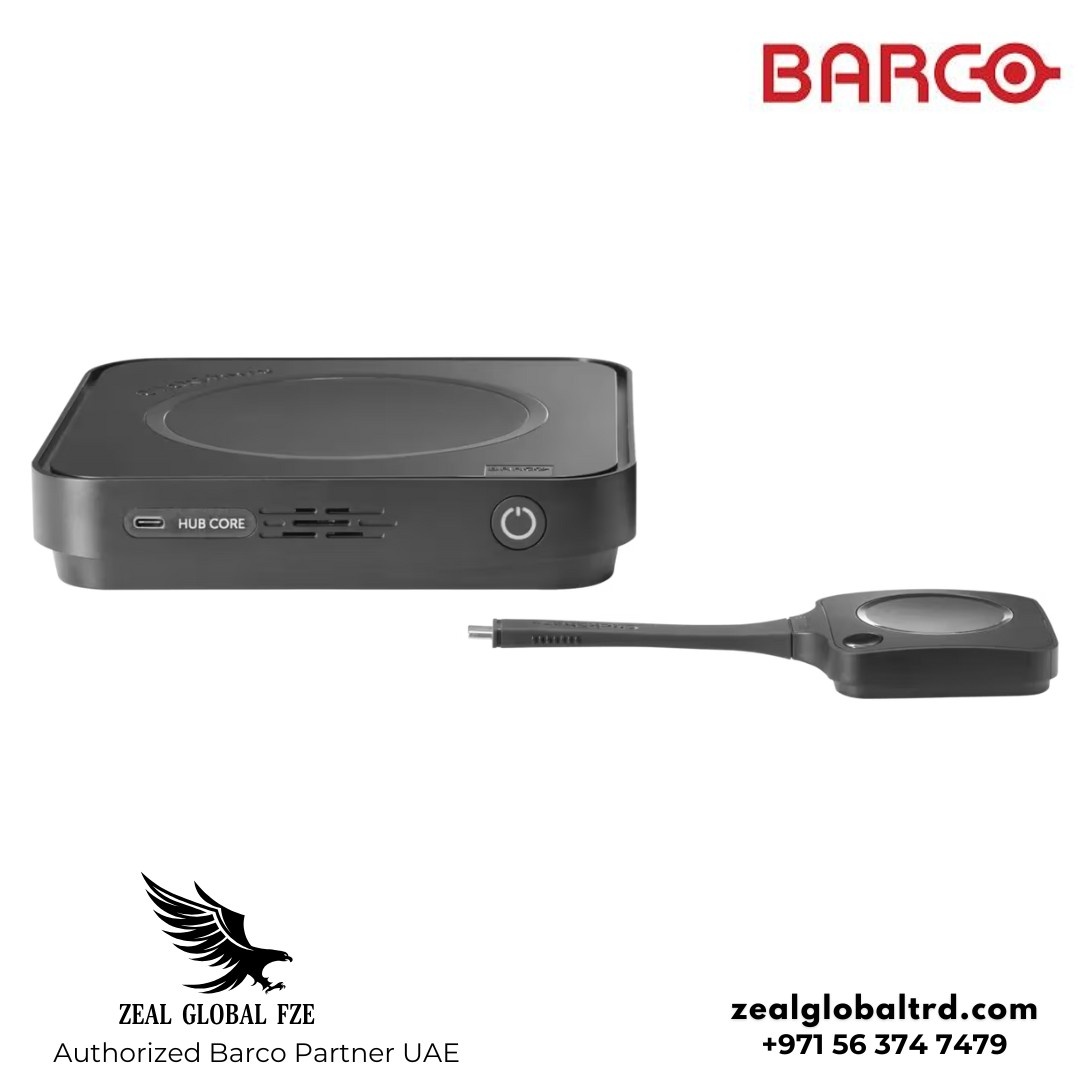
ClickShare Hub Core is a modular, wireless video conferencing system designed to make hybrid meetings simple, secure, and consistent. Built on Microsoft’s device ecosystem, it brings together native Teams Rooms integration, intuitive wireless content sharing, and cloud-based management, without adding complexity to meeting rooms
Key Features
- ✔️ Native Microsoft Teams Rooms integration
- ✔️ One-click 4K wireless content sharing
- ✔️ 5th generation ClickShare Button
- ✔️Secure, cloud-managed platform built on MDEP
- ✔️ Sustainable design with Barco Eco Label A+ certification
ClickShare Hub Core is designed for organizations that want reliable hybrid meetings without complicated room setups. It enables one-click wireless presentation, guided meeting control, and secure collaboration, making it easier for teams to meet, share, and collaborate from any seat in the room.
Many meeting rooms struggle with cable clutter, unreliable sharing, and user confusion, especially in hybrid environments. ClickShare Hub Core removes these friction points by offering a wireless-first experience that works for both scheduled and ad-hoc meetings.
It’s especially useful for organizations that want to:
- Enable fast, guest-friendly content sharing.
- Standardize meeting room experiences across locations.
- Reduce IT support overhead without compromising security.
Best For
Small to medium meeting rooms
Hybrid teams using Microsoft Teams
Organizations hosting frequent guest meetings
IT teams seeking secure, scalable room solutions
Pros & Cons
Pros
- Simple, intuitive experience with minimal training,
- Secure by design, aligned with Microsoft standards.
- Wireless 4K content sharing without cables.
- Flexible room configuration for different use cases.
- Sustainable, energy-efficient product design.
Cons
- Control Panel is not included by default.
- Single-display focused compared to Hub Pro.
- Requires certified peripherals for a full Teams Rooms experience.
➜ 5th Generation ClickShare Button
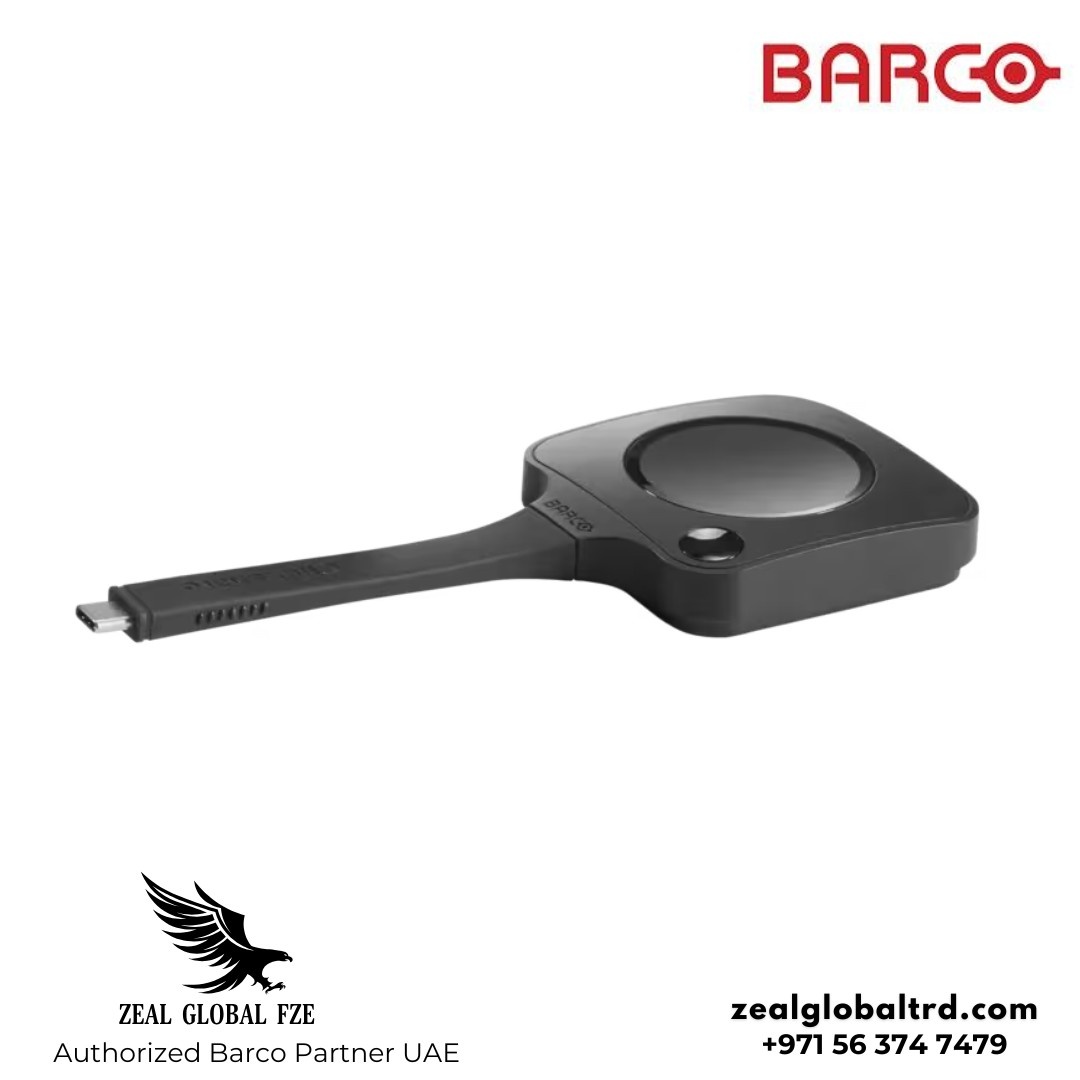
The 5th generation ClickShare Button enables one-click wireless content sharing in 4K resolution, using Wi-Fi 6E for faster speeds and more reliable connectivity. This ensures smooth presentation performance, even in environments with multiple wireless devices.
The Button is designed for intentional sharing, requiring a deliberate press to present content. This helps prevent accidental screen sharing and gives users confidence and control during meetings.
➜ USB-C DisplayPort™
USB-C DisplayPort™ support allows presenters to share content instantly using a plug-and-play connection, without installing software or drivers. This makes ClickShare Hub Core especially convenient for guest presenters and external collaborators.
Because content sharing does not require joining the company network, it is well suited for high-security environments. Users can present directly from their device while maintaining network separation and privacy.
➜ Built on Microsoft Device Ecosystem Platform (MDEP)
TClickShare Hub Core is built on the Microsoft Device Ecosystem Platform (MDEP), providing a secure, Android-based foundation for Microsoft Teams Rooms. This ensures alignment with Microsoft’s requirements for device security, compliance, and long-term lifecycle management.
For IT teams, MDEP brings confidence that the system follows Microsoft-approved standards for enterprise deployments. It also supports consistent performance and ongoing platform updates.
➜ Enterprise-Grade Security
Security is a core part of the ClickShare Hub Core design. The system supports secure wireless presentation with controlled user actions, helping protect sensitive content during meetings.
Designed for professional and regulated environments, Hub Core enables IT-governed deployments where privacy, confidentiality, and compliance are essential. This makes it suitable for enterprises with strict security policies.
➜ Cloud Management with XMS Cloud
XMS Cloud allows IT teams to remotely configure, monitor, and manage ClickShare Hub Core systems from a central dashboard. This reduces the need for on-site intervention and simplifies ongoing maintenance.
With remote monitoring and management, organizations can scale their meeting room deployments more efficiently while maintaining visibility across locations.
➜ Eco Label A+ Certification
ClickShare Hub Core carries Barco’s Eco Label A+, reflecting its energy-efficient design and sustainable product development. This certification highlights reduced power consumption and responsible material use.
For organizations focused on sustainability goals, Eco Label A+ supports greener workplace initiatives without compromising performance or reliability.
| CLICKSHARE HUB CORE | |
|---|---|
| General specifications | |
| Operating system | Windows 10 or higher, macOS 14 (Sonoma) and 15 (Sequoia) |
| System requirements |
Minimum: Intel Core i3 or AMD Ryzen 5, 8GB RAM, Windows 10 20H5; Intel Core i3 or Apple Silicon M1, 8GB RAM, macOS 11 Big Sur Recommended: Intel Core i5/Ultra 5 or AMD Ryzen 7, 8GB RAM, Windows 11 latest build; Apple Silicon M3, 8GB RAM, macOS latest build |
| Video outputs |
HDMI: UW5K WUHD (5120×2160) @30Hz HDMI 2.0 eDP (Control Panel): HD (1280×800) @60Hz DP 1.4 |
| Video inputs | 4K UHD (3840×2160) @30Hz HDMI 2.0 |
| Audio output | USB-A 2.0/3.0, USB-C 2.0/3.0, HDMI 2.0 |
| ClickShare Buttons | 1 × ClickShare Button 5th Generation |
| ClickShare App | Desktop |
| Maximum sources simultaneously on screen | 1 |
| Noise level | Maximum 25 dBA @ 30°C |
| Wireless transmission protocol | IEEE 802.11 a/b/g/n/ac/ax/be and IEEE 802.15.1 BT 5.3 |
| Reach | Max. 30m (100ft) between ClickShare Button and ClickShare Base Unit |
| Frequency band | 2.4GHz, 5GHz and 6GHz DBS/HBS (DFS channels supported in select countries) |
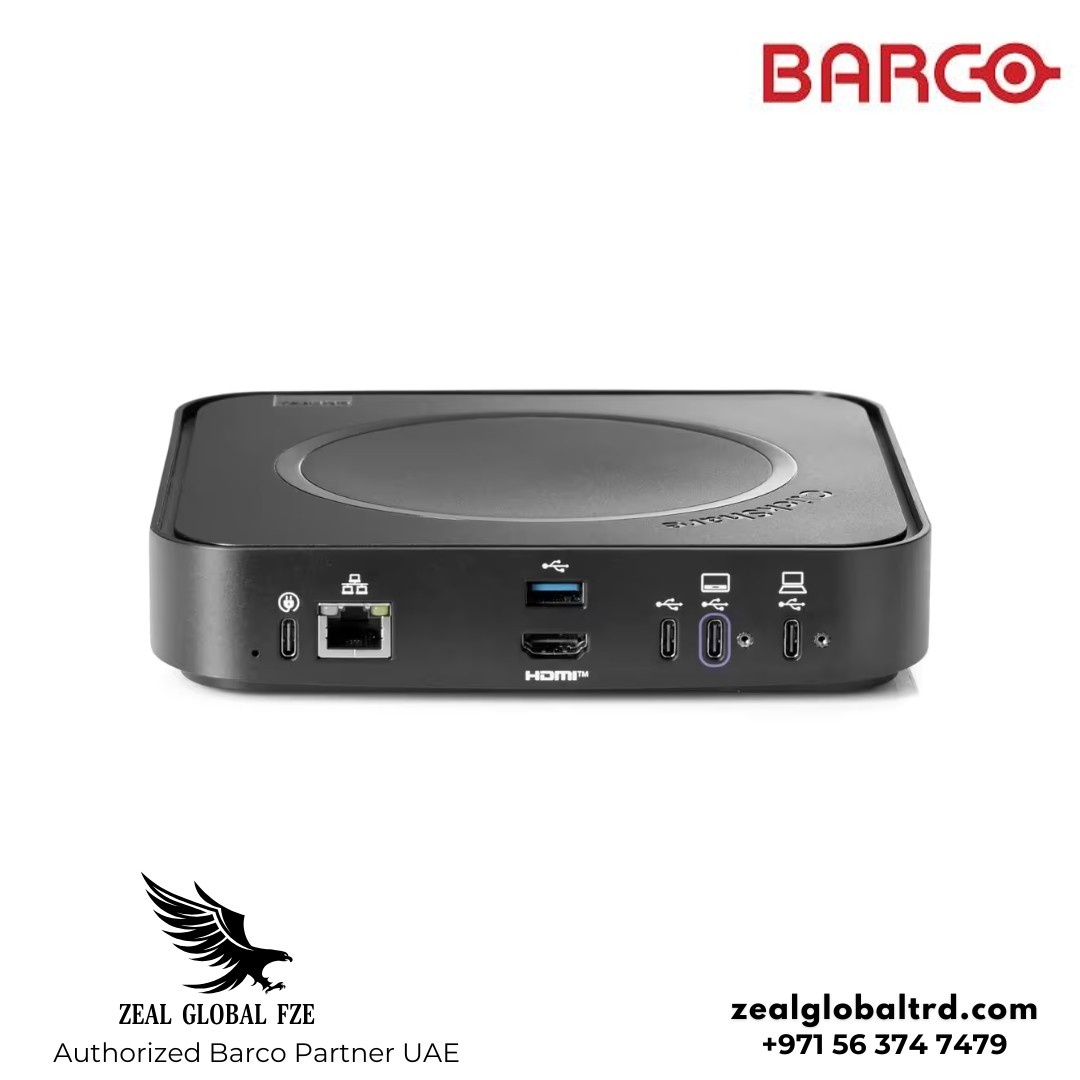
| Connections |
Back: 1× Ethernet LAN 1Gbit, 1× USB-C Power delivery 3.1 EPR (for power adapter),
1× HDMI 2.0 output, 1× USB-A 2.0/3.0 Front: 1× USB-C 2.0/3.0 |
| Temperature range |
Operating: 0°C to +40°C (+32°F to +104°F), Max 35°C (95°F) @3000m Storage: −20°C to +60°C (−4°F to +140°F) |
| Humidity |
Storage: 0 to 90% relative humidity, non-condensing Operation: 0 to 85% relative humidity, non-condensing |
| Anti-theft system | Kensington lock |
| Certifications | FCC / CE |
| Network connection | LAN |
| Management and reporting | Yes, XMS Cloud |
| Warranty | 3 years standard |
| Dimensions (HxWxD) | 37 × 180 × 180 mm |
| Power consumption | Operational: 140W (max), Standby |
| Power supply | External USB-C charger 100W (PD3.0 SPR), 180W (PD3.1 EPR) |
| Weight | 720 g |
| Box content | ClickShare Hub Core Base Unit, 1× ClickShare Hub Button 5th Gen, Mounting disc, Safety manual, Quick setup guide |
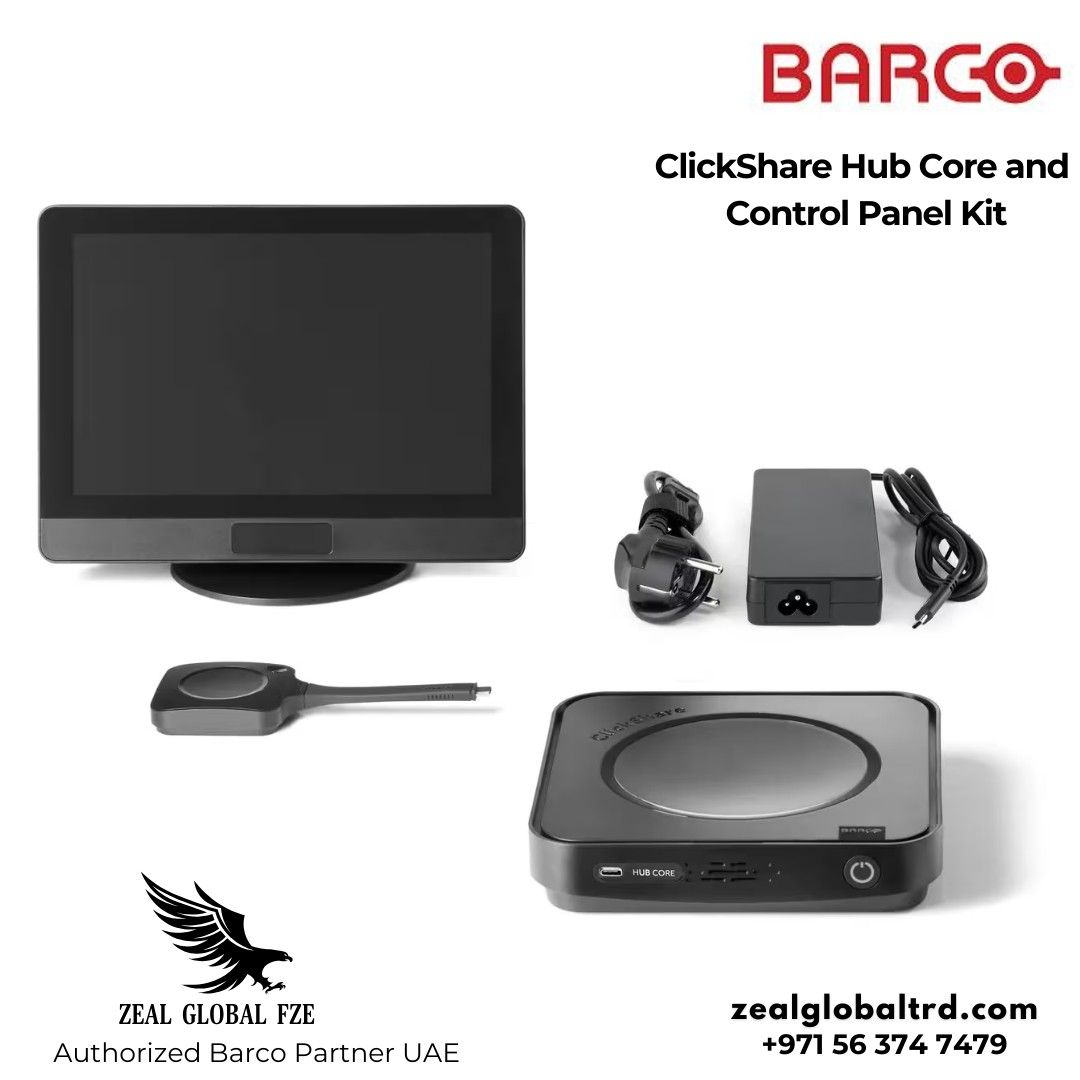
ClickShare Hub Core with Control Panel Kit
The ClickShare Hub Core with Control Panel Kit enhances the room experience by adding a dedicated touch interface for one-tap meeting start and control. This setup is ideal for shared rooms where ease of use and consistency are critical.
Why Control Panel?
- Reduces confusion when starting meetings.
- Minimizes reliance on personal laptops.
- Improves meeting adoption for non-technical users
It delivers a guided, predictable meeting experience, helping teams start meetings on time while keeping IT environments standardized and secure.
What’s the Difference in the Control Panel Between Hub Pro and Hub Core?
The ClickShare Control Panel itself is the same for both ClickShare Hub Core and ClickShare Hub Pro, offering a consistent one-tap meeting experience across rooms. The difference lies in the room capabilities behind the panel. When paired with Hub Core, the Control Panel is used for simpler, single-display meeting rooms, while with Hub Pro it supports more advanced room setups, such as dual-display configurations. This allows organizations to standardize the user experience while tailoring room functionality to different meeting spaces.
| Control Panel Kit | |
|---|---|
| Touchscreen | 10.1-inch projected capacitive touchscreen with anti-fingerprint and anti-glare coatings, supporting up to 4 touch points for enhanced visibility and durability |
| Resolution | 1280 × 800 @ 60Hz |
| Brightness | 300 nits |
| Contrast ratio | 800:1 |
| Viewing angle |
USB Type-C 2.0, DisplayPort Alt Mode, PD3.0 Recommend using the included ClickShare 10M USB-C AOC cable for optimal performance |
| Human detection sensor | Automatically detects in-room human movement within a 2-meter range and 90° field of view to wake the system |
| Connections |
USB Type-C 2.0, DisplayPort Alt Mode, PD3.0 Recommend using the included ClickShare 10M USB-C AOC cable for optimal performance |
| Anti-theft system | Kensington lock |
| Temperature range |
Operating: 0°C to +40°C (+32°F to +104°F) Storage: −20°C to +60°C (−4°F to +140°F) |
| Humidity |
Storage: 0 to 90% relative humidity, non-condensing Operation: 0 to 85% relative humidity, non-condensing |
| Dimensions (HxWxD) | 254.5 × 187.9 × 76.9 mm |
| Power consumption |
Powered over USB from connected Base Unit Operational: 7.3W (max) |
| Weight | 820 g |
| ClickShare Hub Pro vs ClickShare Hub Core | ||
| Feature | ClickShare Hub Core | ClickShare Hub Pro |
| Target Room Size | Small to medium rooms | Medium to large rooms |
| Wireless Content Sharing | 4K with 1 Button | 4K with multiple Buttons |
| Display Support | Single display focus | Dual display support |
| Control Panel Support | Optional | Optional / common |
| Platform Security | MDEP-based | MDEP-based |
| Use Case Focus | Simplicity & everyday meetings | Advanced, scalable room setups |
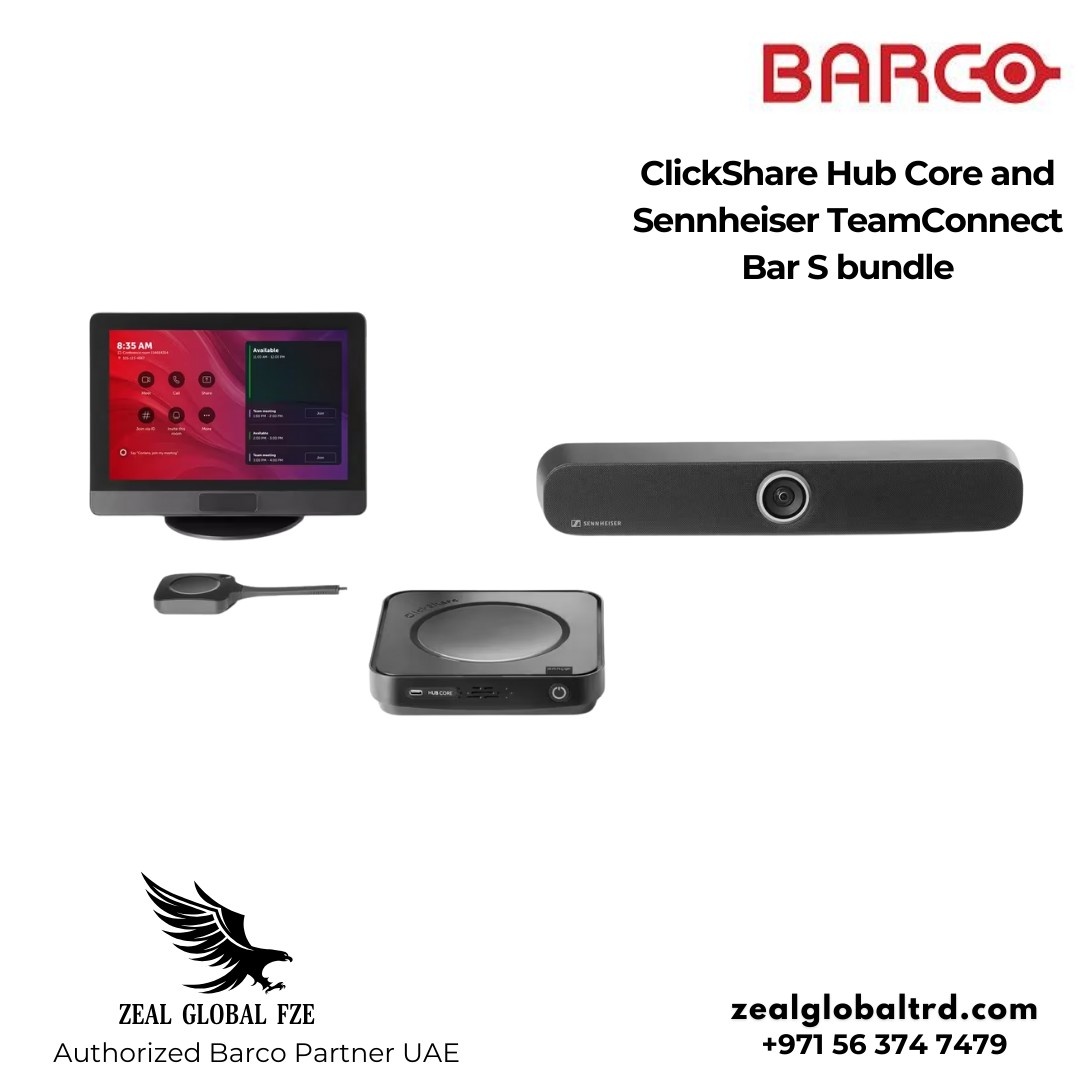
Bundle Option: ClickShare Hub Core + Sennheiser TeamConnect Bar S Room System
Launched as a certified Microsoft Teams Rooms solution for small meeting rooms in January 2026, the Sennheiser TeamConnect Bar S is a feature-rich, all-in-one room system built for small meeting rooms and collaboration spaces. It combines professional audio, intelligent video, and simple deployment into a single, compact device, making it easy for teams to collaborate without technical distractions.
With four integrated microphones and two full-range speakers, the TeamConnect Bar S delivers trusted Sennheiser audio quality to every meeting. Whether participants are seated around the table or moving within the room, conversations remain clear, natural, and balanced for both in-room and remote attendees.
Why Choose This Bundle
When combined with ClickShare Hub Core, the Sennheiser TeamConnect Bar S forms a certified Microsoft Teams Rooms solution for small meeting rooms. The bundle brings together wireless content sharing, easy meeting control, and reliable audio and video in one setup that’s quick to deploy.
This approach makes setup easier and reduces the effort needed to manage meeting rooms. For IT teams, it means secure and standardized room systems. For users, it means clear sound, sharp video, and meetings that start easily and run smoothly every time.
Trusted Sennheiser Audio for Natural Speech
At the core of the TeamConnect Bar S is Sennheiser’s renowned audio expertise. Full-range stereo speakers with optimized passive radiators provide clear, natural speech with excellent intelligibility, even in compact spaces.
Integrated beamforming technology automatically focuses on the active speaker, allowing smooth transitions between presenters. This gives participants the freedom to move naturally while ensuring voices are captured clearly and consistently.
Intelligent Video for More Engaging Meetings
The TeamConnect Bar S features a 4K Ultra HD camera enhanced with intelligent video capabilities such as Autoframing and Person Tiling. These features ensure remote participants always have a clear view of everyone in the room.
By automatically adjusting the camera view, the system helps create more inclusive and engaging hybrid meetings, whether for collaboration sessions, quick stand-ups, or learning environments.
Simple Solutions for Real-World Acoustic Challenges
Small meeting rooms often suffer from background noise and uneven acoustics. The TeamConnect Bar S addresses this with fine-tuning options available through Sennheiser Control Cockpit.
IT teams can define Exclusion Zones to filter unwanted noise and set Priority Zones to focus on key speaking areas, such as a presenter’s position. An automatic switch between conference and music modes further ensures optimal audio quality based on the content being played.
Flexible Installation with Clean Room Design
Designed for efficient and clutter-free setup, the TeamConnect Bar S supports single cable mode, PoE, Dante, and a built-in DSP to reduce cabling and complexity. A tilting mechanism and integrated cable guide help maintain a clean, professional room appearance.
The device supports multiple mounting options, including wall, VESA, tabletop, or freestanding, allowing it to fit seamlessly into different room layouts. Remote management through Sennheiser Control Cockpit ensures smooth deployment and ongoing operation.
| What’s included in the box? |
TC Bar S Mounting Bracket + Drilling Template Power Supply Unit Remote Control (TC Bar) Bracket and Storage Magnetic Lens Cap HDMI Cable Screws 2× AAA 1.5V Batteries USB-C 3.1 Cable Manual |
| Wireless connectivity | Bluetooth 5.1 (10 dBm) |
| Wi-Fi standards supported | IEEE 802.11 a/b/g/n/ac |
| Wired connectivity |
HDMI (Out) USB-C (UC Device) USB-A (Peripherals) RJ45 (Ethernet) |
| Connect to |
PC Notebook UC Compute Units Bluetooth-enabled devices (e.g., mobile phones) |
| Product weight | 1.5 kg |
| Product dimensions | 450 × 71 × 76 mm |
| Power | 15V DC, max 2A |
| Audio features | Automatic room acoustic optimization |
| Speaker | 2 pcs full-range speakers |
| Speaker frequency range | 100 Hz – 18 kHz |
| Microphone | 4 pcs MEMS |
| Microphone frequency range | 100 Hz – 14.5 kHz |
| Camera resolution | UHD 2160p (4K), 1080p, 720p, 960×480, 848×480, 640×480, 640×360, 432×240 |
| Camera zoom |
2× digital (Microsoft Teams certified) 3× digital (optional) |
| Camera pan / tilt | ePTZ |
| Camera diagonal field of view | 120° |
| Camera horizontal field of view | 115° |
| Warranty information | 24 months |
| Mounting Kit | Dimensions (L x W x H) 199 x 62 x 74 mm
Weight ca. 340 g |
ClickShare Hub Core is built for organizations that want simple, secure, and reliable hybrid meetings without overengineering their rooms. It addresses common challenges such as cable clutter, inconsistent meeting starts, and complicated room setups, making it well suited for small meeting rooms and everyday collaboration.
For teams that prefer a ready-to-use room solution, the Sennheiser TeamConnect Bar S bundle offers a complete, certified Microsoft Teams Rooms setup with trusted audio and video performance. Together, they provide a practical, future-ready option for organizations looking to standardize meeting rooms while keeping deployment and management simple.
Looking for Barco ClickShare solutions in the UAE or expert AV solutions for your meeting rooms?
Contact Zeal Global for consultation, design, and deployment support. We help organizations build secure, scalable collaboration spaces using ClickShare Hub Core and certified room bundles.
Get a quote or book a consultation today.