
Description
Look Your Best. Wherever Business Takes You.
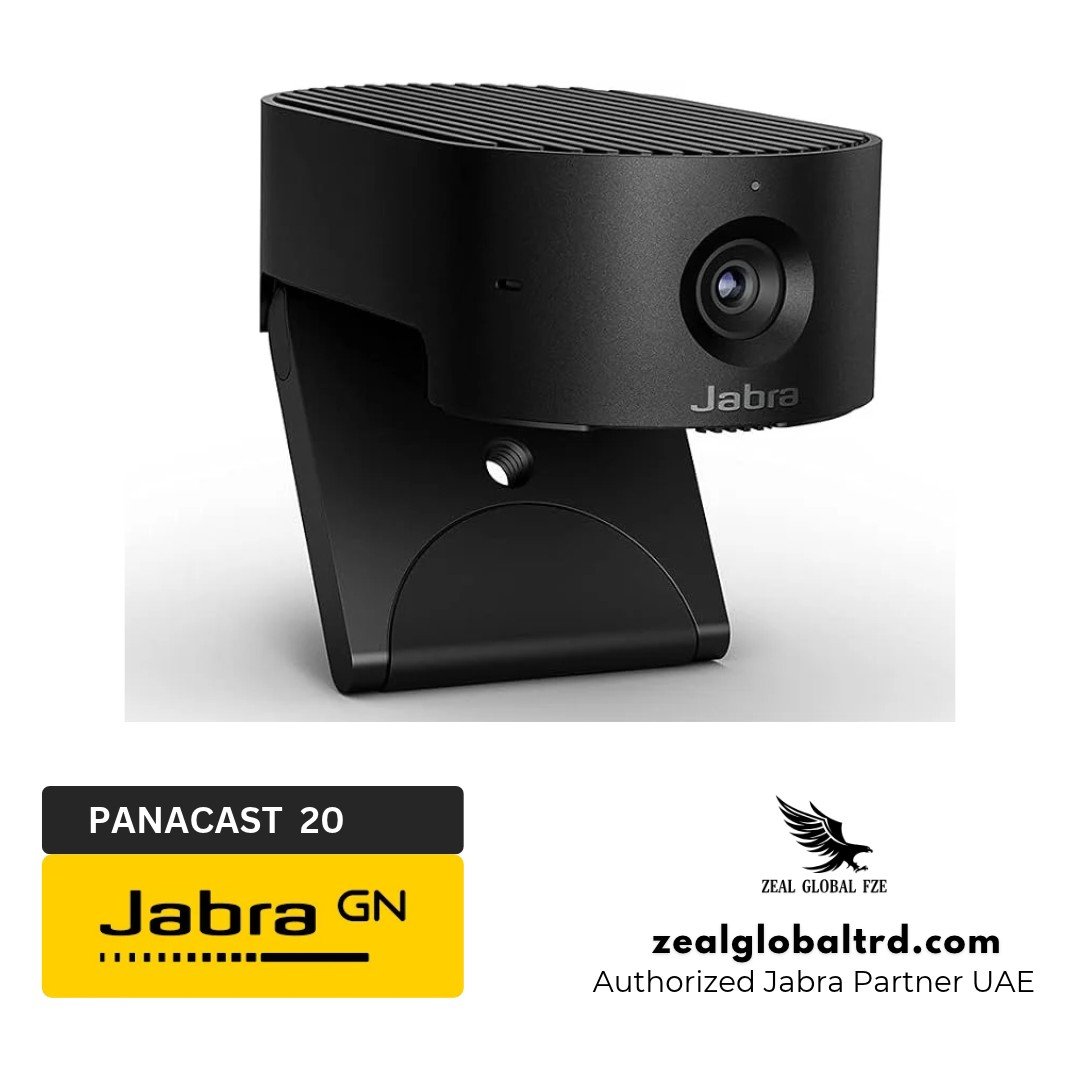
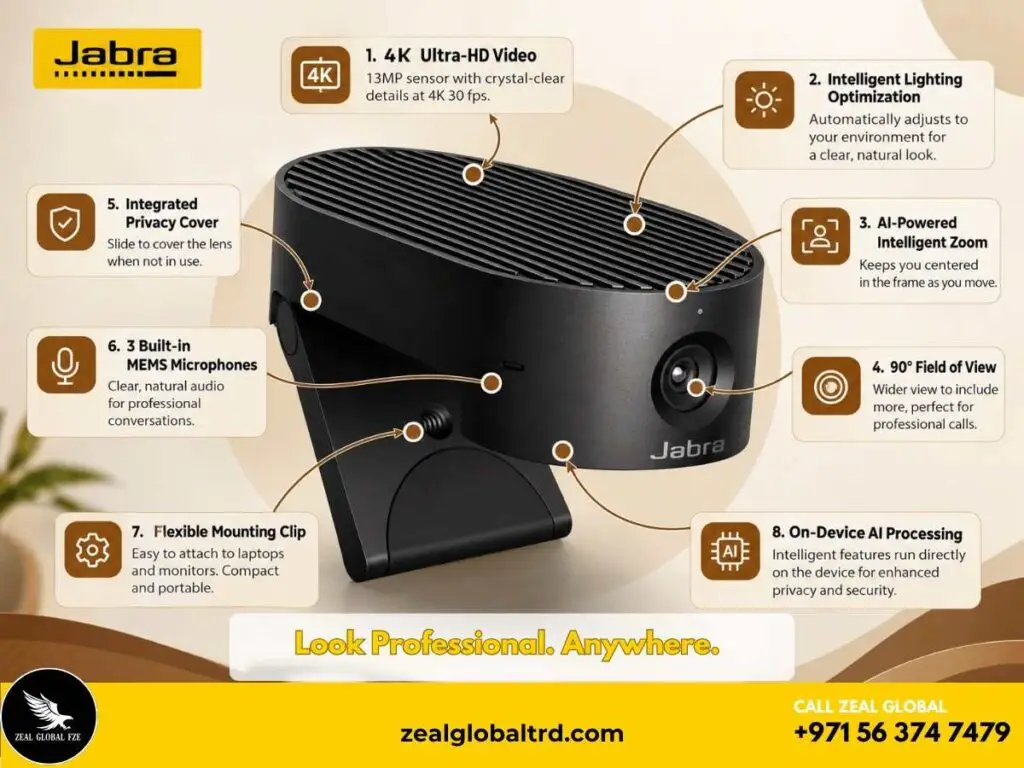
The Jabra PanaCast 20 is a premium personal video conferencing camera designed to make remote meetings look more professional. Featuring a 13-megapixel sensor and 4K Ultra-HD video , this compact Jabra webcam helps you stay clearly visible during presentations and everyday video calls.
Key Features
- ✔ 13MP camera with 4K video resolution at 30 fps
- ✔ 90° horizontal, 75° vertical, and 117° diagonal field of view
- ✔ AI-powered Intelligent Zoom keeps you centred during calls
- ✔ Vivid HDR delivers clearer video in challenging lighting conditions
- ✔ Lighting optimisation improves visibility in low-light environments
- ✔ Picture-in-Picture (PiP) displays a close-up alongside the main view
- ✔ 3 built-in MEMS microphones with an optimal pickup range of up to 2.5 metres
Smarter Video Calls. A More Professional You.
A video call is often the first face-to-face interaction you have with a client, colleague, or business partner. But poor lighting, an unflattering camera angle, and distracting backgrounds can make it difficult to present yourself professionally.
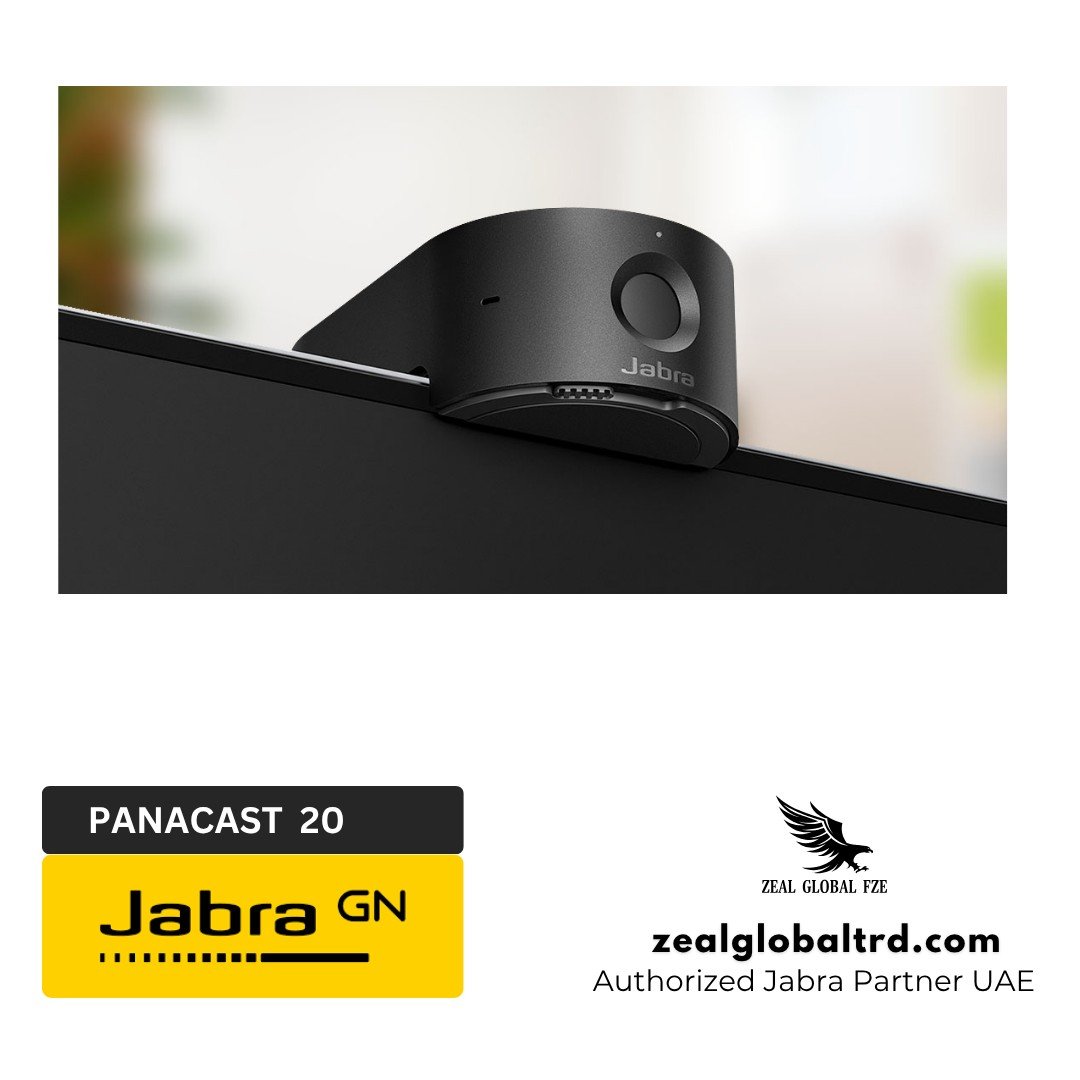
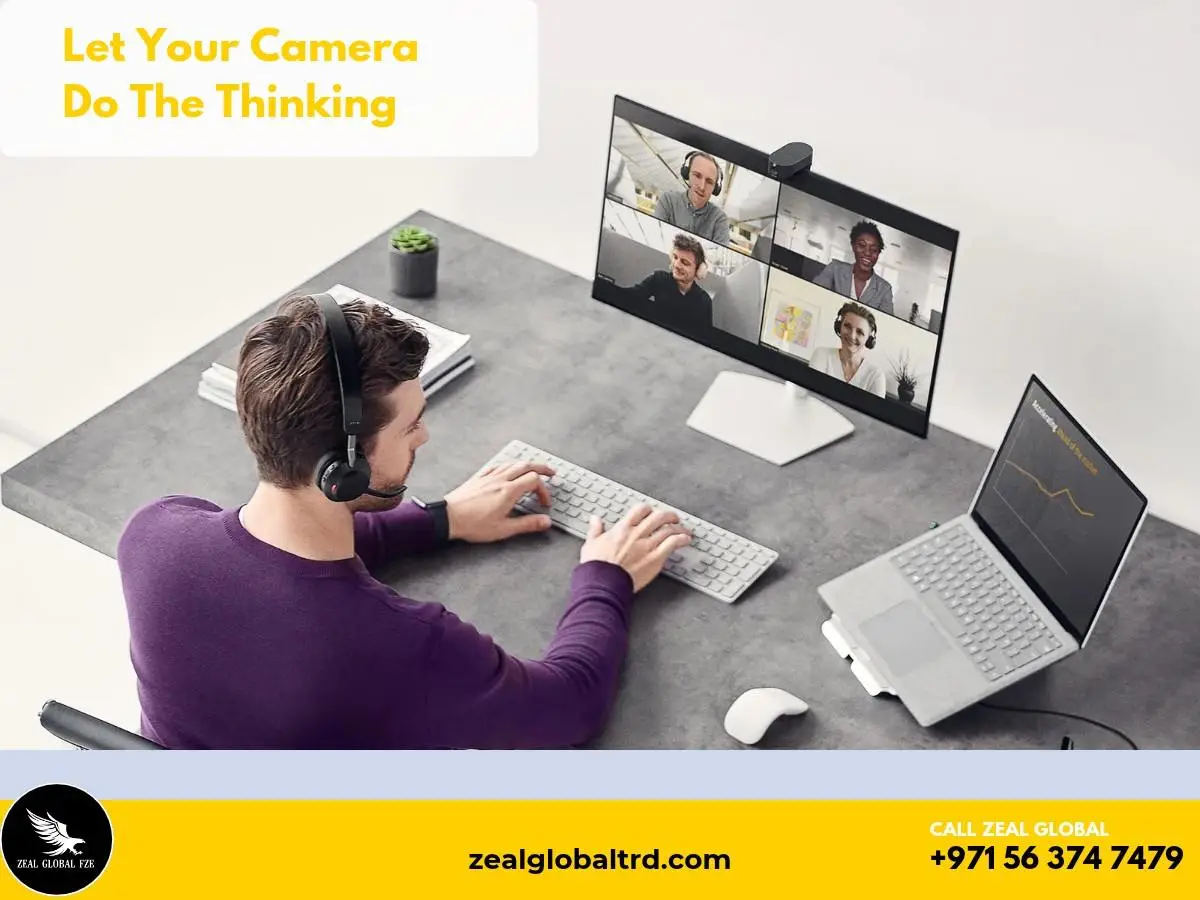
The Jabra PanaCast 20 is a personal conferencing camera built for professionals who want better video quality than a typical laptop webcam can provide. It clips onto a compatible laptop screen or monitor, connects to a computer via USB, and works with leading video conferencing platforms, including Microsoft Teams and Zoom.
Unlike a room conferencing camera, the PanaCast 20 is designed primarily to improve how an individual appears on screen. It is particularly useful for executives, consultants, remote employees, trainers, and professionals who regularly communicate with clients online.
What is in the Box:
The standard package includes:
- Jabra PanaCast 20 camera
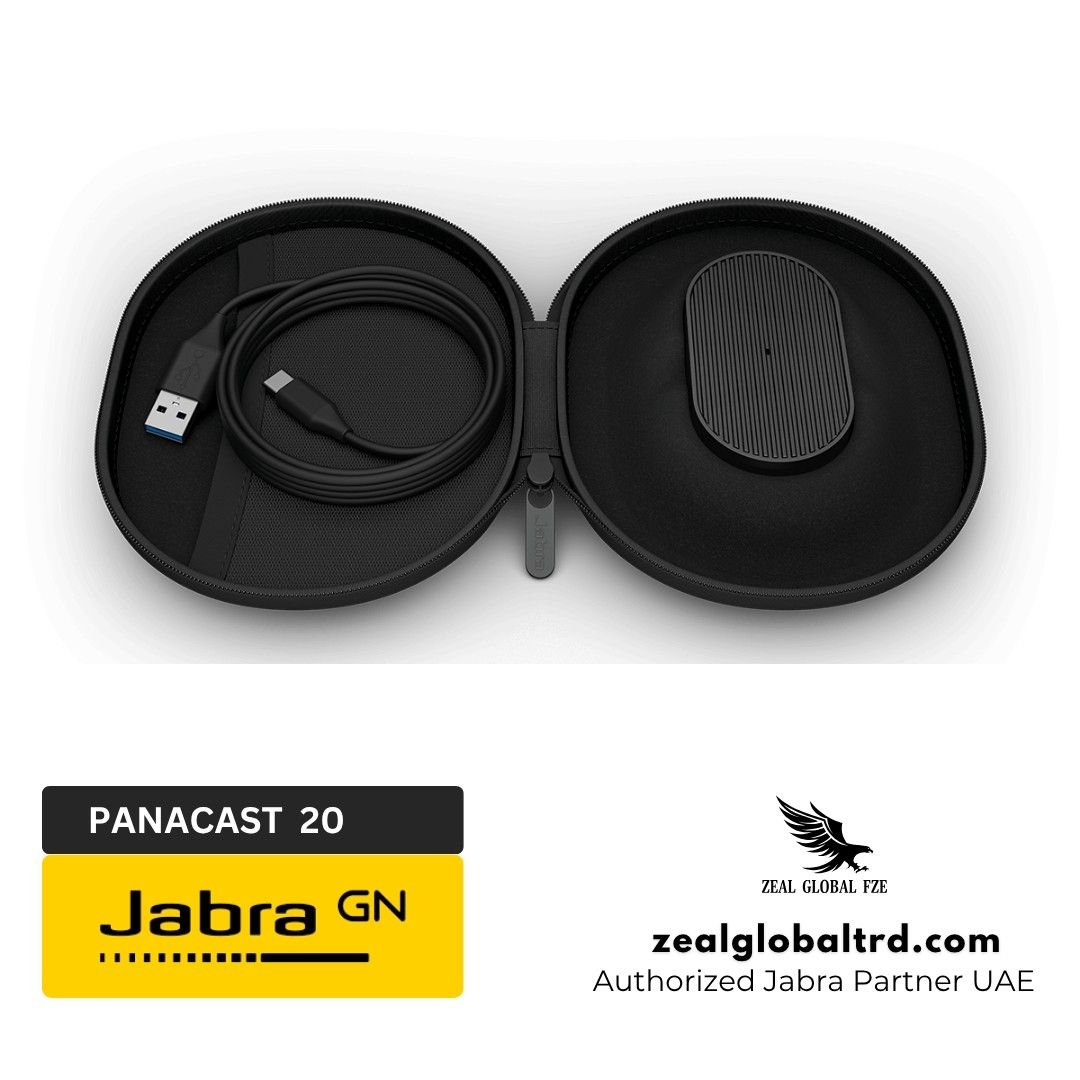
- USB-C-to-USB-A cable, 1.5 m
- Protective carry case
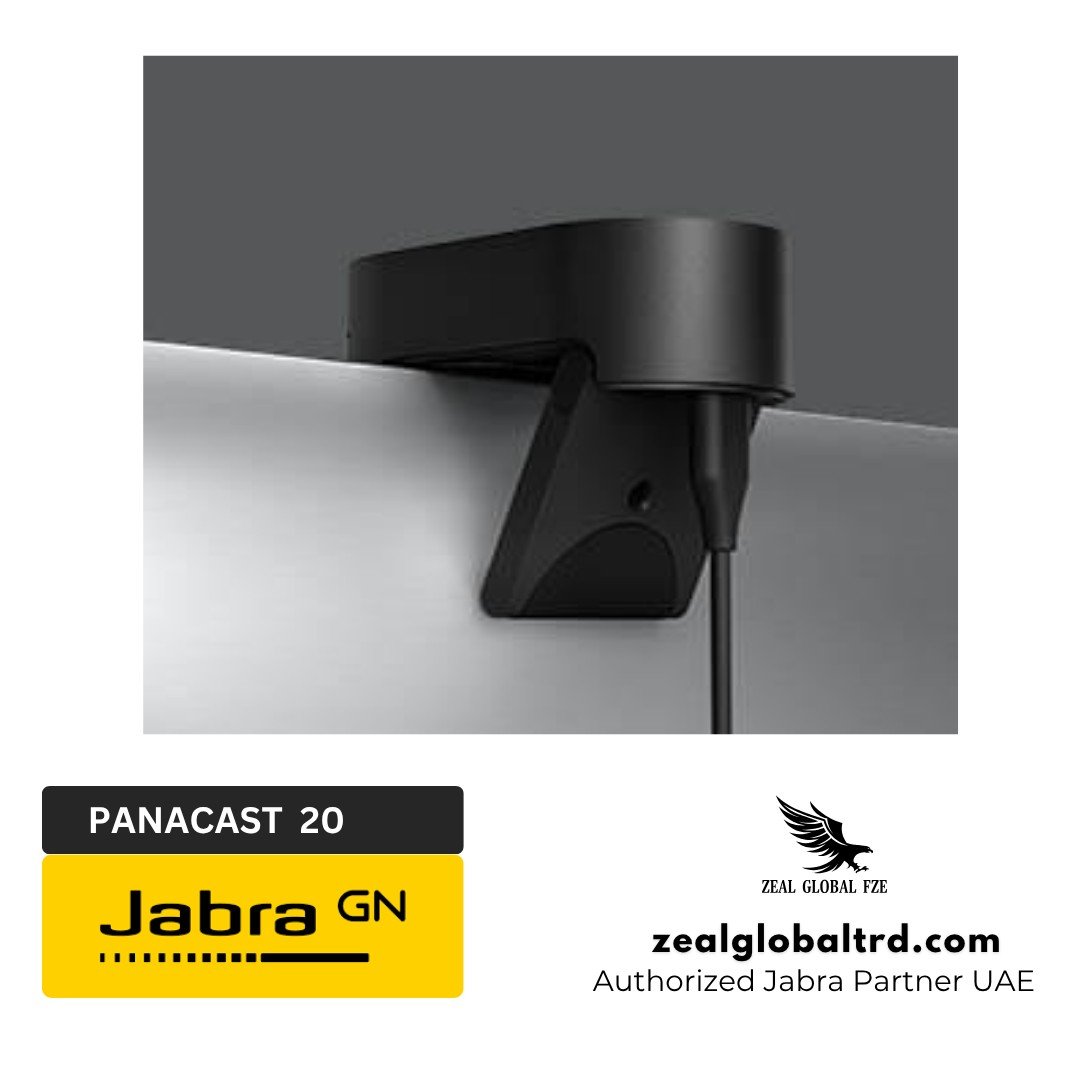
The camera includes an integrated mounting clip. A separate Jabra PanaCast Table Stand is available as an accessory.
Recommended Accessories
Jabra PanaCast Table Stand
The optional table stand provides an alternative mounting arrangement when clipping the camera to a laptop or monitor isn’t suitable.
Jabra Evolve2 Headsets
Pair the camera with a compatible Jabra Evolve2 headset for a dedicated video-and-audio setup. A professional headset can provide a more suitable microphone and listening experience in busy or shared workspaces.
Jabra Speak Speakerphones
For users who prefer speakerphone audio, compatible Jabra Speak devices can complement the PanaCast 20 in personal workspaces and small collaboration settings.
Product Overview
Product Overview
🎥 4K Ultra-HD Video for Professional Meetings
The Jabra PanaCast 20 features a 13-megapixel camera sensor that captures 4K Ultra-HD video at 3840 × 2160 resolution and 30 fps. This delivers detailed, high-quality visuals for professional conversations, client presentations, and virtual meetings where clear on-screen visibility matters.
Whether you’re attending a team meeting, presenting to clients, or collaborating remotely, the camera helps create a more natural and professional video conferencing experience with sharp image detail.
🤖 AI-Powered Intelligent Zoom
The PanaCast 20 uses AI-powered Intelligent Zoom to automatically follow the user and keep them centred in the video frame. This allows you to move naturally while speaking or presenting without needing to remain fixed in one position.
By adjusting the framing automatically, Intelligent Zoom reduces the need for manual camera adjustments and helps maintain a consistent, professional appearance throughout video calls. It’s particularly useful for professionals who present frequently or move around their workspace during meetings.
💡 Intelligent Lighting Optimisation
Uneven lighting can make faces appear too dark, washed out, or difficult to see during video calls. The Jabra PanaCast 20 automatically adjusts its video output to improve visibility in different lighting conditions, helping users maintain a clearer image throughout the day.
This feature makes the camera suitable for home offices, shared workspaces, and everyday corporate environments where lighting conditions may not always be ideal. It helps users appear more clearly on screen without requiring a dedicated professional lighting setup.
🖼️ Picture-in-Picture for Engaging Presentations
The PanaCast 20 supports Picture-in-Picture (PiP), combining two video views into a single feed. This allows the main camera view to appear alongside a smaller view of another area of interest, giving viewers additional visual context during presentations.
Presenters can use this capability to demonstrate physical objects, highlight important details, or make virtual demonstrations more engaging. Picture-in-Picture also works with compatible conferencing platforms that may not natively support dual-stream devices, helping users create more dynamic presentations.
🔒 Built-In Physical Privacy Cover
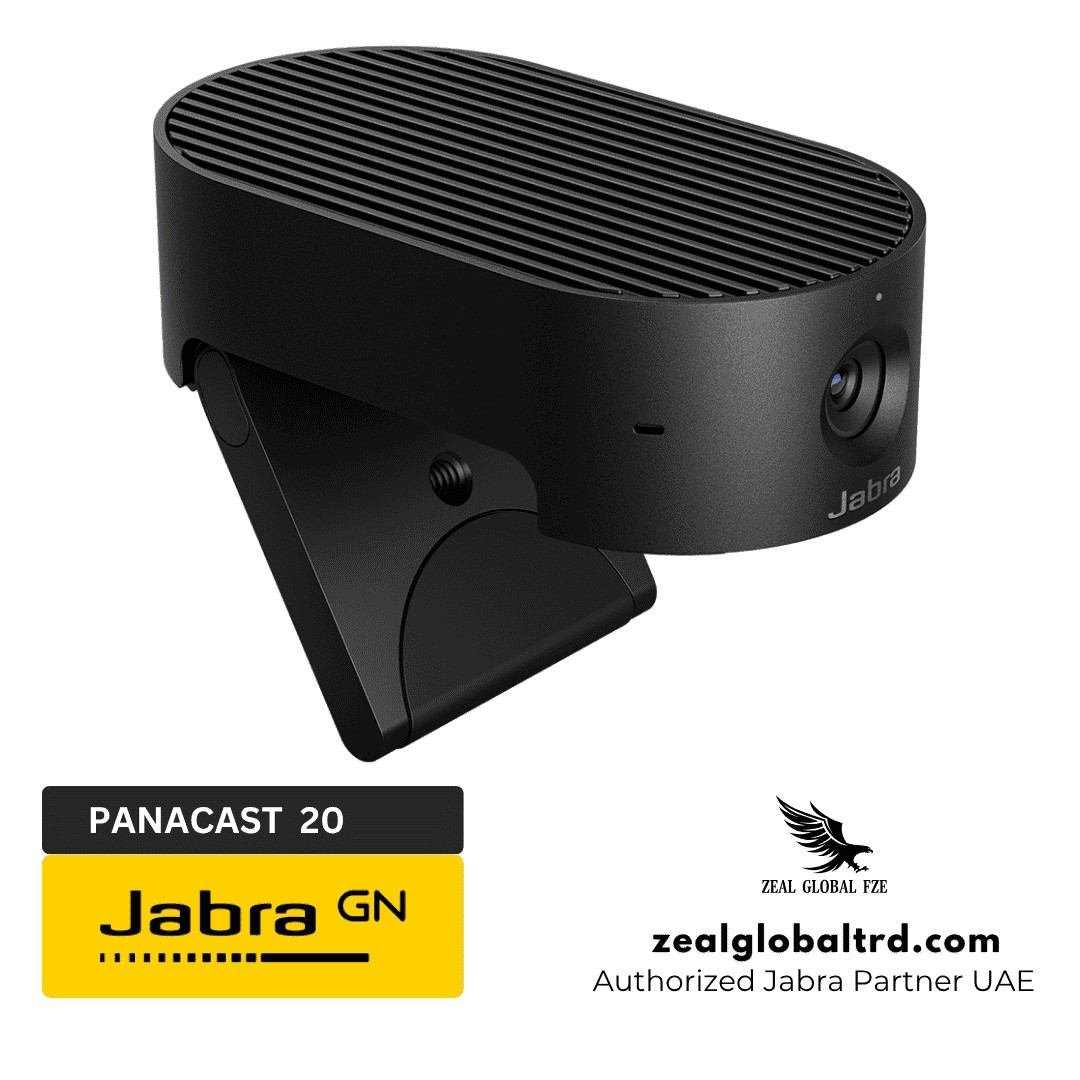
The integrated physical privacy cover lets users close the camera lens whenever they don’t want to appear on video. This provides a simple, visible way to control camera privacy between meetings without relying entirely on software settings.
For professionals handling confidential discussions or working in shared environments, the physical cover offers convenient control over when the camera can capture video. It also makes it easy to confirm that the lens is covered when the camera is not in use.
🛡️ Secure On-Device AI Processing
The Jabra PanaCast 20 incorporates an onboard AI processor that handles its intelligent video features. According to Jabra, AI processing takes place directly on the device, helping reduce the need to send video to external services for background processing.
This on-device approach supports privacy-conscious video conferencing by keeping the processing of supported AI features local to the camera. It is particularly relevant for professionals and organisations that value privacy when conducting remote meetings and business presentations.
🎒 Compact and Portable Design
Weighing just 136 g and measuring 44 × 25 × 80 mm, the PanaCast 20 is designed for professionals who need high-quality video conferencing across different workspaces. Its compact form makes it easy to carry between home, office, and travel locations.
The foldable mounting clip attaches to a compatible laptop screen or monitor, allowing users to position the camera conveniently for video calls. An included carry case helps protect the device during transport, making it a practical choice for hybrid workers, consultants, and business travellers.
| Specification | Jabra PanaCast 20 |
|---|---|
| Product Type | Personal video conferencing camera |
| Model Number | VSU030 |
| Item Number | 8300-119 |
| Camera Sensor | 13 megapixels |
| Image Sensor Size | 1/3.2 inch |
| Maximum Video Resolution | 4K Ultra-HD (3840 × 2160) at 30 fps |
| Other Video Resolutions | 1080p at 30 fps; 720p at 30 fps |
| Field of View | 90° horizontal, 75° vertical, 117° diagonal |
| Zoom | Up to 3× lossless digital zoom at 720p |
| Intelligent Zoom | Yes |
| Lighting Optimisation / Vivid HDR | Yes |
| Picture-in-Picture | Yes |
| Background Effects | Blur and solid-colour replacement via Jabra Direct |
| Microphones | 3 MEMS microphones |
| Optimal Microphone Pickup Range | Up to 2.5 m / 8 ft |
| Connectivity | USB-C |
| USB Compatibility | USB 3.0; USB 2.0 with sufficient power |
| Mounting | Integrated foldable clip; optional table stand |
| Dimensions | 44 × 25 × 80 mm |
| Weight | 136 g |
| Operating Temperature | 5°C to 35°C |
| Compatible Platforms | Microsoft Teams, Zoom, Google Meet, and other leading Unified Communications (UC) platforms |
| Software | Jabra Direct, Jabra Xpress |
| Warranty | 2 years |
Product Overview
🎥 4K Ultra-HD Video for Professional Meetings
The Jabra PanaCast 20 features a 13-megapixel camera sensor that captures 4K Ultra-HD video at 3840 × 2160 resolution and 30 fps. This delivers detailed, high-quality visuals for professional conversations, client presentations, and virtual meetings where clear on-screen visibility matters.
Whether you’re attending a team meeting, presenting to clients, or collaborating remotely, the camera helps create a more natural and professional video conferencing experience with sharp image detail.
🤖 AI-Powered Intelligent Zoom
The PanaCast 20 uses AI-powered Intelligent Zoom to automatically follow the user and keep them centred in the video frame. This allows you to move naturally while speaking or presenting without needing to remain fixed in one position.
By adjusting the framing automatically, Intelligent Zoom reduces the need for manual camera adjustments and helps maintain a consistent, professional appearance throughout video calls. It’s particularly useful for professionals who present frequently or move around their workspace during meetings.
💡 Intelligent Lighting Optimisation
Uneven lighting can make faces appear too dark, washed out, or difficult to see during video calls. The Jabra PanaCast 20 automatically adjusts its video output to improve visibility in different lighting conditions, helping users maintain a clearer image throughout the day.
This feature makes the camera suitable for home offices, shared workspaces, and everyday corporate environments where lighting conditions may not always be ideal. It helps users appear more clearly on screen without requiring a dedicated professional lighting setup.
🖼️ Picture-in-Picture for Engaging Presentations
The PanaCast 20 supports Picture-in-Picture (PiP), combining two video views into a single feed. This allows the main camera view to appear alongside a smaller view of another area of interest, giving viewers additional visual context during presentations.
Presenters can use this capability to demonstrate physical objects, highlight important details, or make virtual demonstrations more engaging. Picture-in-Picture also works with compatible conferencing platforms that may not natively support dual-stream devices, helping users create more dynamic presentations.
🔒 Built-In Physical Privacy Cover
The integrated physical privacy cover lets users close the camera lens whenever they don’t want to appear on video. This provides a simple, visible way to control camera privacy between meetings without relying entirely on software settings.
For professionals handling confidential discussions or working in shared environments, the physical cover offers convenient control over when the camera can capture video. It also makes it easy to confirm that the lens is covered when the camera is not in use.
🛡️ Secure On-Device AI Processing
The Jabra PanaCast 20 incorporates an onboard AI processor that handles its intelligent video features. According to Jabra, AI processing takes place directly on the device, helping reduce the need to send video to external services for background processing.
This on-device approach supports privacy-conscious video conferencing by keeping the processing of supported AI features local to the camera. It is particularly relevant for professionals and organisations that value privacy when conducting remote meetings and business presentations.
🎒 Compact and Portable Design
Weighing just 136 g and measuring 44 × 25 × 80 mm, the PanaCast 20 is designed for professionals who need high-quality video conferencing across different workspaces. Its compact form makes it easy to carry between home, office, and travel locations.
The foldable mounting clip attaches to a compatible laptop screen or monitor, allowing users to position the camera conveniently for video calls. An included carry case helps protect the device during transport, making it a practical choice for hybrid workers, consultants, and business travellers.
| Specification | Jabra PanaCast 20 |
|---|---|
| Product Type | Personal video conferencing camera |
| Model Number | VSU030 |
| Item Number | 8300-119 |
| Camera Sensor | 13 megapixels |
| Image Sensor Size | 1/3.2 inch |
| Maximum Video Resolution | 4K Ultra-HD (3840 × 2160) at 30 fps |
| Other Video Resolutions | 1080p at 30 fps; 720p at 30 fps |
| Field of View | 90° horizontal, 75° vertical, 117° diagonal |
| Zoom | Up to 3× lossless digital zoom at 720p |
| Intelligent Zoom | Yes |
| Lighting Optimisation / Vivid HDR | Yes |
| Picture-in-Picture | Yes |
| Background Effects | Blur and solid-colour replacement via Jabra Direct |
| Microphones | 3 MEMS microphones |
| Optimal Microphone Pickup Range | Up to 2.5 m / 8 ft |
| Connectivity | USB-C |
| USB Compatibility | USB 3.0; USB 2.0 with sufficient power |
| Mounting | Integrated foldable clip; optional table stand |
| Dimensions | 44 × 25 × 80 mm |
| Weight | 136 g |
| Operating Temperature | 5°C to 35°C |
| Compatible Platforms | Microsoft Teams, Zoom, Google Meet, and other leading Unified Communications (UC) platforms |
| Software | Jabra Direct, Jabra Xpress |
| Warranty | 2 years |
Pros & Cons
Pros
- Makes you look more polished and professional on client calls.
- Reduces the need to adjust your camera or lighting before meetings.
- Easy to carry between home, office and business trips.
- Helps maintain privacy when the camera is not in use.
Cons
- Best suited to individual calls rather than full-room meetings.
- Premium features may be unnecessary for occasional video calls.
- The built-in microphones may not replace a dedicated headset in noisy environments.
What Problem Does the Jabra PanaCast 20 Solve?
Here are some real-world problems that the Jabra PanaCast 20 solves.
Problem: “I look unclear or poorly lit during important client calls.” Its 4K video and lighting optimisation help you look clearer and more professional on screen.
Problem: “I keep moving around, and my face goes out of frame.” Intelligent Zoom automatically adjusts the framing to keep you centred during calls.
Problem: “My laptop webcam makes video meetings look less professional.” The dedicated 13MP camera delivers 4K video for sharper, more detailed images.
Problem: “I need a better camera, but I work from different locations.” Its compact, lightweight design and carry case make it easy to take between home, office and business trips.
Problem: “I want to avoid showing my surroundings during a call.” Picture-in-Picture lets you present a close-up view alongside the main camera view, while the built-in privacy cover protects your privacy when the camera is not in use.
Best For
Remote & Hybrid Employees
Consultants & Client-Facing Professionals
Trainers, Educators & Presenters
IT Teams & Corporate Buyers
Jabra PanaCast 20 vs Competitors
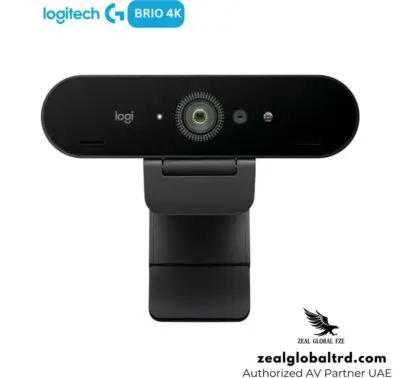
Lets compare Jabra PanaCast 20 vs Logitech Brio 4K vs Dell UltraSharp Webcam WB7022
| Feature | Jabra PanaCast 20 | Logitech Brio 4K | Dell UltraSharp Webcam WB7022 |
|---|---|---|---|
| Best Suited For | Professional personal video calls | Business meetings and content creation | Premium desk-based video conferencing |
| Maximum Resolution | 4K UHD at 30 fps | 4K UHD at 30 fps | 4K UHD at 30 fps |
| Camera Resolution | 13 MP | 13 MP | 8.3 MP |
| Field of View | 90° horizontal | 65°, 78° or 90° diagonal | 65°, 78° or 90° diagonal |
| Automatic Framing | AI-powered Intelligent Zoom | Camera framing and image controls | AI Auto-Framing |
| Picture-in-Picture | Yes | Not a built-in camera feature | Not a built-in camera feature |
| Built-in Microphones | 3 MEMS microphones | 2 omnidirectional microphones | No |
| Privacy | Integrated privacy cover | Attachable privacy shutter | Magnetic external privacy cover |
Which camera should you choose?
- Choose Jabra PanaCast 20 if you want a personal conferencing camera with automatic framing, lighting optimisation, Picture-in-Picture and built-in microphones.
- Choose Logitech Brio 4K if you want a versatile 4K webcam with multiple field-of-view options, 5× digital zoom and Windows Hello support.
- Choose Dell UltraSharp WB7022 if you prioritise AI auto-framing, image processing and Windows Hello, and already use a separate headset or microphone.
Benefits of Using the Jabra PanaCast 20
- Make a Better Impression on Video Calls.
- Move Naturally While Presenting.
- Present More Effectively.
- Maintain Control Over Privacy.
- Work Across Different Locations.
Who Is the Jabra PanaCast 20 Not For?
The PanaCast 20 may not be the right choice if:
- You need to capture an entire meeting room or multiple participants around a table.
- Your laptop already provides sufficient video quality for your needs.
- You require optical zoom or a dedicated room-camera tracking system.
- Your main priority is capturing audio across a large conference table.
- You need a camera for a mobile device rather than a compatible computer.
In these cases, a room conferencing camera, video bar, or another camera designed for your specific setup may be more suitable.
Why Choose the Jabra PanaCast 20?
The PanaCast 20 brings together video quality, intelligent framing, lighting optimisation, presentation flexibility, and privacy in one compact device. Instead of relying entirely on a built-in webcam, professionals gain a dedicated camera designed around the demands of business video calls.
Its USB connectivity simplifies installation, while Jabra Direct allows users to customise supported camera settings and update firmware. Compatibility with Microsoft Teams, Zoom, Google Meet, and other leading conferencing applications makes it a practical option for organisations using different collaboration platforms.
For businesses looking to improve personal video conferencing without deploying a full room system, the Jabra PanaCast 20 offers a focused solution for clearer, more flexible on-camera communication.
Why Buy from Zeal Global?
Looking for a Jabra PanaCast 20 4K webcam for your executive office, home workstation, or corporate team?
Zeal Global Trading FZE helps businesses in the UAE select professional video conferencing cameras, headsets, speakerphones, and collaboration solutions suited to their workplace requirements.
Contact us for product availability, pricing, compatibility guidance, and the right Jabra solution for your business.
Make every video call a more professional experience with Zeal Global.