
Description
Meet. Present. Whiteboard. All in One Board.
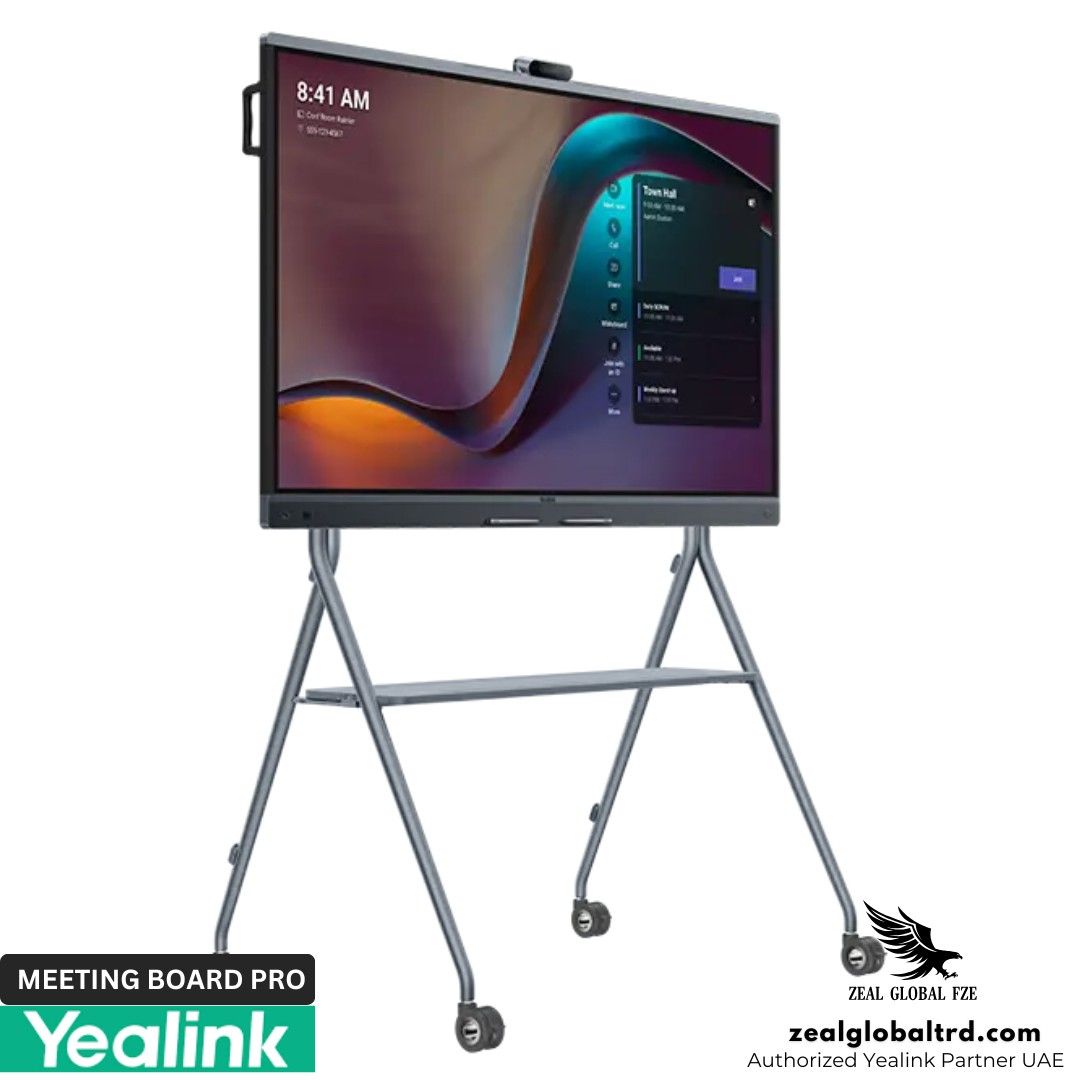
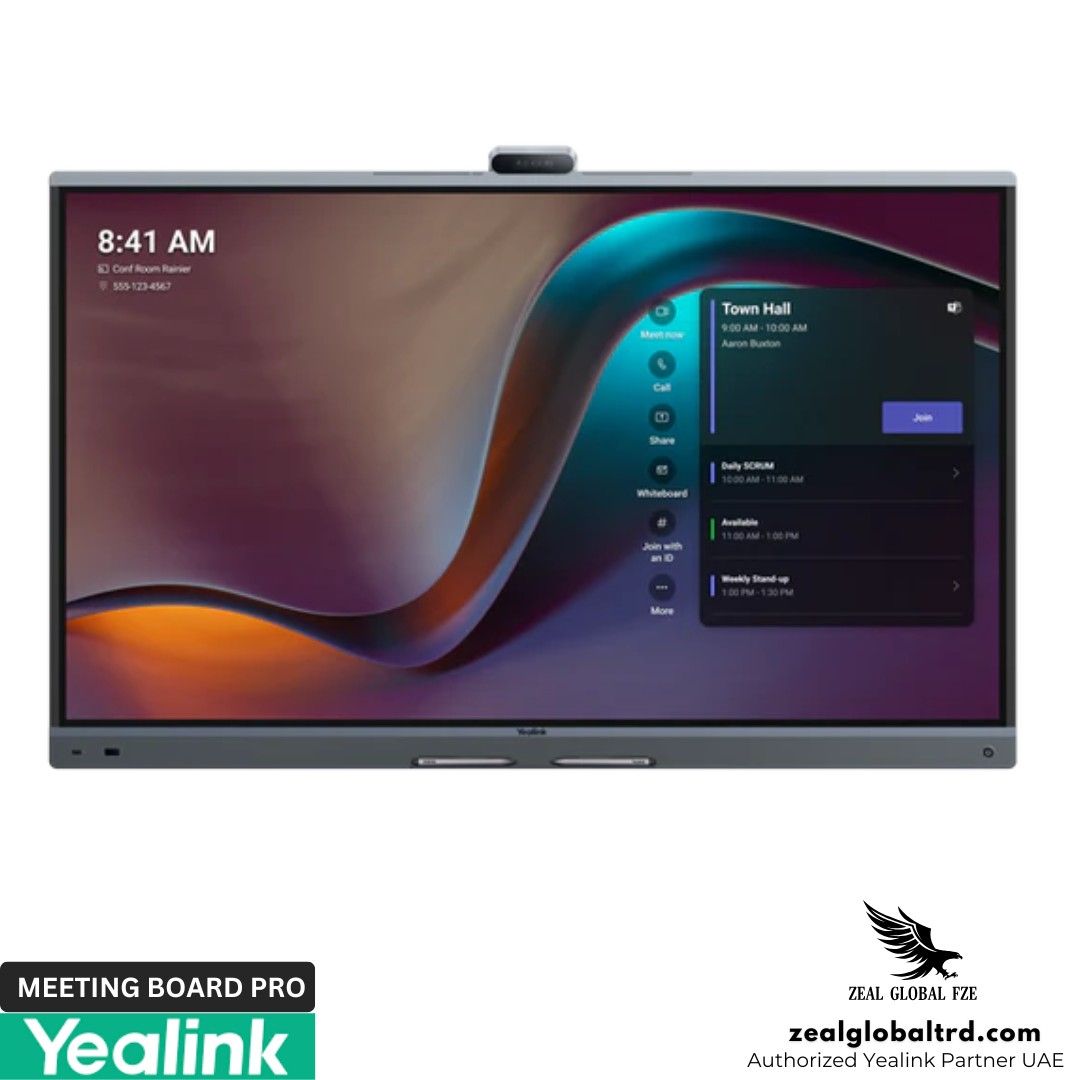
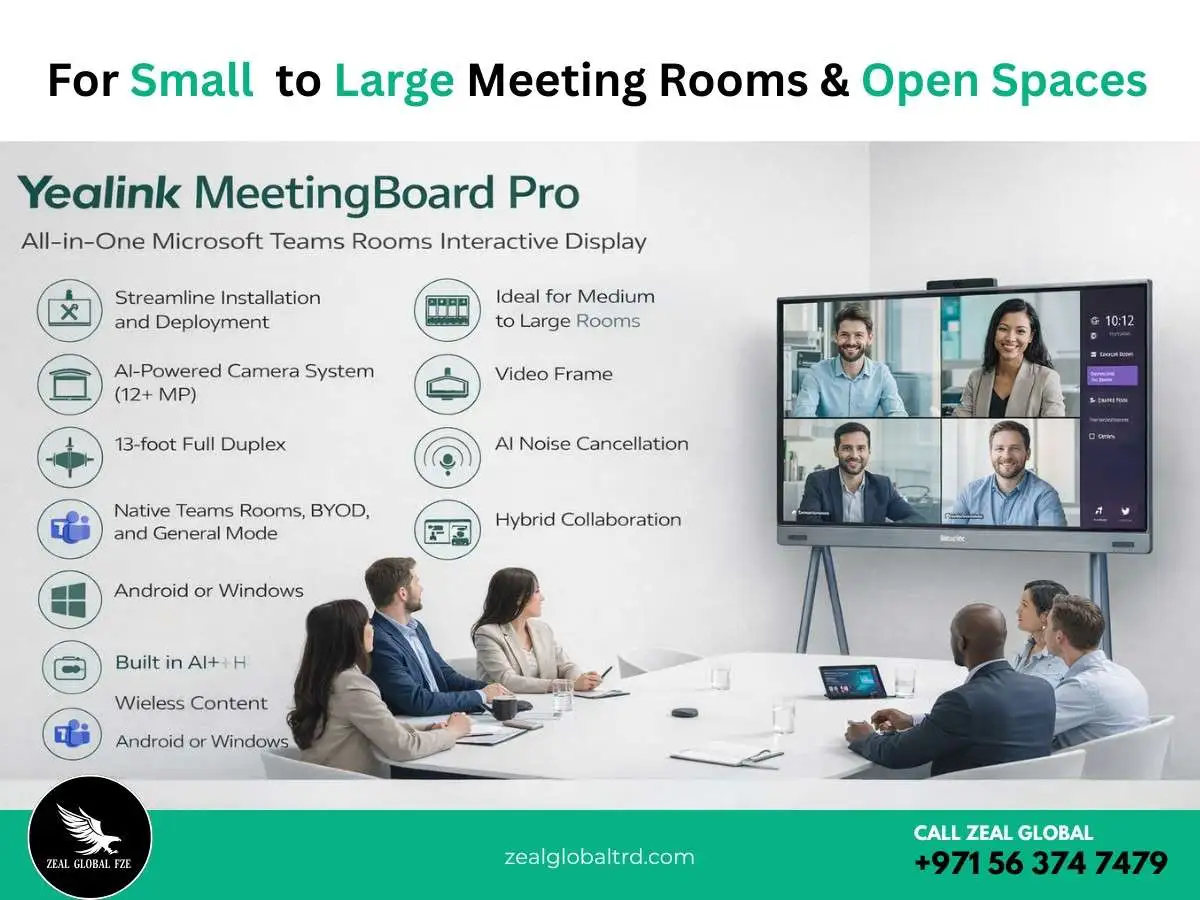
The Yealink MeetingBoard Pro is a premium all-in-one interactive display designed for modern meeting spaces. It combines a 4K touchscreen, an AI-powered camera system, a built-in microphone array, high-performance speakers, and native Teams Rooms computing into a single collaboration board.
Key Features
- ✔ 4K UHD interactive touchscreen display
- ✔ AI-powered camera with auto framing & speaker tracking
- ✔ Built-in multi-microphone array
- ✔ Integrated stereo speakers
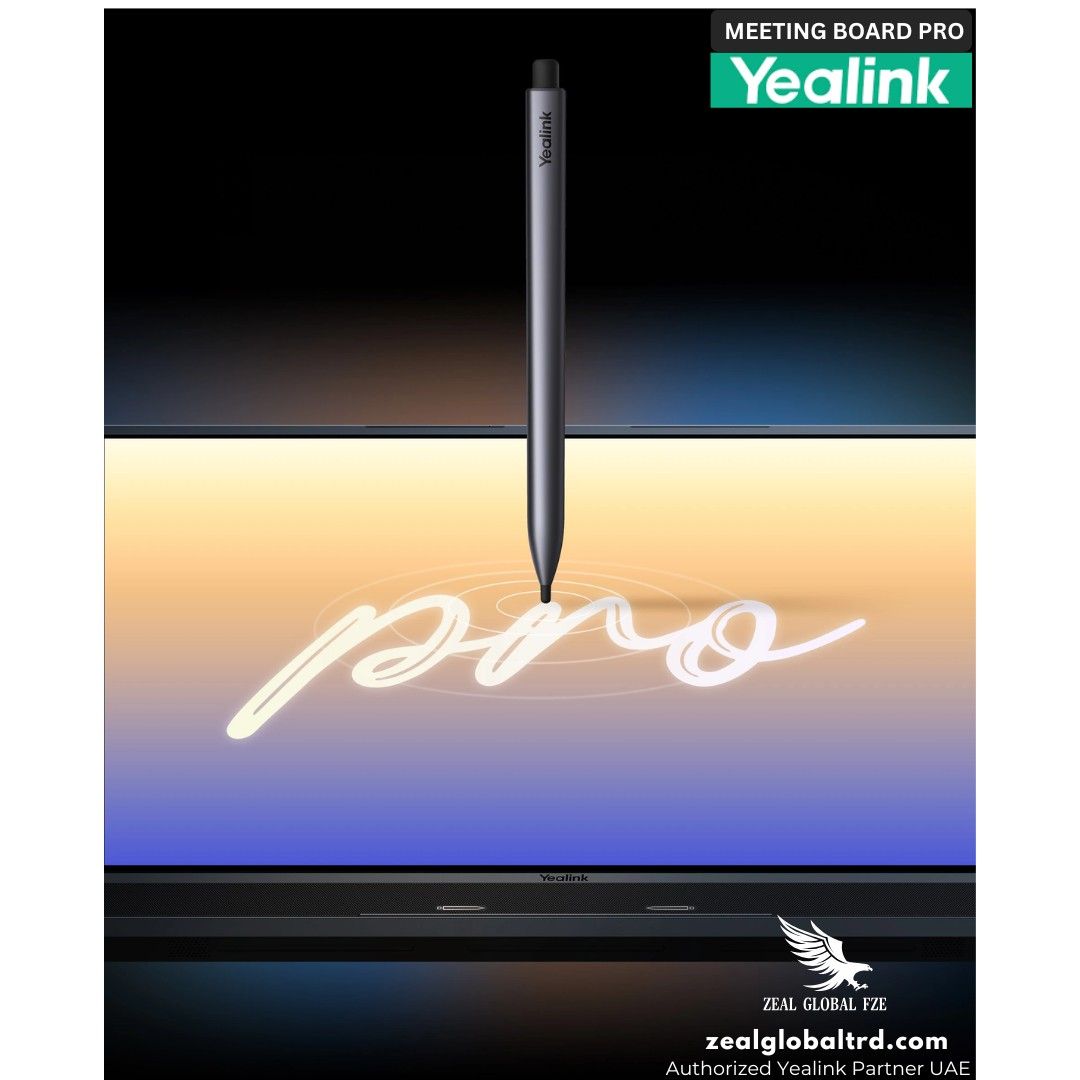
- ✔ Multi-touch digital whiteboarding
- ✔ Wireless content sharing
Where Modern Teams Meet, Create, and Decide.
Imagine walking into a meeting room where the display, camera, speakers, microphone, and interactive whiteboard are all one beautiful, clutter-free device. You start a Microsoft Teams meeting with a single touch, and remote colleagues see everyone perfectly, from the person closest to the screen to the one leaning against the back wall. You brainstorm ideas, sketch diagrams, and write notes directly on the 4K screen, and your remote team sees it all in real-time.
This isn’t a vision of the future. This is the Yealink MeetingBoard Pro.
Designed for modern meeting room solutions of all sizes, the MeetingBoard Pro is a revolutionary all-in-one device that removes complexity by integrating video conferencing, digital whiteboarding, and wireless content sharing into one secure, centrally managed system.
What is the Yealink MeetingBoard Pro?
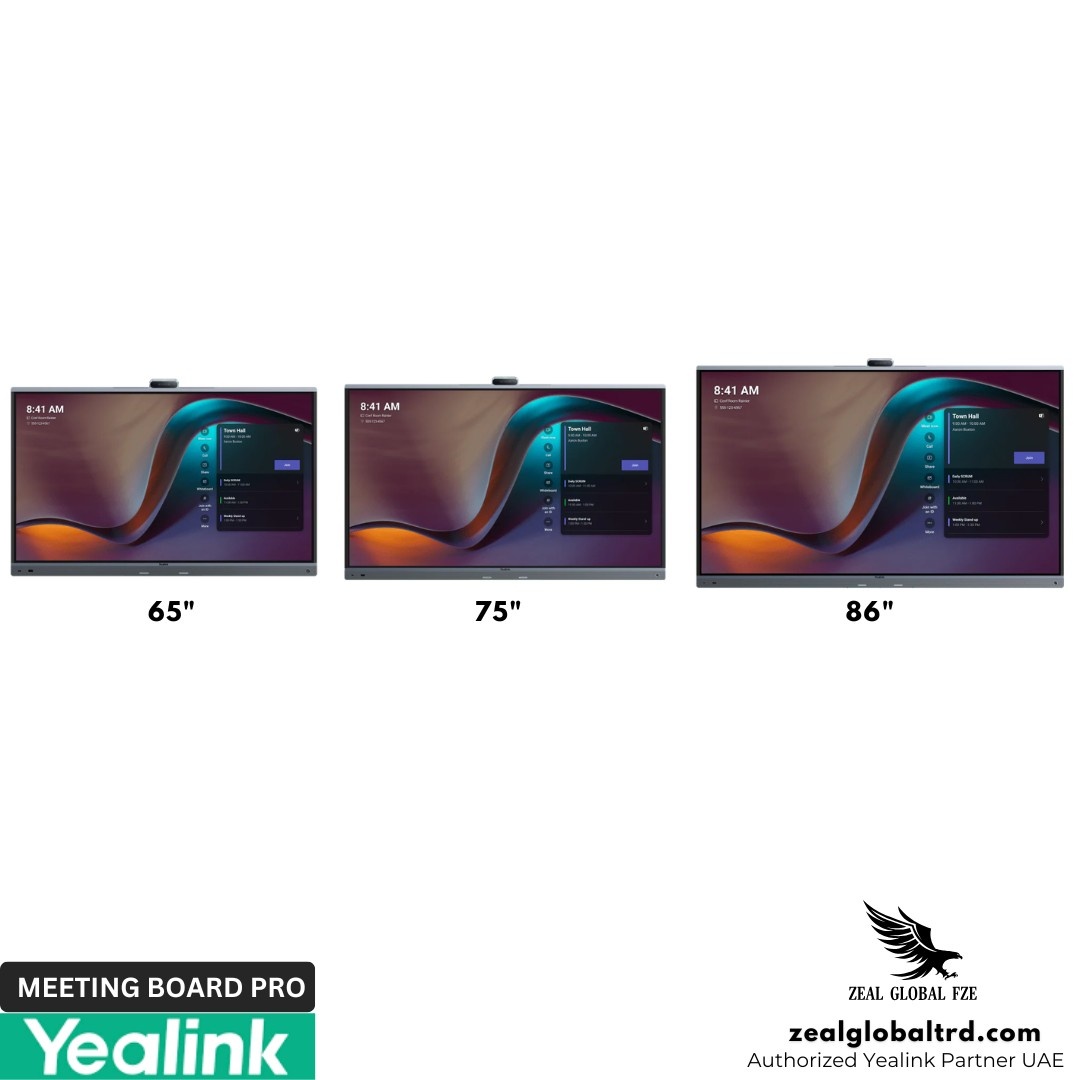
The MeetingBoard Pro is more than just a conference room TV. It’s a complete, integrated meeting system. Available in 65, 75, and 86-inch sizes, it’s designed to transform any space from small huddle rooms to large boardrooms and even open collaboration areas into a hub of hybrid productivity.
Its all-in-one design means no more tangled cables, no struggling with separate speakers and mics, and no complicated setups. You get a powerful 4K multi-touch screen, a professional-grade camera system, and a studio-quality audio array, all working together seamlessly.
Pros & Cons
Pros
- True all-in-one Teams Rooms solution
- Interactive 4K touchscreen
- AI camera tracking
- Built-in microphones and speakers
- Reduced installation complexity
- Expandable for larger rooms
Cons
- Designed for fixed installations
- Premium investment category
- Larger sizes require proper mounting planning.
Best For
Enterprise boardrooms
Medium to large meeting rooms
Microsoft Teams Rooms deployments
Education & training environments
Product Overview
Let’s break down the core components that make this device a game-changer for your video conferencing solution.
➜ 1. Pro View: A Triple-Camera System That Sees Everyone
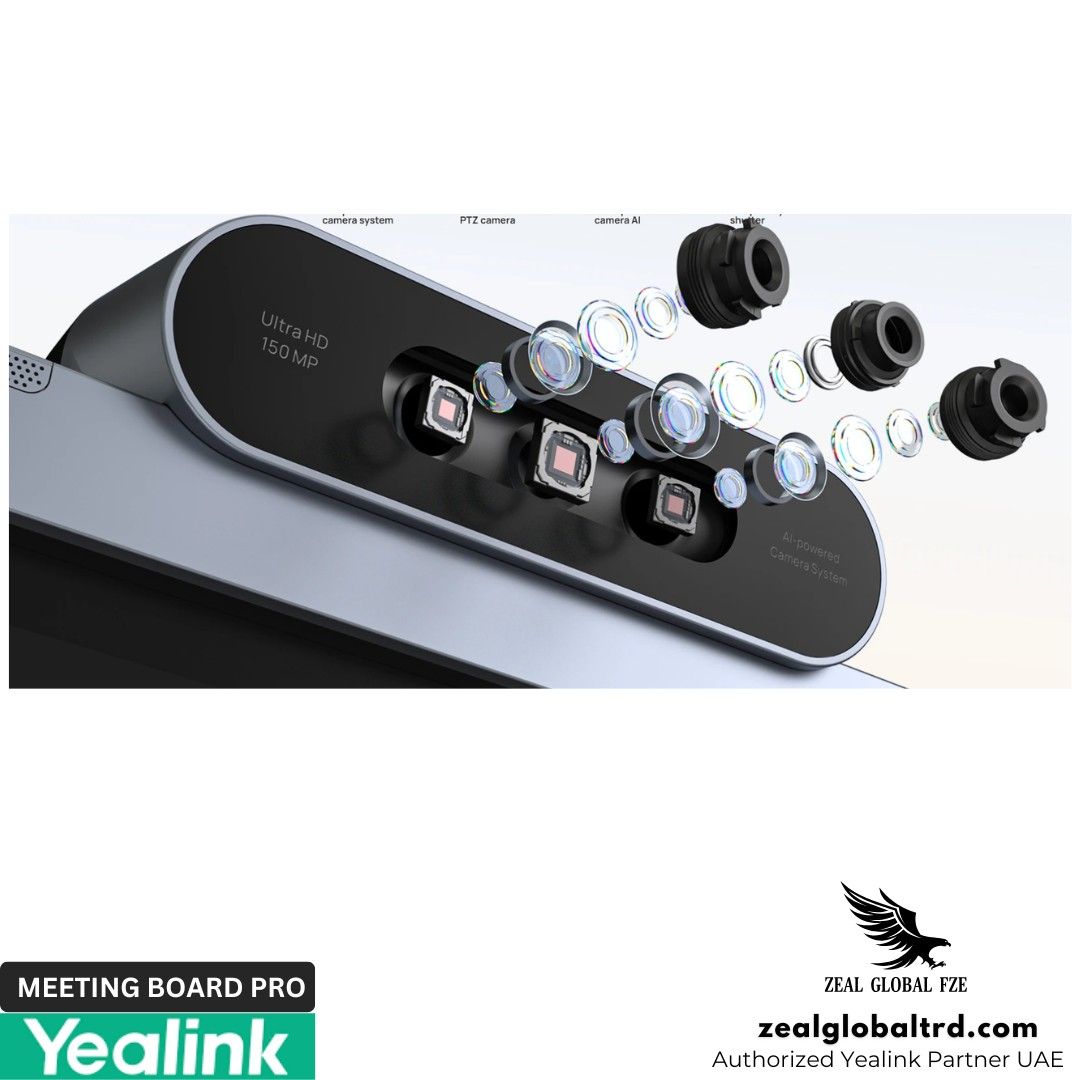
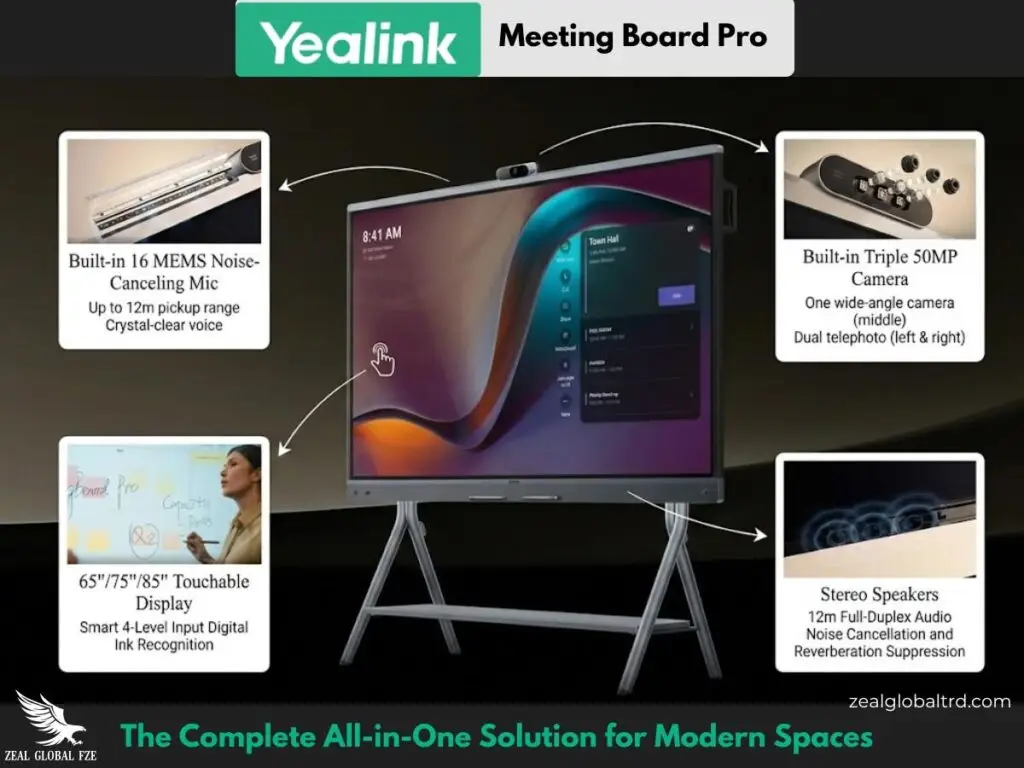
The MeetingBoard Pro features a sophisticated built-in triple 50MP camera system. This isn’t a single, static lens. It combines:
- One Wide-Angle Lens: To capture the entire room, ensuring no one is left out of the frame.
- Two Telephoto Lenses: To zoom in and deliver crystal-clear details of participants sitting further away.
This system, powered by a dedicated AI video processor, enables smart features like:
- IntelliFocus: Automatically identifies and displays close-up shots of recent speakers, keeping the focus on the active participant, just like an in-person conversation.
- Video Fence: Creates a virtual boundary for the meeting, ensuring the camera only focuses on participants inside the designated space perfect for semi-open office areas.
- Electric Privacy Shutter: The camera is physically covered when not in use, guaranteeing privacy and peace of mind.
➜ 2. Pro Sound: Immersive Audio That Picks Up Every Voice
Hearing and being heard clearly is non-negotiable. The MeetingBoard Pro delivers with:
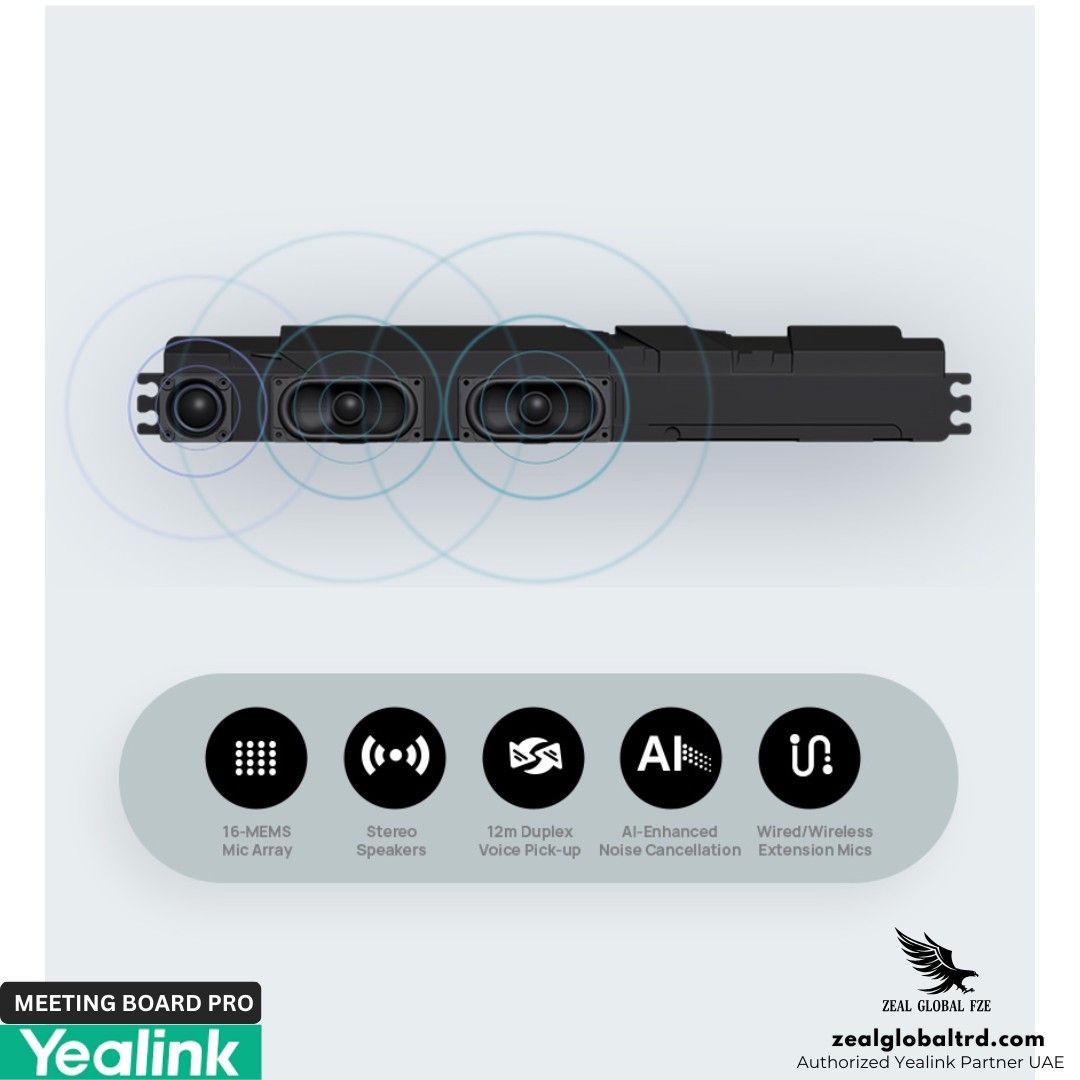
- 16 MEMS Microphone Arrays: These built-in mics, enhanced by AI, provide crystal-clear full-duplex audio pickup up to an impressive 12 meters (39 feet). They intelligently cancel background noise like keyboard typing or chair movement, ensuring your voice is the only thing remote attendees hear.
- Powerful 36W Stereo Speakers: These deliver rich, immersive sound that fills even large meeting spaces, making presentations and conversations feel natural and dynamic.
➜ 3. Pro Whiteboard: Unleash Creativity, Digitally
This is where the MeetingBoard Pro truly shines as a collaboration tool. Its 4K multi-touch LCD screen (with anti-glare coating) is designed for a natural, paper-like writing experience.
- Ultra-Low Latency: Writing feels instantaneous with just 21ms latency on the Yealink whiteboard.
- Dual-Person Writing: Two people can write on the board simultaneously without interference, dramatically speeding up brainstorming sessions.
- Intuitive Tools: Use the pen tip to write and the pen tail to erase. Navigate and zoom with your fingers, and enjoy palm rejection to avoid accidental marks.
- Rich Content: Insert intelligent charts, shapes, images, and sticky notes to make your ideas dynamic and clear.
➜ 4. Pro Core: Flexibility for Your IT Needs
The MeetingBoard Pro is built to adapt to your existing IT infrastructure.
- Dual-Solution Architecture: It comes with a powerful Android 13 system as standard. For users needing Windows applications, it supports an optional OPS (Open Pluggable Specification) module to run a full Windows solution.
- Certified for Top Platforms: It natively supports Microsoft Teams Rooms and Zoom Rooms, providing a one-touch join experience.
- BYOD Mode: Need to use a different platform? The MeetingBoard Pro also functions as a premium USB peripheral, turning into an external monitor, camera, mic, and speaker for your laptop.
➜ 5. Simple Setup & Flexible Mounting
- 10-Minute Setup: Thanks to its integrated design, you can have the MeetingBoard Pro unboxed, mounted, and ready for a meeting in as little as 12 minutes.
- Mount Your Way: Choose between a sleek wall-mounted look or a mobile floor stand, giving you ultimate flexibility for your space.
Yealink MeetingBoard Pro Technical Specifications
📦 System Overview
| Parameter | Description |
|---|---|
| Operating System | Android 13.0 |
| Memory | 8GB |
| Flash | 64GB |
| CPU | 4 cores at 2.2GHz + 4 cores at 2.0GHz |
| AI Computing Power | 13.2T FLOPS |
🖥️ Display
| Parameter | Description |
|---|---|
| Size | MeetingBoard 65 Pro: 65″ MeetingBoard 75 Pro: 75″ MeetingBoard 86 Pro: 86″ |
| Anti‑glare panel | Yes |
| Resolution | 3840 × 2160 (4K UHD) |
| Color Gamut | 72% NTSC / 99% sRGB |
| Color Depth | 1.07G (10‑bit) |
| Contrast Ratio | 1200:1 |
| Brightness | 400 cd/m² |
| Refresh Rate | 60 Hz |
| Viewing Angle | 178°(H) / 178°(V) |
| System wake‑up | Motion sensor |
✍️ Touch
| Parameter | Description |
|---|---|
| Touch Technology | Infrared |
| Touch Height | 1.5 mm |
| Touch Accuracy | ±1 mm |
| Touch Points | 20 points |
| Touch Latency | 21 ms (Yealink whiteboard) |
| Stylus | Four‑level stylus |
📷 Camera
| Parameter | Description |
|---|---|
| Max Resolution | Built‑in triple 50MP camera (Sony Sensor X3) |
| Viewing angle | Wide‑angle HFOV 98.2° |
| PTZ type | Electronic pan‑tilt |
| Zoom | 4× digital zoom |
| Video output | 3840 × 2160 @ 60Hz |
| Autofocus / WDR / HDR | Supported / Supported / Supported |
| Exposure / White balance | Auto / Auto/Manual/ATW |
| Presets | 9 |
| Privacy shutter | Electric privacy shutter |
| Optional swappable optical zoom camera (MB-12X Pro): | |
| MB‑12X Pro specs | 8MP, Sony sensor, 12× optical zoom, HFOV 90°, horizontal rotation ±100°, vertical 0°/90° |
| AI Smart Framing features: | |
| AI Framing | Auto framing, speaker tracking, picture‑in‑picture (PIP), IntelliFocus, video fence |
🔊 Speakers
| Parameter | Description |
|---|---|
| Type | Stereo speakers |
| Frequency response | 90 Hz – 20 kHz |
| Sensitivity | 87 ± 3 dB SPL @0.5m, 1W |
| Sampling rate | 48 kHz |
| Expansion output | RCA output |
| THD | <5% @20W, 1kHz |
| Rated impedance | Tweeter‑4Ω, full‑range‑8Ω |
| Rated power / Max power | 30W / 36W |
🎤 Microphones
| Parameter | Description |
|---|---|
| Array | 16 MEMS microphone array (built‑in) |
| Pickup distance | 12 meters full‑duplex |
| Signal‑to‑noise ratio | 70 dB @1kHz |
| Max SPL / Equivalent noise | 130 dB SPL / 24 dB SPL |
| Dynamic range | 24 – 130 dB SPL |
| Sensitivity | -38 ±1 dBV/Pa |
| Frequency response / Sampling | 20 Hz – 20 kHz / 48 kHz, 24‑bit |
| Expansion input | RCA input |
📽️ Video & Content Sharing
| Parameter | Description |
|---|---|
| Video resolution | Lens: up to 4K30fps; Content sharing: up to 4K60fps (HDMI In) locally, up to 4K15fps in meetings |
| Wired screen sharing | HDMI In, VCH51 |
| Wireless screen sharing | AirPlay, Miracast, Wireless Presentation Pod (not available in US) |
🔧 Audio & Video Technology
| Category | Details |
|---|---|
| Audio Codec & Technology | Yealink AI Audio 2.1 – multi‑channel echo cancellation, noise suppression, reverberation cancellation, AEC, lip sync, AGC, far‑field full‑duplex, beamforming, CNG/PLC/AJB/De‑Reverb |
| Video Codec | H.264 SVC, H.264 High Profile, H.264 |
| Network Protocols | Wi‑Fi 6 (2.4G/5G, 802.11a/b/g/n/ac/ax, 2×2 MIMO), Bluetooth 5.1, TCP/IP (IPv4/IPv6), DHCP/Static IP |
📦 Packaging Contents
| Item | Quantity |
|---|---|
| MeetingBoard Pro unit | 1 |
| Cable pack | 1 |
| 3m AC power cable | 1 |
| 3m CAT5E network cable | 1 |
| Stylus pens | 4 |
| Cable ties | 3 |
| Quick Start Guide | 1 |
📐 Dimensions & Weight
| Specification | MeetingBoard 65 Pro | MeetingBoard 75 Pro | MeetingBoard 86 Pro |
|---|---|---|---|
| Packaging dimensions (W×D×H) | 1660×220×1045 mm | 1900×225×1160 mm | 2095×225×1310 mm |
| Bare device dimensions (W×D×H) | 1484×105×955 mm | 1705×105×1081 mm | 1951×105×1218 mm |
| With stand dimensions (W×D×H) | 1484×778×1887 mm | 1705×858×1960 mm | 1950×858×2058 mm |
| VESA hole specs | 600×400 mm | 800×600 mm | 800×600 mm |
| Gross weight | 50 kg (110.2 lbs) | 65 kg (143.3 lbs) | 83.2 kg (183.02 lbs) |
| Net weight | 40 kg (88.2 lbs) | 52.2 kg (115.74 lbs) | 65.6 kg (144.7 lbs) |
| Quantity per box | 1 unit/box | 1 unit/box | 1 unit/box |
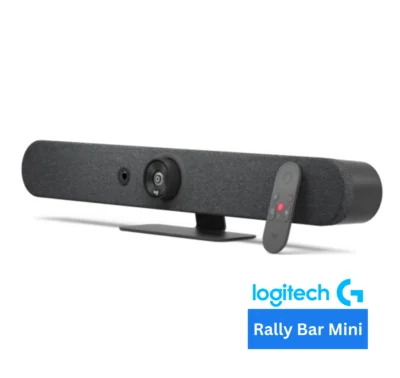
- Logitech Rally Bar + Tap + Interactive Display
- Neat Board
- Cisco Webex Board
Let’s break down the core components that make this device a game-changer for your video conferencing solution.
➜ 1. Pro View: A Triple-Camera System That Sees Everyone
The MeetingBoard Pro features a sophisticated built-in triple 50MP camera system. This isn’t a single, static lens. It combines:
- One Wide-Angle Lens: To capture the entire room, ensuring no one is left out of the frame.
- Two Telephoto Lenses: To zoom in and deliver crystal-clear details of participants sitting further away.
This system, powered by a dedicated AI video processor, enables smart features like:
- IntelliFocus: Automatically identifies and displays close-up shots of recent speakers, keeping the focus on the active participant, just like an in-person conversation.
- Video Fence: Creates a virtual boundary for the meeting, ensuring the camera only focuses on participants inside the designated space perfect for semi-open office areas.
- Electric Privacy Shutter: The camera is physically covered when not in use, guaranteeing privacy and peace of mind.
➜ 2. Pro Sound: Immersive Audio That Picks Up Every Voice
Hearing and being heard clearly is non-negotiable. The MeetingBoard Pro delivers with:
- 16 MEMS Microphone Arrays: These built-in mics, enhanced by AI, provide crystal-clear full-duplex audio pickup up to an impressive 12 meters (39 feet). They intelligently cancel background noise like keyboard typing or chair movement, ensuring your voice is the only thing remote attendees hear.
- Powerful 36W Stereo Speakers: These deliver rich, immersive sound that fills even large meeting spaces, making presentations and conversations feel natural and dynamic.
➜ 3. Pro Whiteboard: Unleash Creativity, Digitally
This is where the MeetingBoard Pro truly shines as a collaboration tool. Its 4K multi-touch LCD screen (with anti-glare coating) is designed for a natural, paper-like writing experience.
- Ultra-Low Latency: Writing feels instantaneous with just 21ms latency on the Yealink whiteboard.
- Dual-Person Writing: Two people can write on the board simultaneously without interference, dramatically speeding up brainstorming sessions.
- Intuitive Tools: Use the pen tip to write and the pen tail to erase. Navigate and zoom with your fingers, and enjoy palm rejection to avoid accidental marks.
- Rich Content: Insert intelligent charts, shapes, images, and sticky notes to make your ideas dynamic and clear.
➜ 4. Pro Core: Flexibility for Your IT Needs
The MeetingBoard Pro is built to adapt to your existing IT infrastructure.
- Dual-Solution Architecture: It comes with a powerful Android 13 system as standard. For users needing Windows applications, it supports an optional OPS (Open Pluggable Specification) module to run a full Windows solution.
- Certified for Top Platforms: It natively supports Microsoft Teams Rooms and Zoom Rooms, providing a one-touch join experience.
- BYOD Mode: Need to use a different platform? The MeetingBoard Pro also functions as a premium USB peripheral, turning into an external monitor, camera, mic, and speaker for your laptop.
➜ 5. Simple Setup & Flexible Mounting
- 10-Minute Setup: Thanks to its integrated design, you can have the MeetingBoard Pro unboxed, mounted, and ready for a meeting in as little as 12 minutes.
- Mount Your Way: Choose between a sleek wall-mounted look or a mobile floor stand, giving you ultimate flexibility for your space.
Yealink MeetingBoard Pro — Technical Specifications
📦 System Overview
| Parameter | Description |
|---|---|
| Operating System | Android 13.0 |
| Memory | 8GB |
| Flash | 64GB |
| CPU | 4 cores at 2.2GHz + 4 cores at 2.0GHz |
| AI Computing Power | 13.2T FLOPS |
🖥️ Display
| Parameter | Description |
|---|---|
| Size | MeetingBoard 65 Pro: 65″ MeetingBoard 75 Pro: 75″ MeetingBoard 86 Pro: 86″ |
| Anti‑glare panel | Yes |
| Resolution | 3840 × 2160 (4K UHD) |
| Color Gamut | 72% NTSC / 99% sRGB |
| Color Depth | 1.07G (10‑bit) |
| Contrast Ratio | 1200:1 |
| Brightness | 400 cd/m² |
| Refresh Rate | 60 Hz |
| Viewing Angle | 178°(H) / 178°(V) |
| System wake‑up | Motion sensor |
✍️ Touch
| Parameter | Description |
|---|---|
| Touch Technology | Infrared |
| Touch Height | 1.5 mm |
| Touch Accuracy | ±1 mm |
| Touch Points | 20 points |
| Touch Latency | 21 ms (Yealink whiteboard) |
| Stylus | Four‑level stylus |
📷 Camera
| Parameter | Description |
|---|---|
| Max Resolution | Built‑in triple 50MP camera (Sony Sensor X3) |
| Viewing angle | Wide‑angle HFOV 98.2° |
| PTZ type | Electronic pan‑tilt |
| Zoom | 4× digital zoom |
| Video output | 3840 × 2160 @ 60Hz |
| Autofocus / WDR / HDR | Supported / Supported / Supported |
| Exposure / White balance | Auto / Auto/Manual/ATW |
| Presets | 9 |
| Privacy shutter | Electric privacy shutter |
| Optional swappable optical zoom camera (MB-12X Pro): | |
| MB‑12X Pro specs | 8MP, Sony sensor, 12× optical zoom, HFOV 90°, horizontal rotation ±100°, vertical 0°/90° |
| AI Smart Framing features: | |
| AI Framing | Auto framing, speaker tracking, picture‑in‑picture (PIP), IntelliFocus, video fence |
🔊 Speakers
| Parameter | Description |
|---|---|
| Type | Stereo speakers |
| Frequency response | 90 Hz – 20 kHz |
| Sensitivity | 87 ± 3 dB SPL @0.5m, 1W |
| Sampling rate | 48 kHz |
| Expansion output | RCA output |
| THD | <5% @20W, 1kHz |
| Rated impedance | Tweeter‑4Ω, full‑range‑8Ω |
| Rated power / Max power | 30W / 36W |
🎤 Microphones
| Parameter | Description |
|---|---|
| Array | 16 MEMS microphone array (built‑in) |
| Pickup distance | 12 meters full‑duplex |
| Signal‑to‑noise ratio | 70 dB @1kHz |
| Max SPL / Equivalent noise | 130 dB SPL / 24 dB SPL |
| Dynamic range | 24 – 130 dB SPL |
| Sensitivity | -38 ±1 dBV/Pa |
| Frequency response / Sampling | 20 Hz – 20 kHz / 48 kHz, 24‑bit |
| Expansion input | RCA input |
📽️ Video & Content Sharing
| Parameter | Description |
|---|---|
| Video resolution | Lens: up to 4K30fps; Content sharing: up to 4K60fps (HDMI In) locally, up to 4K15fps in meetings |
| Wired screen sharing | HDMI In, VCH51 |
| Wireless screen sharing | AirPlay, Miracast, Wireless Presentation Pod (not available in US) |
🔧 Audio & Video Technology
| Category | Details |
|---|---|
| Audio Codec & Technology | Yealink AI Audio 2.1 – multi‑channel echo cancellation, noise suppression, reverberation cancellation, AEC, lip sync, AGC, far‑field full‑duplex, beamforming, CNG/PLC/AJB/De‑Reverb |
| Video Codec | H.264 SVC, H.264 High Profile, H.264 |
| Network Protocols | Wi‑Fi 6 (2.4G/5G, 802.11a/b/g/n/ac/ax, 2×2 MIMO), Bluetooth 5.1, TCP/IP (IPv4/IPv6), DHCP/Static IP |
📦 Packaging Contents
| Item | Quantity |
|---|---|
| MeetingBoard Pro unit | 1 |
| Cable pack | 1 |
| 3m AC power cable | 1 |
| 3m CAT5E network cable | 1 |
| Stylus pens | 4 |
| Cable ties | 3 |
| Quick Start Guide | 1 |
📐 Dimensions & Weight
| Specification | MeetingBoard 65 Pro | MeetingBoard 75 Pro | MeetingBoard 86 Pro |
|---|---|---|---|
| Packaging dimensions (W×D×H) | 1660×220×1045 mm | 1900×225×1160 mm | 2095×225×1310 mm |
| Bare device dimensions (W×D×H) | 1484×105×955 mm | 1705×105×1081 mm | 1951×105×1218 mm |
| With stand dimensions (W×D×H) | 1484×778×1887 mm | 1705×858×1960 mm | 1950×858×2058 mm |
| VESA hole specs | 600×400 mm | 800×600 mm | 800×600 mm |
| Gross weight | 50 kg (110.2 lbs) | 65 kg (143.3 lbs) | 83.2 kg (183.02 lbs) |
| Net weight | 40 kg (88.2 lbs) | 52.2 kg (115.74 lbs) | 65.6 kg (144.7 lbs) |
| Quantity per box | 1 unit/box | 1 unit/box | 1 unit/box |
- Logitech Rally Bar + Tap + Interactive Display
- Neat Board
- Cisco Webex Board
Why Choose Yealink MeetingBoard Pro?
For any business looking to upgrade its meeting room solution in Dubai and foster true hybrid collaboration, the Yealink MeetingBoard Pro is an outstanding investment. It solves the classic problems of complex AV setups by integrating everything into one elegant, powerful device.
Here’s what that actually means for your team:
No more walking into a meeting room and spending the first 10 minutes figuring out which cable connects to what, why the sound isn’t working, or why remote participants can’t see everyone. The MeetingBoard Pro eliminates these frustrations entirely
The Yealink MeetingBoard Pro solves the classic problems of complex AV setups by integrating everything into one elegant device.
What that means for your team:
- No more cable chaos
- No more remote participants feeling left out
- No more lost ideas
- No more IT headaches
The Result is more productive meetings, impressed clients, and an IT team that focuses on strategy, not fixing AV issues. You’re not just buying a screen. You’re buying a complete collaboration hub that removes friction, saves IT hours, and makes every meeting more productive.
Why Buy from Zeal Global?
Stop struggling with tangled cables and disconnected tools. Bring the power of seamless, all-in-one collaboration to your business with the Yealink MeetingBoard Pro.
At Zeal Global, we are your authorized Yealink distributor in Dubai. We don’t just sell technology. We help you design and install the perfect setup for your unique space.
Ready to transform your meeting spaces?
Contact our AV specialists at Zeal Global today for a free consultation. Let’s create a meeting space where your best ideas can come to life.
Book A Demo
Frequently Asked Questions
Does MeetingBoard Pro require a separate PC?
Can IT manage devices remotely?
Is Yealink MeetingBoard Pro worth investing for modern meeting room or just a big screen TV is enough?
A big screen is just a display.
The MeetingBoard Pro is a complete meeting solution with a built-in 4K camera, 16-microphone array, powerful speakers, and native Teams/Zoom functionality, all working together seamlessly. You save hours of setup, avoid cable clutter, and get a professional experience where you simply walk in and start your meeting.
Can the MeetingBoard Pro be used as a regular monitor for a computer, or is it only for meetings?
With the BYOD (Bring Your Own Device) mode and the HDMI input, you can connect a laptop directly and use the MeetingBoard Pro as a massive, ultra-crisp 4K display for design work, data analysis, or just giving a presentation from your machine.
Does MeetingBoard Pro work in a mix of Teams and Zoom users?
It comes natively certified for both Microsoft Teams Rooms and Zoom Rooms. You can choose which mode to run it in. It also has a BYOD (Bring Your Own Device) mode.
Is the Yealink Meeting Board Pro writing experience better than physical whiteboard?
You get a four-level stylus that lets you adjust line thickness by pressure.
Two people can write simultaneously without interfering.
You can save, share, and insert those perfect digital shapes and sticky notes. Honestly, once you go digital with this kind of quality, you never want to go back to dry-erase markers and photos of whiteboards.