

Top 5 Video Conference Cameras for Small Rooms
Remote work has blurred the lines between the office and home. Today, professional meetings can happen anywhere, like your living room, study corner, or even your kitchen table. But with this flexibility comes new challenges. Poor camera quality can make even the best presentations look unprofessional.
Imagine that you’re in the middle of an important video call with a potential client. The presentation’s going great until someone says, “We can’t see your team properly,” or “Your video keeps freezing.” Suddenly, your confident pitch falls flat because your camera couldn’t keep up.
Across online forums like LinkedIn, professionals discuss and share similar frustrations. They debate about which video conferencing cameras make them look sharp and natural on screen in shared home offices.
That’s exactly why we created this guide. Drawing from our years of experience at Zeal Global in helping businesses choose the right conferencing tools. We’ve handpicked 5 of the best video conference cameras for the home office so your meeting looks sharp, confident, and professional.
Table of Contents
- Things to Consider When Buying a Conference Camera for Small Rooms
- Top Camera Picks For Small-Room
- Jabra PanaCast20
- Poly Studio E60
- Yealink UVC84
- Coolpo AI Huddle Mini Lite
- Logitech Rally Camera
- Product Comparision
- Set Up Tips to Get the Most Out of Your Camera
- Final Recommendation
- Transform Your Meeting Today
Things to Consider When Buying a Conference Camera for Small Rooms
Selecting a video conferencing camera isn't about getting the most expensive one. It's about getting the right one for your space. When choosing a camera for small spaces and huddle rooms, these technical factors determine how well it will perform in your specific environment:
Field of View(FOV)
Low-Light Performance
Autofocus & Auto Exposure:
Zoom Capability
AI Tracking
Mounting Flexibility
Microphone
Connectivity & Compatibility
Top Camera Picks For Small-Room
With the top features in mind, we have shortlisted the top 5 conference camera that works well in small spaces.
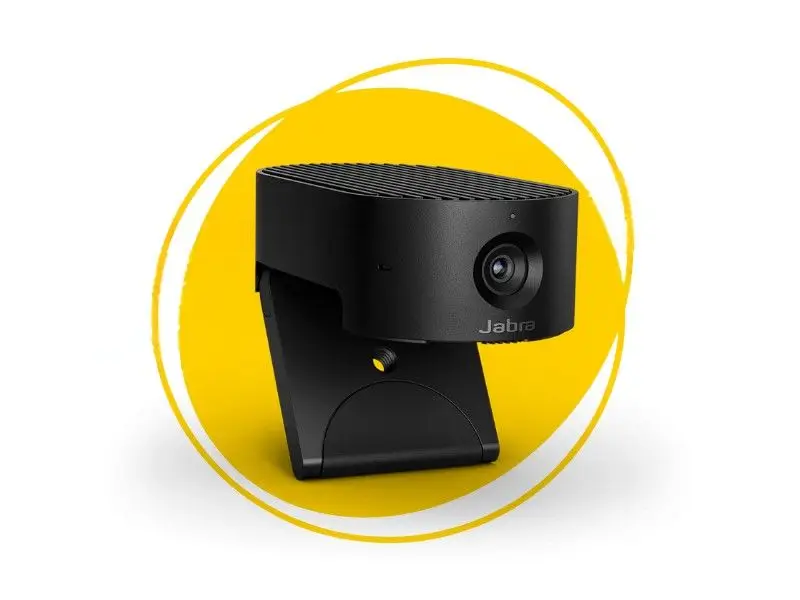
Jabra PanaCast 20
Its compact size and included carry pouch make it highly portable and easy to shift between workspaces. For mounting, it offers a fold-out clip that securely grips laptop and monitor bezels, plus a standard tripod thread for stable placement on desk mounts.
Specifications & Configurations
4K Ultra-HD (3840×2160 @30fps)
90° horizontal, 117° diagonal
30 fps
Up to 3× lossless digital zoom at 720p
Yes, with AI-driven “Intelligent Zoom”
Has lighting optimization (via AI) to help in uneven lighting
Clips to monitor, also supports tripod mount
Works with Windows, macOS, ChromeOS, and major UC platforms
Jabra Direct/app software
USB-powered (USB 3.0/2.0 compatible); plug-and-play with Windows, macOS, and major UC platforms.
3 built-in MEMS microphones
Integrated privacy cover(Shutter), on-device background effects, picture-in-picture mode (PiP)
Who is it for?
Ideal for solo professionals or small meeting rooms (1–3 people) who want a smart, compact camera that handles lighting and tracking without hassle.
Pros & Cons
Pros
- Excellent image quality even in varied lighting
- AI-powered framing & zoom
- Privacy cover + background effects
- Compact and portable
- Good Teams and Webex integration
- Handy travel case
Cons
- Microphone quality is decent, but may not rival dedicated mics
- For full-room meetings (4–5 people), it might be on the edge
- No optical zoom
- Cannot switch more than 30fps
Other Key USPs
Edge AI processing keeps data on-device, reduces security threats, and cloud exposure.
Poly Studio E60
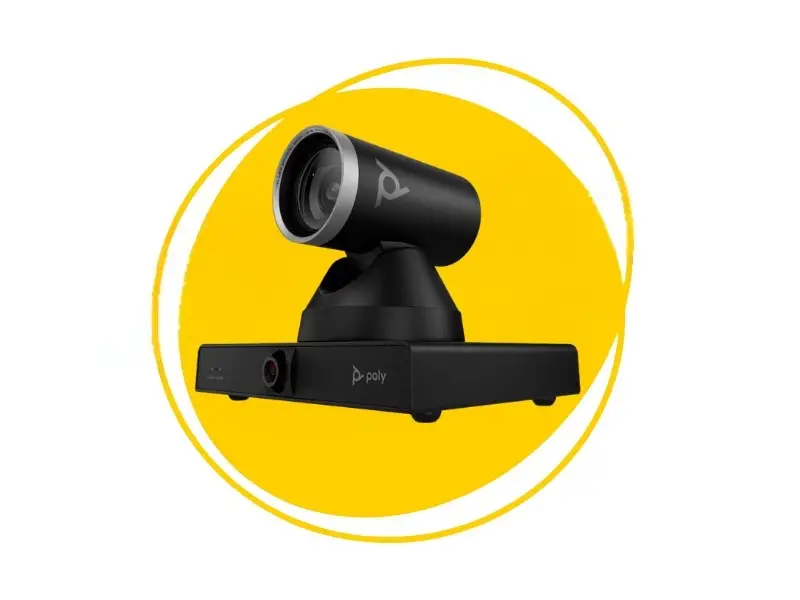
The Poly Studio E60 is built to make hybrid collaboration feel natural. With its dual-lens 4K setup and AI-driven Poly DirectorAI technology, it automatically frames every speaker and keeps discussions flowing smoothly. It doesn’t blink, doesn’t get tired, and never forgets to keep you in frame
Its flexible mounting and PoE+ connectivity make setup effortless, so teams can focus on conversations, not cables.
Specifications & Configurations
4K UHD (3840 × 2160)
Horizontal FoV 107° (for panoramic view)
Up to 30 fps
12× optical zoom; up to 16× digital zoom (for finer close-ups)
Motorized Pan/Tilt/Zoom (MPTZ) with AI-driven framing and presenter tracking (via Poly DirectorAI)
Automatically adapts to lighting
Includes wall mount, ceiling mounts, or display mounts
Windows 10 and Windows 11, Android, and macOS
Controlled via Poly Lens software (cloud and local device management), supports remote configuration and monitoring
Powered via PoE+ (Power over Ethernet) or DC 12 V adapter; connects via USB‑B or Ethernet and compatible with major conferencing
Have built-in beamforming triple microphones
Integrated privacy cover(Shutter), on-device background effects, picture-in-picture mode (PiP)
Who is it for?
Great for home offices that are expanding into shared meeting zones, or small rooms that may host more than 3 people occasionally
Pros & Cons
Pros
- Powerful optical zoom (12×) plus dual 8-MP sensors give solid image quality
- AI-Driven Framing & Tracking supports group framing and presenter tracking
- All-in-one bar reduces clutter
- Flexible mounting and connectivity option includes USB-B, PoE+ over Ethernet, and AC/DC power
- Strong brand reputation. Poly Lens enables remote IT management
Cons
- Higher cost
- Complexity
- macOS, Linux, and ChromeOS may lack full feature support
- Not portable-friendly
Other Key USPs
Dual-Lens Setup with Panoramic + PTZ Views. One lens offers a panoramic view (≈ 107° HFOV), and the other is the PTZ (Pan-Tilt-Zoom) lens with 12× optical zoom
Yealink UVC84
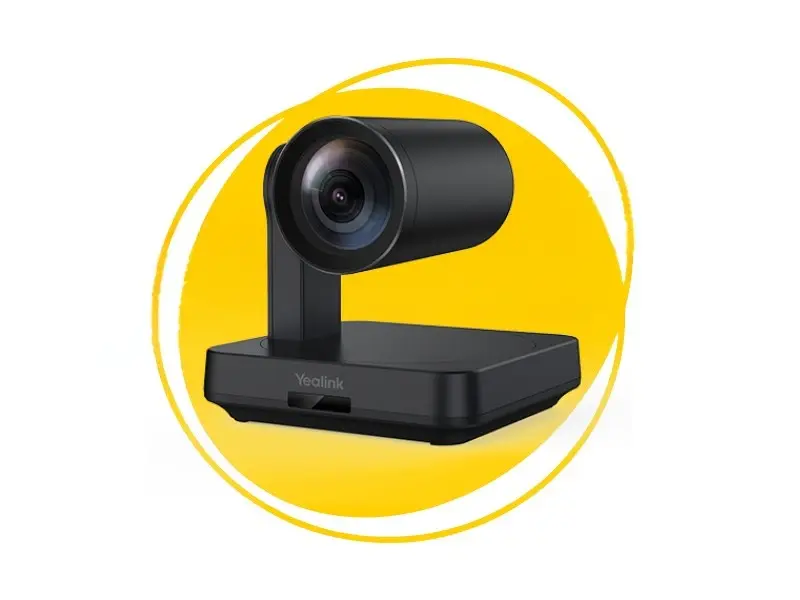
The Yealink UVC84 brings your meeting room to life with stunning 4K video and smart PTZ control. Its auto-framing and 12× optical zoom make sure everyone stays in the spotlight, whether they’re presenting or brainstorming. And the best part? It tracks you so well, you might start wondering if it has a sixth sense.
Easy to mount on a wall, ceiling, or TV, it adapts to your room and your team effortlessly. Designed for seamless collaboration on Teams, Zoom, or any major platform, it’s all about making meetings smoother and smarter.
Specifications & Configurations
4K UHD (3840 × 2160)
80° diagonal
30 fps
12× optical zoom + 3× digital zoom
Minimum illumination of 0.5 lux (daylight), 0.1 lux (night)
Supports conference table, TV stand, wall, ceiling, or tripod mounting
Windows 7/10, macOS 10.10 or higher. Certified for Microsoft Teams and Zoom
VCR20 remote control; Yealink Camera Control Plug-in
Powered via DC 48V adapter. USB 2.0 Type B port
Supports Yealink VCM34 array microphone or VCM38 ceiling microphone
- Auto Framing, mechanical pan/tilt, integrated audio support with Yealink audio devices
Who is it for?
The Yealink UVC84 is ideal for medium to large meeting rooms
Pros & Cons
Pros
- 4K Ultra HD Video Quality
- 12× Optical Zoom allows for clear close-ups
- Auto Framing automatically focuses on participants.
- Built-in lens cap
- Premium design
Cons
- No Built-in Audio
- Power Adapter Dependency
Other Key USPs
- Easy PTZ control using a remote control or Yealink’s camera control software.
- Seamless audio integration with Yealink audio devices, such as the VCM34 array microphones, VCM38 ceiling microphones, or MSpeaker II soundbar
Coolpo AI Huddle Mini Lite
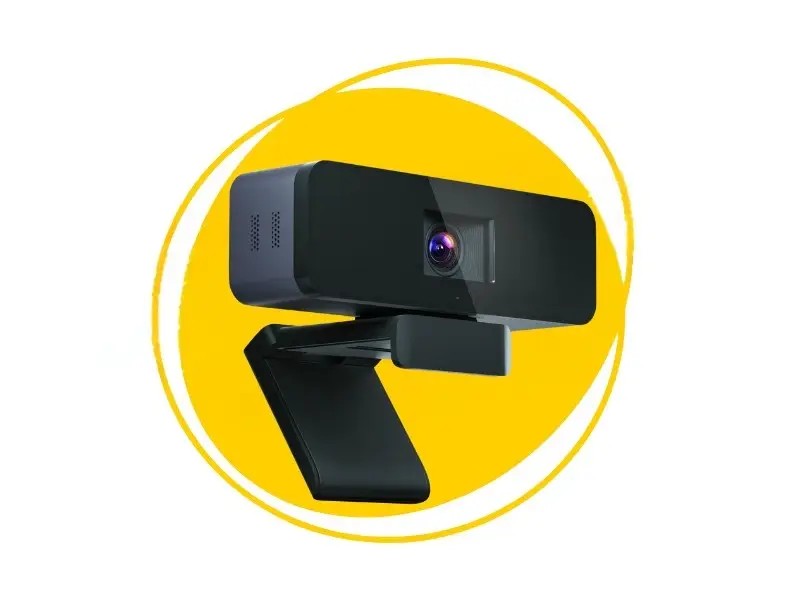
Coolpo AI Huddle Mini Lite compact yet intelligent camera combines cutting-edge AI technology with 4K clarity to deliver a professional meeting experience. Designed for modern hybrid teams, it automatically frames speakers, adjusts angles, and keeps conversations seamless.
What sets it apart? This compact powerhouse combines camera, microphone, and speaker, all in one device powered by AI, so you don’t need multiple gadgets cluttering your desk.
Specifications & Configurations
4K (3840×2160) @ 30 fps
120°
30 fps
4× digital zoom
Uses 2D & 3D digital noise reduction algorithms. Claims “exceptional low-light performance”
Monitor/laptop clip, flat base mounting, ¼-20 tripod thread
USB (UVC / UAC), plug-and-play; supports Windows 10+, macOS 10.10+
Via “CoolpoTools” software (for toggling AI modes, FOV, etc.)
Powered by 5 V (USB) with 2.5 W consumption
Supports Yealink VCM34 array microphone or VCM38 ceiling microphone
- MeetingFlex AI with Frame Master (group/individual) & Division Master modes
- Privacy cover/shutter
- Adjustable FOV when AI is off ( 60°, 90°, 120°)
Who is it for?
The Coolpo AI Huddle Mini Lite is ideal for hybrid work setups, small huddle rooms. If you prefer AI-driven framing and tracking without heavy PTZ hardware, then this camera is your go-to.
Pros & Cons
Pros
- Excellent wide-field 120° view
- Intelligent AI modes
- Division Master shows up to seven individual participants
- Frame Master automatically tracks all participants and tracks individuals as they move
- Electret Microphone with 6 ft pick up range
- Compact portable design makes it easy to carry
- Strong noise cancellation
Cons
- When the AI modes are ON, resolution may drop from 4K to 1080p
- As a wide-angle device may lose sharpness when zoomed
Other Key USPs
- MeetingFlex AI Modes
- Plug-and-play design with minimal setup
- USB-powered low-wattage
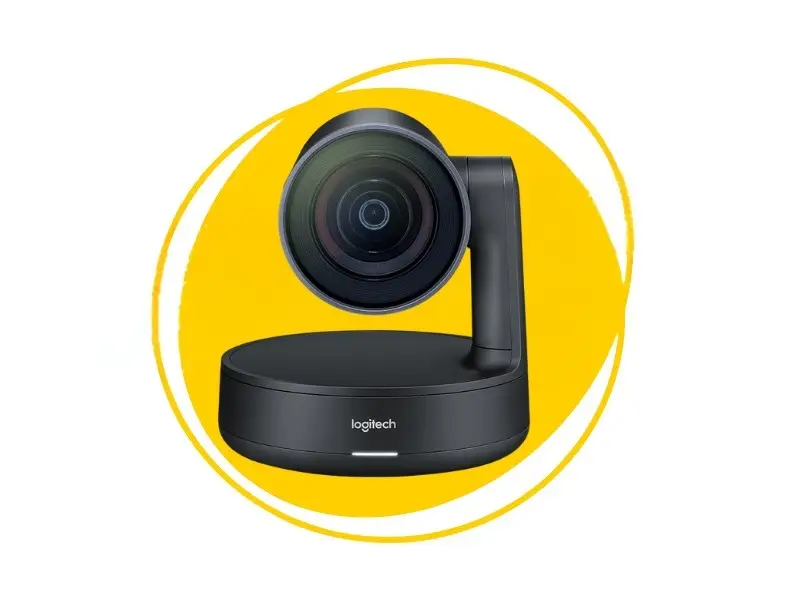
Logitech Rally Camera
Specifications & Configurations
Up to 4K Ultra HD (3840 × 2160) at 30 fps; supports lower resolutions, including 1080p@60fps
Diagonal 90°/horizontal 82.1/ vertical 52.2°
30 fps at 4K; in 1080p mode supports up to 60 fps
- 15× HD zoom (combining optical + digital)
Uses Logitech RightLight with Wide Dynamic Range (WDR) to prioritize faces, reduce glare, and balance exposure in challenging lighting
Table, wall, VESA display mount (via optional hardware), tripod (1/4-20 thread), ceiling mount (camera auto-flips)
USB plug-and-play (UVC), works with PC, Mac, and Chrome OS.
Compatible with major video conferencing apps
RF remote control (3 presets, pan/tilt/zoom), software control, manual override, auto-framing (RightSight) can be turned on/off
Uses AC adapter + “power splitter”, USB-C 3.0 cable for data connection. No PoE support in base model
- The camera itself does not include built-in microphones
- Logitech RightSense suite (RightSight, RightLight, RightSound) for auto-framing, lighting optimization, and voice prioritization
- Auto image flip for upside-down mounting
- Kensington lock slot for security
- Firmware upgradeability and remote management via Logitech Sync
Who is it for?
The Logitech Rally Camera is ideal for medium to large rooms and any setting where you want a professional-grade PTZ (pan-tilt-zoom) camera with automation and modular audio
Pros & Cons
Pros
- Outstanding 4K image quality with sharp detail and color accuracy.
- Strong 15× HD zoom captures distant whiteboards with clarity
- RightSense features (RightSight, RightLight, RightSound) to reduce manual adjustments
- Auto flip and remote control.
Cons
- The camera does not include built-in microphones, so you’ll need external mic pods for audio
- It demands an external power splitter or adapter
- Auto tracking movement is cautious or slow
- High cost
Other Key USPs
- Auto camera-down pose: When idle, the camera points downward to signal privacy or standby
-
-
- Modular & scalable system: You can expand with audio pods or speakers.
- Logitech Sync helps to remotely manage and support the device.
-
Product Comparison
| Camera | Resolution | Field of View / PTZ | AI / Auto Framing | Audio Integration | Best Use Scenario |
|---|---|---|---|---|---|
| Jabra PanaCast 20 | 4K @ 30 fps | 90° fixed | Intelligent Zoom, Picture-in-Picture | 3 MEMS microphones (built-in) | Personal / home office |
| Poly Studio E60 | 4K video bar | Wide-angle + PTZ | AI-driven auto framing | Integrated mic array | Shared or small rooms |
| Yealink UVC84 | 4K Ultra HD | Full PTZ control | Yes (auto framing supported) | External mic support | Flexible positioning setups |
| Coolpo AI Huddle Mini Lite | 1080p – 4K (selectable) | Moderate wide-angle | AI tracking | Basic integrated mic | Ultra-compact rooms |
| Logitech Rally | High-end 4K | Full PTZ system | Smart framing | External mic support (expandable) | Mid to large conference rooms |
Set Up Tips to Get the Most Out of Your Camera
Even the best camera can underperform if your setup is bad. Here are a few tips:
- Place the camera at or slightly above eye level and avoid weird downward angles.
- Use a plain or lightly textured background to avoid distractions.
- Avoid bright windows behind you. Light should fall on your face, not from behind.
- Use a soft fill light (desk lamp with diffuser) to reduce harsh shadows.
- Mute background noise or echo with rugs, curtains, or foam panels if you have echo in small rooms.
Final Recommendation
Transform Your Meeting Today
Your video calls deserve more than the default laptop camera. Choosing the right conference camera for your room size transforms clarity, presence, and professionalism.
At Zeal Global, we don’t just sell cameras. We help you test them in your space, bundle audio/video systems, and even set up full unified communications (UC) rooms. Whether it’s a home office or a small meeting room, we make sure your setup delivers the perfect video conferencing experience.
Want to see it in action? Contact Zeal Global today for demos, bundles, and expert guidance to create your ideal small-room video conferencing setup.
Bring Your Meetings to Life
FAQ
For a highly portable, self-contained kit, go for the Logitech Conference Cam. If you are on a temporary setup like a hotel room, then the compact Poly Studio P15 is a great choice. Jabra Panacast 20 is a smart choice if you are the solo presenter in a client’s office.
For a 6-person room, we recommend products designed specially for small to medium conference rooms. Some recommendations are Logitech MeetUp, Poly Studio X30 / X32, Yealink MeetingBar A10, and Jabra Panacast 50