

How to Set Up a Temporary Meeting Room in 24 Hours
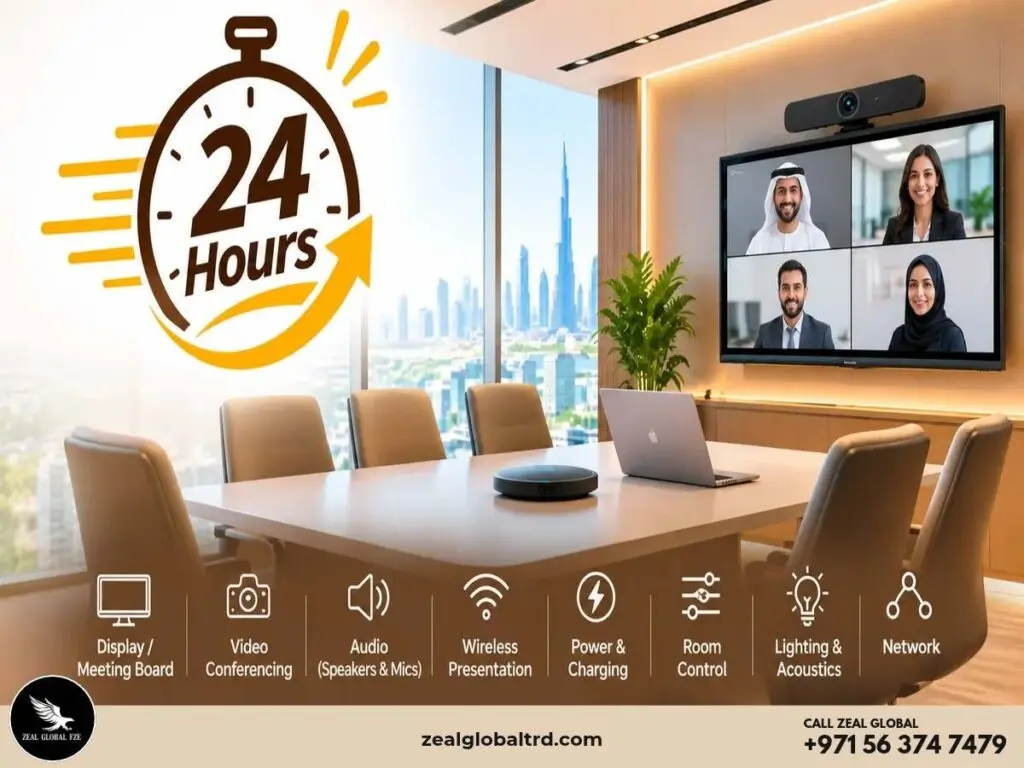
You Need a Meeting Room Tomorrow. Where Do You Start?
Imagine a construction company has just moved its project team into a temporary site office in Dubai. The engineers are working from the site, while consultants, architects and senior management are joining meetings remotely. The company has a room, tables and chairs, but no proper video conferencing system, display, microphones or wireless presentation setup.
Or perhaps your company’s main meeting room in Abu Dhabi is being renovated, a new branch office is waiting for its permanent AV installation, or an important client meeting has been scheduled with less than a day’s notice.
In situations like these, waiting weeks for a permanent meeting-room installation is a bad idea.
You don’t have to purchase and permanently install an entire conference-room system either.
Then what is the best option?
By choosing the right space and renting the required AV equipment, you can turn a temporary space into a professional, meeting-ready room within a short timeframe.
But setting up a temporary meeting room in 24 hours isn’t simply about bringing in a screen and a camera. The room needs to work as a complete system, with reliable network connectivity, sufficient power and charging, suitable lighting and acoustics, comfortable seating, and properly configured technology.
In this guide, we’ll walk through what you need to consider and how to plan a temporary meeting room from an empty space to a fully tested meeting environment within 24 hours.
What Is a Temporary Meeting Room?
A temporary meeting room is a short-term meeting space created for a specific business requirement rather than a permanent conference-room installation.
It could be a meeting room inside a temporary office, a construction project office, an additional room during office renovation, or a meeting space created for a training session or corporate event.
Instead of purchasing and permanently installing every piece of equipment, businesses can rent the required displays, video conferencing systems, microphones, speakers, wireless presentation tools and other meeting-room technology for the duration of the requirement.
This makes temporary AV rental particularly useful when the room may only be needed for a few days, weeks or months.
Start With the Meeting, Not the Equipment
Before renting a display or video conferencing system, first understand what the room needs to accomplish.
- Executive or board meetings
- Client presentations
- Team meetings
- Workshops
- Training sessions
- Hybrid meetings
- Corporate events
- Project meetings
The meeting type will influence the room layout, display requirements, camera coverage, audio system and presentation technology.
How Many People Will Be in the Room?
Equipment should be selected according to the number of participants and the size of the room.
A six-person huddle room does not need the same audio and video setup as a 20-person boardroom. Renting equipment based on the actual room requirement also helps avoid paying for technology that you may never use.
Will There Be Remote Participants?
If remote participants are joining through Microsoft Teams, Zoom or another platform, video and audio become especially important.
The camera needs to capture the people in the room, while microphones and speakers need to provide clear two-way communication without excessive echo or background noise.
Your 24-Hour Temporary Meeting Room Setup Plan
A successful rapid deployment can be divided into four stages: assess, equip, configure and test.
1. Secure and Assess the Space
Your first priority is to identify a suitable room.
Check the room dimensions, expected number of participants, seating arrangement, accessibility, power outlets, network availability, lighting, acoustics and air conditioning before selecting equipment.
Create a simple room map showing where the display, camera, microphones, speakers, tables, charging stations and presentation equipment will be positioned.
This small step can prevent a common problem: bringing equipment into the room and only then discovering that there is no suitable position for the camera, display or power connection.
If the room itself is not available, businesses may also consider a temporary external meeting space such as a hotel meeting room or serviced office, depending on the requirement.
2. Rent the Right Meeting Room Technology
Once the room requirements are clear, arrange the equipment.
Display Screens and Meeting Boards:
A professional display is usually the visual centre of the meeting room. Depending on the room and meeting type, you may need a large-format display, multiple displays or an interactive meeting board.
Interactive meeting boards can be particularly useful for brainstorming, presentations, annotation and collaborative sessions.
The display should be positioned so that both people in the room and remote participants can follow the presentation comfortably.
Video Conferencing and All-in-One Video Bars:
For hybrid meetings, video conferencing technology is essential.
An all-in-one video bar can combine several functions into a compact solution, including the camera, microphones and speakers. This makes it particularly practical for temporary meeting rooms where fast deployment and simple installation are important.
For larger rooms, a more advanced camera and audio configuration may be appropriate.
The important point is to select the technology according to the room size, participant count and meeting platform rather than simply choosing the most powerful equipment available.
Speakers, Speakerphones and Microphones:
A meeting can have an excellent display and still fail if participants cannot hear one another.
Depending on the room, the setup may include integrated video-bar audio, conference speakers, speakerphones, table microphones or wireless microphones.
For larger rooms, microphone placement becomes increasingly important because people sitting farther from the main system still need to be heard clearly.
Headsets:
Headsets can be useful when participants need individual audio, particularly for interviews, individual calls or situations where several people are working from the same temporary space.
They can also provide a practical backup option if an individual participant experiences an audio issue.
Wireless Presentation
Constantly switching HDMI cables and adapters between laptops can slow down meetings.
Wireless presentation systems such as Barco ClickShare allow participants to share content with fewer physical connections, making them particularly useful when several people need to present during a meeting.
Whiteboards and Collaboration Tools:
A temporary meeting room should not only support video calls.
A portable whiteboard, flipchart or interactive meeting board can support brainstorming, training, project planning and collaborative discussions.
For short-term deployments, portable solutions are particularly convenient because they can be moved or removed when the meeting requirement ends.
3. Set Up the Infrastructure and Environment
AV equipment is only one part of a functional meeting room. The infrastructure behind it matters just as much.
Power Outlets and Charging Stations:
Modern meetings can involve laptops, phones, tablets and other devices. Make sure participants have convenient access to power.
Depending on the room, you may need charging stations, additional power distribution and appropriate cable management.
Avoid leaving loose cables across walking areas. Cables should be routed and secured safely to reduce trip hazards.
Network and Internet Connectivity:
A video conferencing system is only as reliable as the network supporting it.
Check the internet connection from inside the actual meeting room. Where appropriate, use wired Ethernet for important equipment and ensure Wi-Fi coverage is sufficient for participants.
For critical meetings, businesses may also consider a suitable backup connectivity option.
Room Control:
A temporary meeting room should be simple to operate.
Depending on the setup, room control can include the display, video conferencing system, volume, presentation switching, lighting and touch controllers.
The goal is to allow employees to start and manage a meeting without needing an IT technician to operate every device.
Lighting:
Lighting directly affects the video experience.
Avoid positioning participants directly in front of strong windows or bright light sources. Faces should be sufficiently illuminated, while excessive glare on the display should be avoided.
If the existing lighting is unsuitable, additional lighting may be considered depending on the room and meeting requirements.
Acoustics:
Hard walls, glass surfaces and empty rooms can create echo and make speech difficult to understand.
Check the room for excessive reverberation and background noise. Microphone placement, furniture, soft furnishings and acoustic treatment can all influence the audio experience.
Air Conditioning and Comfort:
A meeting room also needs to be comfortable for the people using it.
Check that the air conditioning is functioning properly and that airflow does not create excessive background noise for microphones. This is particularly important for longer meetings and rooms with larger groups.
4. Configure and Test the Room
The equipment being delivered is not the same as the room being ready.
Before the first important meeting, configure the systems and run a complete test.
Run a Mock Meeting
Connect the laptop and test:
- Camera framing
- Microphone pickup
- Speaker volume
- Echo and background noise
- Display
- Wireless presentation
- Teams or Zoom
- Network connection
- Room controls
- Lighting
If possible, make a test call with someone outside the room.
Test From the Participant’s Perspective
Don’t only test the equipment while standing beside it.
Sit in the closest seat, the farthest seat and the positions at the sides of the table.
Ask:
Can everyone see the display? Can everyone hear clearly? Can the camera capture the participants? Can everyone participate comfortably?
This simple test can reveal problems that may not be obvious from the equipment table.
Prepare a Backup Plan
For an important meeting, keep essential backup items available, such as compatible cables, adapters and a copy of the presentation.
For critical deployments, having technical support available can also reduce the risk of a meeting being disrupted by an unexpected equipment issue.
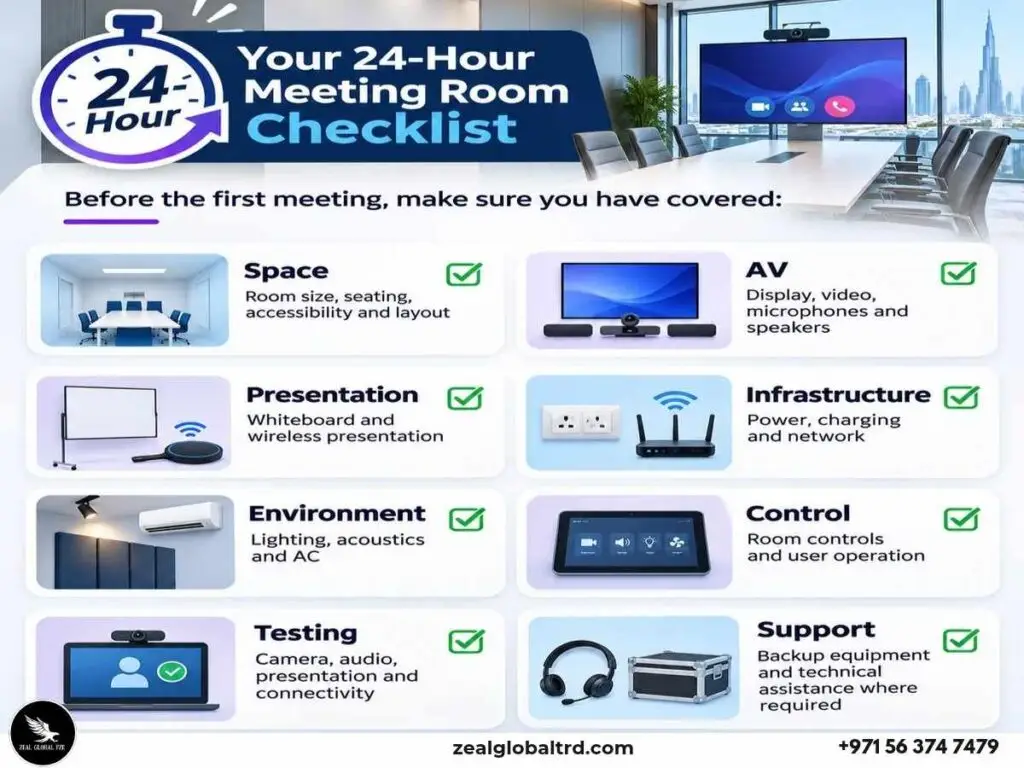
Temporary Meeting Room Equipment Checklist
| Requirement | Huddle Room | Medium Meeting Room | Large Meeting Room |
|---|---|---|---|
| Display | Display or meeting board | Large display | Large or multiple displays |
| Video | Compact video bar | All-in-one video bar | Advanced camera system |
| Audio | Integrated audio | Video bar + additional audio if required | Multiple microphones and speakers |
| Whiteboarding | Portable whiteboard | Whiteboard or meeting board | Interactive board/presentation system |
| Wireless Presentation | Optional | Recommended | Recommended |
| Speakerphone | Optional | As required | Advanced audio solution |
| Headsets | As required | As required | As required |
| Charging | Charging hub | Charging station | Multiple charging points |
| Room Control | Basic | Touch controller | Integrated room control |
| Network | Reliable Wi-Fi | Wired/Wi-Fi | Reliable enterprise connectivity |
| Lighting | Basic check | Optimised lighting | Professional lighting consideration |
| Acoustics | Basic optimisation | Acoustic optimisation | Detailed acoustic planning |
Why Rent AV Equipment for a Temporary Meeting Room?
Buying equipment may not make sense when the requirement is temporary.
Renting can be particularly useful when a business needs meeting technology for a short-term project, temporary office, office renovation, training programme or occasional corporate requirement.
It can provide access to professional equipment without requiring a permanent installation or long-term storage after the project ends.
Rental also provides flexibility. A small temporary room today may become a larger meeting space next month, so the equipment can be selected according to the requirement rather than committing to one permanent configuration.
For businesses evaluating the long-term financial decision between renting and purchasing, a separate AV rental vs purchase analysis can help determine which model fits their usage.
Why Work With an AV Rental Specialist?
When time is limited, renting individual pieces of equipment is only part of the solution. The bigger challenge is making everything work together.
An experienced AV specialist can help with several parts of the deployment.
Equipment Selection:
Instead of researching every camera, microphone, display, and presentation system separately, an AV specialist can recommend equipment according to the room, participant count, and meeting requirements.
Faster Deployment:
A specialist can coordinate equipment delivery, installation and configuration, helping businesses get the temporary room operational faster.
Integrated Setup
The display, camera, microphones, speakers, wireless presentation and room controls need to work as one system.
Professional configuration can reduce the risk of discovering compatibility or connectivity problems immediately before a meeting.
Testing and Support:
The room can be tested before the first important meeting, with the provider available to address technical issues during the rental period where support is included.
Dismantling After the Requirement:
Once a temporary project, event or office requirement ends, the rented equipment can be removed rather than becoming unused equipment that the business has to store.
When Is a Temporary Meeting Room Most Useful?
A temporary meeting room can be useful in many business situations.
Construction and Project Offices:
Construction companies may need a professional meeting space where engineers, consultants, contractors and management can communicate with remote teams.
Office Renovation or Relocation:
If a permanent conference room is unavailable during renovation or relocation, a temporary AV-equipped room can keep meetings running.
New UAE Office or Branch:
A business may need meeting facilities before its permanent AV installation is complete.
Training and Workshops:
Companies may require additional meeting or training capacity for a limited period without permanently expanding their meeting-room infrastructure.
Client and Executive Meetings:
A temporary professional meeting room can provide a suitable space when an important client or executive meeting needs to happen at short notice.
Need a Temporary Meeting Room in the UAE?
Businesses no more have to purchase an entire conference-room system or spend weeks on a permanent installation.
With the right planning and professional AV rental support, a temporary space can be equipped for productive meetings.
Zeal Global can help businesses assess their room requirements, select the appropriate AV equipment, arrange rental solutions, configure the setup and prepare the room for use.
We can help you get from empty room to a meeting-ready workspace much faster.